YSD_Users_E.pdf - 第91页
2-31 2 Basic operation n If adhesive dispensing from nozzle is poor , then check for: • Clogged or soiled nozzles • Low dispensing pressure • Incorrectly clamped syringe adapter • Incorrectly set nozzle • Wrong heater te…
2-30
2
Basic operation
e
3
Open the safety cover.
1. After the head moves frontward, press the emergency stop button and open the safety cover.
2. Prepare a rag to use when dispensing adhesive.
4
Check how adhesive is dispensed.
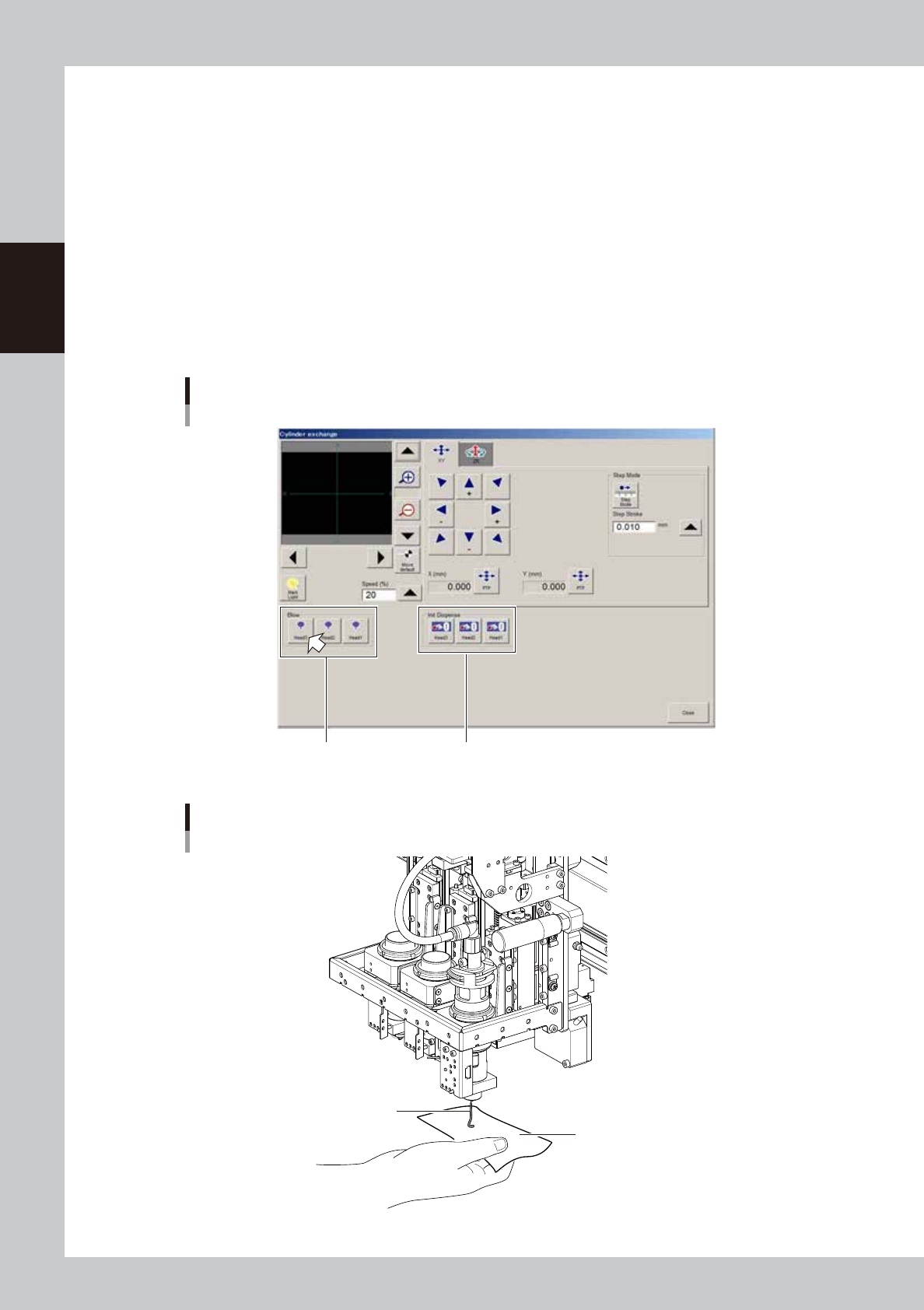
1. Press the [Cylinder exchange] button on the Setup screen.
2. Place a rag beneath the head and press the [Blow] button for the applicable head.
3. Check that the adhesive is dispensed smoothly.
• After replacing the head or syringe, blow for a period long enough to bleed the air.
• Nozzles for Type111, 112, 114 will dispense adhesive 10 centimeters or more from the nozzle tip.
• Nozzles with large diameter holes other than the above will dispense adhesive approximately 5
centimeters from the nozzle tip.
“Cylinder exchange” window
“Blow” group box “Init Dispense” group box
64226-N7-00
Check for adhesive dispensing
Adhesive
Rag
63209-N7-00
2-31
2
Basic operation
n
If adhesive dispensing from nozzle is poor, then check for:
• Clogged or soiled nozzles
• Low dispensing pressure
• Incorrectly clamped syringe adapter
• Incorrectly set nozzle
• Wrong heater temperature
• Old adhesive
• Air in syringe
n
NOTE
To replace the syringe when the liquid in that syringe has run out, press the corresponding head button in the “Init
Dispense” group box to initialize the liquid amount.
5
Finish the task.
Press the [Close] button to close the "Cylinder exchange" window.
TIP
The above check can also be carried out by opening the [Unit]-[Head] tab and pressing the [Blow] button of each
head to dispense adhesive.
2-32
2
Basic operation
3.7 Performing a dispensing test
After bleeding air from the nozzle, perform a dispensing test to check the dispensing state. The dispensing test will be
performed based on the predispense information in the board data. This section describes how to perform a dispensing test.
For more details, see “2. Dispensing test function” in Chapter 4.
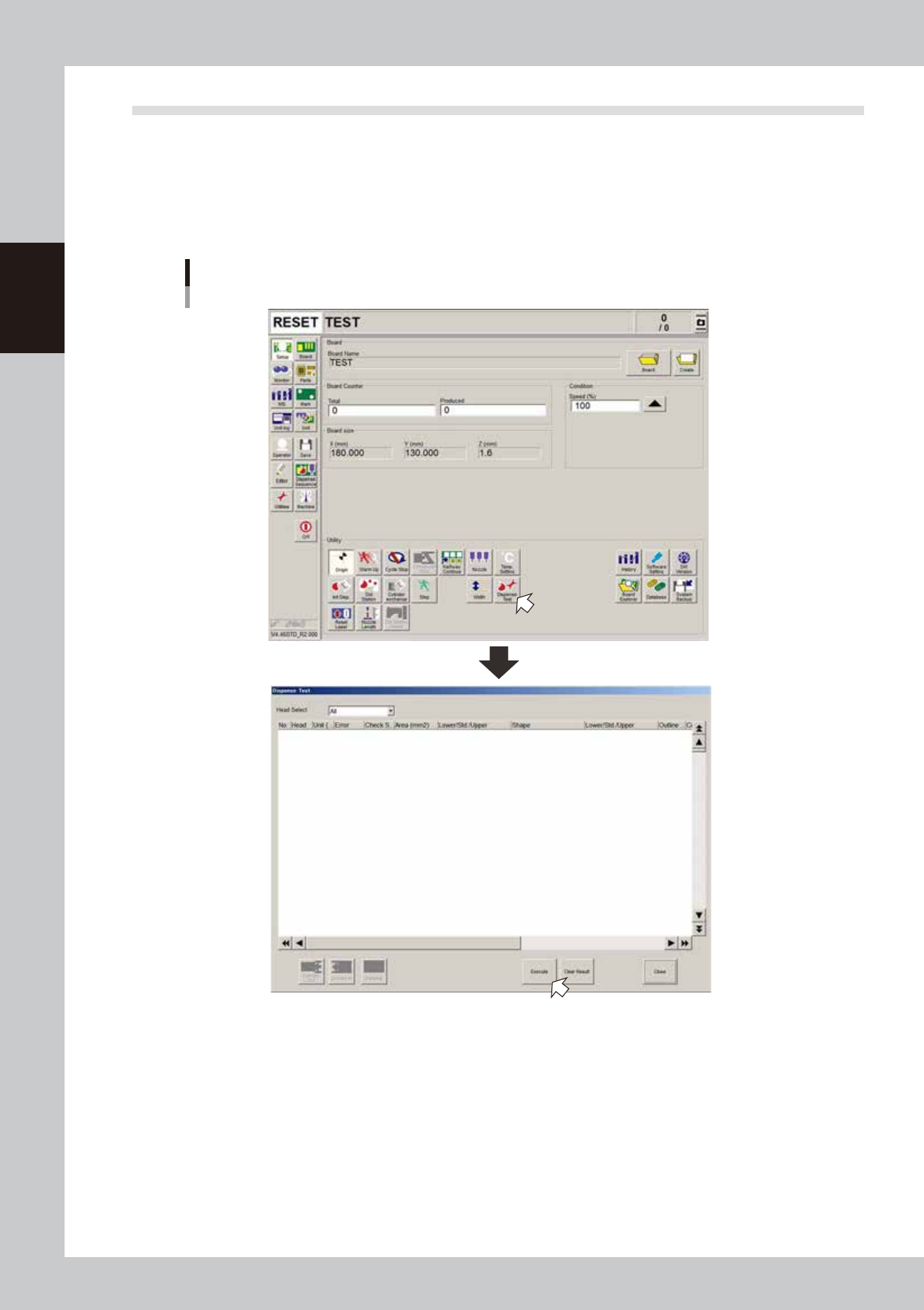
1
On the Setup screen, press the [Dispense Test] button.
The “Dispense Test” window appears.
”Dispense Test” window
64237-N7-00
2
Press the [Execute] button.
A dispensing test will be performed.
To perform a dispensing test on a board, press the [Conveyor in] button to set the board on the
conveyor and then press the [Execute] button.