00192393-02.pdf - 第58页
Modular Head P CB on S -23, S-25 HM, F5 HM, HS- 50 Retrofitting Instructions SIPLACE 2.6 Installing the Head PCB, Modular 02/2003 Edition 56 Å Mou nt the s train rel ief devi ce (see se parate servi ce package) o n the c…
Retrofitting Instructions SIPLACE Modular Head PCB on S-23, S-25 HM, F5 HM, HS-50
02/2003 Edition 2.6 Installing the Head PCB, Modular
55
.H\WR)LJ
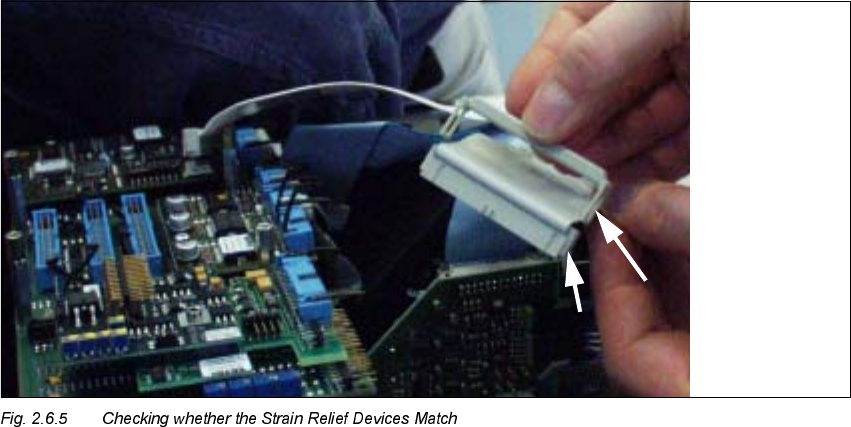
1. Strain relief device, suitable for the connectors of the modular head PCB
2. Big nose on the connector
Å If the strain relief devices on the 10-pin and 16-pin ribbon cable connectors match, proceed to
the next section.
Å If the strain relief bars do NOT match, mount the new connectors and strain relief devices from
the separate service package (see Section 2.4.4) as follows:
Å With an indelible marker, mark PIN 1 on each of the DERYHPHQWLRQHG4 ribbon cables.
Å Use the ribbon cable pliers from the separate service package to remove the DERYHPHQ
WLRQHG4 ribbon cable connectors as close as possible behind the connector.
Å Use the crimping tool for ribbon cable and the new connectors from the separate service
package:
- For each placement head: 3 units 10-pin insulation displacement connectors made
by Bancon, Order no. 050-010-435 A
- For each placement head: 1 unit 16-pin insulation displacement connector made by
Bancon, Order no. 050-016-435 A
Å Attach these connectors to the ribbon cables in the correct rotational position/PIN alloca-
tion.
Modular Head PCB on S-23, S-25 HM, F5 HM, HS-50 Retrofitting Instructions SIPLACE
2.6 Installing the Head PCB, Modular 02/2003 Edition
56
Å Mount the strain relief device (see separate service package) on the connectors:
- for 10-pin connector, Order no. 050-000-010
- for 16-pin connector, Order no. 050-000-016
Å As the next step, check the PIN allocation.
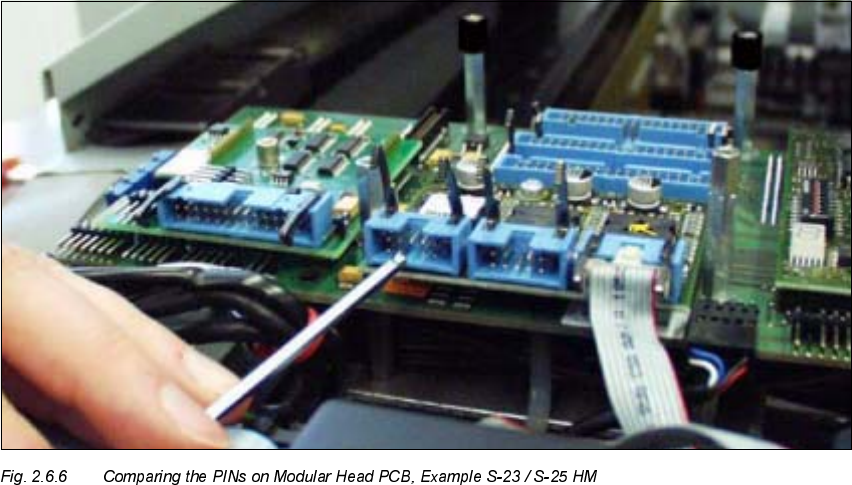
&KHFNLQJWKH&RQQHFWRU$OORFDWLRQ5HPRYHG3,16RI0RGXODU+HDG3&%V
Å To be on the safe side, check the PINs of the connectors of all modular head PCBs
(S-23/S-25HM, F5 HM, HS-50) by comparing each with the jack connector to be connected to
it.
-> Upon receipt, the pertinent PINs must have already been removed.
In the exceptional case that this is not the case, remove with pertinent PIN with the ESD ob-
lique-nosed cutting pliers.
Å Proceed to lay the cables and to plug in the connectors, as described in Section 2.6.5.
Retrofitting Instructions SIPLACE Modular Head PCB on S-23, S-25 HM, F5 HM, HS-50
02/2003 Edition 2.6 Installing the Head PCB, Modular
57
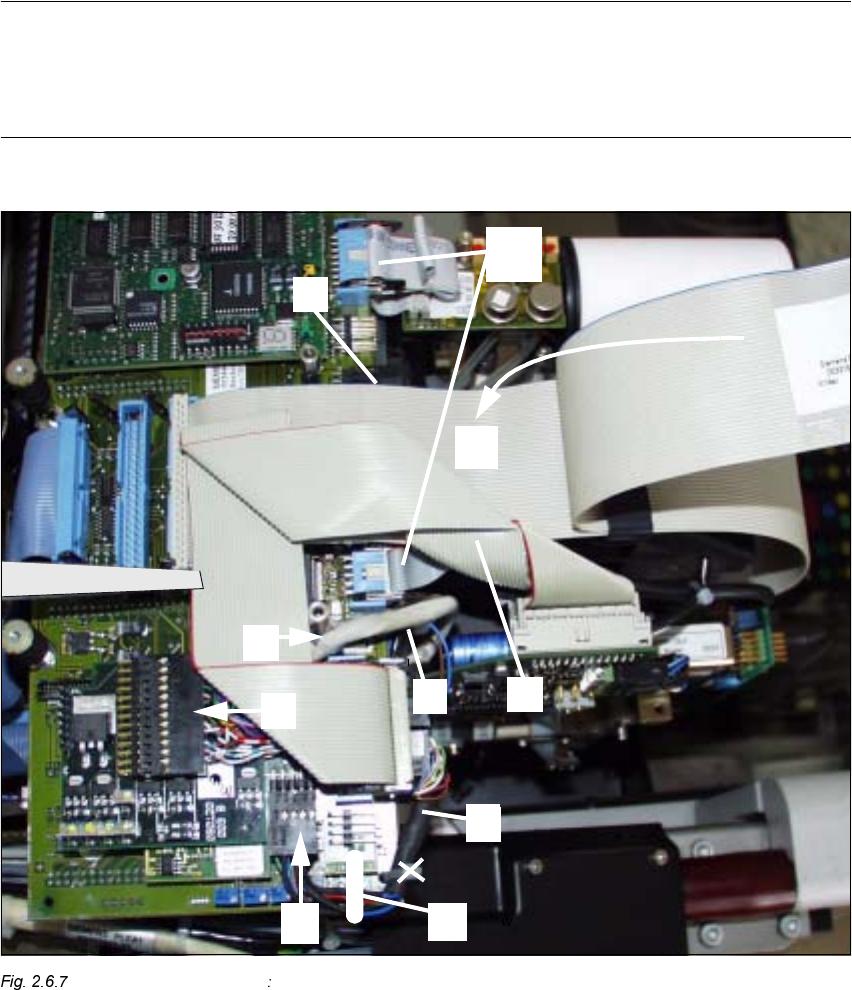
0DNHWKH&RUUHFW&DEOH5XQDQG3OXJ,Q&RQQHFWLRQV
NOTE:
Laying the cables correctly is a prerequisite for proper assemble of the head cover (see NOTE in
Section 2.1). In the following figures you see the modular Head PCB assembly with the PCB
board, modular (installed only when retrofitting the "PCB camera Multicolor" at the same time).
S-23/S-25 HM (F5 HM) 1st Step while Laying Cable in the Area of the Head PCB
.H\WR)LJ
1. Cable "Illumination" (PCB camera Multicolor)
2. Cable "Illumination" (Multicolor) -> plug-in connection X3 (PCB camera board, modular)
(NOTE: Cable "Illumination" of PCB camera with normal illumination on X -> see Fig. 2.7.2)