88192278-01-19 Installation Master.pdf - 第142页
PRINTER PREPARATION PRINTER ASSEMBLY 4.40 Installation Manual Chapter Issue 15, May 20 9. Connect the following cables to t he monitor: • Monitor Power Cable (DC) •V G A C a b l e • T ouchscreen Cable (USB) 10. Fit the r…
PRINTER PREPARATION
PRINTER ASSEMBLY
Chapter Issue 15, May 20 Installation Manual 4.39
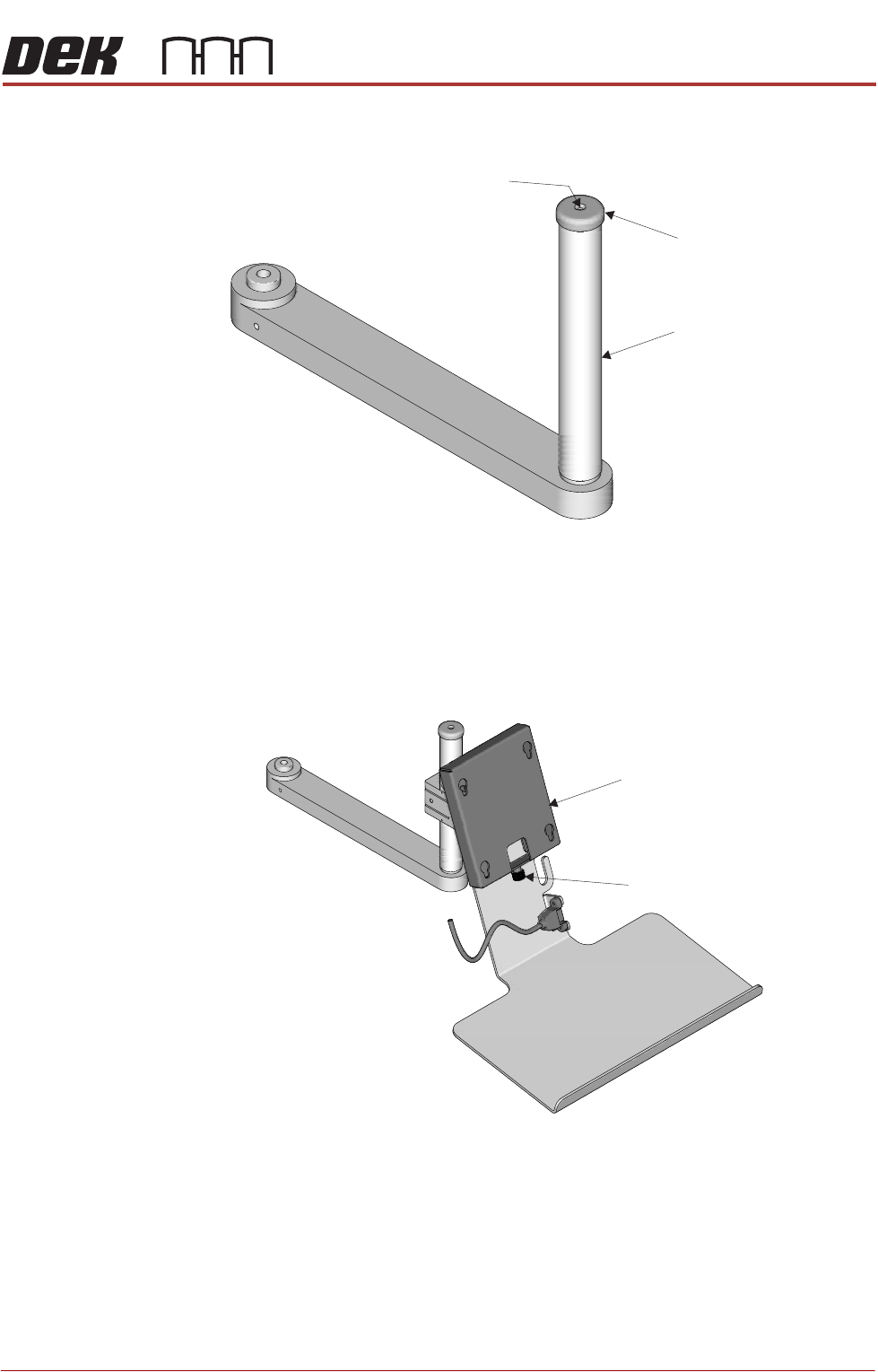
4. Remove the monitor bracket shaft cap using a 2mm Allen key.
5. Fit the monitor bracket on to the monitor bracket shaft and lock the release
catch.
6. Refit the cap.
7. Fit the monitor to the monitor fixing bracket ensuring that all four studs are
located in the key slots.
8. Secure the monitor using the monitor securing screw.
Securing Screw
Monitor Bracket Shaft
Cap
Monitor Fixing Bracket
Monitor Securing Screw
PRINTER PREPARATION
PRINTER ASSEMBLY
4.40 Installation Manual Chapter Issue 15, May 20
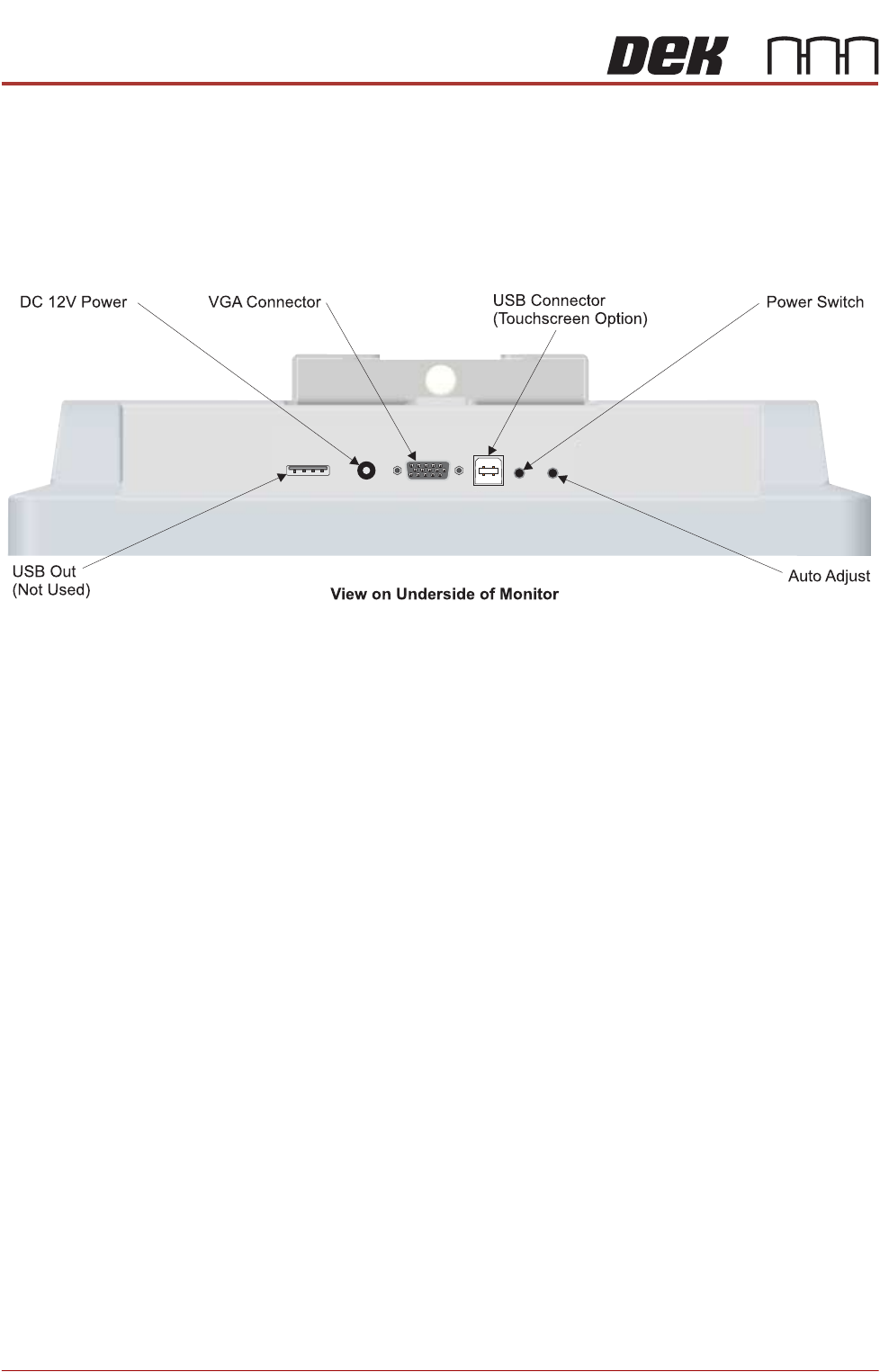
9. Connect the following cables to the monitor:
• Monitor Power Cable (DC)
•VGA Cable
• Touchscreen Cable (USB)
10. Fit the remaining USB cable to the rear monitor USB connector.
11. Place the keyboard on the bracket and feed the keyboard cable into the
printer.
12. Locate the free floating USB connector inside the right hand side of the
printer, behind the front panel.
13. Connect the keyboard.
14. Refit the front cover.
Type 5 Covers The monitor may have been removed for transportation, use the following
procedure to fit the monitor:
1. Remove the front panel.
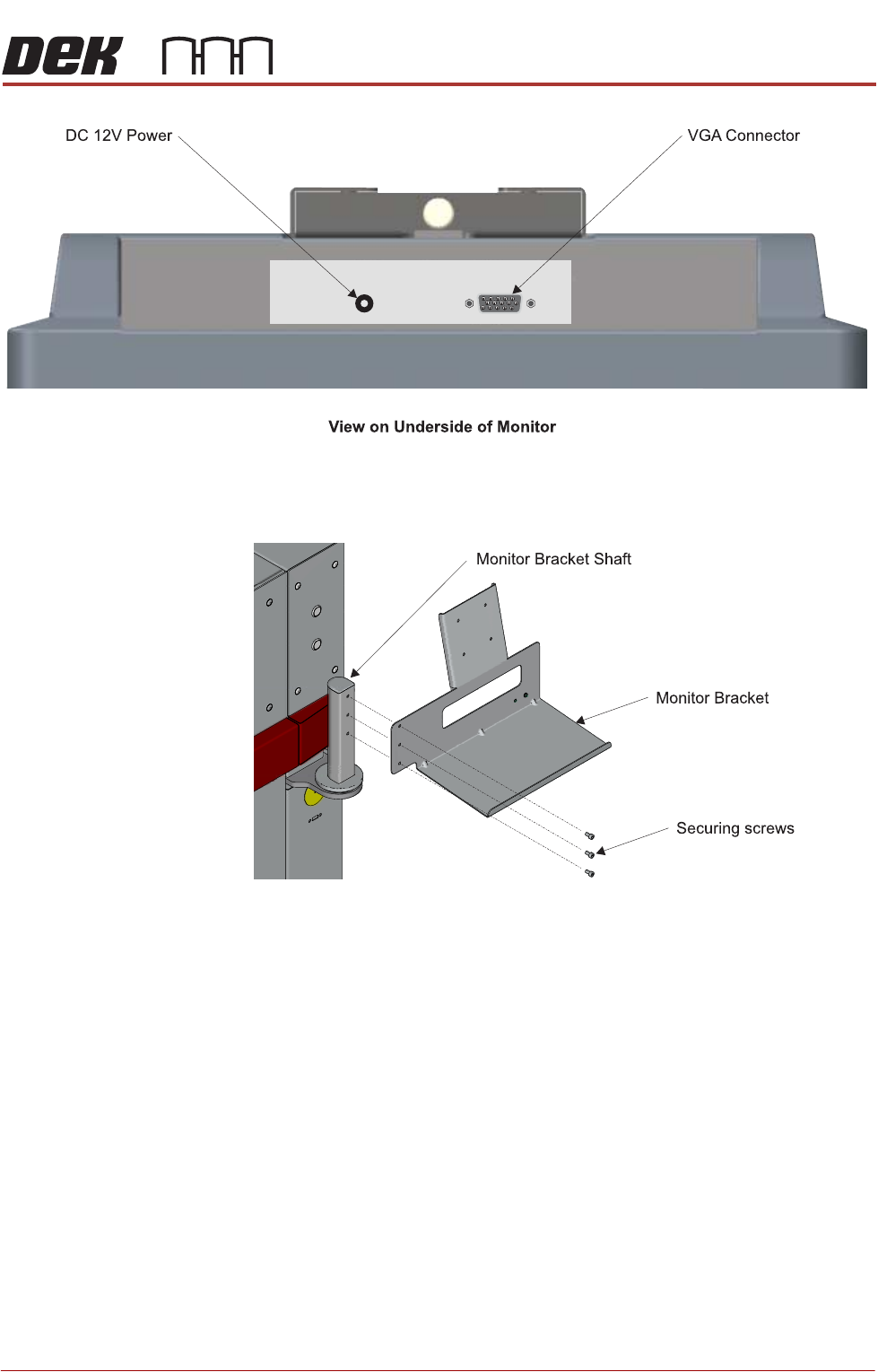
2. Locate the following cables stowed within the printer:
• Monitor Power Cable
•VGA Cable
PRINTER PREPARATION
PRINTER ASSEMBLY
Chapter Issue 15, May 20 Installation Manual 4.41
3. Feed the cables outside the printer
4. Fit the monitor bracket on to the monitor bracket shaft.