88192278-01-19 Installation Master.pdf - 第157页
PRINTER PREPARATION PRINTER ASSEMBLY Chapter Issue 15, May 20 Installation Manual 4.55 4. Fit the ProFlow A Tx system mount mechanism to the print carriage, ensuring that both locating dowels f it into the locator dowel …
PRINTER PREPARATION
PRINTER ASSEMBLY
4.54 Installation Manual Chapter Issue 15, May 20
Fit ProFlow ATx
System Mount
To fit the ProFlow ATx system mount to the printer, carry out the following
procedure:
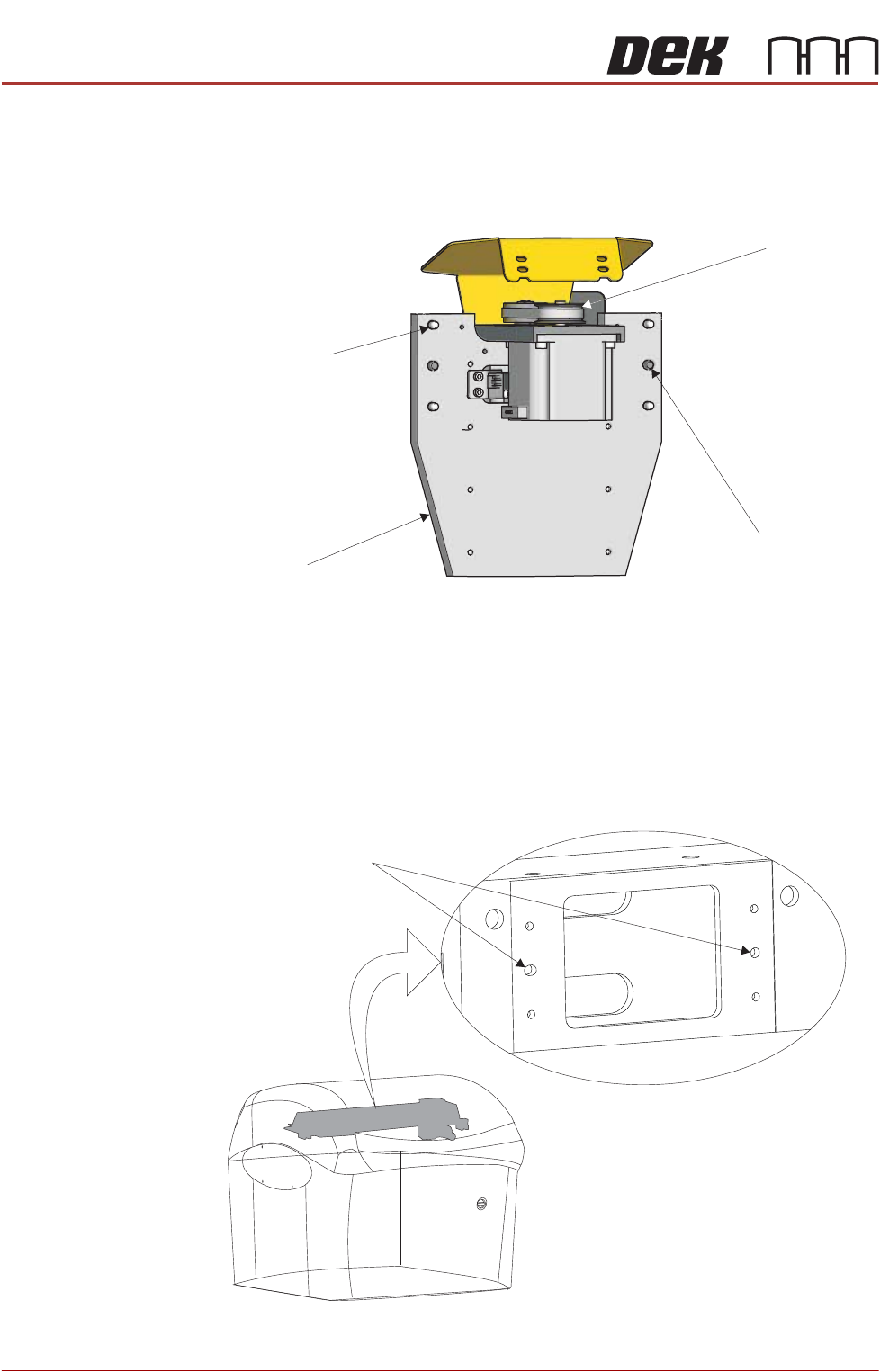
1. Locate the four captive mount screws and two locator dowels on the rear of
the mount plate of the ProFlow ATx system mount assembly.
2. Lower the ProFlow ATx system mount beam by manually turning the Z-axis
motor pulley counter-clockwise. This action reveals the four captive screw
heads located on the front face of the mount plate.
NOTE
The captive screws may be hidden behind the components on the front of
the mount assembly. Move the beam down until they are fully revealed.
3. Locate the two locator dowel holes on the front face of the print carriage.
View on Rear of ProFlow Mount
Mount Plate
Captive Mount
Screw (4 Positions)
Locator Dowel
(2 Positions)
Z-Axis Motor
Pulley
Locator Dowel Holes
View on Front Left Corner
PRINTER PREPARATION
PRINTER ASSEMBLY
Chapter Issue 15, May 20 Installation Manual 4.55
4. Fit the ProFlow ATx system mount mechanism to the print carriage, ensuring
that both locating dowels fit into the locator dowel holes.
NOTE
Ensure the cables and air feed lines are free from moving parts that may
prevent the ProFlow ATx mount from being secured to the print carriage.
5. Secure the ProFlow ATx system mount to the print carriage; tighten the four
captive screws on the mount plate, using the 4mm T-bar Allen key supplied
(205973).
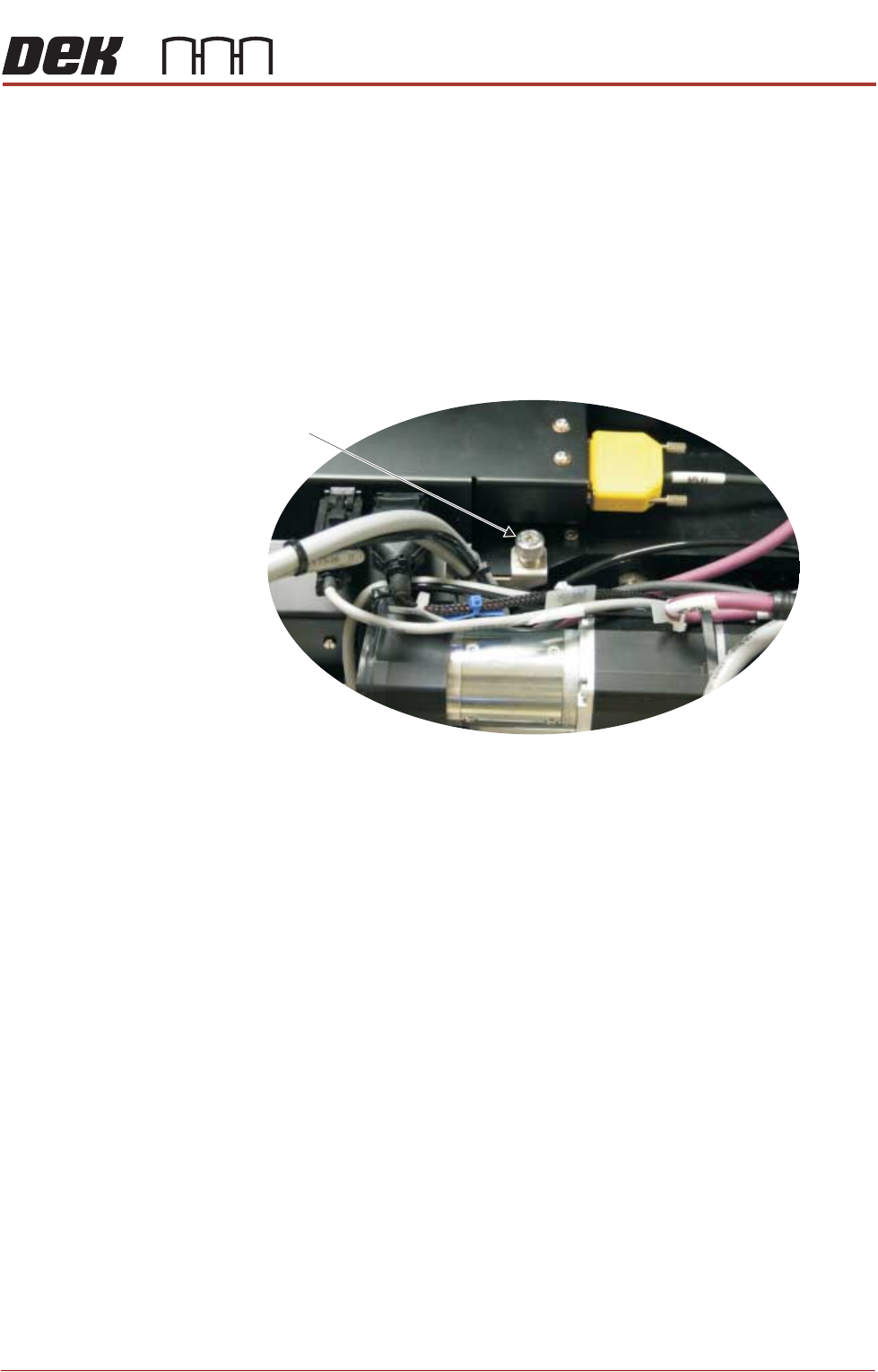
6. Using a crosshead screwdriver, attach the drag chain carrying the left hand
side cable and air feed connectors to the left hand side of the print carriage.
View on Print Carriage Top Face
Left Side Drag
Chain Screw
PRINTER PREPARATION
PRINTER ASSEMBLY
4.56 Installation Manual Chapter Issue 15, May 20
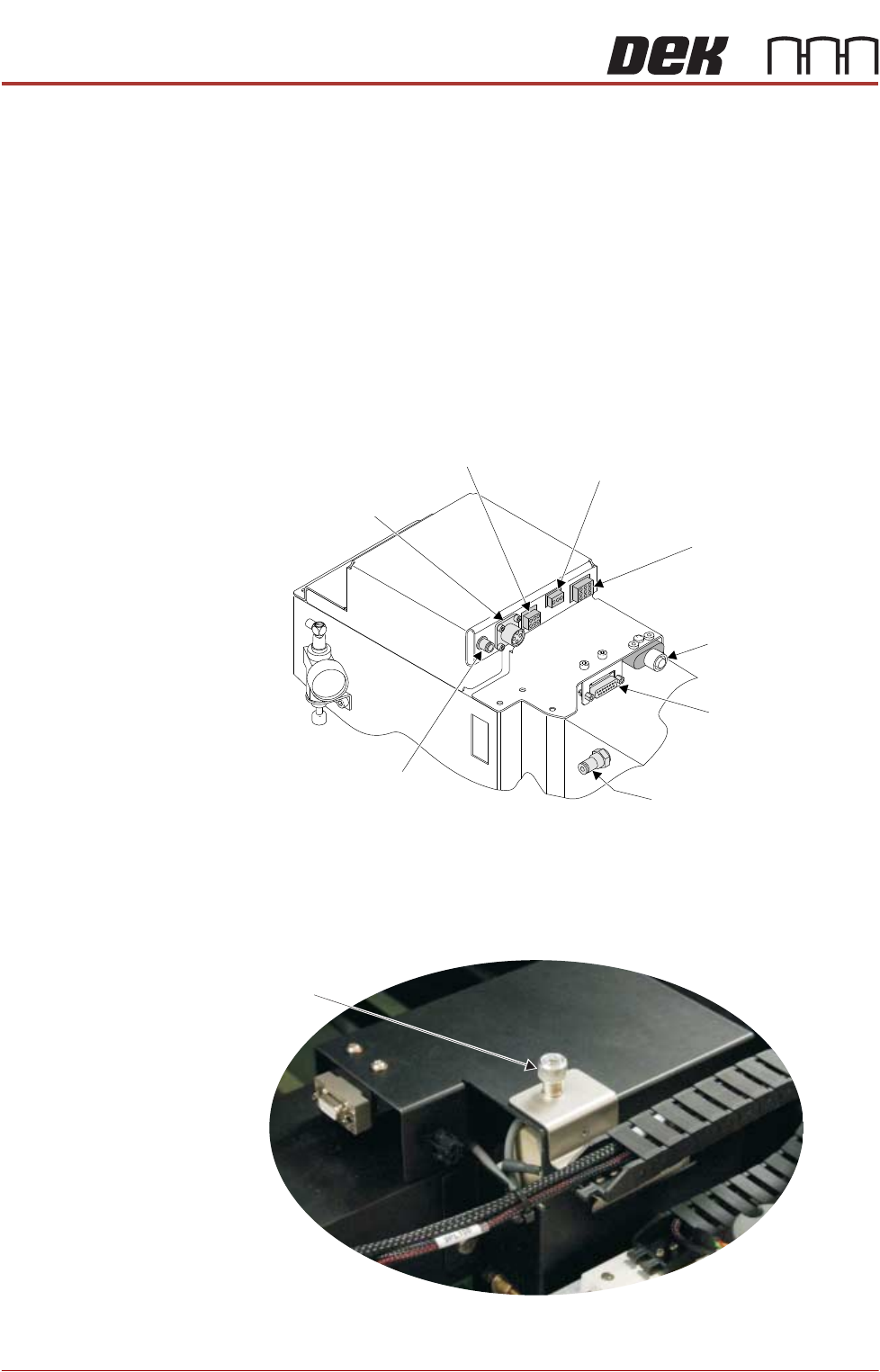
7. Connect the following to the ProFlow ATx connections on the left hand side
of the print carriage:
• Conditioning Grid Motor Power (9PL96)
• Head Empty Sensor (9PL77)
• Print Medium Cartridge Air Feed
• ProFlow Home (9PL08)
• Z-axis Stepper Motor Power (9PL17)
• Print Medium Low Sensor and ProFlow Fitted Link (9PL61)
• Conditioning Grid Motor CAN (9PL98)
• Piston Down Air Feed
8. Using a crosshead screwdriver, connect the drag chain carrying the right
hand side connectors to the right hand side of the print carriage.
Conditioning Grid
Motor CAN (9SK98)
Print Medium Low
Sensor and ProFlow
Fitted Link (9SK61)
Piston Down Air Feed
Z Axis Stepper
Motor Power (9SK17)
Print Medium
Cartridge
Air Feed
Conditioning Grid
Motor Power (9SK96)
ProFlow Home (9SK08)
Head Empty Sensor (9SK77)
View on Print Carriage Left Side
View on Print Carriage Top Face
Right Side Drag
Chain Screw