88192278-01-19 Installation Master.pdf - 第170页
PRINTER PREPARATION PRINTER ASSEMBLY 4.68 Installation Manual Chapter Issue 15, May 20 13. Slide the angle brackets towards the printer cover , ensuring that either the vertical or sloping side (as appropriate), is 1.5 t…
PRINTER PREPARATION
PRINTER ASSEMBLY
Chapter Issue 15, May 20 Installation Manual 4.67
underneath.
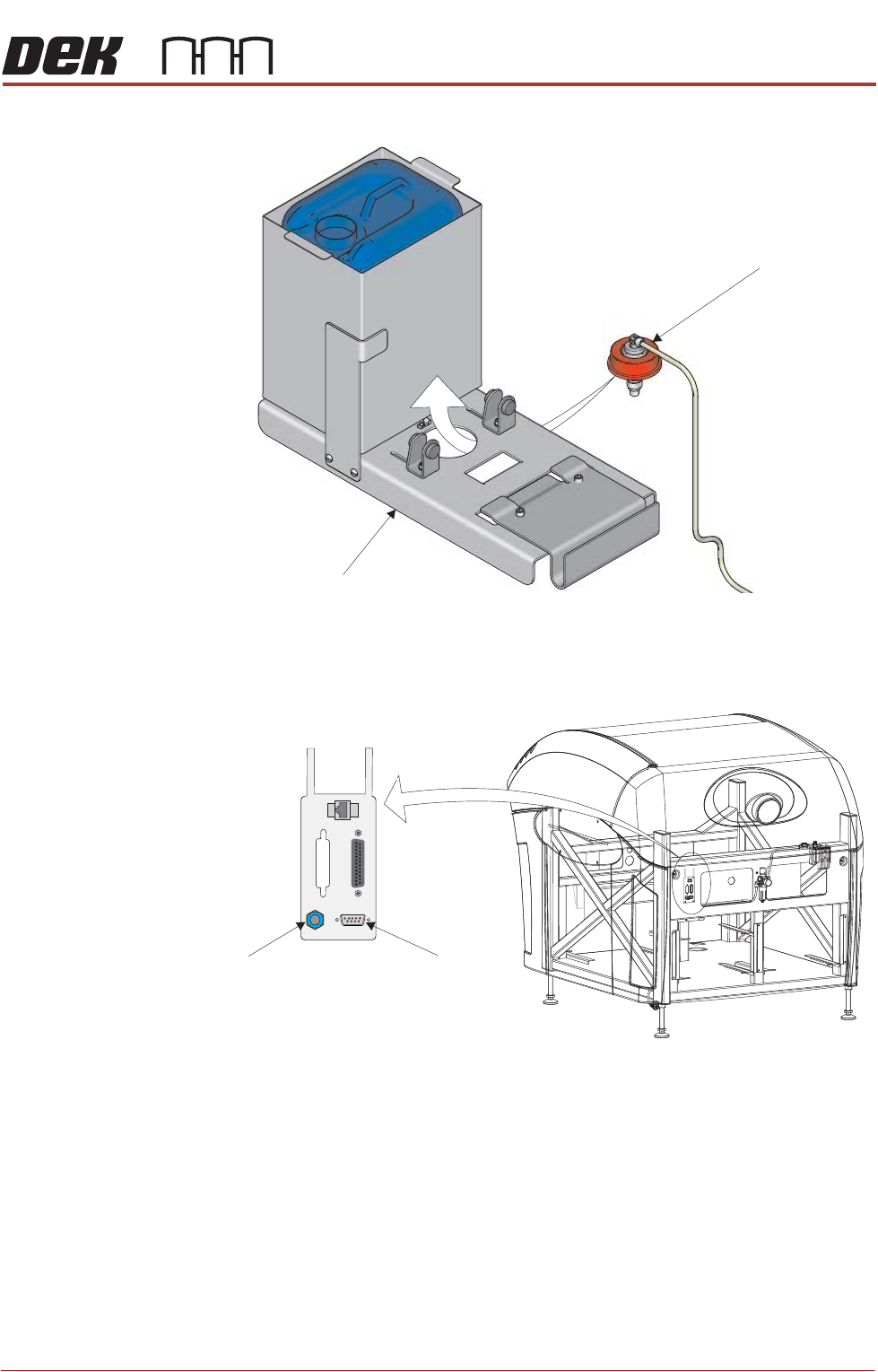
10. Fit the combined cap and 4mm tubing to the solvent container.
11. Connect the cable from the external solvent tank to 9SK69 on the external
services panel.
12. Fit the rear cover (front cover on type 4 printers).
Solvent Container Cap
Base Plate
View on Rear of Machine
POWER ON
PART No. 160740
M/C AVAILABLE
BOARD AVAILABLE
BOARD PASS
D
O
W
N
L
IN
E
BOARD AVAILABLE
BOARD PASS
M/C AVAILABLE
U
P
L
IN
E
FMI POD
Solvent Fluid
Connector
Solvent Sensor
9SK69
PRINTER PREPARATION
PRINTER ASSEMBLY
4.68 Installation Manual Chapter Issue 15, May 20
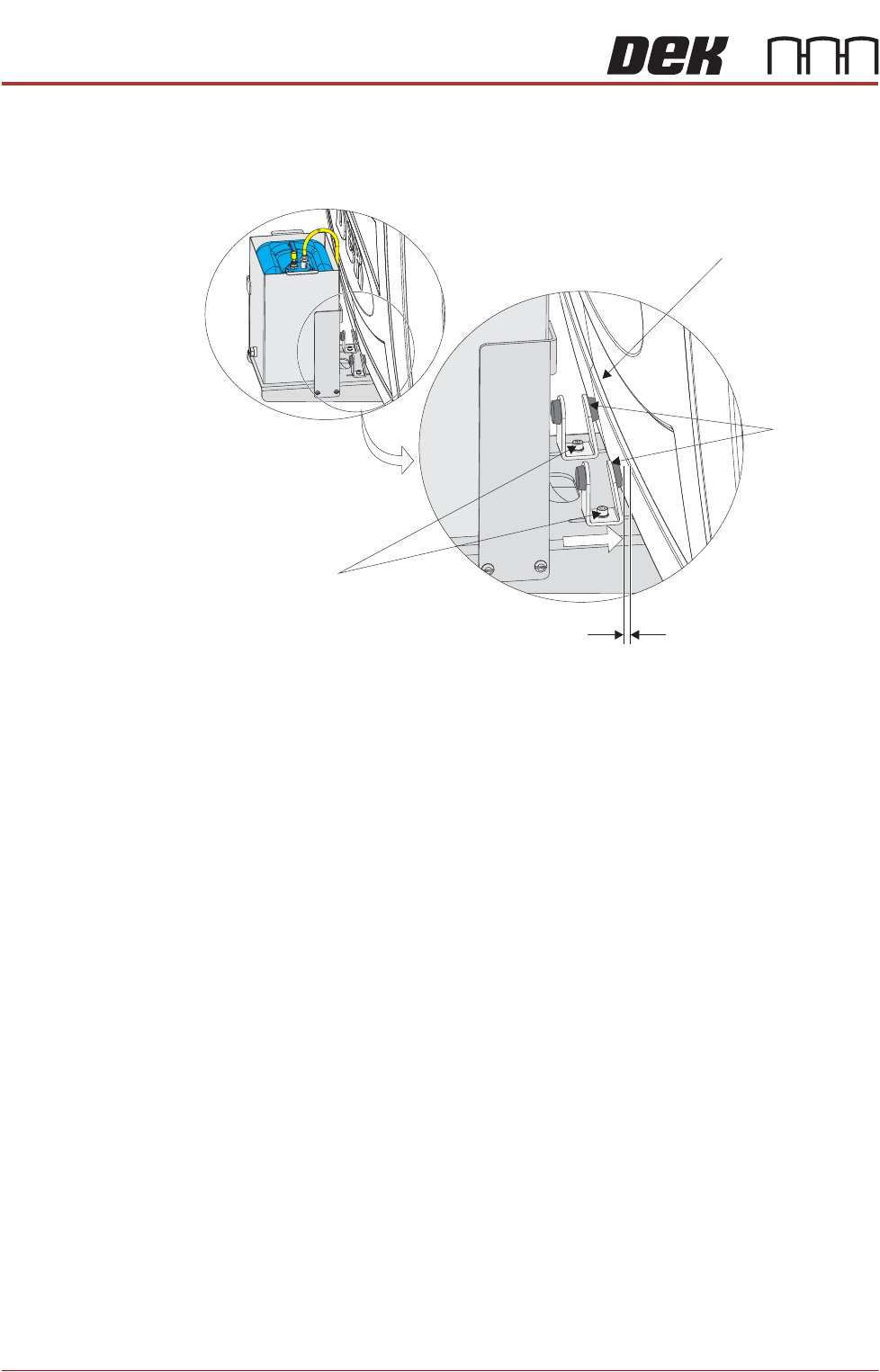
13. Slide the angle brackets towards the printer cover, ensuring that either the
vertical or sloping side (as appropriate), is 1.5 to 2.5mm from the printer
cover.
3. Tighten the two M5 cap head securing screws.
Tooling and Print
Medium
Applicators
Fit the print medium tooling and applicators. Refer to the individual item chapter
or the tutorial set supplied with the printer.
If the machine being installed is a Multiple Singulated Substrates (MASS)
equipped machine. Fit the alignment/tooling towers in accordance with the
MASS Standalone manual Replacement Procedures.
Machine Cover
Securing Screws
Angle
Brackets
1.5 - 2.5mm Gap
PRINTER PREPARATION
PRE POWER UP CHECKS
Chapter Issue 15, May 20 Installation Manual 4.69
PRE POWER UP CHECKS
Electrical Test Before the printer is connected to the factory electrical supply, the following
electrical tests must be performed:
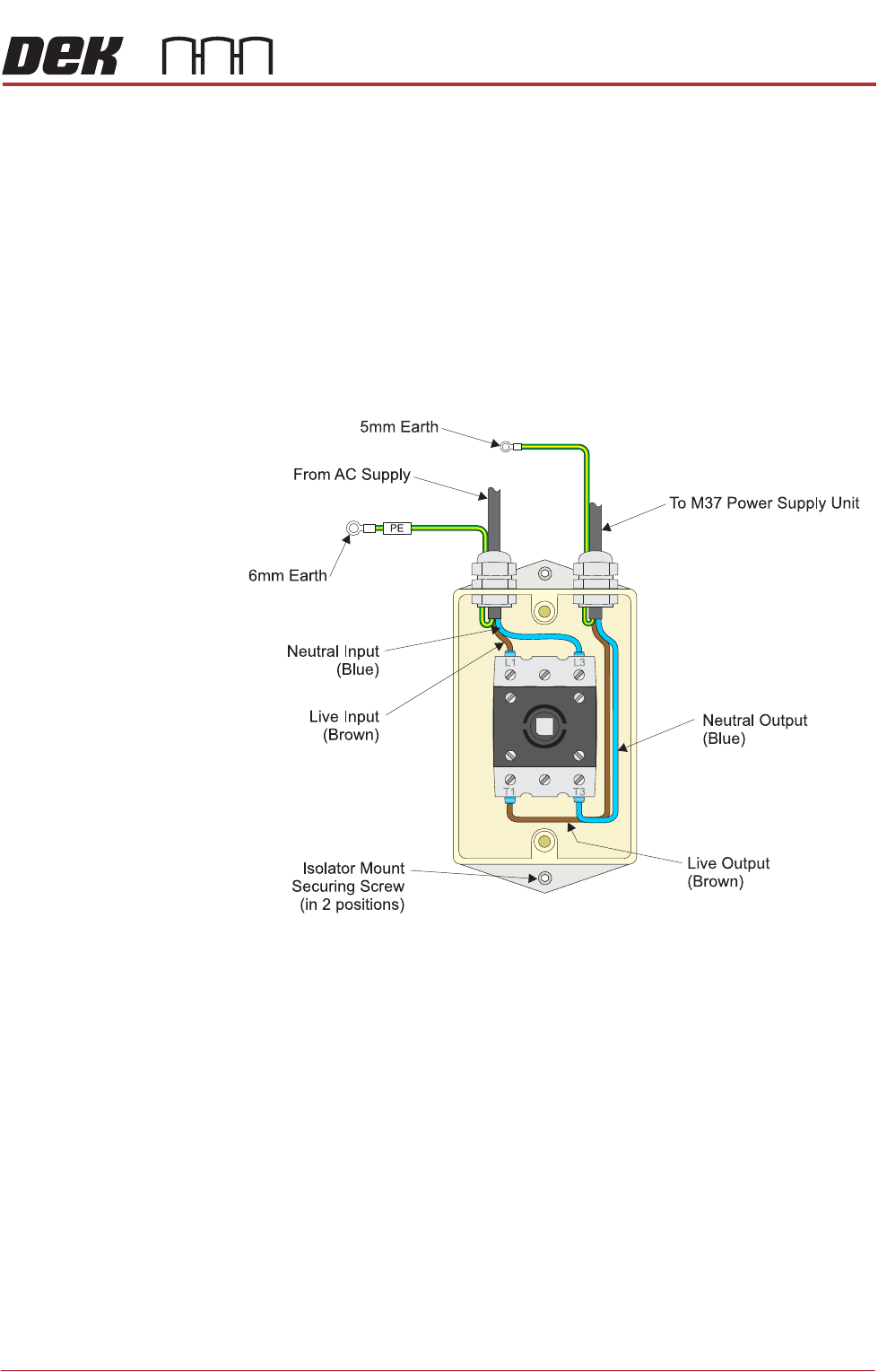
1. Ensure the mains isolator switch is in the OFF position.
2. Remove the front cover of the printer to gain access to the mains isolator
switch.
3. Remove the front cover of the mains isolator switch.
4. Perform a visual inspection of the mains isolator switch ensuring the
following:
a. The earth input and earth output cables are connected to the earth tag.
b. The live input is connected to the top of the isolator switch on the left hand
side.
c. The live output is connected to the bottom of the isolator switch on the left
hand side.
d. The neutral input is connected to the top of the isolator switch on the right
hand side.
e. The neutral output is connected to the bottom of the isolator switch on the
right hand side.
5. Ensure that all six cables are secure and no bare wires are showing.
6. Connect the two probes of a digital volt meter (DVM) together and ensure
that the DVM is reading 0Ω.
7. Measure the resistance between the following points ensuring that all the
measurements are greater than 2MΩ: