88192278-01-19 Installation Master.pdf - 第178页
POWER UP SEQUENCE MACHINE POWER UP SEQUENCE 5.2 Installation Manual Chapter Issue 10, Nov 19 MACHINE POWER UP SEQUENCE Apply Systems Power 1. Connect the pneumatic supply to th e connection on the rea r , bottom left of …

POWER UP SEQUENCE
GENERAL
Chapter Issue 10, Nov 19 Installation Manual 5.1
CHAPTER 5 POWER UP SEQUENCE
GENERAL Before the machine is powered up, a final check is required to ensure proper
installation. When fully satisfied that all instructions and preparations have been
carried out as detailed in the Machine Preparation chapter, proceed with the
power up checks detailed in this section.
Electrical Services Measure the customers’ electrical supply to ensure that it is suitable for the
machine.
The machine operates on 115V to 230V ± 10% 50/60Hz single phase AC mains.
POWER UP SEQUENCE
MACHINE POWER UP SEQUENCE
5.2 Installation Manual Chapter Issue 10, Nov 19
MACHINE POWER UP SEQUENCE
Apply Systems
Power
1. Connect the pneumatic supply to the connection on the rear, bottom left of
the machine, External Services the Services Required chapter refers.
2. Connect the mains supply to the machine.
3. Turn the Mains Isolation Switch ON.
4. Select Diagnostics.
5. Ensure that System is highlighted and select Select Module.
6. Select the Previous button once to highlight Terminate Control Program.
7. Select Run Diagnost.
Date and Time In order for the machine PC to log events correctly, the system time, date and
correct time zone must be set.
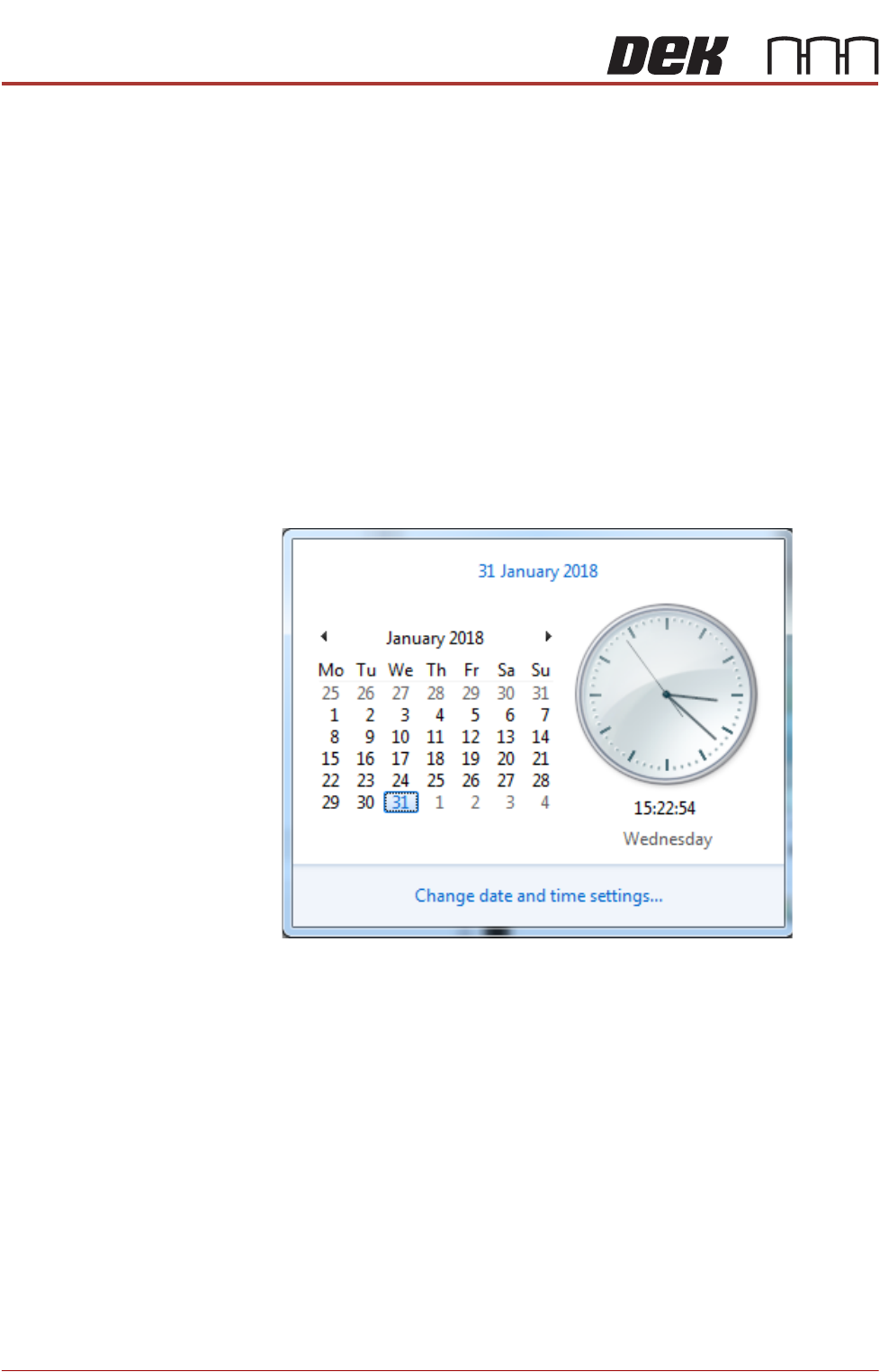
Windows 7 1. Select the clock displayed at the right hand side of the Windows taskbar.
The following window is displayed:
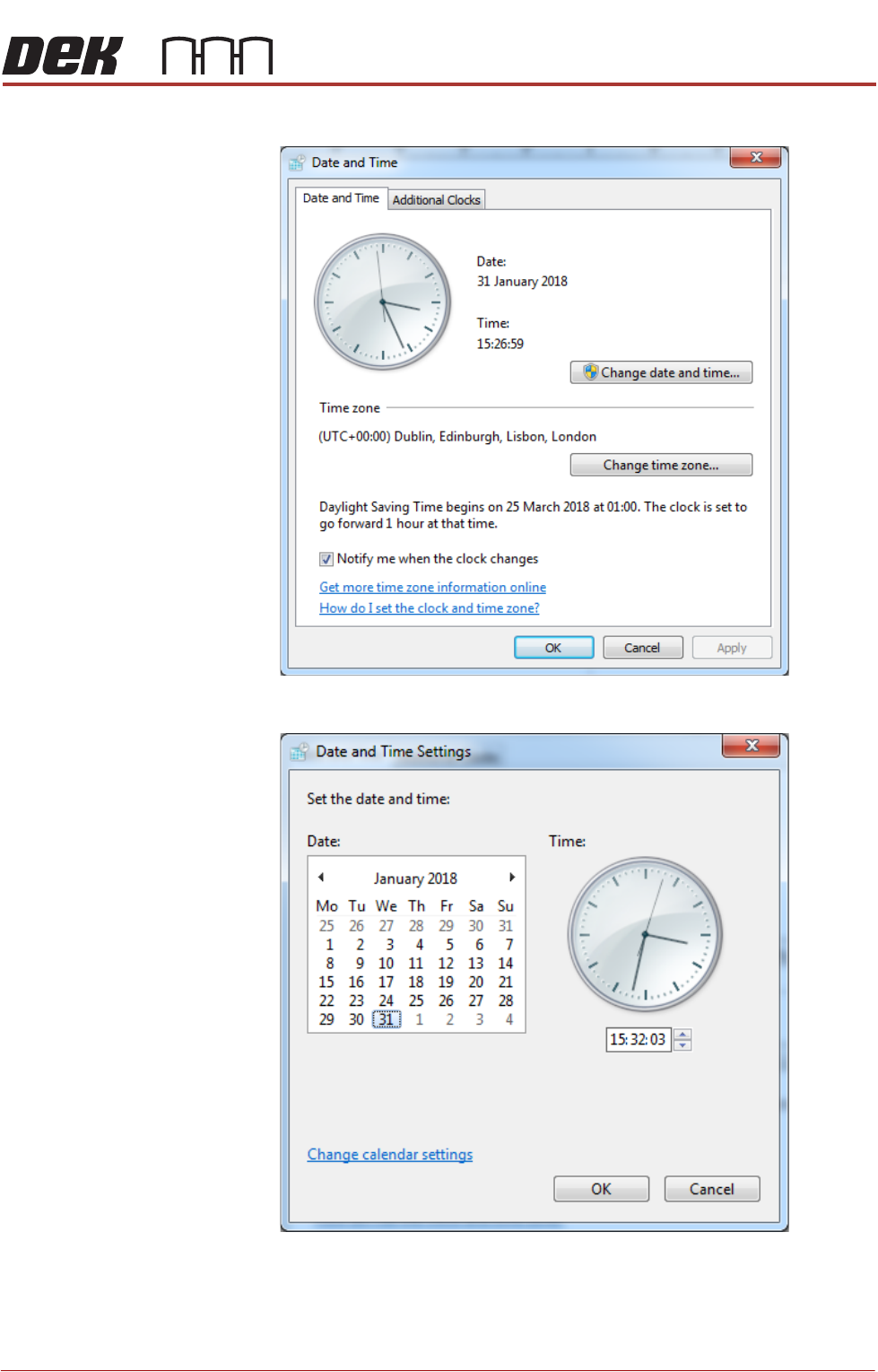
2. Select Change date and time settings....
POWER UP SEQUENCE
MACHINE POWER UP SEQUENCE
Chapter Issue 10, Nov 19 Installation Manual 5.3
3. Select Change date and time....
4. Set the correct date on the calendar display.
5. Using the arrows set the correct time on the digital display beneath the
analogue clock.
6. Select OK.