88192278-01-19 Installation Master.pdf - 第182页
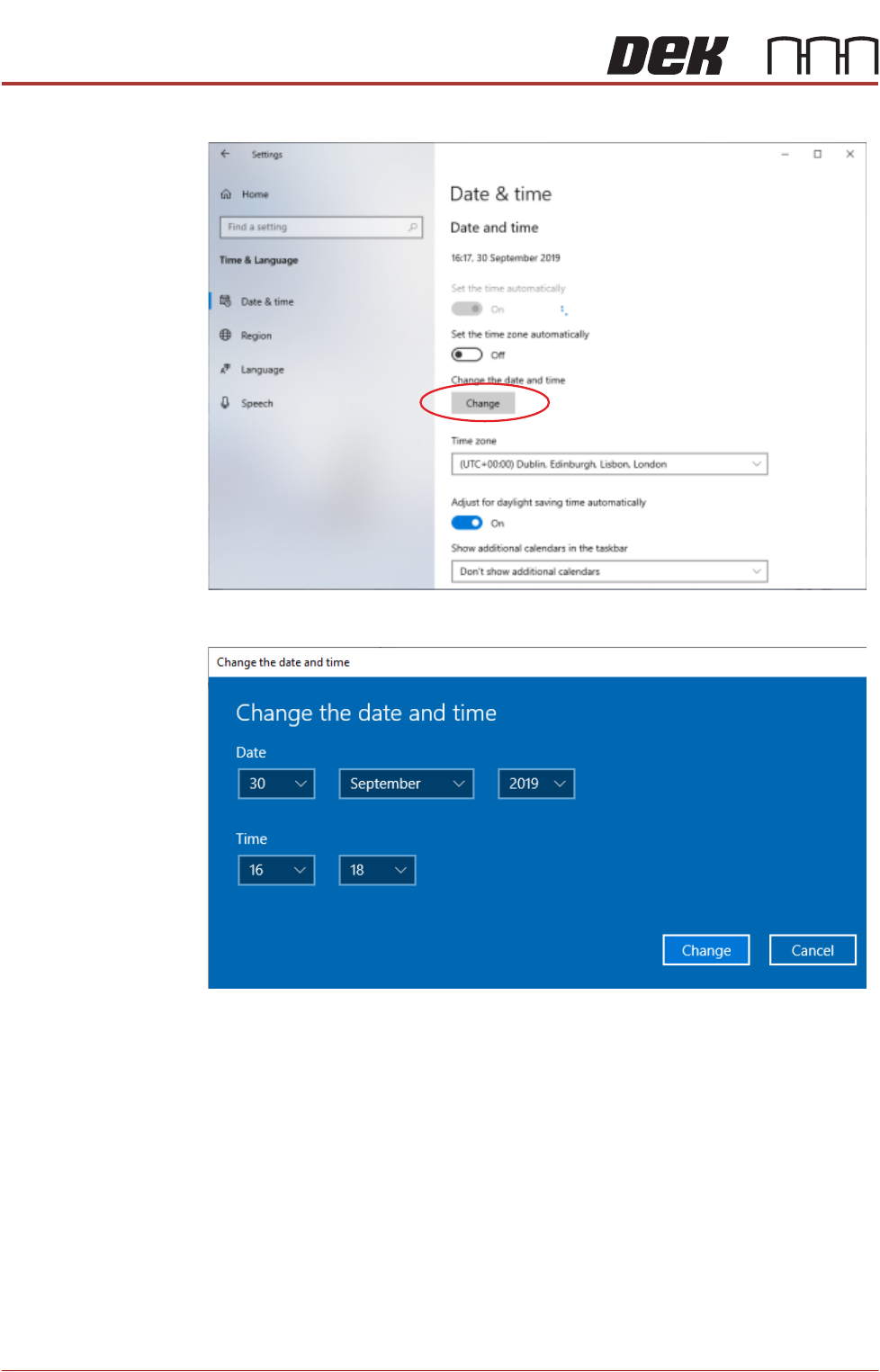
POWER UP SEQUENCE MACHINE POWER UP SEQUENCE 5.6 Installation Manual Chapter Issue 10, Nov 19 3. Select Change . 4. Set the correct date and time using the drop d own arrows. 5. Select Change .
POWER UP SEQUENCE
MACHINE POWER UP SEQUENCE
Chapter Issue 10, Nov 19 Installation Manual 5.5
Windows 10 To set the date and time in Windows 10 the user must be logged in as an
administrator. Login as an administrator and carry out the following procedure.
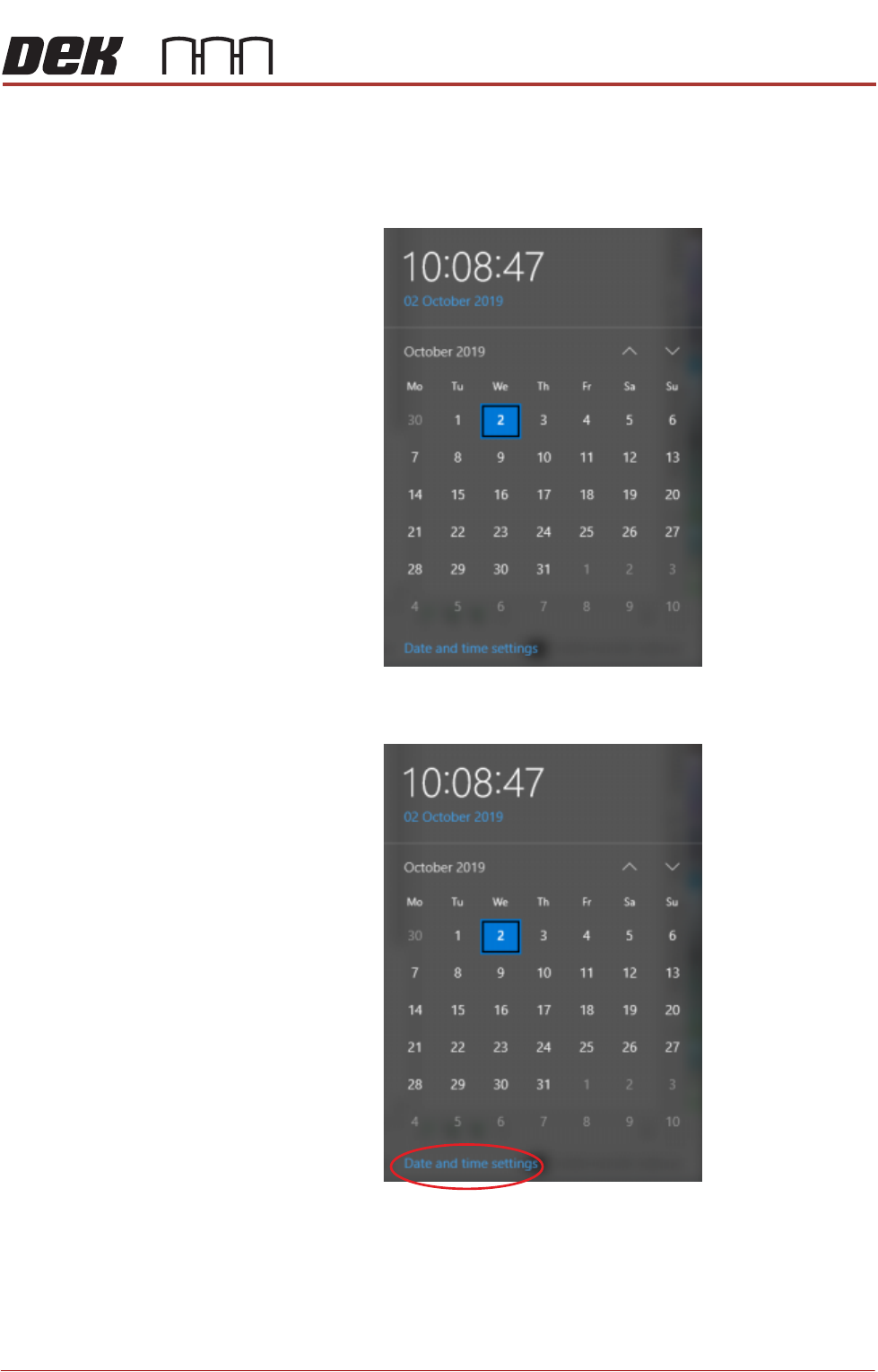
1. Select the clock displayed at the right hand side of the Windows taskbar.
The following window is displayed:
2. Select Date and time settings.
POWER UP SEQUENCE
MACHINE POWER UP SEQUENCE
5.6 Installation Manual Chapter Issue 10, Nov 19
3. Select Change.
4. Set the correct date and time using the drop down arrows.
5. Select Change.
POWER UP SEQUENCE
MACHINE POWER UP SEQUENCE
Chapter Issue 10, Nov 19 Installation Manual 5.7
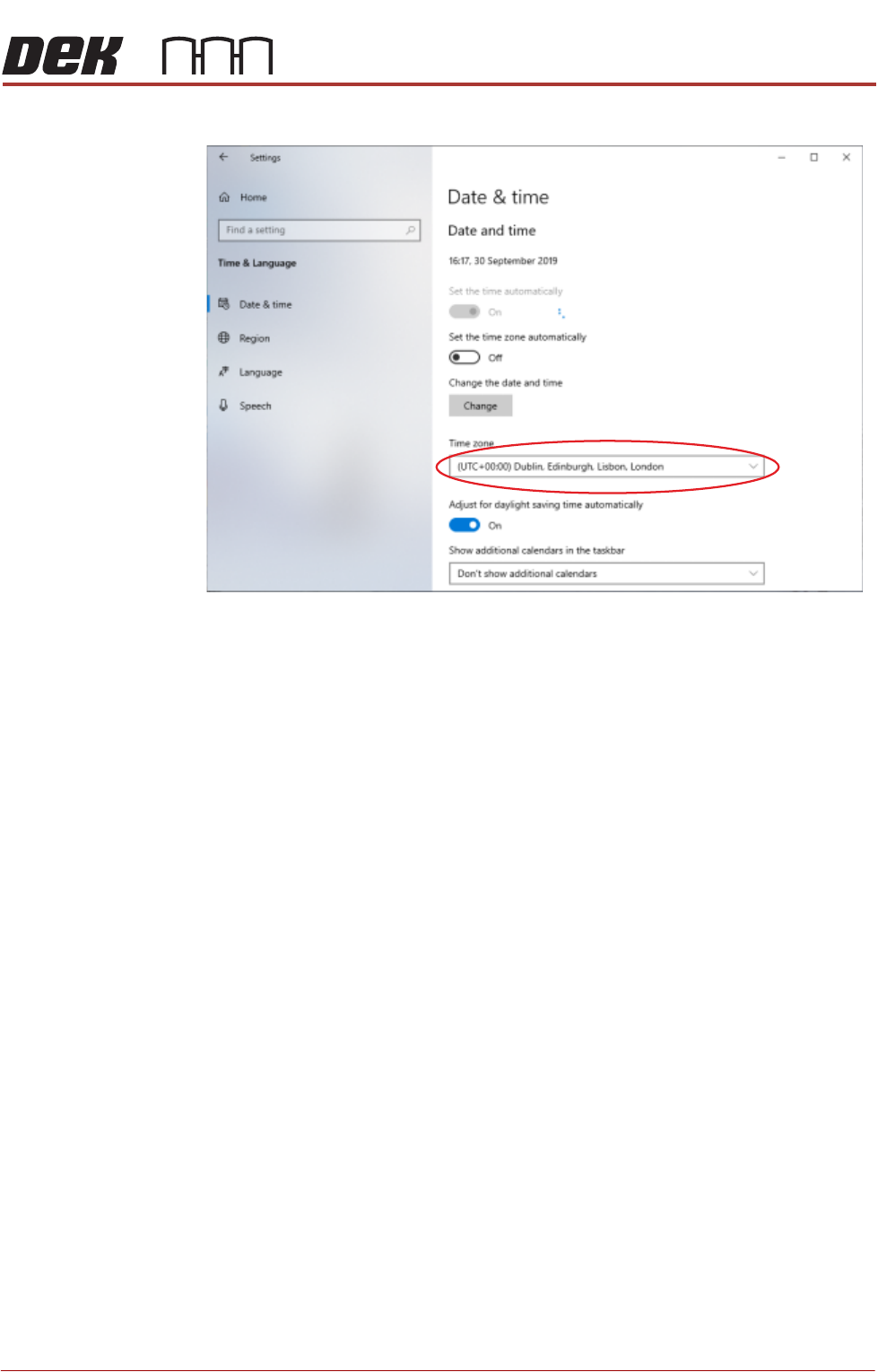
6. Using the drop down box, select the appropriate time zone.
7. Select X (close).
8. Select Start on the taskbar.
NOTE
Return the Windows login to the Operator account.
9. Select DEK Printer Software.
10. Press the System button.