88192278-01-19 Installation Master.pdf - 第217页
INSTALLATION DOCUMENTATION TRAINING AT INSTALLATION Chapter Issue 6, Nov 19 Installation Manual 9.5 TRAINING A T INST ALL A TION If on-site training is required, use the following procedure: 1. I f required, photocopy fr…
INSTALLATION DOCUMENTATION
INSTALLATION CHECKLIST
9.4 Installation Manual Chapter Issue 6, Nov 19
NOTE
On style 1, 2, 3 and 5 printers, the model number and serial number can be
found on the label at the rear of the machine. On style 4 machines, the model
number and serial number can be found on the label positioned left or right hand
side of the printer.
No. On Site Training Reference Completed
26 Training at Installation Chapter 6
MACHINE MODEL
MACHINE SERIAL NUMBER

INSTALLATION DOCUMENTATION
TRAINING AT INSTALLATION
Chapter Issue 6, Nov 19 Installation Manual 9.5
TRAINING AT INSTALLATION
If on-site training is required, use the following procedure:
1. If required, photocopy from the Installation manual or print from the cd the
Training at Installation - Machine Familiarization and Operation page,
ensuring one copy per trainee.
2. If required, photocopy from the Installation manual or print from the cd the
Training at Installation - Programming and Preventive Maintenance page,
ensuring one copy per trainee.
3. Ensure that all objectives are completed and signed by the trainee. In the
event of an objective not being relevant to the machine, ensure that N/A is
entered in the trainee signature box.
4. Once the training course is complete, the instructor is to collect all the
completed forms and sign them.
5. Ensure that the completed forms are left with the appropriate person on
site ie production manager, training manager or personnel manager.
INSTALLATION DOCUMENTATION
TRAINING AT INSTALLATION
9.6 Installation Manual Chapter Issue 6, Nov 19
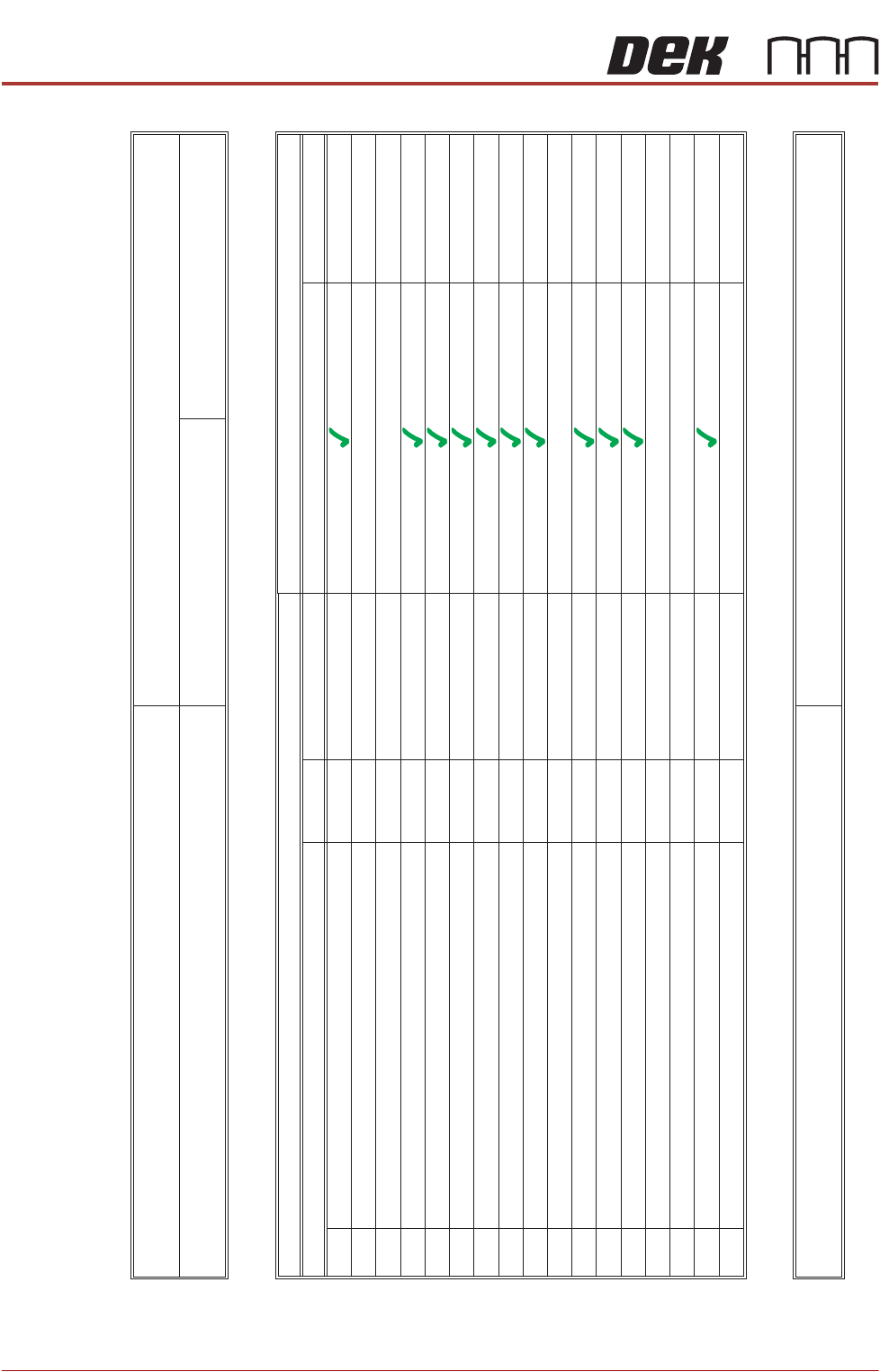
Training at Installation
Machine Familiarization and Operation
17
16
15
14
13
12
11
10
9
8
7
6
5
4
3
2
1
Perform daily housekeeping tasks
Recover from common error messages
Recover from vision error messages
Identify print defects and common causes
Replenish underscreen cleaner paper
Replenish solvent tank
Replenish print material/Replenish ProFlow
Print boards
Load print material
Load stencil
Fit tooling
Fit squeegees
Load a product file
Interpret tri-colour beacon indications
Power up, initialise and power down the machine
Identify the machine sub-assemblies
Identify machine and personal safety issues
Instructor
Instructor
ProFlow BWP
Instructor
Instructor
Instructor
Objectives
Reference Material
Date
Trainee Signature
Other
Operator manual/On board tutorial
Instructors Name:
Signature:
Name:
Department:
Job Title:
Shift:
Line No:
Instructor
Tech Ref manual