88192278-01-19 Installation Master.pdf - 第33页
SAFETY FEATURES HIGH VOLTAGE PROTECTION Chapter Issue 15, Nov 19 Installation Manual 1.21 T ypical Module Earth Stud and Label 1 Earth Studs and Labels (PC/M27/M36/M37 /M39) …
SAFETY FEATURES
HIGH VOLTAGE PROTECTION
1.20 Installation Manual Chapter Issue 15, Nov 19
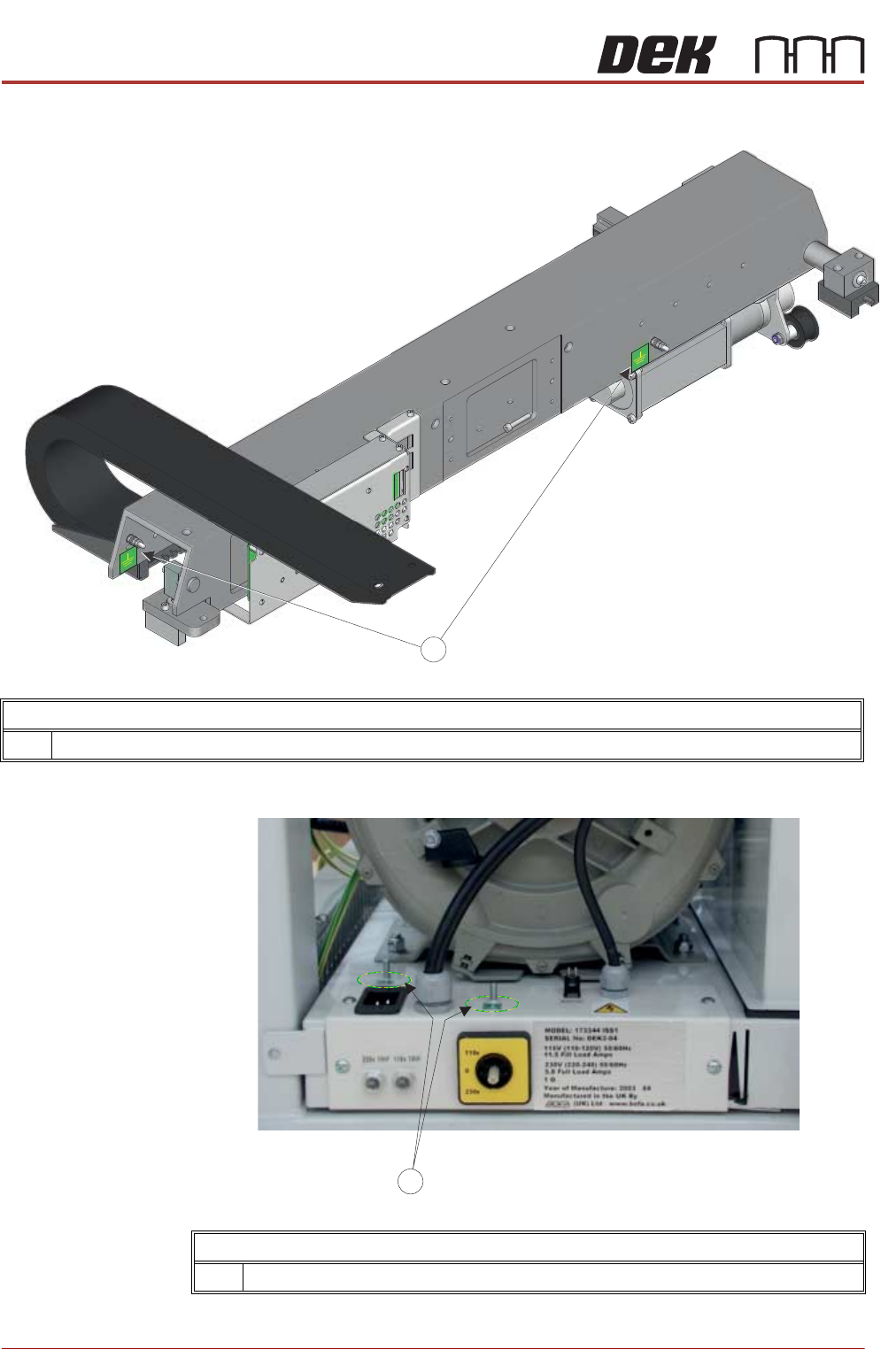
Earth Studs and Labels on the Print Carriage
1 Earth Studs and Labels
Earth Studs and Labels on the Vacuum Pump
1 Earth Studs and Labels
SAFETY FEATURES
HIGH VOLTAGE PROTECTION
Chapter Issue 15, Nov 19 Installation Manual 1.21
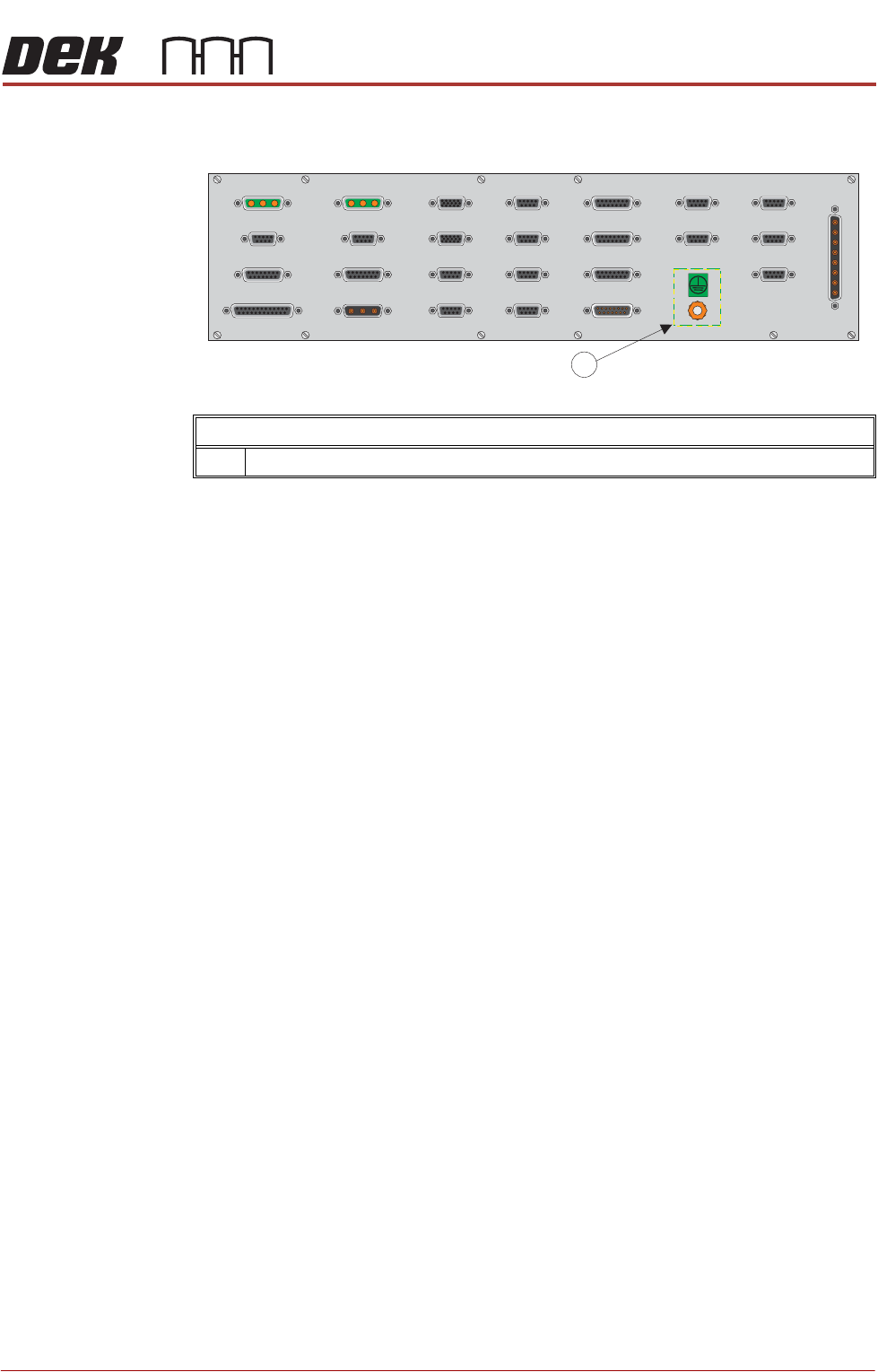
Typical Module Earth Stud and Label
1 Earth Studs and Labels (PC/M27/M36/M37/M39)
SAFETY FEATURES
LOCKOUT
1.22 Installation Manual Chapter Issue 15, Nov 19
LOCKOUT
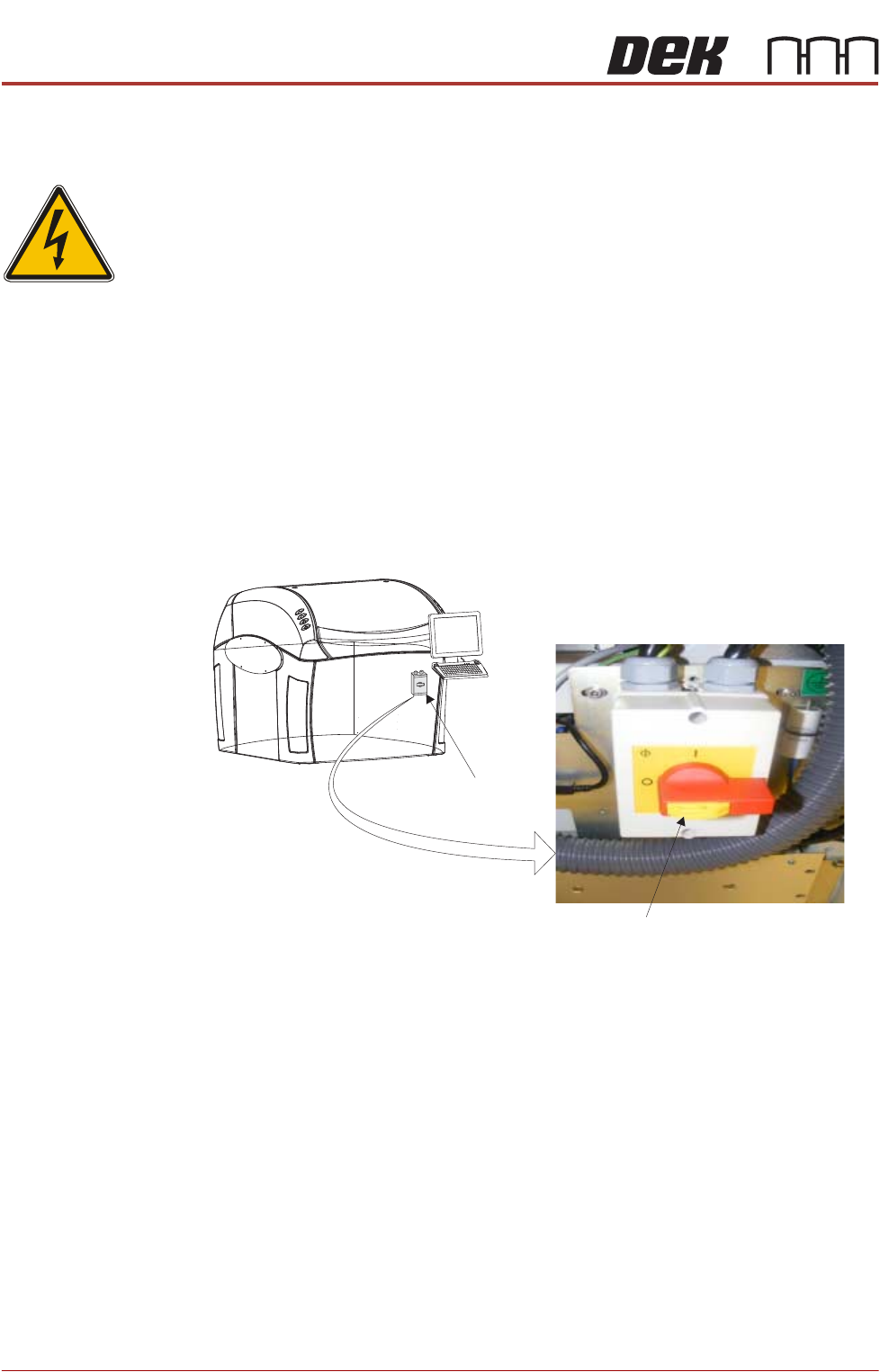
Electrical Lockout
WARNING
LETHAL VOLTAGE. DANGEROUS VOLTAGES EXIST IN THIS EQUIPMENT.
ENSURE ALL ELECTRONIC COVERS AND MAIN MACHINE COVERS ARE FITTED
BEFORE OPERATING THIS EQUIPMENT.
Electrical lockout of the printer is achieved by applying a padlock, or any other
suitable locking device, through the body and the switch shroud of the mains
isolator switch. This can only be achieved when the mains isolator switch is in
the OFF position.
To electrically lockout the printer, carry out the following procedure:
1. Close down the printer software.
2. Switch the mains isolator to the OFF position.
3. Pull the lockout tab out.
4. Fit a padlock or suitable locking device through the lockout point.
5. This completes the electrical lockout.
Mains Isolator Switch
NOTE
Switch shown in the positionOFF
Lockout Tab