88192278-01-19 Installation Master.pdf - 第35页
COVERS PRINTER COVERS Chapter Issue 12, Feb 18 Installation Manual 2.1 CHAPTER 2 COVERS PRINTER COVERS There are five printer cover de signs: • T ype 1 • T ype 2 • T ype 3 • T ype 4 • T ype 5
SAFETY FEATURES
LOCKOUT
1.22 Installation Manual Chapter Issue 15, Nov 19
LOCKOUT
Electrical Lockout
WARNING
LETHAL VOLTAGE. DANGEROUS VOLTAGES EXIST IN THIS EQUIPMENT.
ENSURE ALL ELECTRONIC COVERS AND MAIN MACHINE COVERS ARE FITTED
BEFORE OPERATING THIS EQUIPMENT.
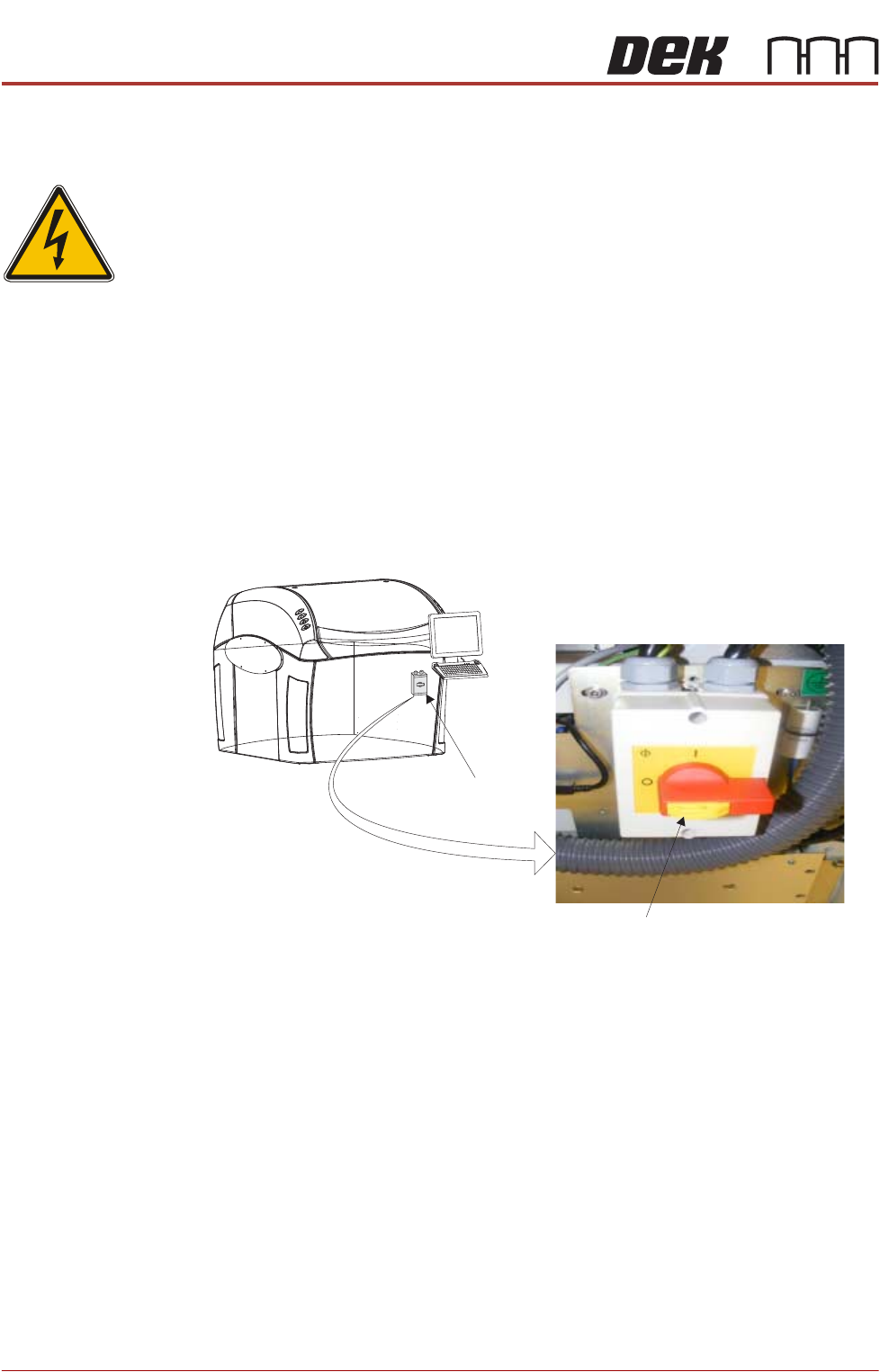
Electrical lockout of the printer is achieved by applying a padlock, or any other
suitable locking device, through the body and the switch shroud of the mains
isolator switch. This can only be achieved when the mains isolator switch is in
the OFF position.
To electrically lockout the printer, carry out the following procedure:
1. Close down the printer software.
2. Switch the mains isolator to the OFF position.
3. Pull the lockout tab out.
4. Fit a padlock or suitable locking device through the lockout point.
5. This completes the electrical lockout.
Mains Isolator Switch
NOTE
Switch shown in the positionOFF
Lockout Tab
COVERS
PRINTER COVERS
Chapter Issue 12, Feb 18 Installation Manual 2.1
CHAPTER 2 COVERS
PRINTER COVERS
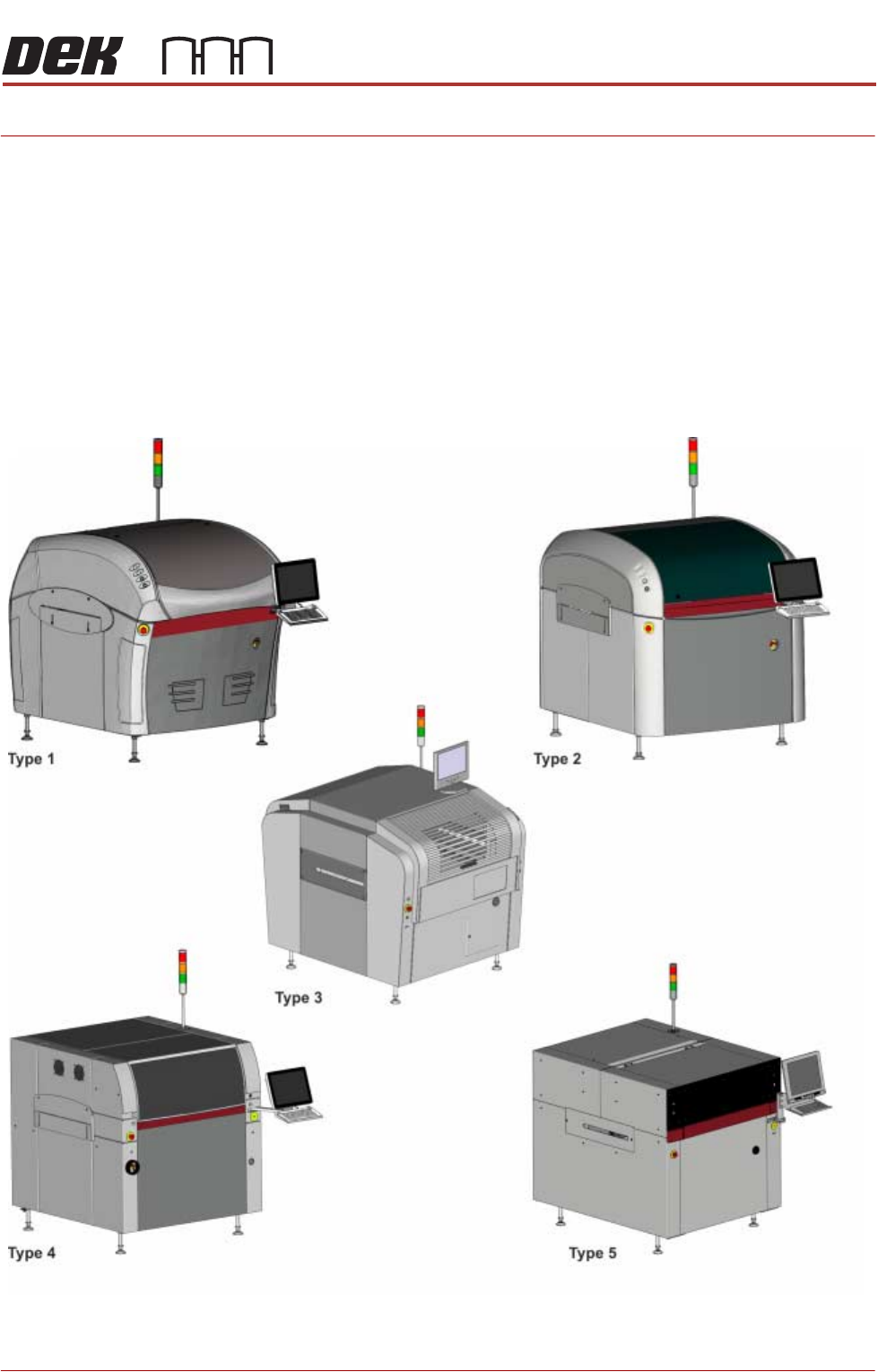
There are five printer cover designs:
• Type 1
• Type 2
• Type 3
• Type 4
• Type 5

COVERS
PRINTER COVERS
2.2 Installation Manual Chapter Issue 12, Feb 18
Earth Bonding Apart from the Type 3, 4 and 5 covers printers, which use metal covers to make
the bond, all external metal surfaces are mechanically and electrically bonded
to the printer earth point. The bonding wire used is identified by its green and
yellow insulation and is commonly used to earth bond throughout. Care should
be taken when removing these links that they are secured tightly and cleanly,
when replaced.
NOTE
The EPA cover package option is available for the Type 2 Cover printers only.
Its covers are bonded through a series clips and sprung contact studs. The
covers themselves have an electrically conductive conformal coating to dissi-
pate static electricity. For the Electrostatic Protected Area to work effectively, all
fixings are to be kept clean, all panels must be fitted correctly, and the printhead
cover closed.
Safety Interlocks The safety features designed into the printer are for the protection of all
operators and maintenance personnel. ASM strongly recommend safety
devices are never overridden.