88192278-01-19 Installation Master.pdf - 第38页
COVERS PRINTER COVERS 2.4 Installation Manual Chapter Issue 12, Feb 18 Cover Removal Before removing covers ensure that the supplies (air and electrical) have been isolated from the printer . Ring Head Quarter- T urn Fas…
COVERS
PRINTER COVERS
Chapter Issue 12, Feb 18 Installation Manual 2.3
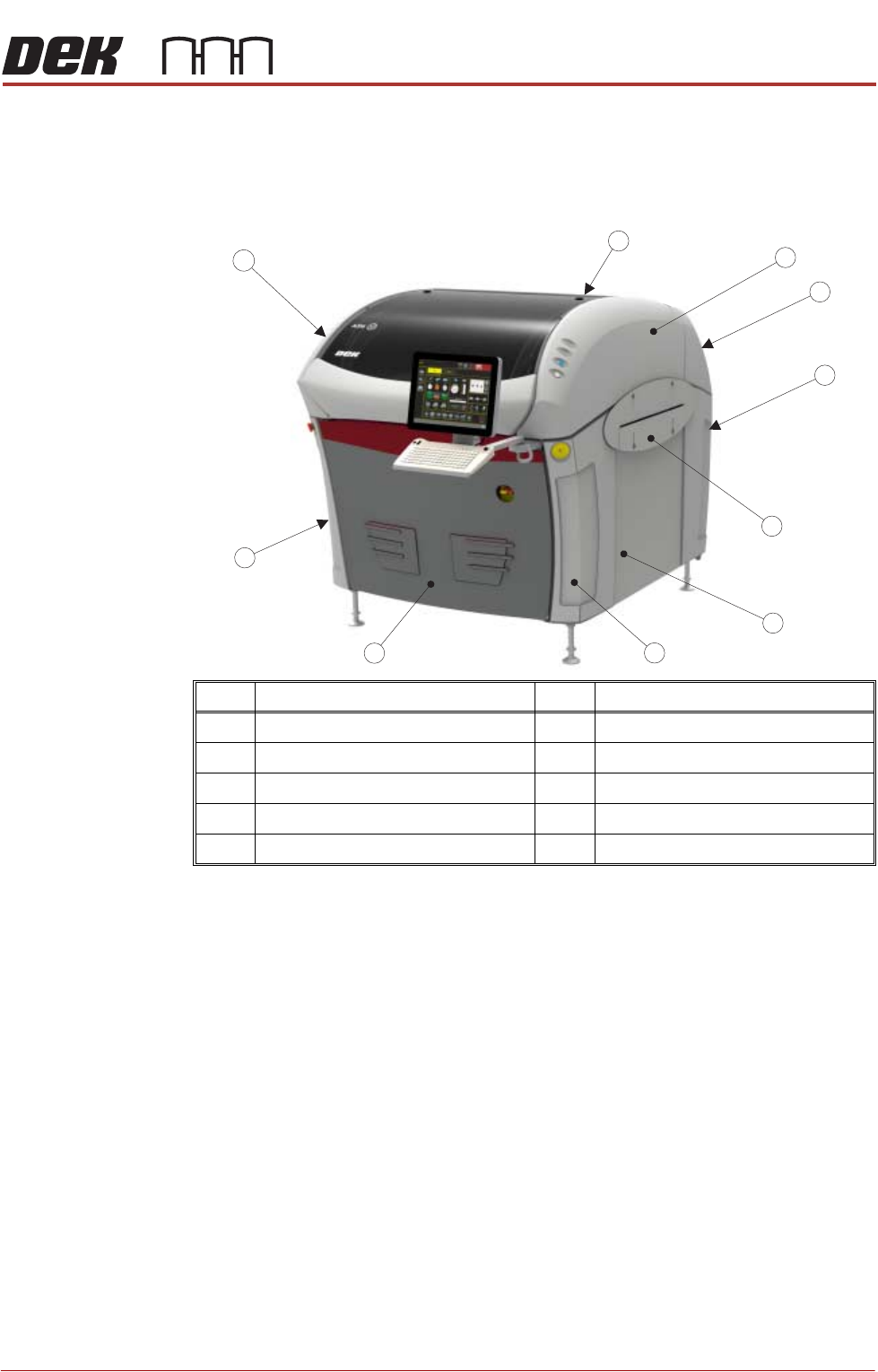
Type 1 Covers In order to protect personnel and prevent damage, eight covers are fitted to the
printer. The upper part of the printer is protected by the sliding printhead cover,
one rear lifting printhead cover and two upper side panels which house the
control switches.
NOTE
Some of the covers can only be removed in a specific order due to the covers
interlocking with each other.
Item Description Item Description
1 Printhead Cover 6 Side Panel (in 2 positions)
2 Right Hand Upper Side Panel 7 Left Hand Front Corner Panel
3 Rear Cover 8 Front Panel
4 Right Hand Lower Side Panel 9 Left Hand Lower Corner Panel
5 Safety Cover (in 2 positions) 10 Left Hand Upper Side Panel
1
2
3
4
5
6
7
8
9
10
COVERS
PRINTER COVERS
2.4 Installation Manual Chapter Issue 12, Feb 18
Cover Removal Before removing covers ensure that the supplies (air and electrical) have been
isolated from the printer.
Ring Head Quarter-
Turn Fasteners
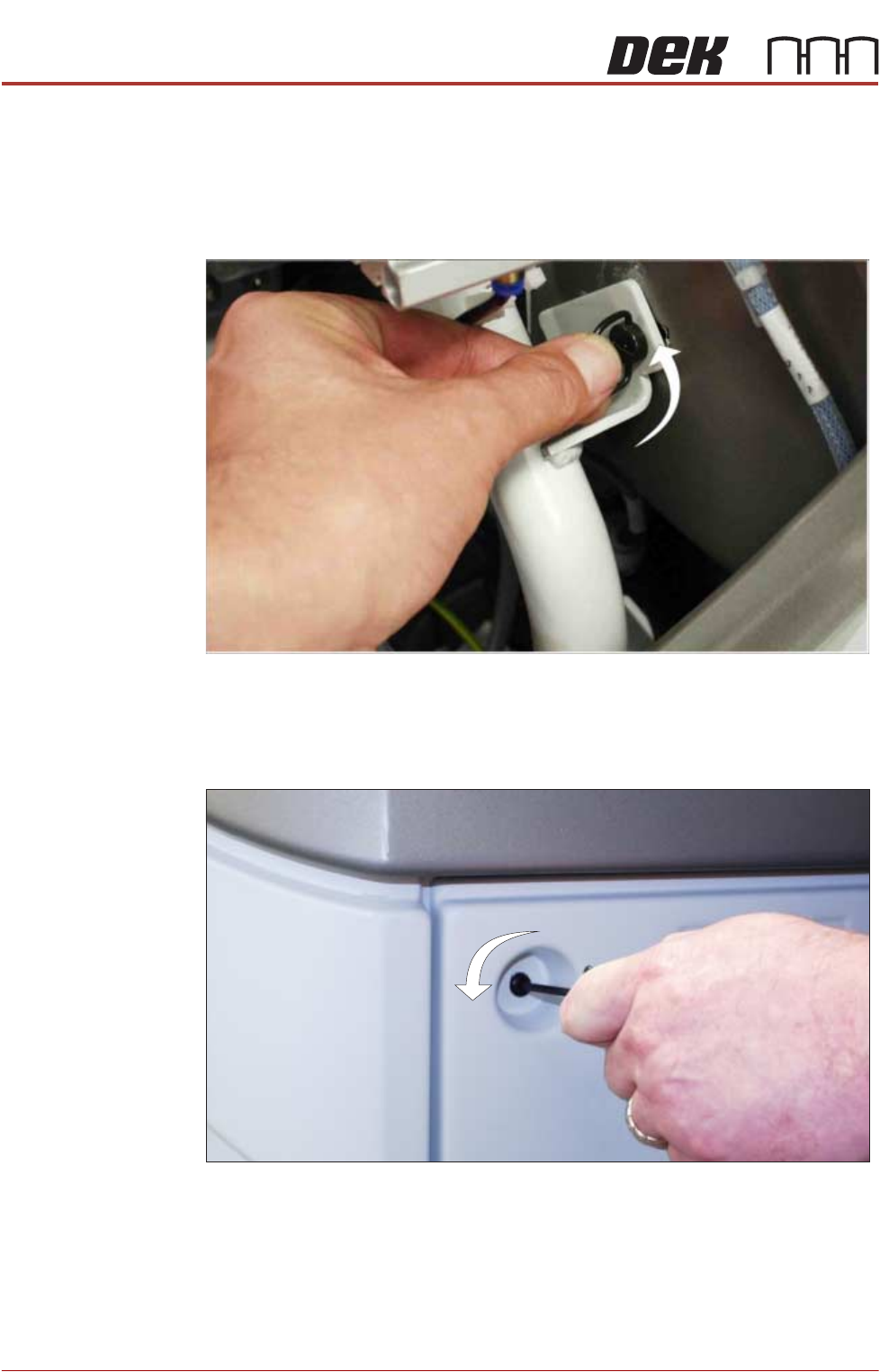
To remove a panel secured with ring head quarter-turn fasteners, turn the
fastener anticlockwise by a quarter-turn and pull out.
Figure 2-1 Ring Head Quarter-Turn Fastener
Button Head
Quarter-Turn
Fasteners
To remove a panel secured with button head quarter-turn fasteners, using a
4mm Allen key, turn the fastener anticlockwise by a quarter-turn and pull out.
Figure 2-2 Button Head Quarter-Turn Fastener
COVERS
PRINTER COVERS
Chapter Issue 12, Feb 18 Installation Manual 2.5
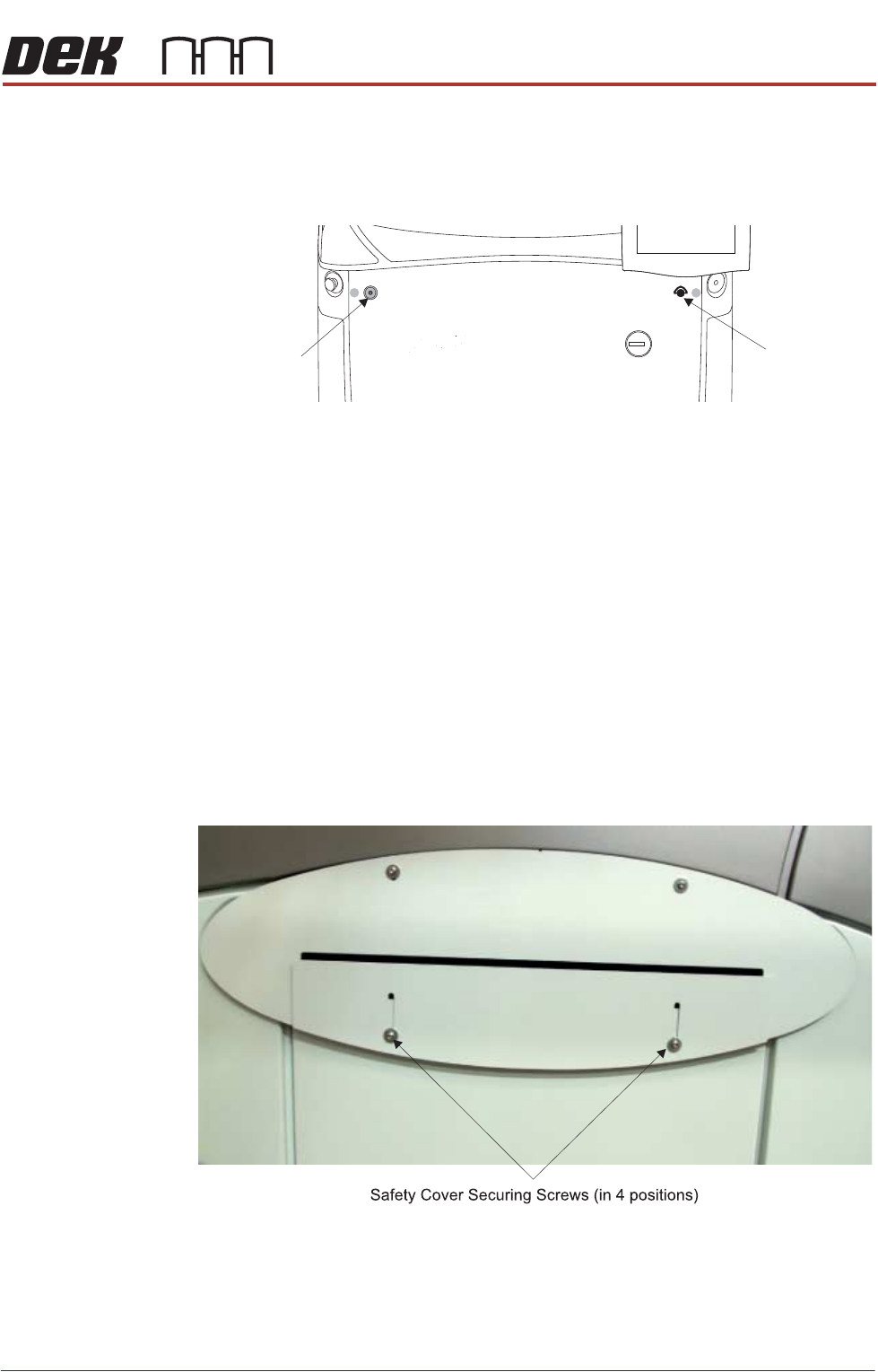
Front Panel The front panel is secured by a ring head quarter-turn fastener and a button
head quarter-turn fastener.
1. To remove the front panel, open the front printhead cover and locate the two
quarter-turn fasteners on the inside of the panel.
2. After releasing the fasteners, tilt the top of the panel away from the printer
and lift it clear of the guide pins that locate the panel to the printer frame.
Rear Panel Removal of the rear panel requires a 4mm Allen key to release the two button
head quarter-turn fasteners located externally at the top corners of the panel.
After releasing the fasteners, push downwards on the panel to clear the rear
printhead cover, tilt the top of the panel away from the printer and lift clear of the
guide pins that locate the panel to the printer frame.
Safety Covers Safety covers are fitted to the side panels to protect personnel from inadvertent
access to the board entry/exit ports.
NOTE
The lower section of the safety panel can be adjusted to accommodate the
thickness of the product.
To remove the safety cover, remove the four securing screws.
Front Panel
Button Head
Quarter-Turn
Fastener
Front Panel
Ring Head
Quarter-Turn
Fastener