00197184-01_IM_Celsius_W510_Windows7_EN.pdf - 第17页
Celsius W510 with Win dows 7 10/2011 Edition The computer will continue prepa ring for first use, as show n in the following picture. Figure 3-16: Setup continues preparing for first us e After a while, the computer will…
Celsius W510 with Windows 7 10/2011 Edition
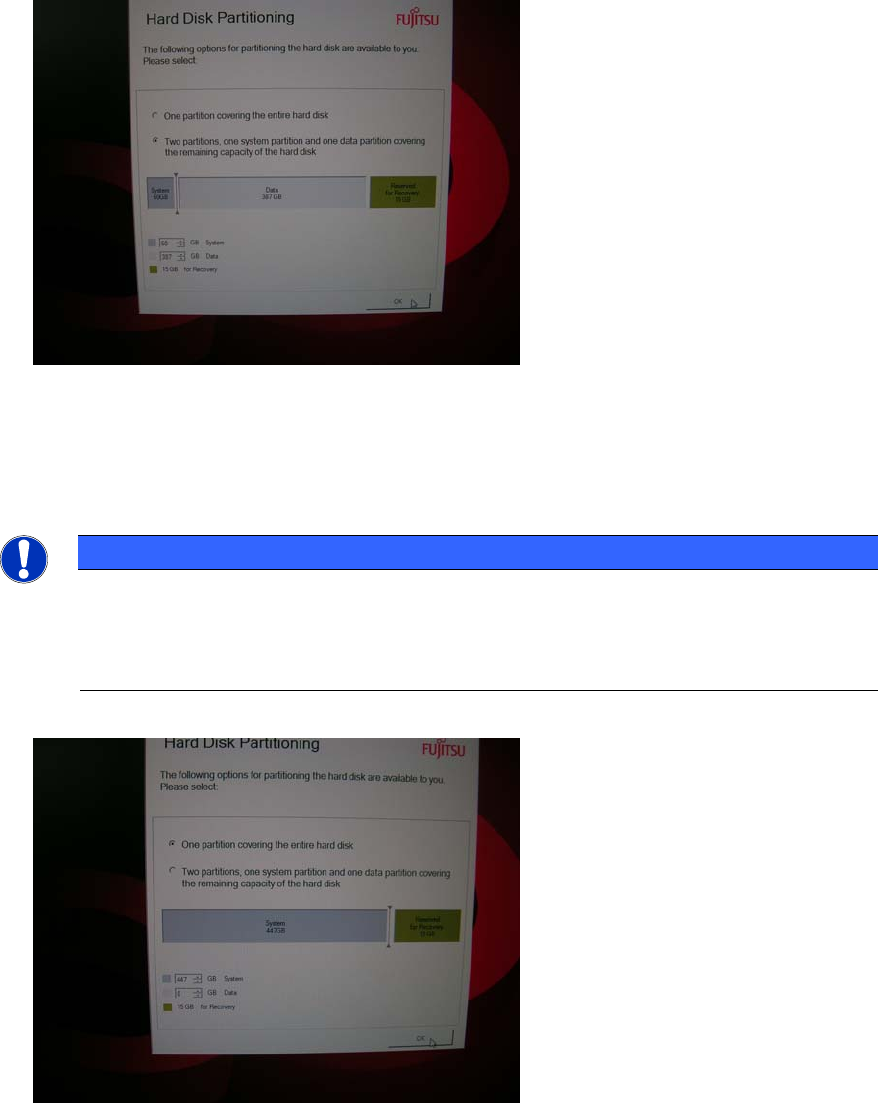
Figure 3-14: Partitioning choice – two partitions
► Depending on your needs, either select the radio button besides One partition covering the
entire hard disk or Two partition, one system partition and one data partition covering the
remaining capacity of the hard disk.
NOTICE
No additional Partitioning required for this Computer
Since this computer has two hard disks installed by default, we recommend choosing the
one partition option. This way you still have an additional drive letter (D:) for data backup
or other purposes.
Figure 3-15: Selecting one partition
► Click the OK button to continue.
16
Celsius W510 with Windows 7 10/2011 Edition
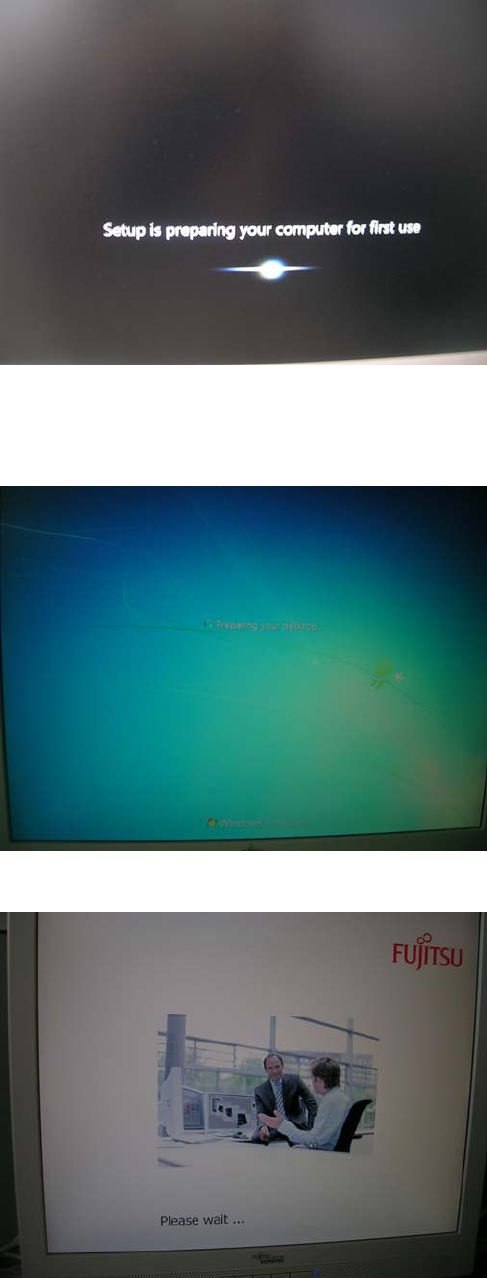
The computer will continue preparing for first use, as shown in the following picture.
Figure 3-16: Setup continues preparing for first use
After a while, the computer will reboot and automatically login and continue preparation (takes
some time).
Figure 3-17: Computer logging in automatically
Figure 3-18: Fujitsu “Please wait…” screen
17
Celsius W510 with Windows 7 10/2011 Edition
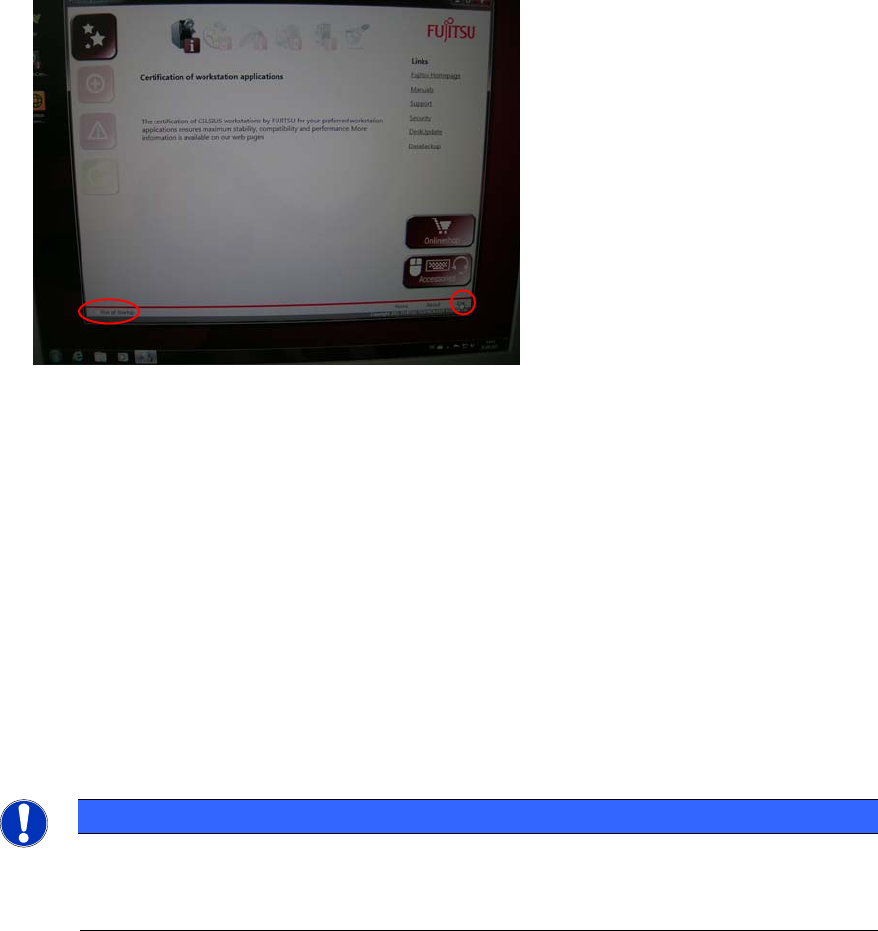
After preparation, you will see the following window.
Figure 3-19: Fujtisu Options
This tool provides you with links helping you to perform some common tasks.
► If you don’t want this tool to show again, ensure the checkbox besides Run at Startup in the
lower left corner isn’t selected.
► Click the Exit link in the lower right corner to close the tool.
► Continue with the next chapter
3.1 Uninstall unused Tools
In the pre-installed image, there are some tools not required by SIPLACE which we recommend to
uninstall before proceeding.
NOTICE
Security Tools might conflict with SIPLACE Software
Some anti-virus or firewall tools might conflict with SIPLACE software. We recommend
uninstalling them as described in this chapter.
18