00197184-01_IM_Celsius_W510_Windows7_EN.pdf - 第21页
Celsius W510 with Win dows 7 10/2011 Edition A confirmation message appears. Figure 3-25: Uninstall Office 2010 confirmation message ► Accept the message by clicki ng the Yes button. ► When uninstallation starts, another…
Celsius W510 with Windows 7 10/2011 Edition
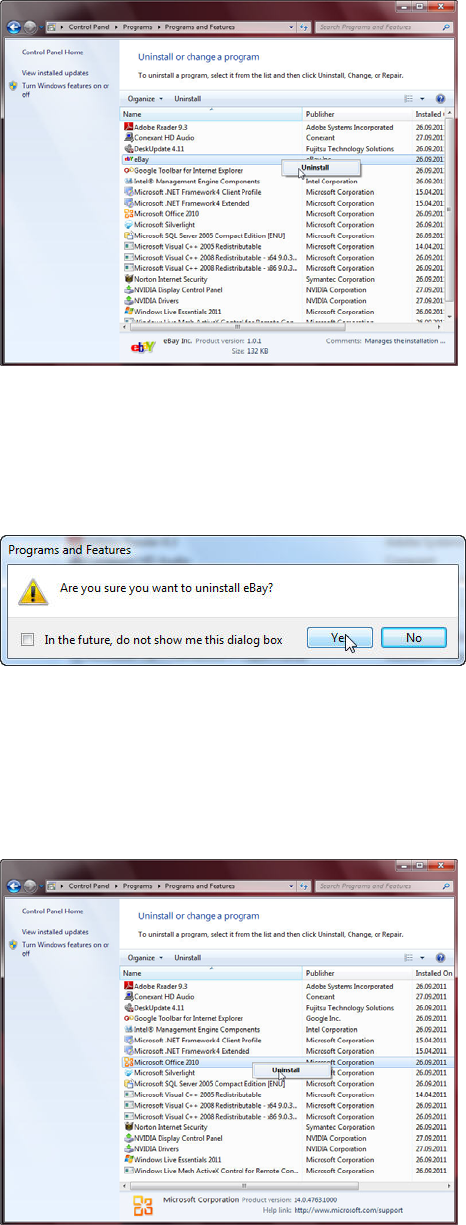
The Uninstall or change a program window opens.
Figure 3-22: Uninstalling Ebay – Step 1
► In the list of programs, right-click on Ebay.
► Select Uninstall.
A confirmation message appears.
Figure 3-23: Uninstall Ebay confirmation message
► Accept the message by clicking the Yes button.
► When uninstallation starts, another confirmation message will appear. Accept this message by
clicking the Yes button.
When done, the program will be removed from the list.
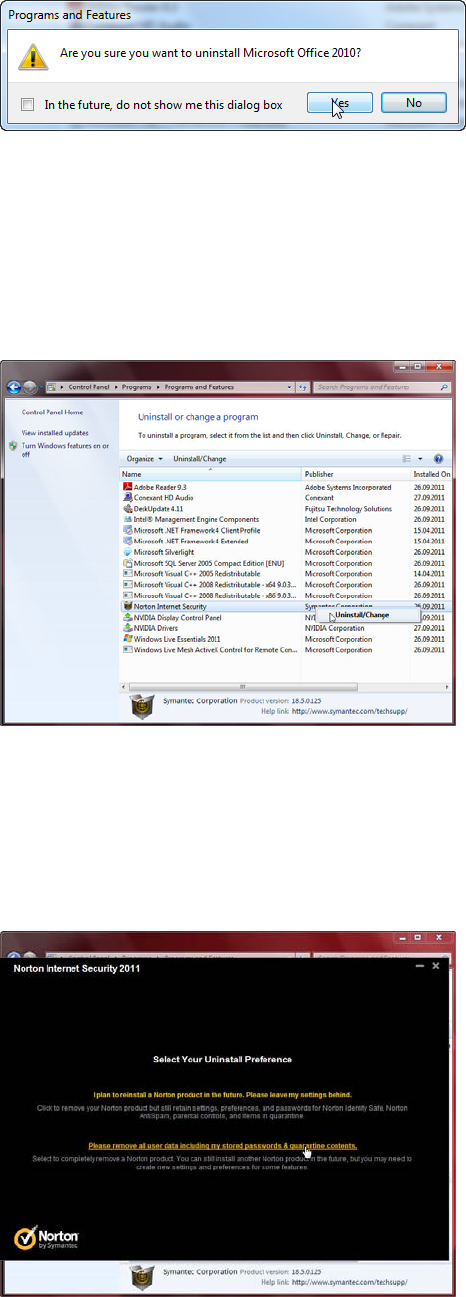
Figure 3-24: Uninstalling Office – step 1
► In the list of programs, right-click ont Microsoft Office 2010.
► Select Uninstall.
20
Celsius W510 with Windows 7 10/2011 Edition
A confirmation message appears.
Figure 3-25: Uninstall Office 2010 confirmation message
► Accept the message by clicking the Yes button.
► When uninstallation starts, another confirmation message will appear. Accept this message by
clicking the Yes button.
When done, the program will be removed from the list.
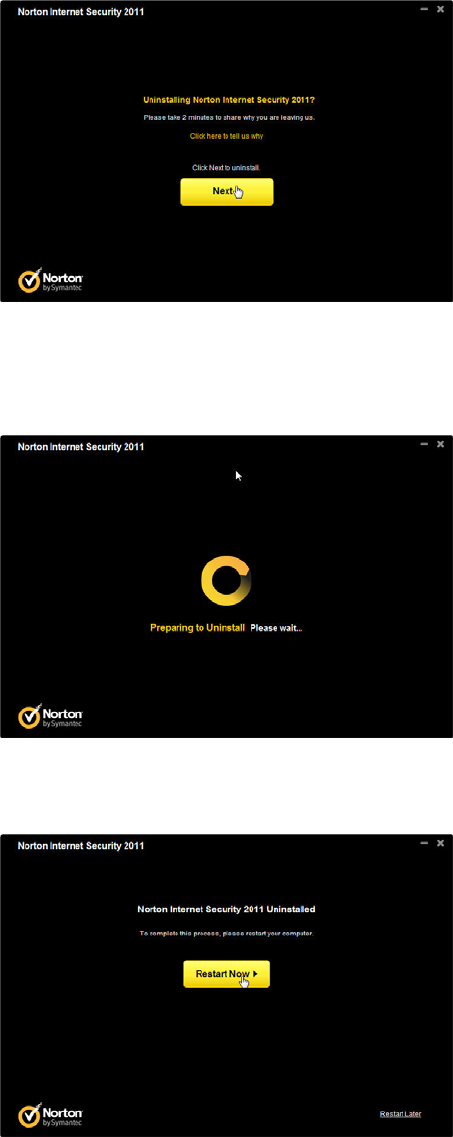
Figure 3-26: Uninstalling Norton Internet Security – Step 1
► In the list of programs, right-click on Norton Internet Security.
► Select Uninstall/Change.
The following window appears.
Figure 3-27: Uninstalling Norton Internet Security – Step 2
► Click the Please remove all user data including my stored passwords & quarantine contents
option.
21
Celsius W510 with Windows 7 10/2011 Edition
The following window appears.
Figure 3-28: Uninstalling Norton Internet Security – Step 3
► Click the Next button
During uninstallation, the window will look like the following picture.
Figure 3-29: Uninstalling Norton Internet Security
After a while, the following window will appear.
Figure 3-30: Uninstalling Norton Internet Security – Reboot message
► Click the Restart Now button to reboot your computer.
► Continue with the next chapter.
22