00197184-01_IM_Celsius_W510_Windows7_EN.pdf - 第6页
Celsius W510 with Win dows 7 10/2011 Edition 2 Preparation Before installing the comput er, some preparation tasks have to be performed. 2.1 Interfaces Overview The following pictures sho w an overview of your computer h…
Celsius W510 with Windows 7 10/2011 Edition
1 Purpose
This document describes the installation of the Celsius W510 computer with Windows 7 (32 or 64
bit) using the installation media delivered from Fujitsu.
5
Celsius W510 with Windows 7 10/2011 Edition
2 Preparation
Before installing the computer, some preparation tasks have to be performed.
2.1 Interfaces Overview
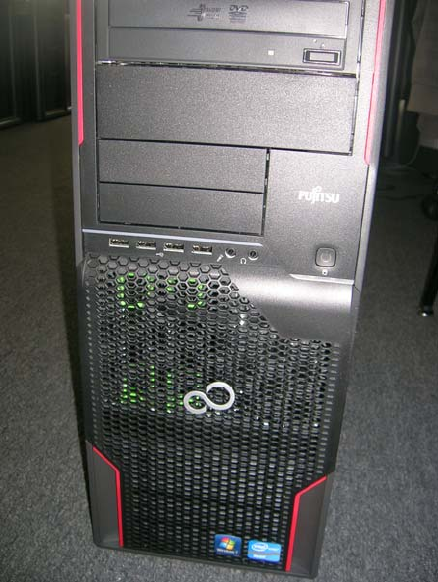
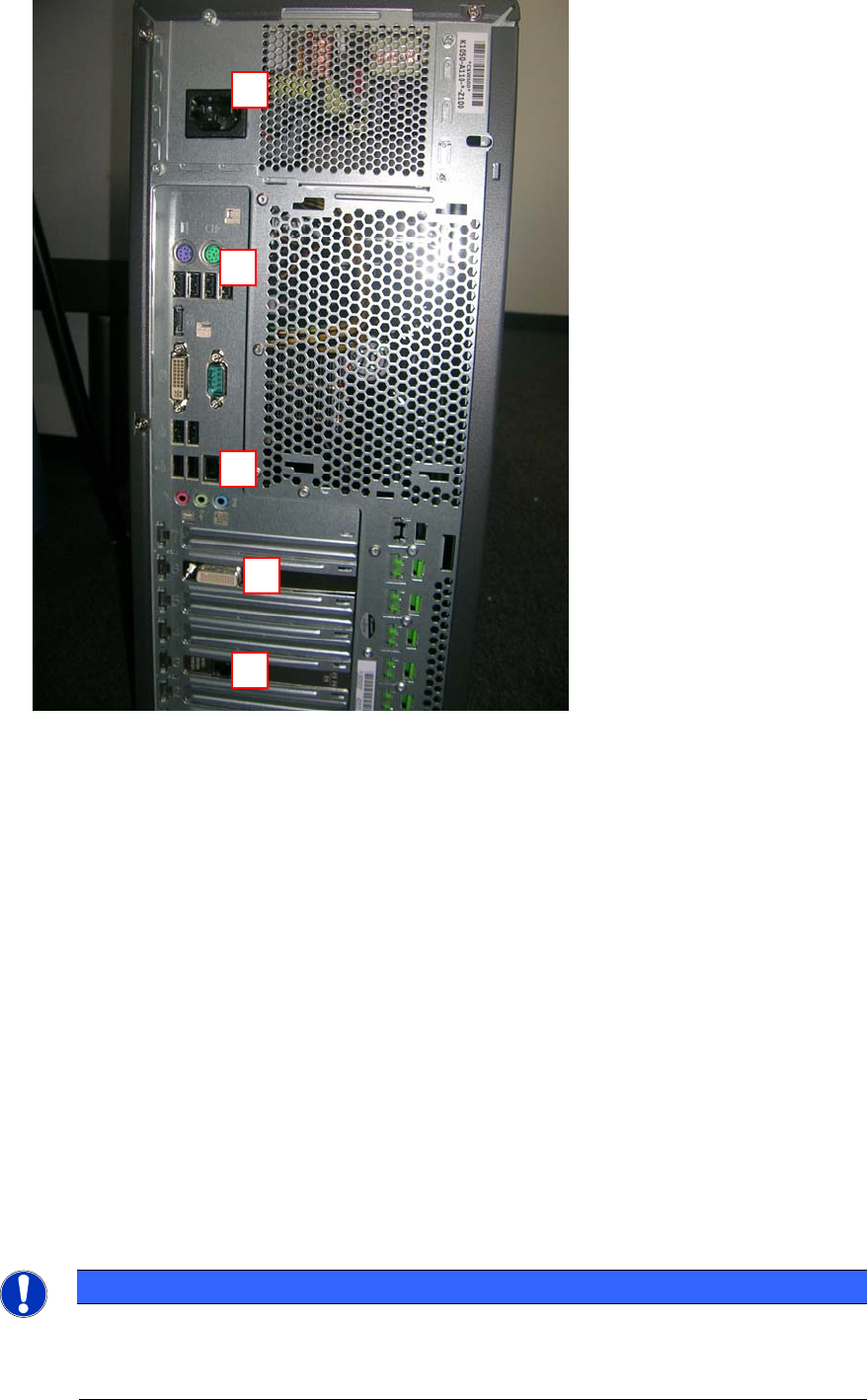
The following pictures show an overview of your computer hardware.
Figure 2-1: Front of Celsius W510 computer
6
Celsius W510 with Windows 7 10/2011 Edition
Figure 2-2: Back of Celsius W510 computer
Legend:
5
4
3
1) Connector to graphics card (use the delivered 2* DVI splitter cable; for monitors with VGA
you only have to use a DVI to VGA adapter additionally)
2) SIPLACE LAN Network connection
3) Additional onboard LAN connection (not used)
4) PS/2 and USB Ports for keyboard, mouse and other peripherals
5) Power connector
2.2 Used network connections
► Before you begin, please ensure that you have connected the SIPLACE LAN network cable
(usually IP range 172.22.x.x) to the external network adapter at the bottom and removed all
other network cable connections.
NOTICE
Network Adapter Identification
For simple identification of the appropriate SIPLACE LAN network adapter later after
installation, it is strongly recommended to disconnect all other adapters.
2
1
7