00198228-02_IM-MaterialSetupAssistant_DE_EN - 第48页
Konfiguration Konfigurationseinstellungen in ASM Mater ial Manager 48 SIPLACE Material Setup Assistant 2.2 SIPLACE Material Setup Assistant 2 .2 3.3.1 3 . 3 . 1 O r d e r M a n a g e r a k t iv ie r e n Order Manage r ak…
Konfiguration
Konfigurationseinstellungen in ASM Material Manager
SIPLACE Material Setup Assistant 2.2 SIPLACE Material Setup Assistant 2.2 47
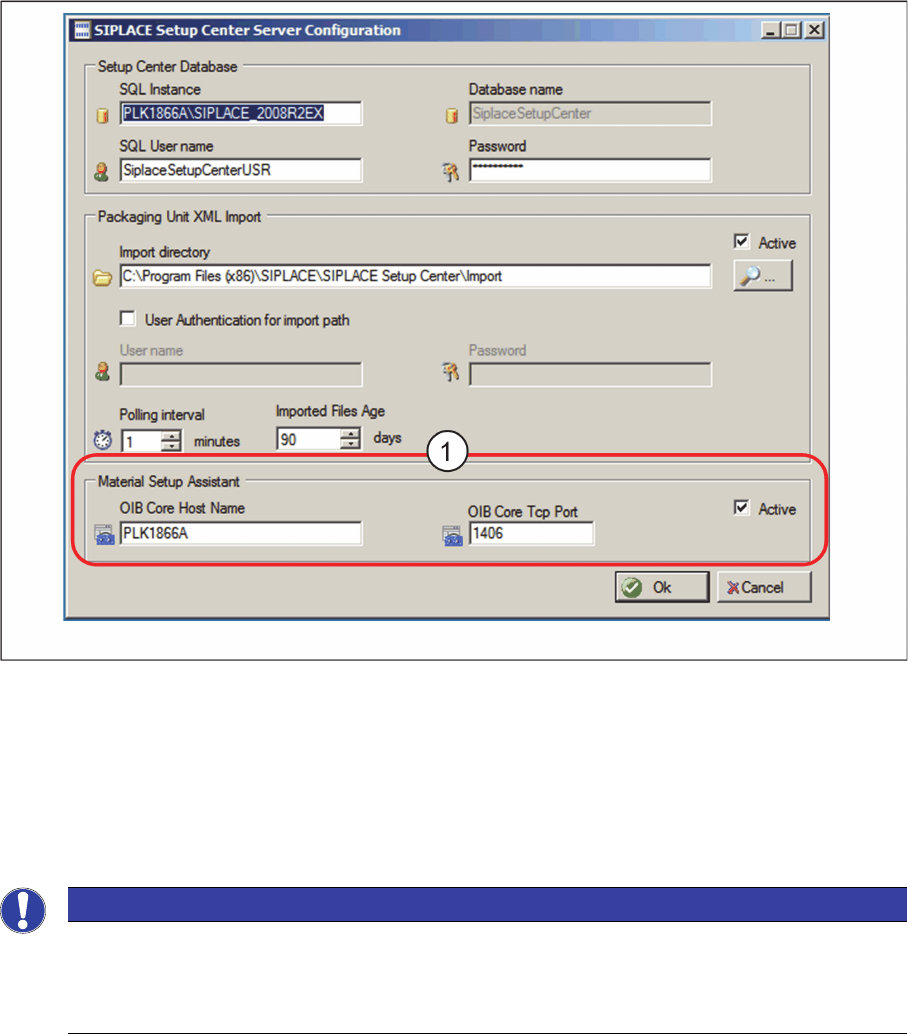
⇨ Das Dialogfeld ASM Setup Center Server Configuration wird angezeigt.
Dialogfeld ASM Setup Center Server Configuration
► Aktivieren Sie unter Material Setup Assistant (1) die Option Active.
► Tragen Sie den OIB Core Hostname und den OIB Core Tcp Port ein.
► Bestätigen Sie mit OK.
3.3
3.3 Konfigurationseinstellungen in ASM Material Manager
Konfigurationseinstellungen in ASM Material Manager
HINWEIS
Bei Workflow mit ASM Material Manager für MSA.
Bei der Installation von ASM Material Manager für MSA werden die benötigten Einstellungen
automatisch konfiguriert. Es müssen keine Konfigurationseinstellungen in ASM Material Mana
-
ger durchgeführt werden.
Konfiguration
Konfigurationseinstellungen in ASM Material Manager
48 SIPLACE Material Setup Assistant 2.2 SIPLACE Material Setup Assistant 2.2
3.3.1
3.3.1 Order Manager aktivieren
Order Manager aktivieren
Aktivieren Sie die Kommunikation zwischen ASM Material Manager und dem Order Manager, falls Sie
dieses bei der Installation von ASM Material Manager noch nicht durchgeführt haben.
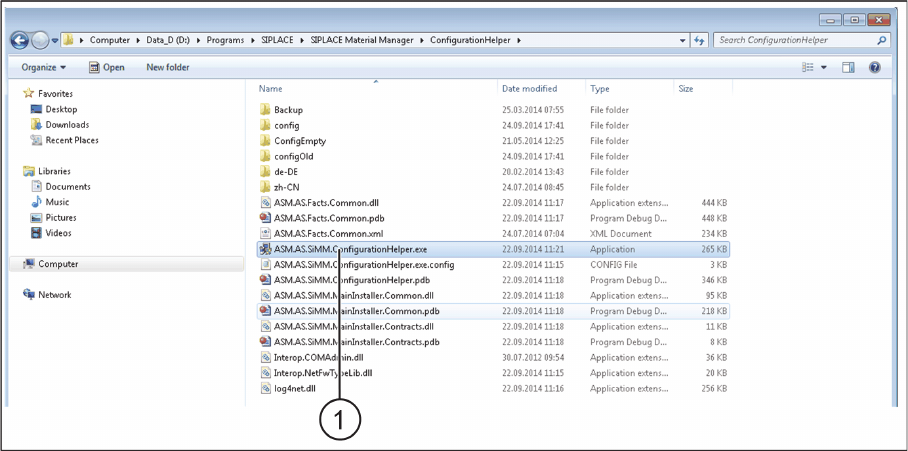
► Wechseln Sie in das Installations-Verzeichnis von ASM Material Manager => ConfigurationHelper.
Installations-Verzeichnis von ConfigurationHelper
► Doppelklicken Sie auf die Datei ASM.AS.SiMM.ConfigurationHelper.exe (1).
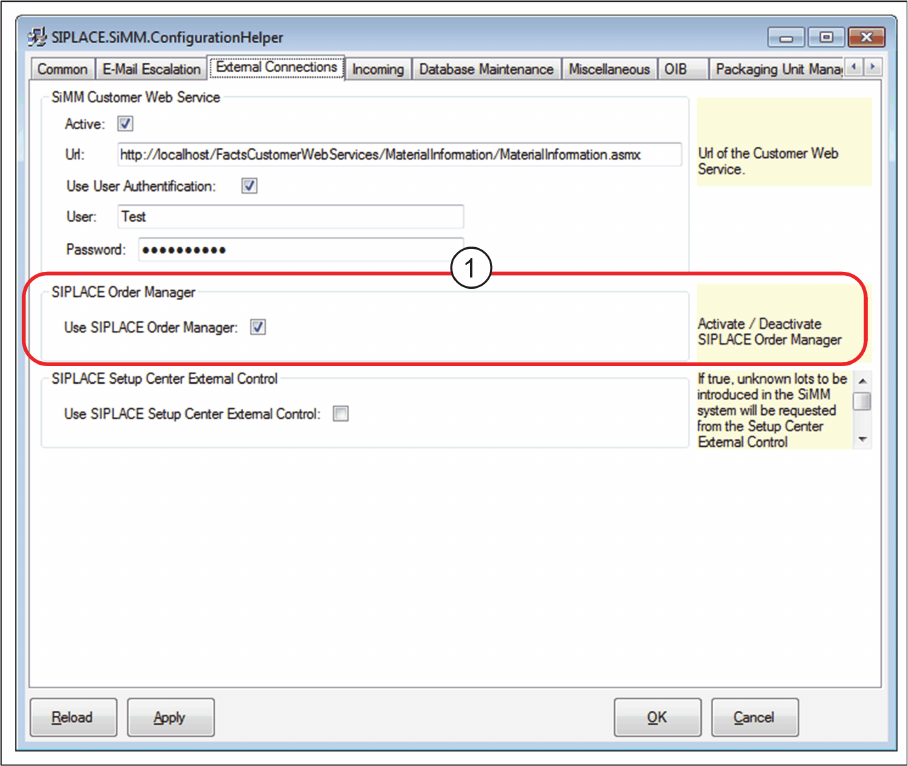
⇨ Das Dialogfeld SIPLACE.SiMM.ConfigurationHelper wird angezeigt.
Konfiguration
Konfigurationseinstellungen in ASM Material Manager
SIPLACE Material Setup Assistant 2.2 SIPLACE Material Setup Assistant 2.2 49
Dialogfeld SIPLACE.SiMM.ConfigurationHelper
► Aktivieren Sie die Option Order Manager (1).
► Bestätigen Sie mit OK.