00198228-02_IM-MaterialSetupAssistant_DE_EN - 第94页
Configuration Configuration Settings in ASM Setup Center 94 SIPLACE Material Setup Assistant 2.2 SIPLACE Material Setup Assistant 2 .2 3.2.4 3 . 2 . 4 C o n f ig u r in g t h e A S M S e t u p C e n t e r S e r v e r Con…
Configuration
Configuration Settings in ASM Setup Center
SIPLACE Material Setup Assistant 2.2 SIPLACE Material Setup Assistant 2.2 93
3.2.3
3.2.3 Configuring Feeder Racks
Configuring Feeder Racks
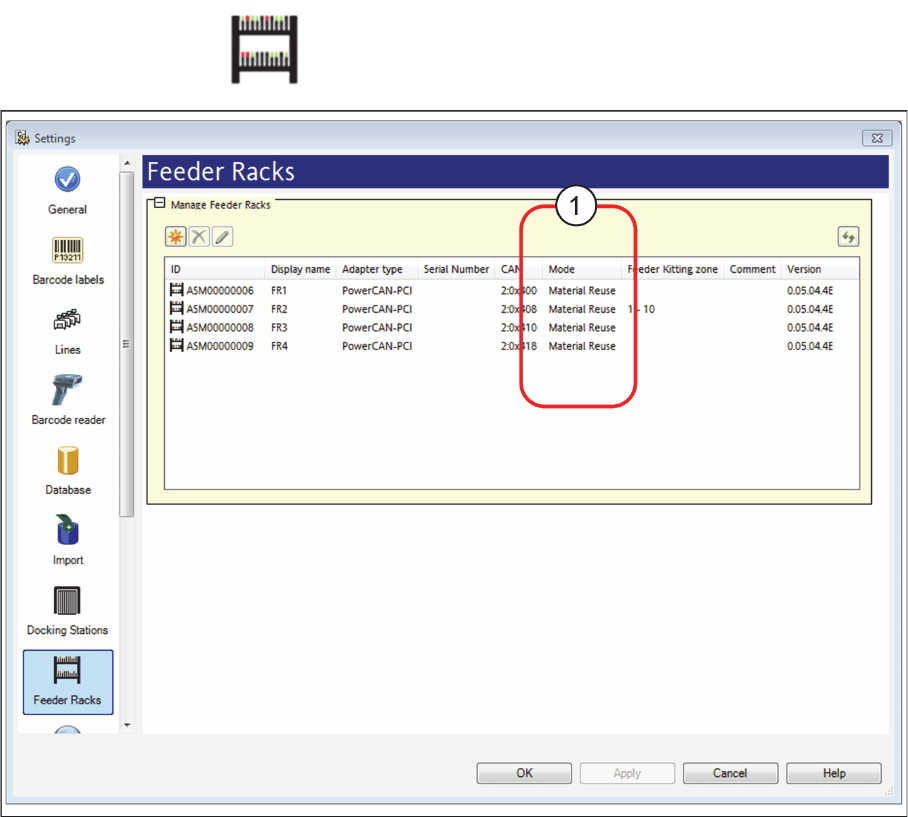
► Go to the main menu and select Extras > Settings to open the Settings window.
► Select the category Feeder Racks and the settings are opened.
Settings - Feeder Rack
► The Material Reuse mode (1) must be activated for the feeder racks used. Correct this setting, if nec
-
essary.
⇨ In connection with the SIPLACE Material Setup Wizard, this feeder rack is used as AFP hardware
in the pre-setup area. In this feeder rack, set-up feeders are parked for a later reuse.
► For detailed information on the configuration of the feeder racks, please refer to the ASM Setup
Center user manual or to the ASM Setup Center online help.
Configuration
Configuration Settings in ASM Setup Center
94 SIPLACE Material Setup Assistant 2.2 SIPLACE Material Setup Assistant 2.2
3.2.4
3.2.4 Configuring the ASM Setup Center Server
Configuring the ASM Setup Center Server
Configure the communication between ASM Setup Center and the systems involved with the SIPLACE
Material Setup Assistant workflow. Enable and configure the OIB Core at ASM Setup Center Server.
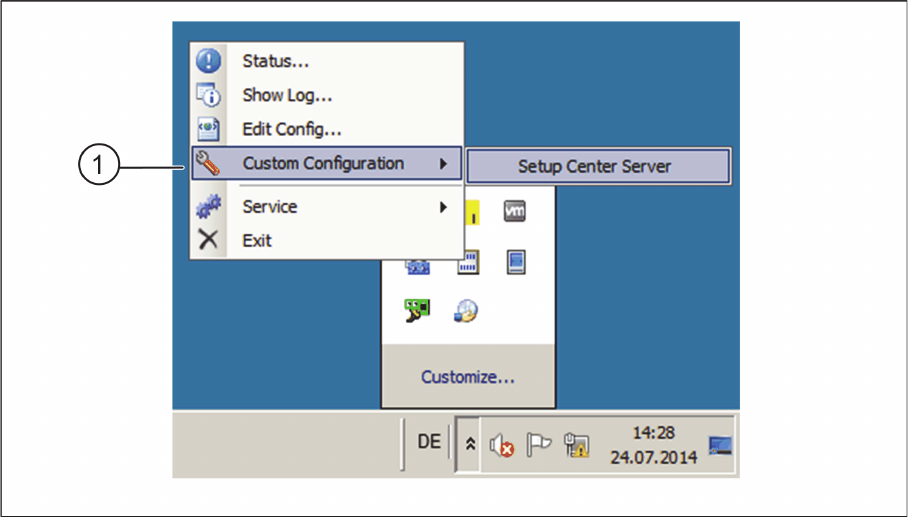
► In the task bar, open the ASM Setup Center context menu and start Custom Configuration => Setup
Center Server (1).
Custom Configuration – Start Setup Center Server
Configuration
Configuration Settings in the ASM Material Manager
SIPLACE Material Setup Assistant 2.2 SIPLACE Material Setup Assistant 2.2 95
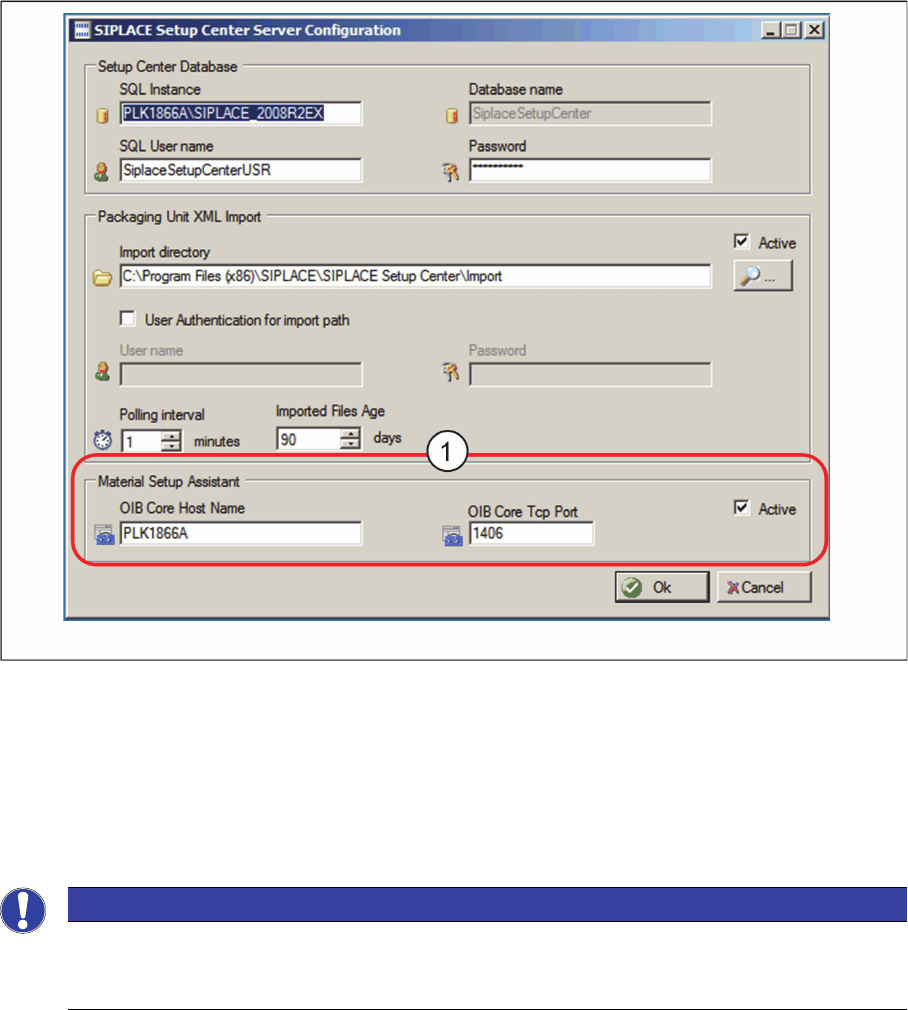
⇨ The ASM Setup Center Server Configuration dialog box will be shown.
ASM Setup Center Server Configuration dialog box
► Go to Material Setup Assistant (1) and enable the option Active.
► Enter the OIB Core Hostname and the OIB Core Tcp Port.
► Confirm with OK.
3.3
3.3 Configuration Settings in the ASM Material Manager
Configuration Settings in the ASM Material Manager
3.3.1
3.3.1 Activating the Order Manager
Activating the Order Manager
Enable the communication between the ASM Material Manager and the Order Manager if you have not
done this during the installation of the ASM Material Manager.
► Switch over to the installation folder for ASM Material Manager => ConfigurationHelper.
NOTICE
Workflow with ASM Material Manager for MSA
During the installation of ASM Material Manager for MSA, the required settings are configured
automatically. No configuration settings need to be done in ASM Material Manager.