YS24X_Mainte_E - 第145页
6-9 6 How to replace consumable parts 4 Put a mark at the tensioner position. Before loosening the belt tension, put a mark to indicate the positions of the mo unting bolts of the tensioner (pulley/pulley bracket) using …
6-8
6
How to replace consumable parts
4. Conveyor
If significant looseness, contamination, or scuffing is found in the conveyor belt when performing the work
steps stated in"3.3 Inspecting and cleaning the conveyor belt" of Chapter 3, the conveyor belt needs to be
replaced. Follow the steps below to replace the conveyor belt.
Note that the conveyor belt replacement for dual-stage type machines differs partly depending on the
conveyor belt location. Also single-lane type machines and dual-lane type machines share the same belt
replacement procedure.
4.1 Replacing the conveyor belt
n
Dual stage specification : Replacing the conveyor belt other than that of W2-axis
1
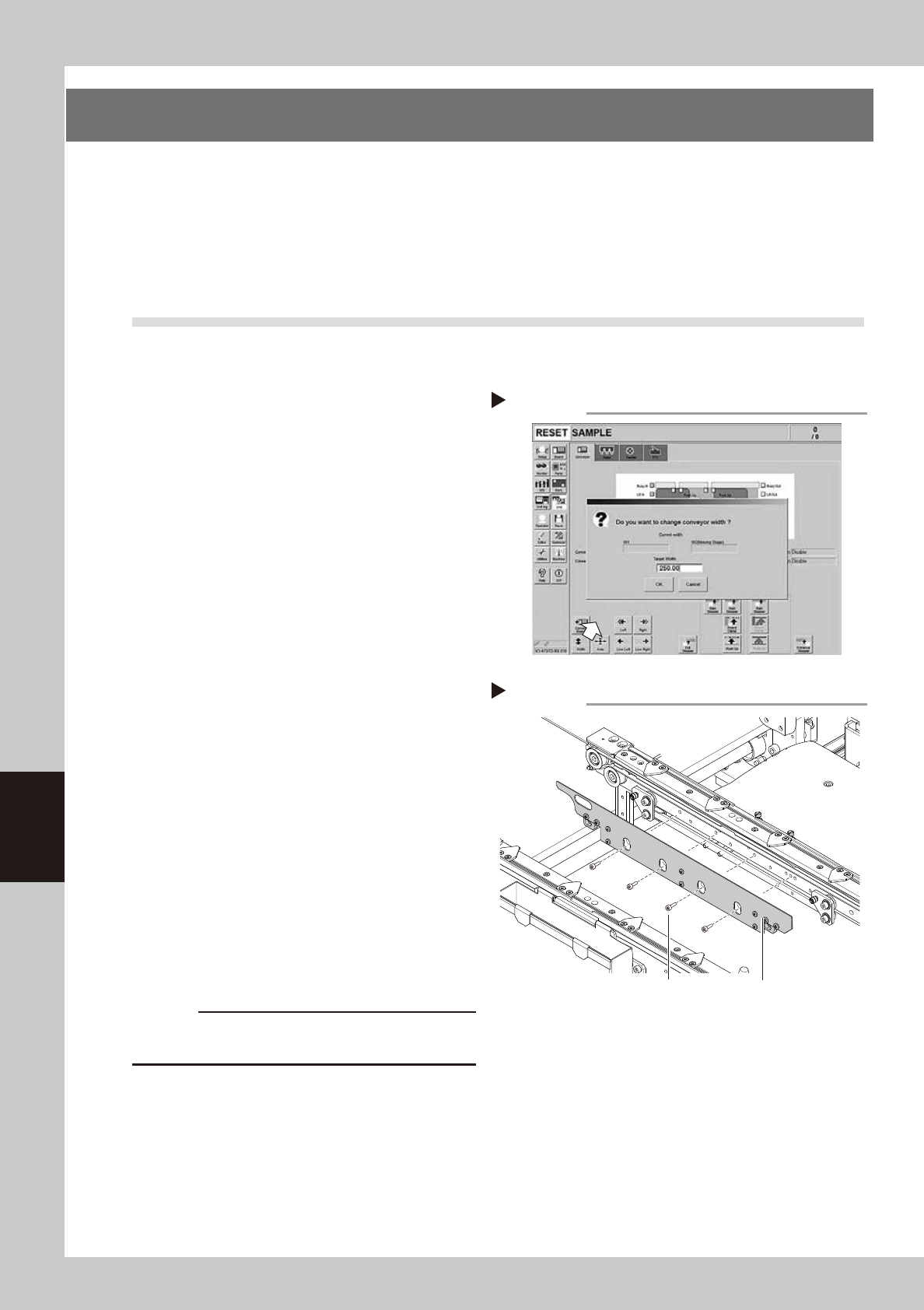
Change the conveyor width to a
convenient width for maintenance
work.
1. On the [Unit] - [Conveyor] screen, press
the [Width] button to display the
"Conveyor Width" screen.
2. Enter a width wide enough for a hex
wrench to be inserted (about 200 mm) in
the "Target Width" box and press the [OK]
button. The conveyor is changed to the
specified width.
54601-L4-10
2
Make the preparation for cleaning.
e
1. Remove all items that are affected by
magnetism, such as a watch and ID
card.
2. Press the emergency stop button and
then open the machine safety cover.
3. If the machine is equipped with a
carriage, remove the carriage to allow
you to easily access the conveyor.
4. Place a square cloth on the push-up
plate.
3
Remove the board clamp plates.
Use a hexagon wrench (3) to remove the 4
board clamp bolts, then remove the board
clamp plate.
53615-L4-00
c
CAUTION
Do not remove any bolts other than the 4 bolts shown in
the figure at right.
Removing the board clamp plate
Step 3
Board clamp plateBoard clamp plate securing bolts
Changing the conveyor width
Step 1
6-9
6
How to replace consumable parts
4
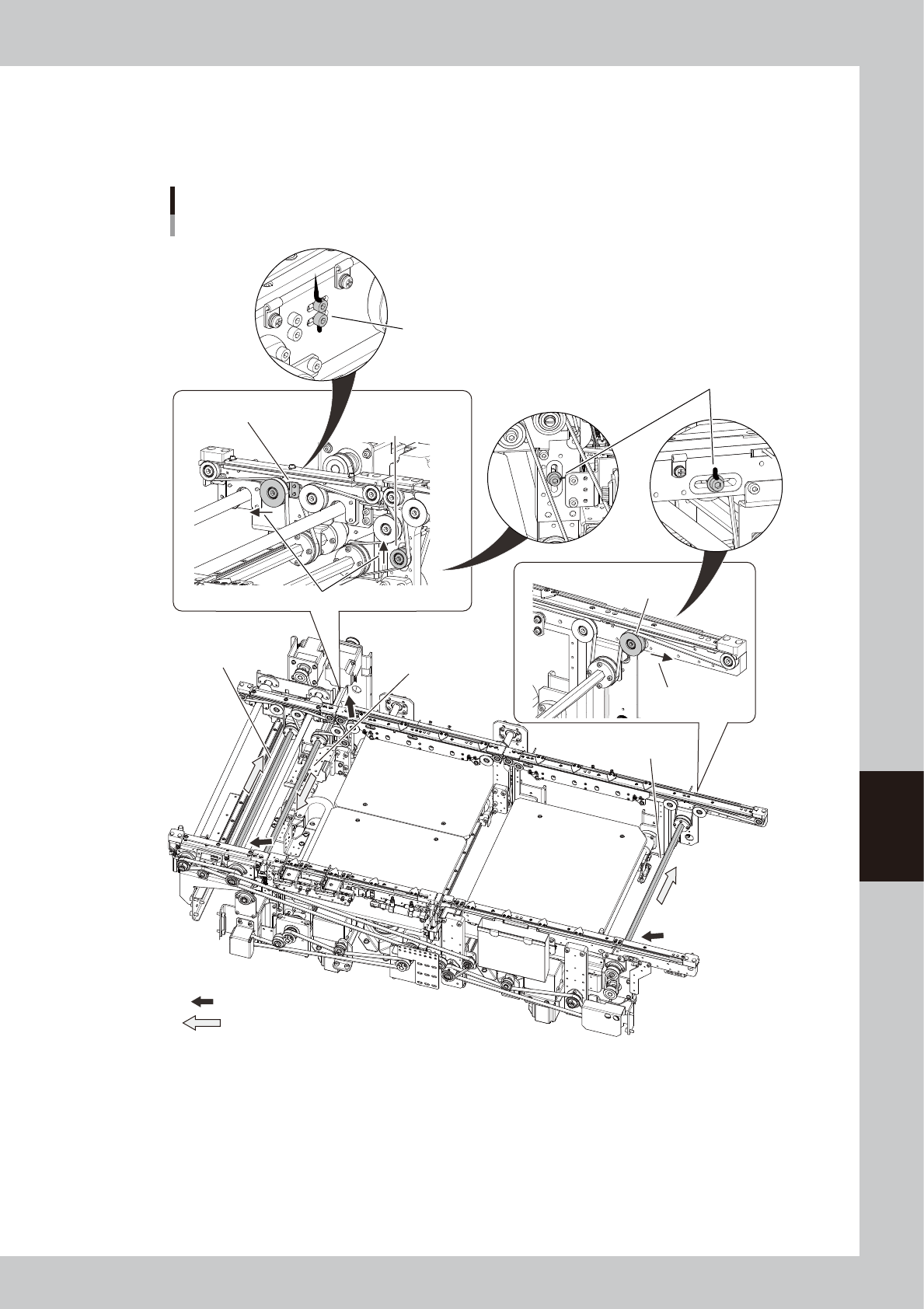
Put a mark at the tensioner position.
Before loosening the belt tension, put a mark to indicate the positions of the mounting bolts of the
tensioner (pulley/pulley bracket) using an oil-based permanent marker. If you replace the belt of the
dual-stage W2-axis, put a mark for its tensioner mounting bolt also.
Put a mark at the pulley mounting
bolt with permanent marker.
: Place where the shaft is separated from the pulley.
: Shaft pull-out direction
Replacing the conveyor belt
Dual-stage
n W2-axis
(Exit conveyor)
n W2-axis
(Stage 2)
n W1-axis
(Stage 1)
Put a mark at the pulley mounting
bolt with permanent marker.
Exit conveyor
Loosen this pulley.
W2-axis
Loosen this pulley.
Direction to move the pulley
W1-axis
Loosen this pulley.
Direction to move
the pulley
53616-L4-00
6-10
6
How to replace consumable parts
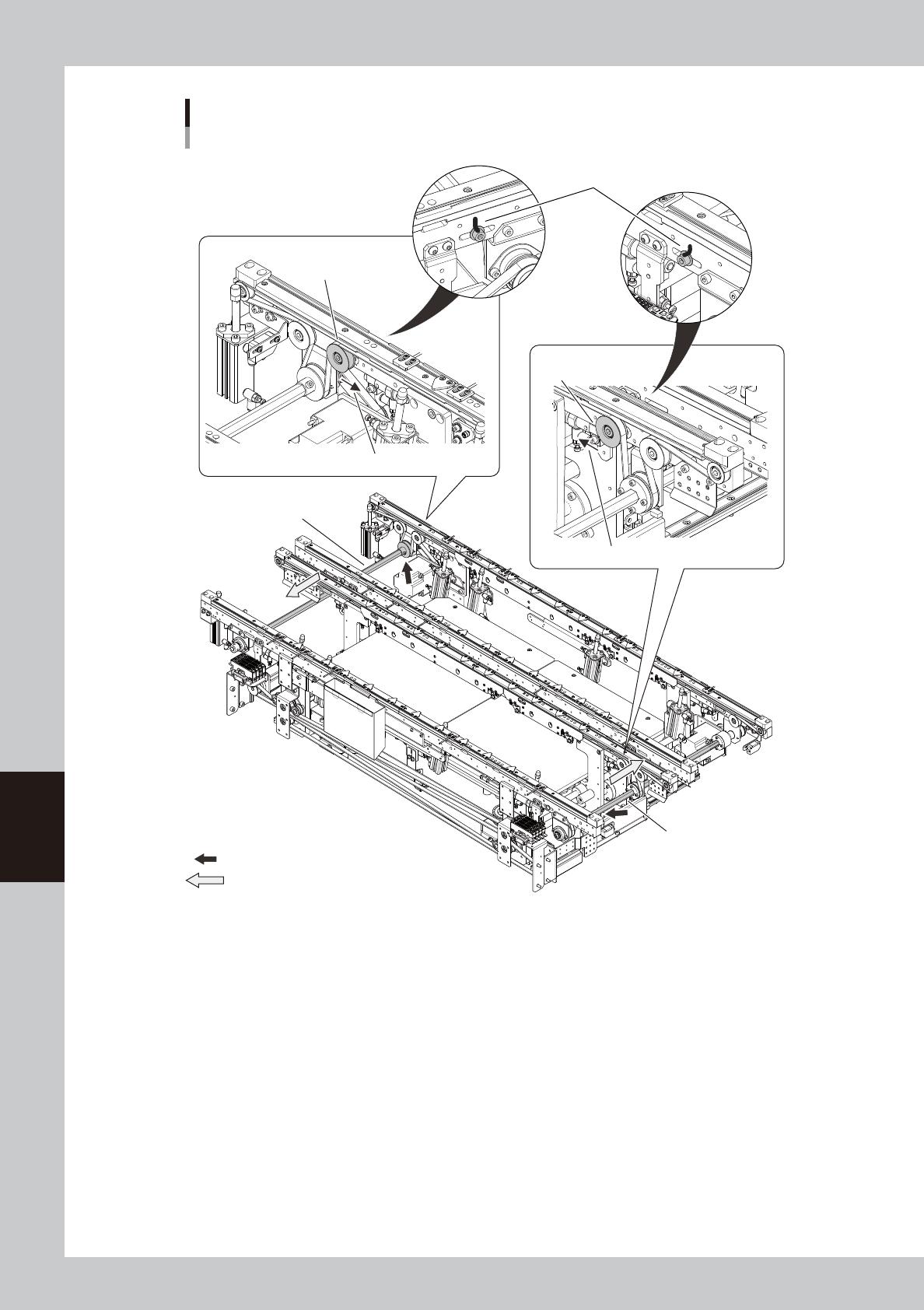
Replacing the conveyor belt
Dual-lane
: Place where the shaft is separated from the pulley.
: Shaft pull-out direction
■ Lane 1
■ Lane 2
Put a mark at the pulley mounting
bolt with permanent marker.
Lane 1 side conveyor
Loosen this pulley.
Lane 2 side conveyor
Loosen this pulley.
Direction to move the pulley
Direction to move the pulley
53617-L4-00