YS24X_Mainte_E - 第84页
3-17 3 Periodic maintenance items 5 Wipe off the ex cess grease. 1. Grasp the movement handle and move the head unit to one end. 2. Wipe all excess grease from the ball screw and nut end faces. 3. Move the head unit to t…
3-16
3
Periodic maintenance items
4. Remove the grease spattering prevention
cover by pulling it to the right.
53312-L4-00
TIP
When it is difficult to access the anti grease splatter
cover, prepare a step.
TIP
When attaching the anti grease splatter cover, follow
the reverse order of procedure described above.
3
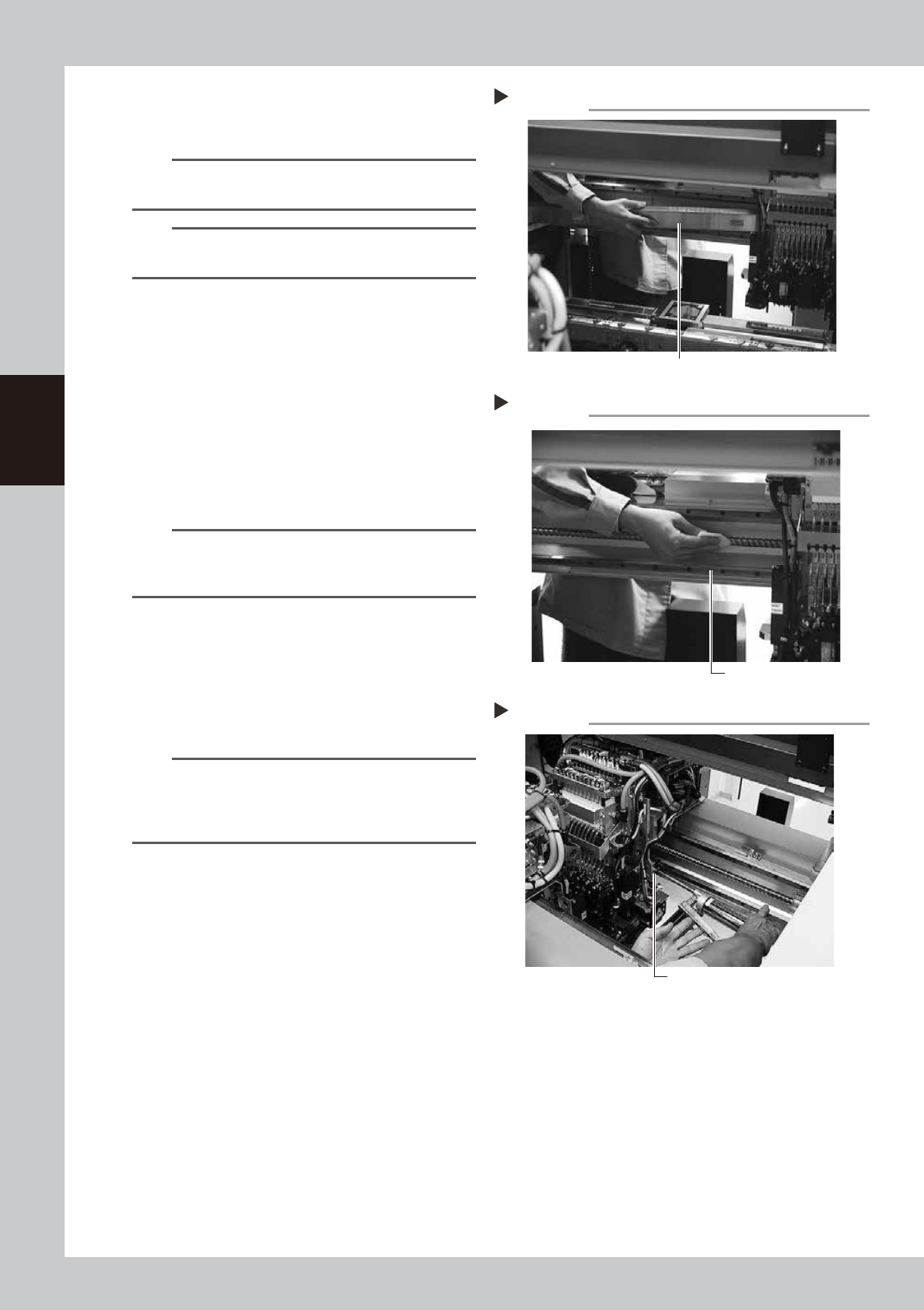
Clean the ball screws.
1. Using the handle, move the head unit to
one end of each axis.
2. Wipe away the old grease and dirt from
the ball screw with a lint-free cloth that
does not raise dust (for clean room use).
3. Move the head unit to the opposite side,
and wipe the ball screw also on the
opposite side.
53313-L4-00
n
NOTE
Wipe away the old grease and dirt in the lead groove
of the ball screw. Also check that no debris or residue
remains in the lead groove.
4
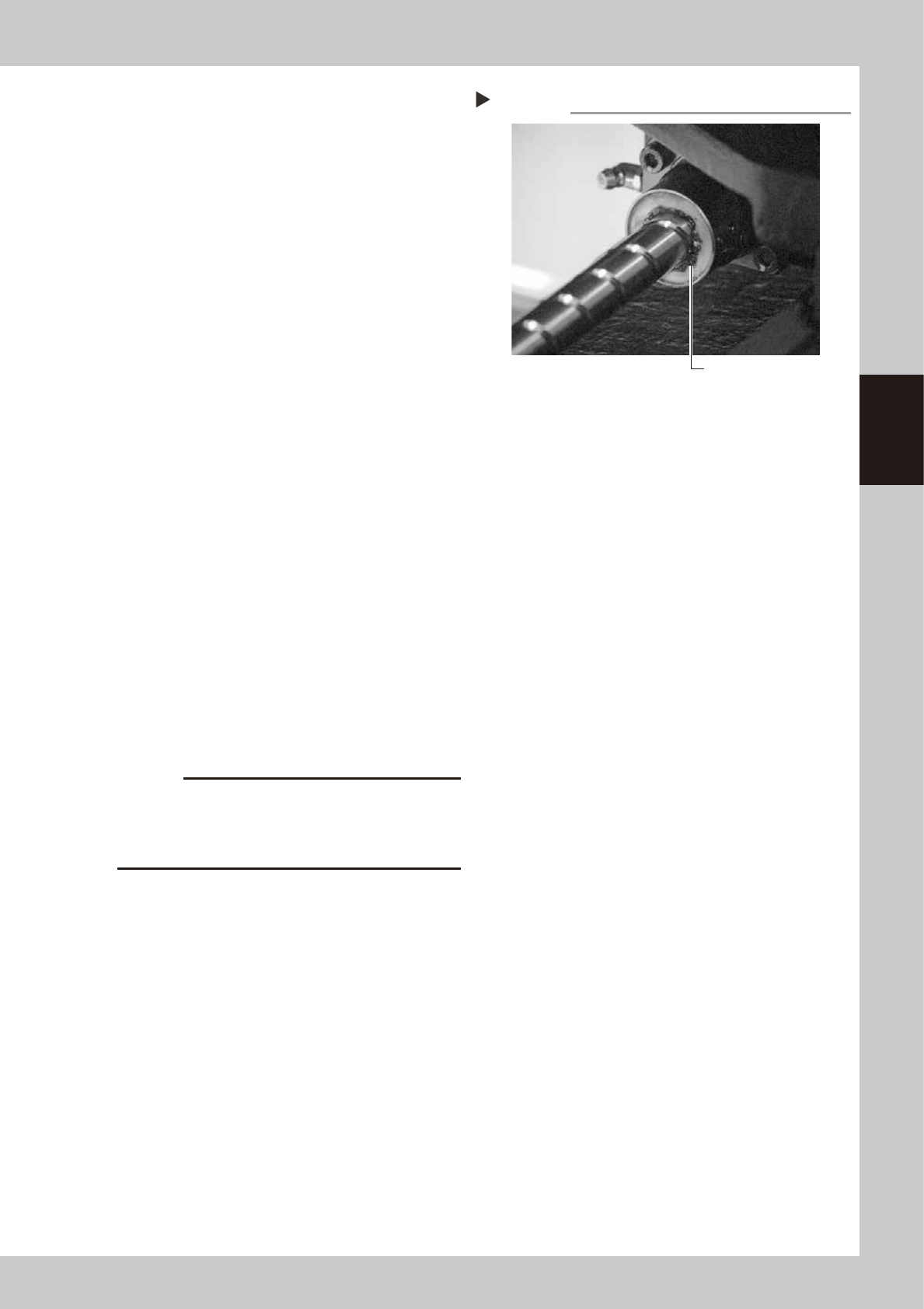
Apply grease to the ball screws.
Set the standard nozzle on the grease gun,
and inject the specified grease (NSL) from
the grease nipple (at the opposite side of
the X axis motor).
53314-L4-00
n
NOTE
LRepeat the process below, and inject until the new
grease flows over the gap.
• Injection of grease
• Move the axis with hand a little
Greasing the X-axis ball screw
Step 4
Grease nipple for
X-axis ball screw
Cleaning the X-axis ball screw
Step 3
Cleaning cloth
Removing the X-axis grease spattering prevention cover
Grease spattering prevention cover
Step 2-4
3-17
3
Periodic maintenance items
5
Wipe off the excess grease.
1. Grasp the movement handle and move
the head unit to one end.
2. Wipe all excess grease from the ball
screw and nut end faces.
3. Move the head unit to the opposite end
and wipe all excess grease from the
opposite-end ball screw and nut end
faces.
53391-L4-00
6
Perform a warm-up.
1. Remove the square cloth.
2. Reattach the spatter prevention cover.
3. Close the machine’s safety cover, and
cancel the emergency stop. If the
machine could be equipped with a
carriage, set the carriage.
4. Open the Warm-up screen, and perform
the warm-up operation for approximately
8 minutes.
e
7
Check the grease condition.
1. After stopping warming up, push the
emergency stop button, and open the
machine’s safety cover. If the machine is
equipped with a carriage, remove the
carriage.
2. Remove the anti grease splatter cover.
3. Wipe the grease that was accumulated
on the ball screw and ball screw side
surface.
4. Attach the anti grease splatter cover.
c
CAUTION
Repeat Steps 6 and 7 until grease accumulations no
longer occur. Beginning production with grease
accumulations present could cause the grease to
spatter.
Wiping off the excess grease
Step 5
Excess grease
3-18
3
Periodic maintenance items
n
B-table
The procedure for the service from front side of the machine is described in the following.
1
Make the preparations for the
cleaning and greasing work.
e
1. Take off all accessories susceptible to the
magnetic fields, such as a wristwatch
and/or magnetic ID card.
2. Press the emergency stop button and
then open the machine safety cover.
3. If the machine is equipped with a
carriage, remove the carriage.
4. Place a square cloth on the Y-axis linear
area and the push-up plate.
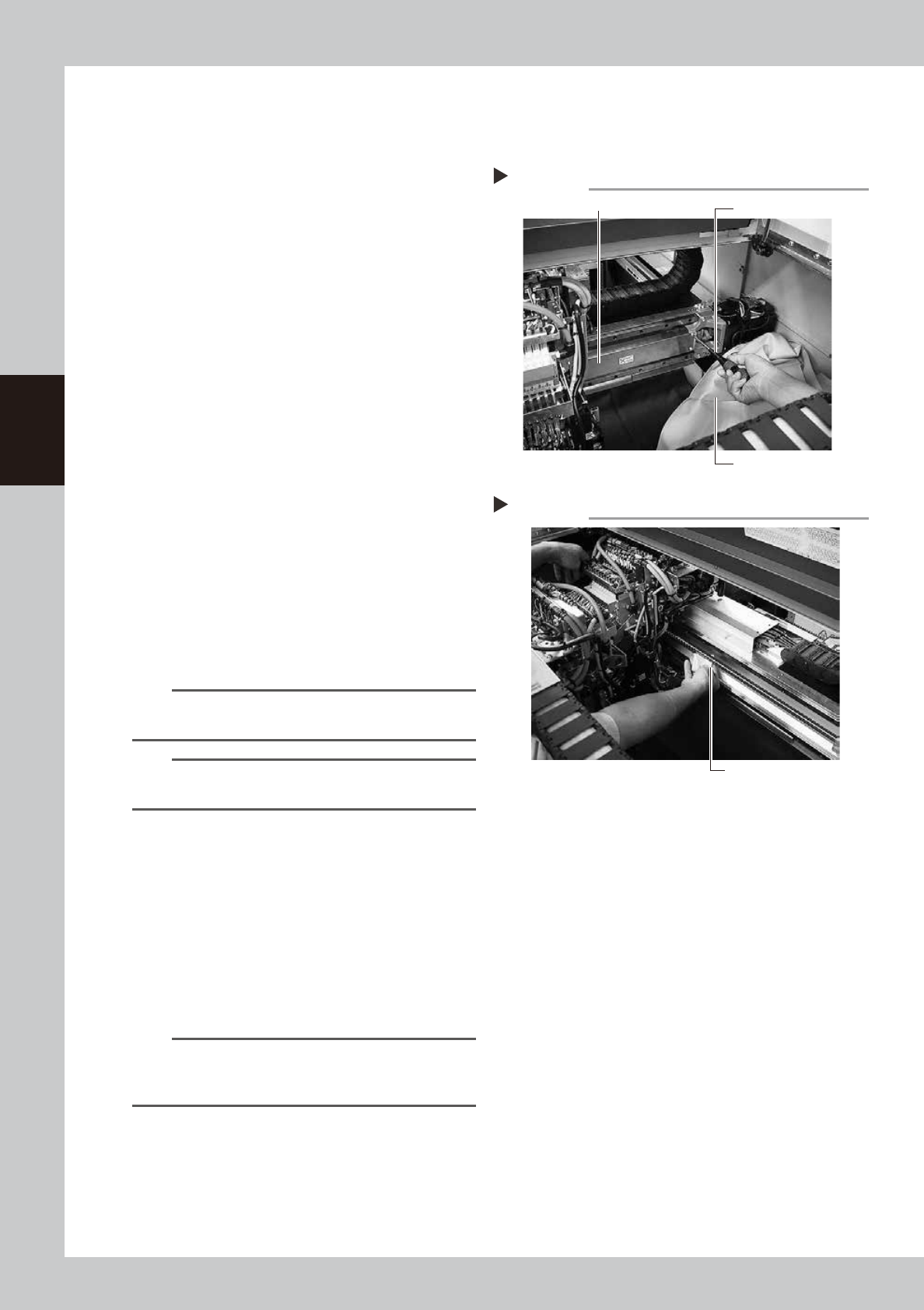
2
Remove the grease spattering
prevention cover.
1. Move the B-table's head unit all the way
to the front of the machine.
2. Move the head unit to the right side and
loosen two mount screws on the left of
the grease spattering prevention cover
with Philips Screwdriver.
3. Move the head unit all the way to left,
remove two mount screws on the right of
the grease spattering prevention cover
with Philips Screwdriver.
4. Remove the grease spattering prevention
cover by pulling it to the right.
53315-L4-00
TIP
When it is difficult to access the anti grease splatter
cover, prepare a step.
TIP
When attaching the anti grease splatter cover, follow
the reverse order of procedure described above.
3
Clean the ball screws.
1. Using the handle, move the head unit to
one end of each axis.
2. Wipe away the old grease and dirt from
the ball screw with a lint-free cloth that
does not raise dust.
3. Move the head unit to the opposite side,
and wipe the ball screw also on the
opposite side.
53316-L4-00
n
NOTE
Wipe away the old grease and dirt in the lead groove
of the ball screw. Also check that no debris or residue
remains in the lead groove.
Removing the X-axis grease spattering prevention cover
Phillips screwdriver
Square bandage
Grease spattering prevention cover
Step 2
Cleaning the X-axis ball screw
Step 3
Cleaning cloth