00194547-05_EN_DE.pdf - 第22页
Installation Manual, Station Software Version 601.03 Edition 03/2006 Fig. 4-6: TouchWare Properties – Multiple Monitors tab (example for Monitor 2) → Click the number of the monitor you wish to calibrate. → Open the Cali…
Installation Manual, Station Software Version 601.03 Edition 03/2006
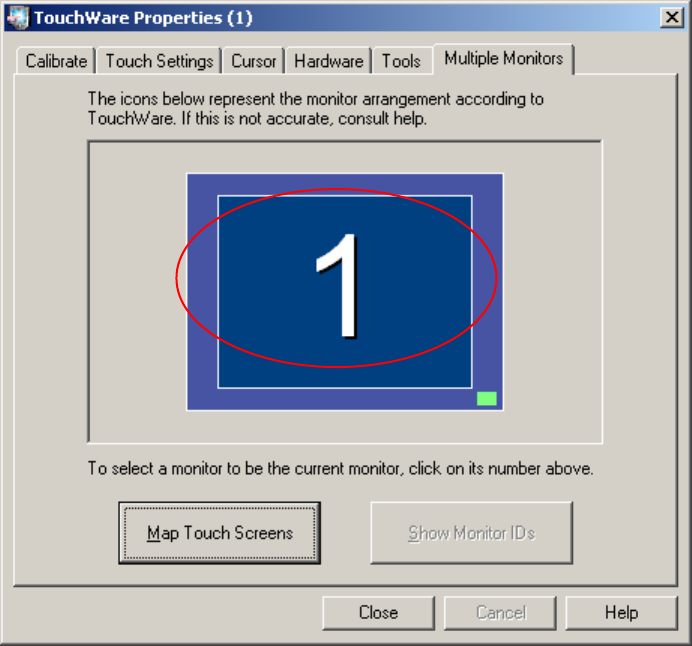
Fig. 4-5: TouchWare Properties – Multiple Monitors tab (example for Monitor 1)
21 of 88
Installation Manual, Station Software Version 601.03 Edition 03/2006
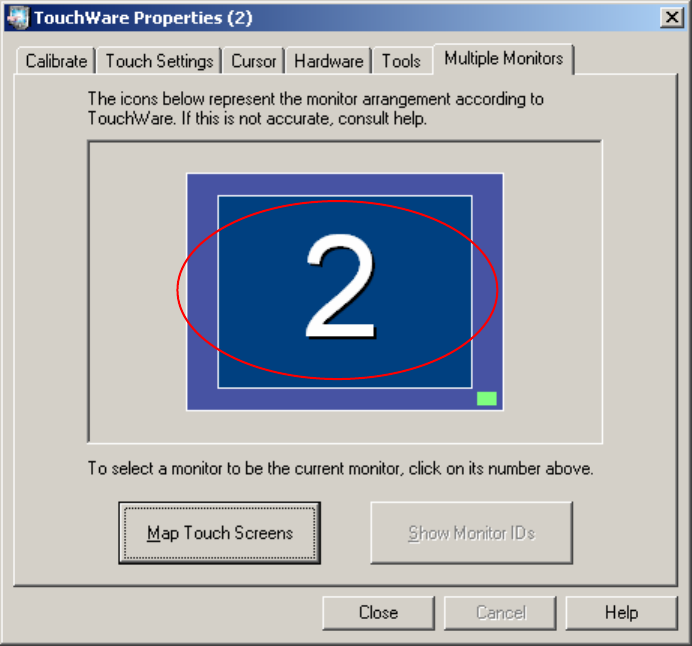
Fig. 4-6: TouchWare Properties – Multiple Monitors tab (example for Monitor 2)
→ Click the number of the monitor you wish to calibrate.
→ Open the Calibrate tab.
22 of 88
Installation Manual, Station Software Version 601.03 Edition 03/2006
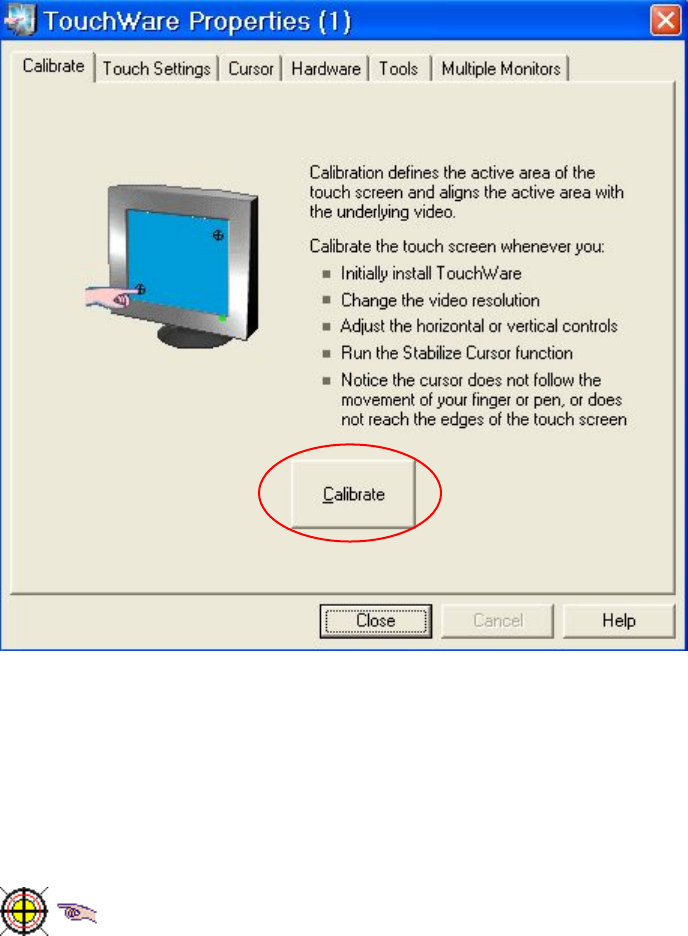
Fig. 4-7: TouchWare Properties – Calibrate tab (example for Monitor 1)
→ Click the Calibrate button. An icon representing the calibration is shown on screen. An icon
representing a hand guides you through the calibration steps by pointing to the calibration icon
you must touch.
Fig. 4-8: Calibration icon
23 of 88