Micron Technical Reference V9 Volume 1.pdf - 第224页
PRINT CARRIAGE MODULE REPLACEMENT PROCEDURES 8.8 Technical Reference Manual Chapter Issue 5, Aug 14 REPLACEMENT PROCE DURES Timing Belt T o replace the print carriage timing belt, carry out the following procedure: NOTE …
PRINT CARRIAGE MODULE
ADJUSTMENTS AND SETTINGS
Chapter Issue 5, Aug 14 Technical Reference Manual 8.7
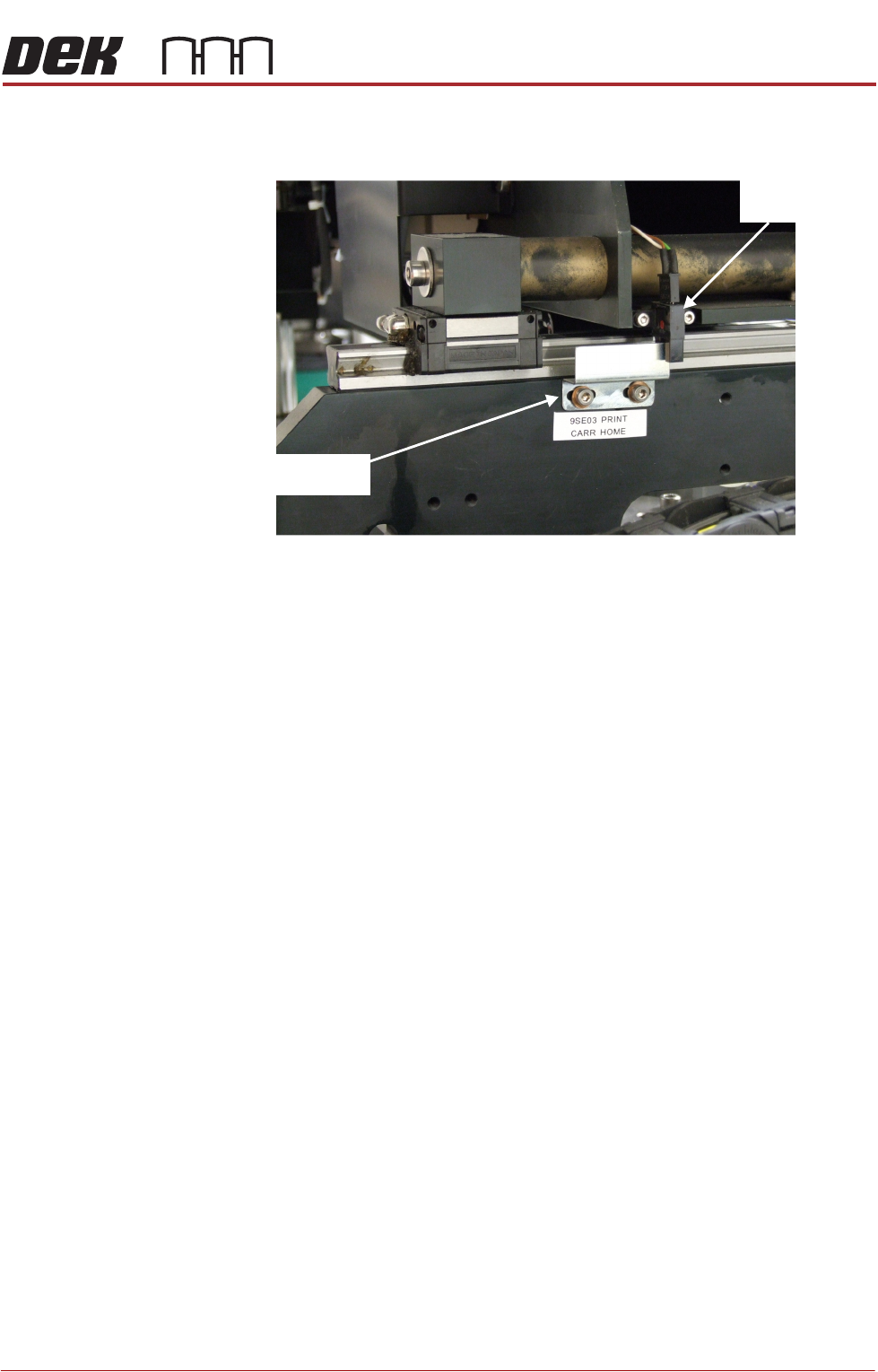
17. Gain access to the print carriage home sensor vane on the right hand
printhead.
18. Adjust the position of the home sensor vane.
19. Close the front printhead cover.
20. Press the System button.
21. Repeat Steps 10 to 16 until this measurement is achieved.
22. Refit the stencil.
23. Close the front printhead cover.
24. Press the System button.
25. Select Exit.
26. Select Exit.
27. Select Back.
Print Carriage
Home Sensor
Print Carriage
Home Sensor Vane
View On Right Hand Printhead
PRINT CARRIAGE MODULE
REPLACEMENT PROCEDURES
8.8 Technical Reference Manual Chapter Issue 5, Aug 14
REPLACEMENT PROCEDURES
Timing Belt To replace the print carriage timing belt, carry out the following procedure:
NOTE
Type 4 machines need to be moved out of line to perform this procedure. Refer
to Machine Preparation in the installation manual.
1. Select Open Cover Commands.
2. Select Carriage to Front.
3. Select Back.
4. Select Shut Down.
5. Select Continue.
6. Switch the mains isolator to OFF.
7. Gain access to the right hand printhead.
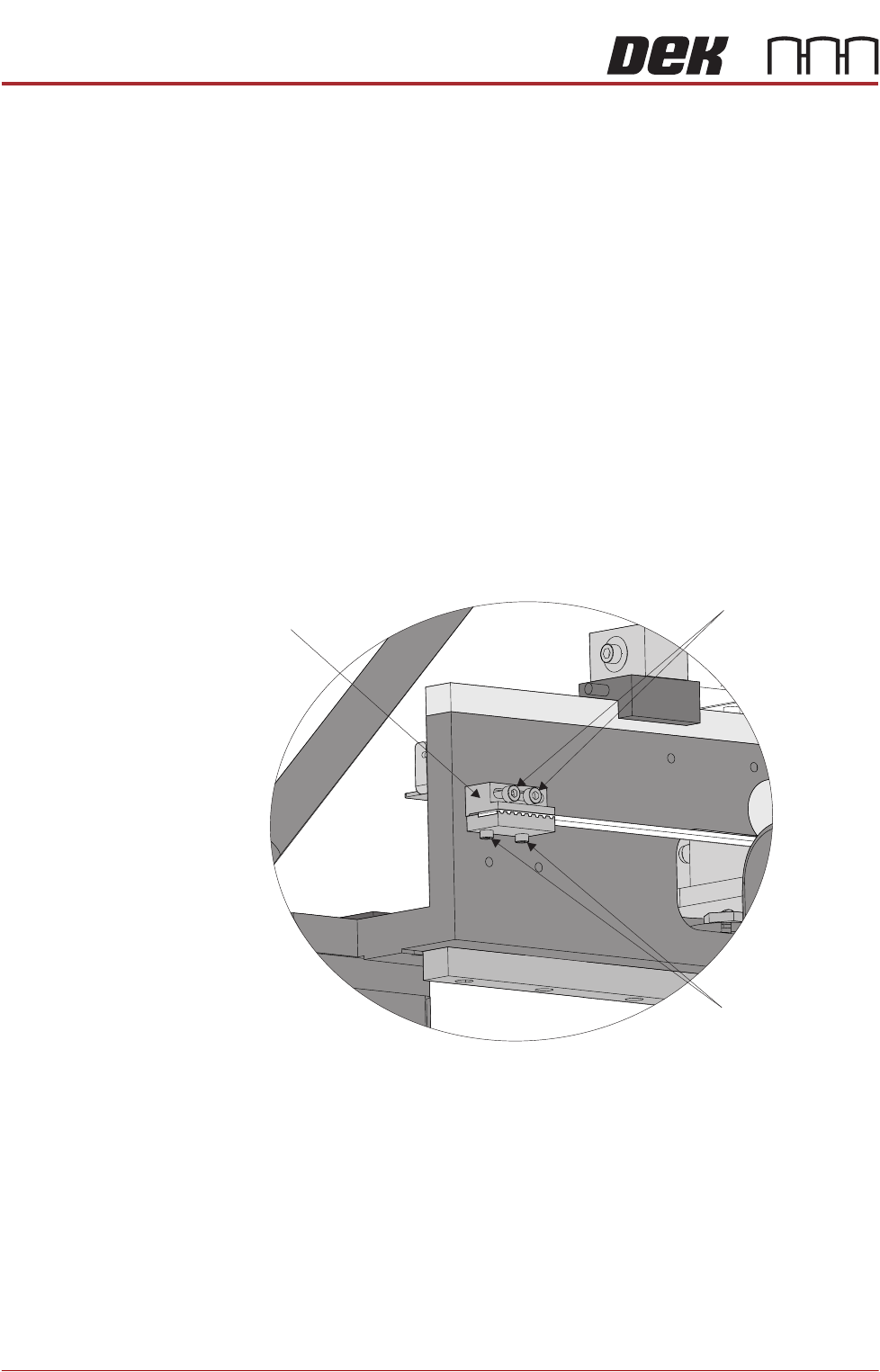
8. Locate the rear print carriage timing belt clamp on the inner face of the right
hand printhead. Loosen the two belt securing screws and remove the belt
end from the clamp.
9. Unthread the timing belt from print carriage motor pulley and idle pulleys.
10. Locate the front print carriage timing belt clamp on the inner face of the right
hand printhead. Loosen the two belt securing screws, remove and discard
the timing belt.
11. Fit the replacement timing belt into the front belt clamp and tighten the
securing screws sufficiently to hold the belt.
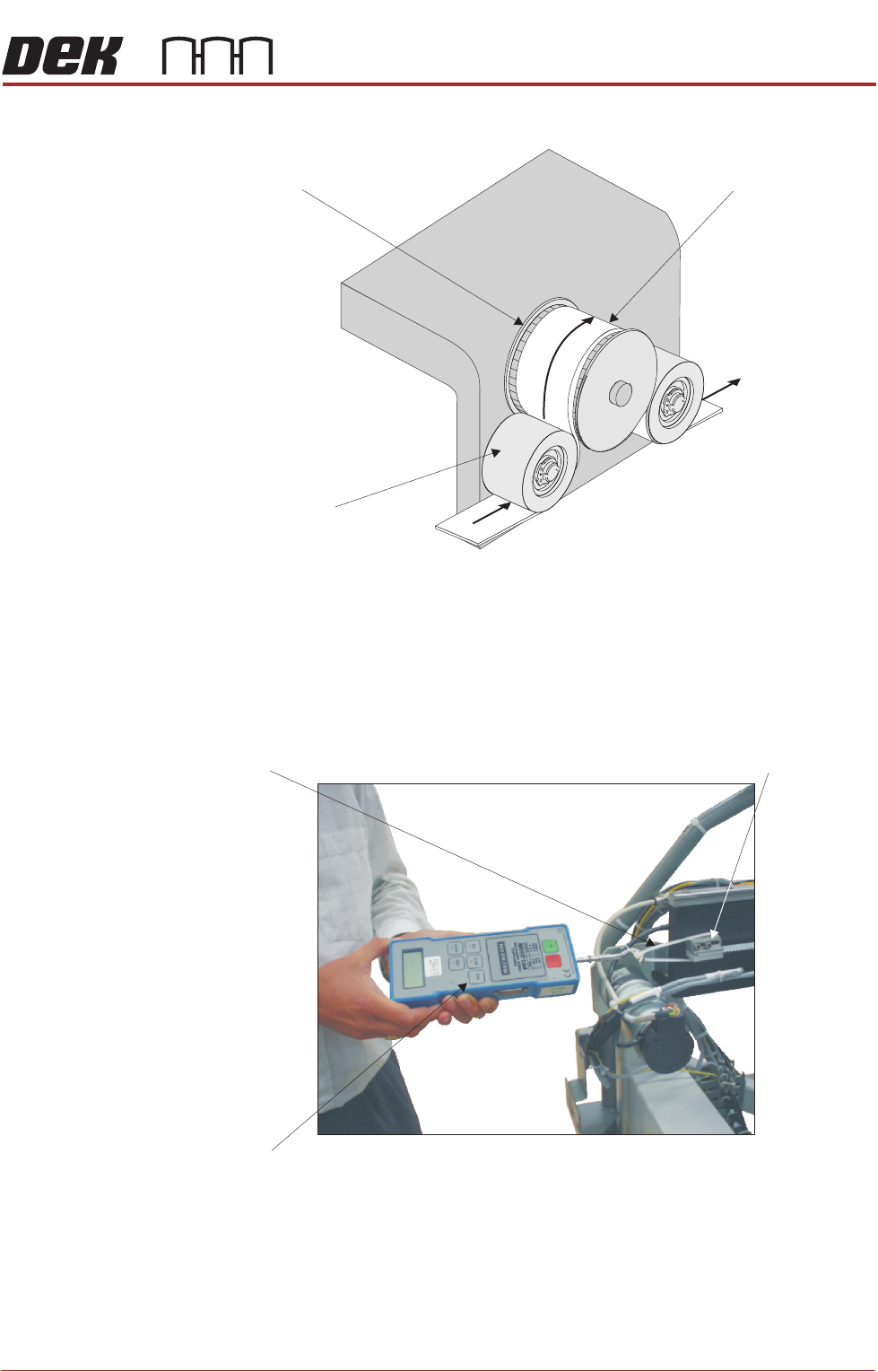
12. Thread the timing belt under the front print carriage idle pulley, over the print
Print Carriage
Timing Belt Clamp
Belt Clamp
Adjustment Screws
Belt Securing
Screws
View on Rear of Right Hand Printhead
PRINT CARRIAGE MODULE
REPLACEMENT PROCEDURES
Chapter Issue 5, Aug 14 Technical Reference Manual 8.9
carriage motor pulley and under the rear print carriage idle pulley.
13. Fasten the belt to the rear belt clamp using the belt securing screws
tightened sufficiently to hold the belt.
14. Loosen the rear belt clamp securing screws sufficiently to allow clamp
movement.
15. Loop a cable tie around the clamp.
View on Right Hand End of Print Carriage
Front Idle Pulley
Print Carriage Motor Pulley
Timing Belt
Direction of
Timing Belt
12.00
Forcemeter
Cable Tie
Rear Belt Clamp
View on Rear of Machine