Micron Technical Reference V9 Volume 1.pdf - 第62页
COVERS PRINTER COVERS 3.20 Technical Reference Manual Chapter Issue 11, Jan 17 Front Side Cover T o remove the front side cover , carry out the following: 1. Open the front printhead cover . 2. Remove the safety cover . …
COVERS
PRINTER COVERS
Chapter Issue 11, Jan 17 Technical Reference Manual 3.19
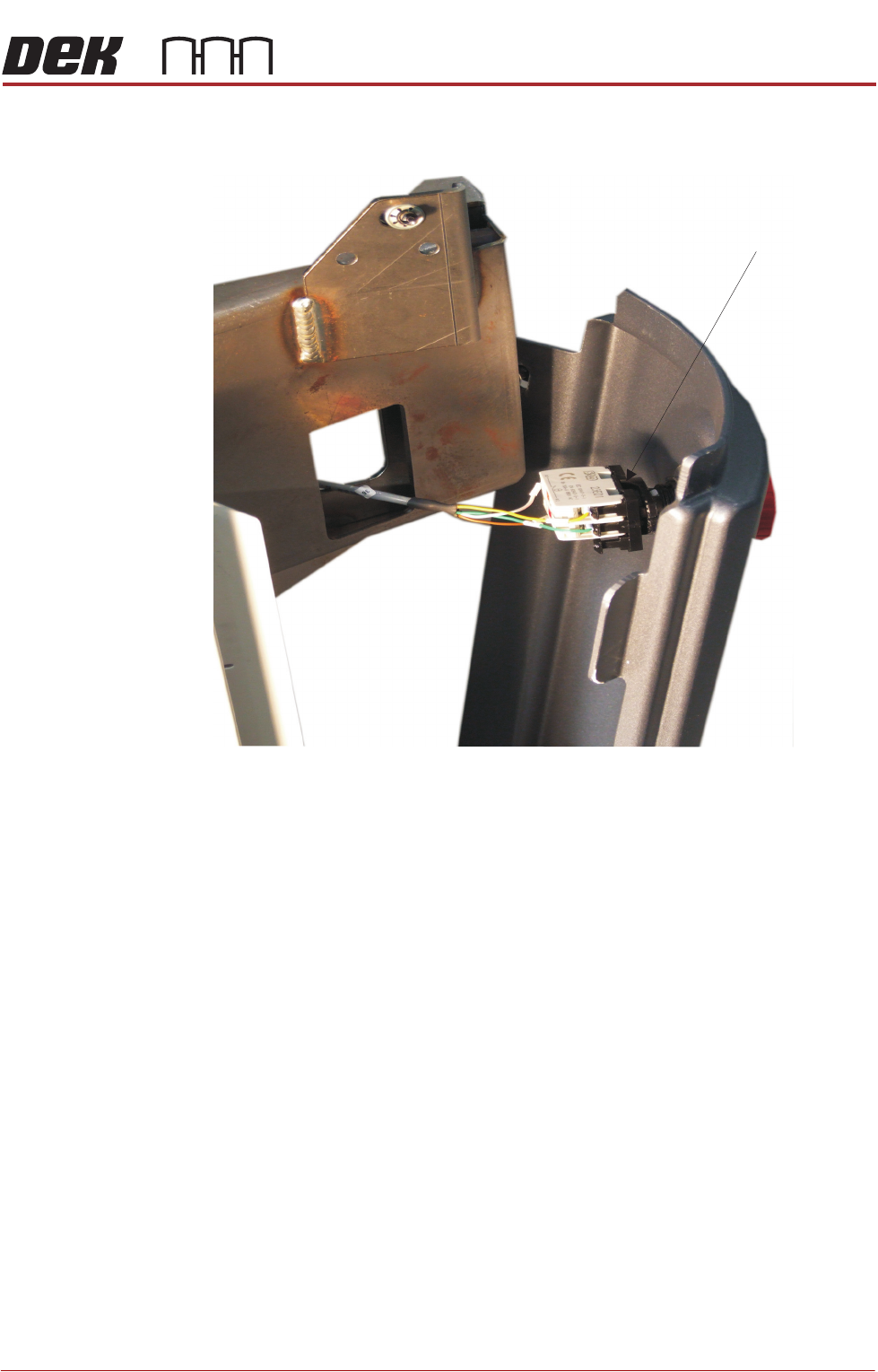
E Stop Switch
Removal
1. To complete the E Stop corner panel removal: turn the latch anticlockwise
to remove the contact assembly part of the E Stop switch.
2. Pull the contact away from the red mushroom switch. Remove the panel.
ESD Bonding Point To complete the removal of the ESD Bonding Point corner panel:
1. Remove the front panel, as previously described.
2. Locate the in-line filter and remove the spade connector.
3. Lift the panel away from bottom locating pins and separate the corner panel
away from the side panel tabs.
Latch
COVERS
PRINTER COVERS
3.20 Technical Reference Manual Chapter Issue 11, Jan 17
Front Side Cover To remove the front side cover, carry out the following:
1. Open the front printhead cover.
2. Remove the safety cover.
3. Remove the front panel.
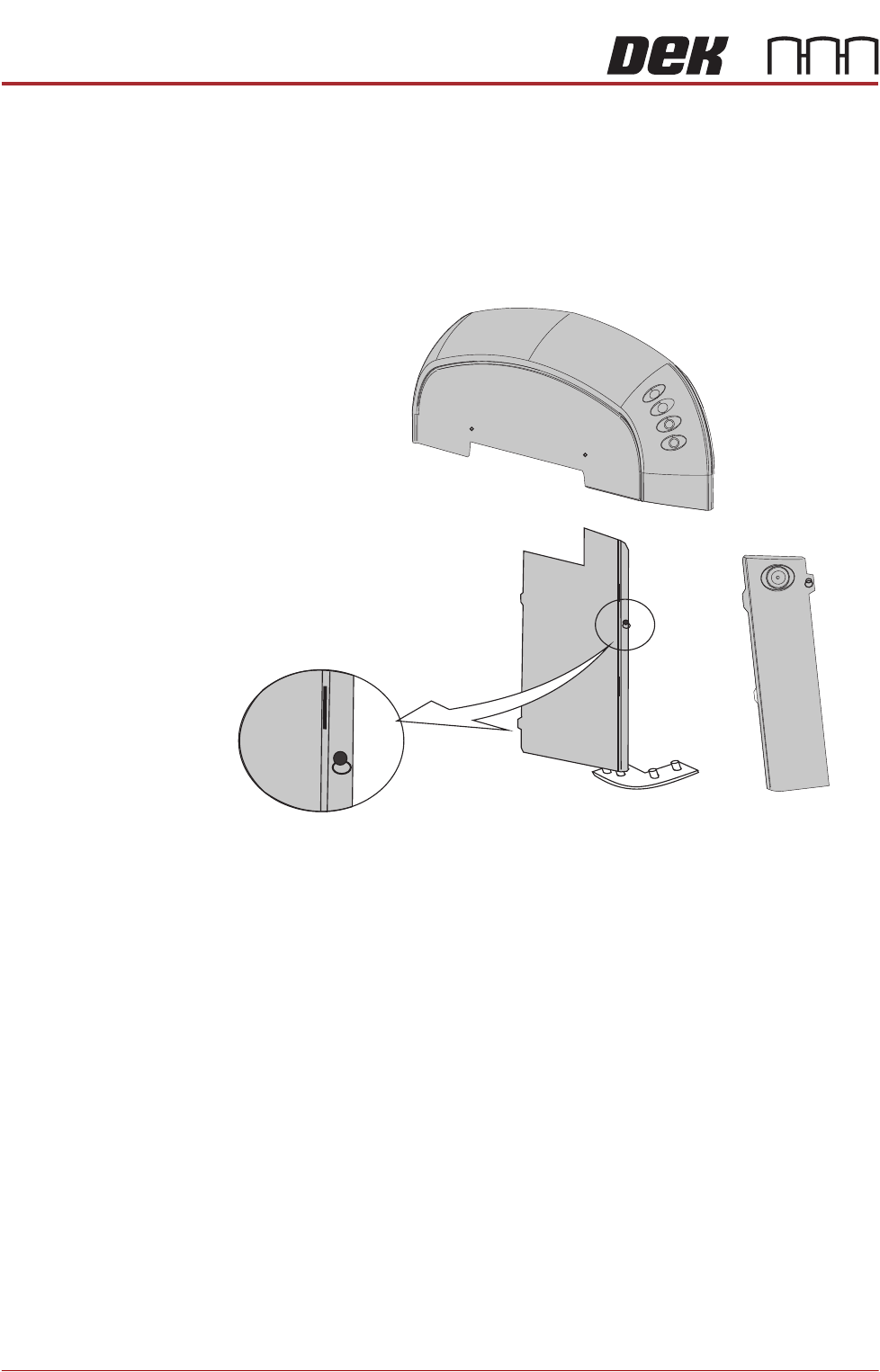
4. Locate and release the corner panel quarter- turn ring fastener; lift the corner
panel away to gain access to the front side cover quarter- turn ring fastener.
5. Release the fastener.
6. Lift the front side panel away from the location pin and slide the panel away
from the rear side cover locating tabs. Remove the earth strap from the
bottom of the panel.
7. Remove the panel.
Front Side Cover
Quarter-turn Fastener
COVERS
PRINTER COVERS
Chapter Issue 11, Jan 17 Technical Reference Manual 3.21
Rear Side Cover To remove the rear side cover, carry out the following:
1. Remove the rear panel.
2. Remove the safety cover.
3. Open the rear printhead cover.
4. Locate and release the corner panel quarter- turn ring fastener; lift the corner
panel away to gain access to the rear side cover quarter- turn ring fastener.
5. Release the fastener.
6. lift the rear side panel away from the location pin and slide the panel away
from the front side cover locating tabs.
7. Remove the earth strap from the bottom of the panel.
8. Remove the panel.
Sliding Cover The sliding cover is heavy and requires a minimum of two people to lift it away
from its mountings. If the cover needs to be removed; contact ASM Customer
Support Group for further information and the special tools required.
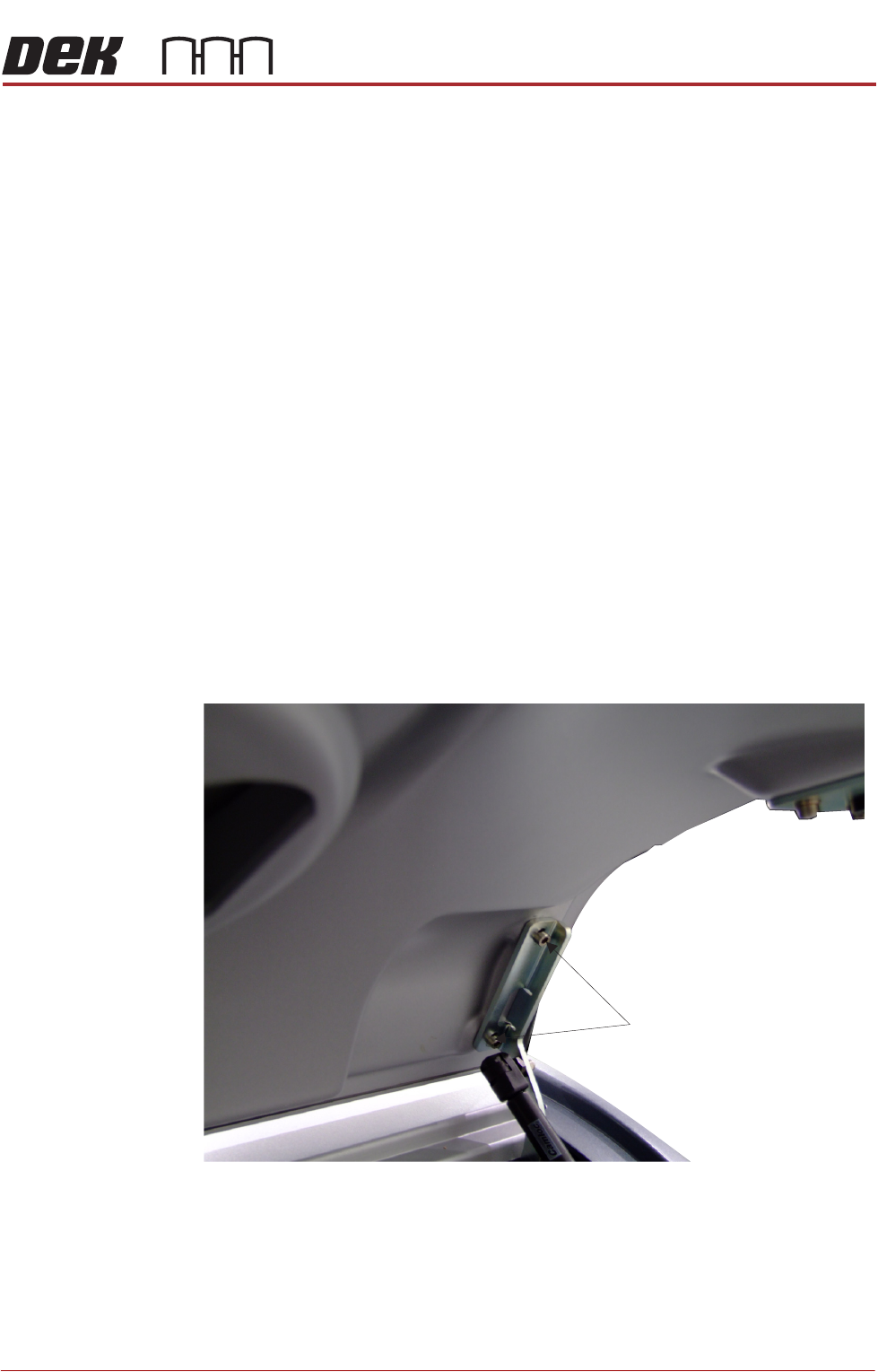
Rear Printhead
Cover
To remove the rear printhead cover:
1. Lift the rear printhead cover.
2. Locate the cover open mechanism.
3. Remove the bracket securing screws from both sides of the lid.
4. Lift the cover away from the printer.
Refitting the Covers NOTE
Before fastening latches ensure that all panels are located on the pins and the
location tabs are fully engaged.
Bracket Securing Screws
View on Right Hand Side of the Cover Assembly
(Cover in the Open Position)