Micron Technical Reference V9 Volume 1.pdf - 第75页
COVERS PRINTER COVERS Chapter Issue 11, Jan 17 Technical Reference Manual 3.33 a. Locate the two release slots in the contact assembly part of the switch. b. Insert the switch release tool (Part No 188647) into the slots…
COVERS
PRINTER COVERS
3.32 Technical Reference Manual Chapter Issue 11, Jan 17
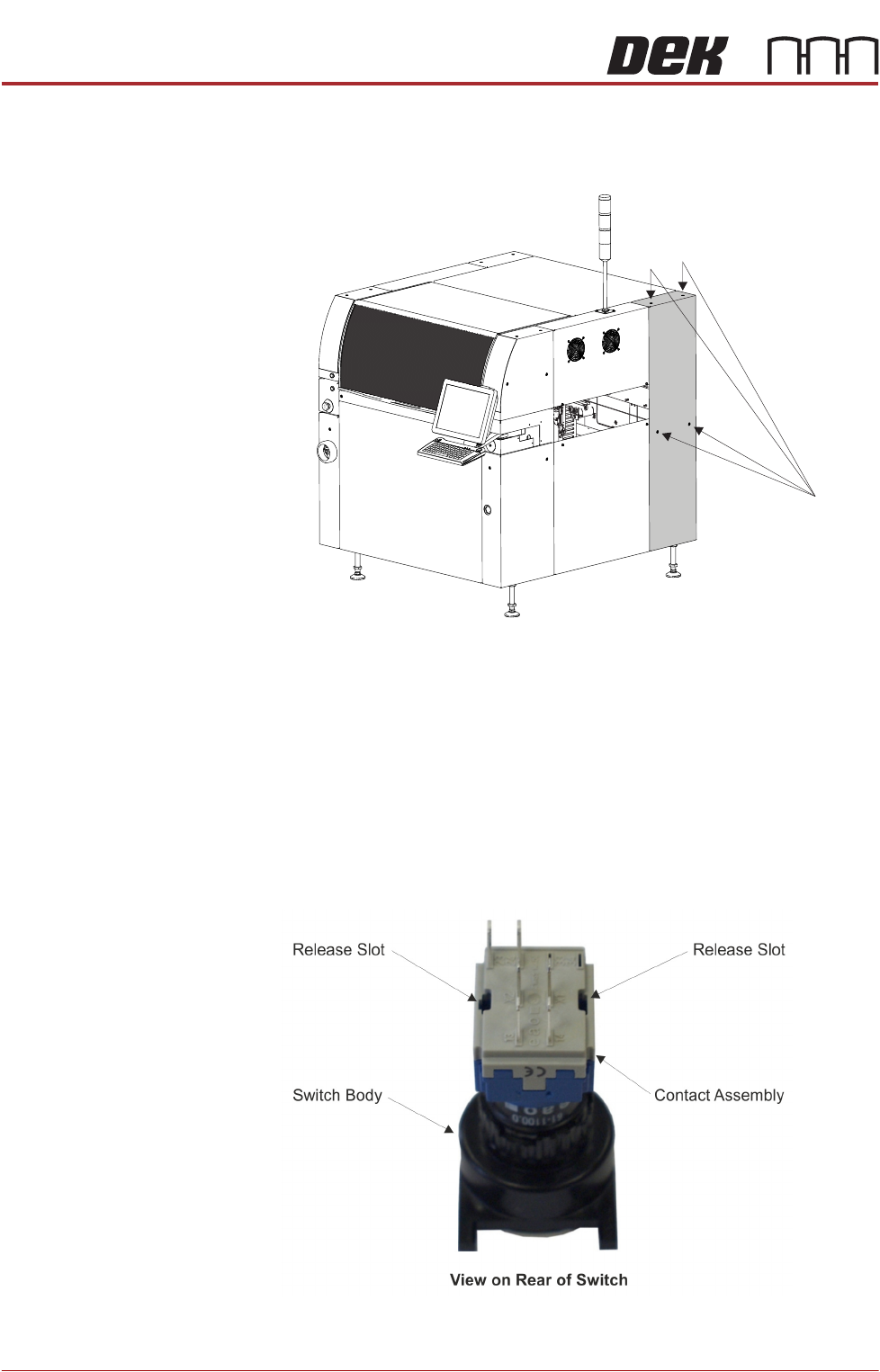
3. Using a 4mm Allen key, undo the appropriate four captive screws.
4. Lift the panel clear of the location pins that locate the panel to the printer
frame, taking care not to damage the earth cable.
5. Repeat Steps 3 and 4 for the other rear corner panel, if required.
Upper Front Corner
Panels
To remove the upper front corner panels, carry out the following:
1. Open the front printhead cover.
NOTE
1. Before a front corner panel can be removed, the control switches (jog
switch and system switch) must be disconnected.
2. Before removing the upper front corner panel, disconnect the connector
for the printhead safety switch.
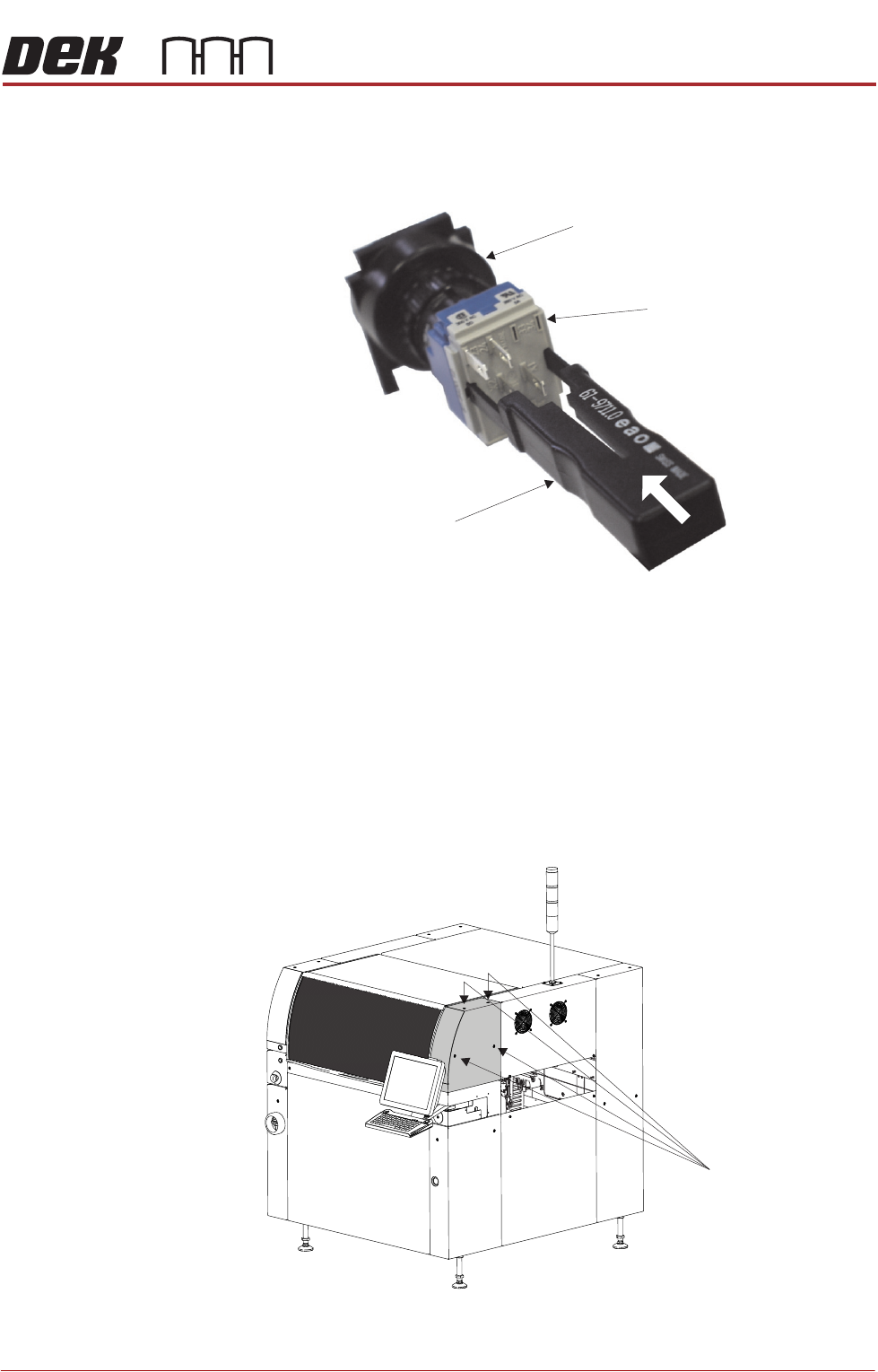
2. To disconnect the system switch and jog buttons carry out the following:
Front Right Quarter View
Captive Screws
COVERS
PRINTER COVERS
Chapter Issue 11, Jan 17 Technical Reference Manual 3.33
a. Locate the two release slots in the contact assembly part of the switch.
b. Insert the switch release tool (Part No 188647) into the slots and push
until the release tool clicks into place.
c. Leaving the switch release tool in position, pull the contact assembly from
the switch body.
d. Remove the switch release tool from the contact assembly.
NOTE
To refit the contact assembly to the switch body, using the locating
keyway, push the two units together until they click into place.
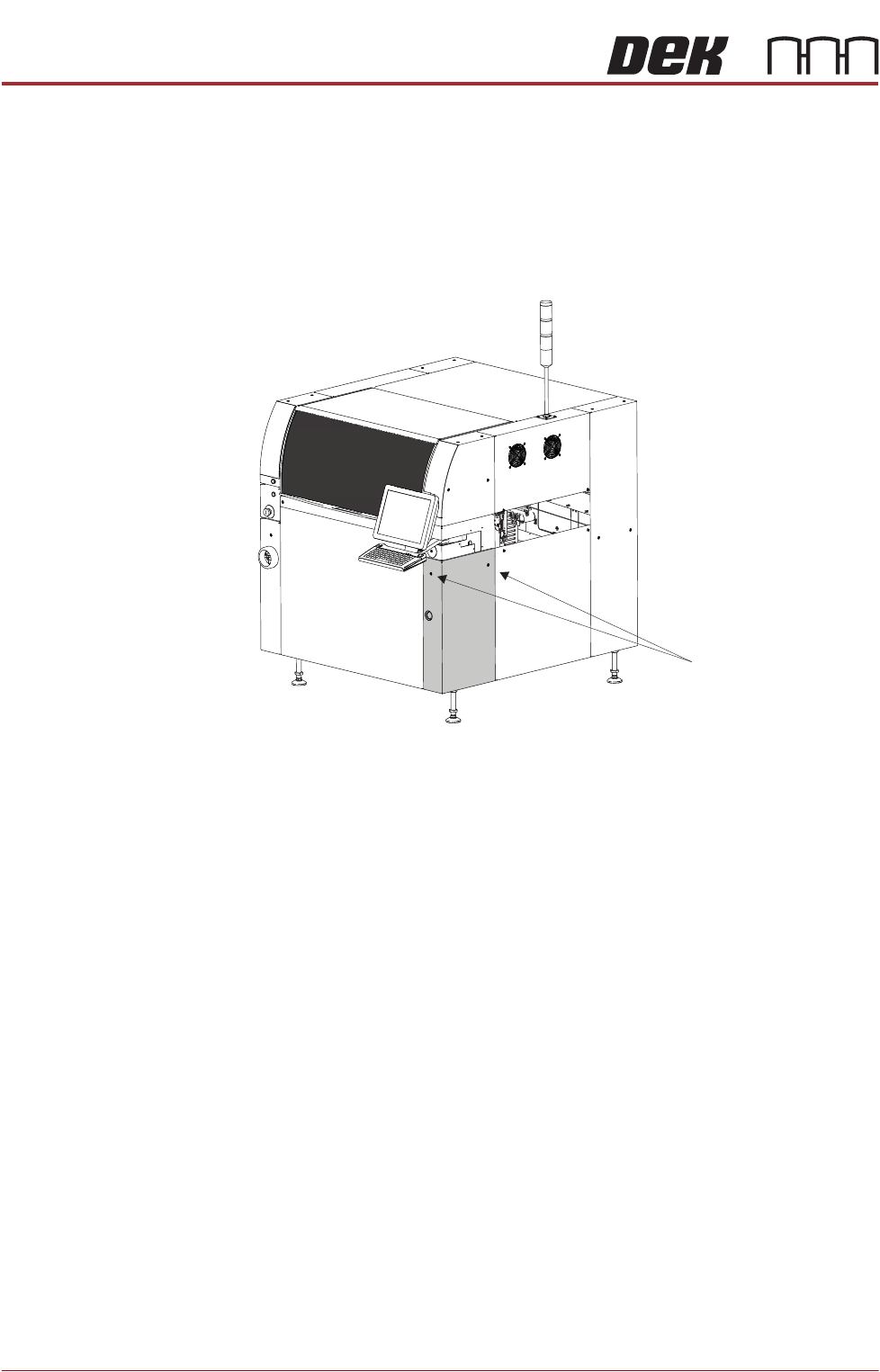
3. Using a 4mm Allen key, undo the appropriate four captive screws.
4. Remove the panel clear of the printer, taking care not to damage the earth
cable.
5. Repeat Steps 3 to 4 for the other upper front corner panel, if required.
View on Rear of Switch
Switch Release Tool
Switch Body
Contact Assembly
Captive Screws
(in 4 positions)
Front Right Quarter View
COVERS
PRINTER COVERS
3.34 Technical Reference Manual Chapter Issue 11, Jan 17
Lower Front Corner
Panels
To remove the lower front corner panels, carry out the following:
1. Remove the Left Hand Safety Cover (as detailed previously).
2. Remove the Right Hand Safety Cover (as detailed previously).
3. Using a 4mm Allen key, undo the appropriate two captive screws.
4. Lift the panel clear of the guide pins that locate the panel to the printer frame,
taking care not to damage the earth cable.
5. Repeat Steps 3 and 4 for the other lower front corner panel, if required.
MMI Arm Panels To remove the MMI Arm panels, carry out the following:
1. Open the front printhead cover.
NOTE
1. Before an MMI panel can be removed, the control switches (jog switches)
must be disconnected.
2. Before removing the right hand MMI arm panel, disconnect the connector
for the switch.
3. Before removing an MMI arm panel, the upper and lower front corner
panels need to be removed first.
Captive Screws
Front Right Quarter View