JANETS_INM.pdf - 第115页
J aN et s Inst r ucti on Manual 4. User Manage ment 4-7 4.5 Setting a G roup Selec t the “ Group ” icon on t he “U ser M anag em ent” scr een, and set t he gr oup to w hi ch a user bel ong s. Set t he oper ational p ri v…
JaNets Instruction Manual 4. User Management
4-6
4.4 Changing the Password
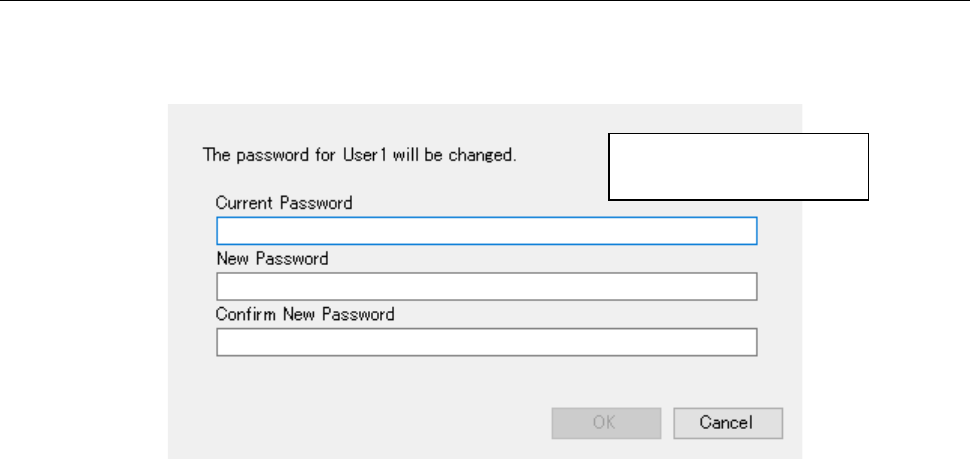
Select a user whose password you want to change on the “User Management” screen. When
you select the <Change Password> button on this screen, the following screen appears.
Figure 4.4-1 “Change Password” screen
You can specify up to 16
half-width characters.
JaNets Instruction Manual 4. User Management
4-7
4.5 Setting a Group
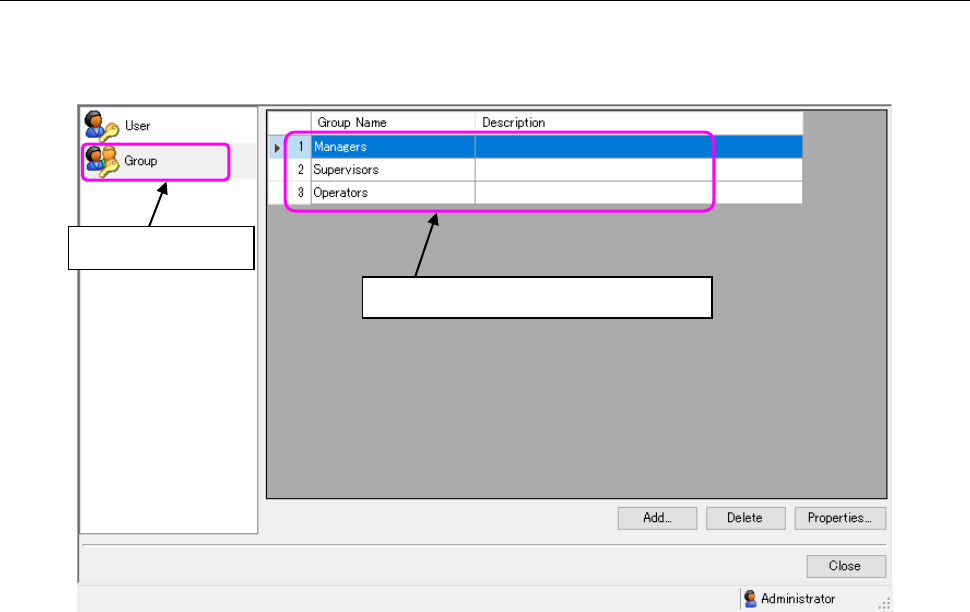
Select the “Group” icon on the “User Management” screen, and set the group to which a user
belongs. Set the operational privilege of each application on this Group setting screen.
Figure 4.5-1 Group setting screen
* If a user does not have the operational privilege, “Edit user/group,” you cannot operate the
screen above. You can display the list of groups only.
Select this icon.
The list of groups is displayed here.
JaNets Instruction Manual 4. User Management
4-8
4.6 Adding a Group
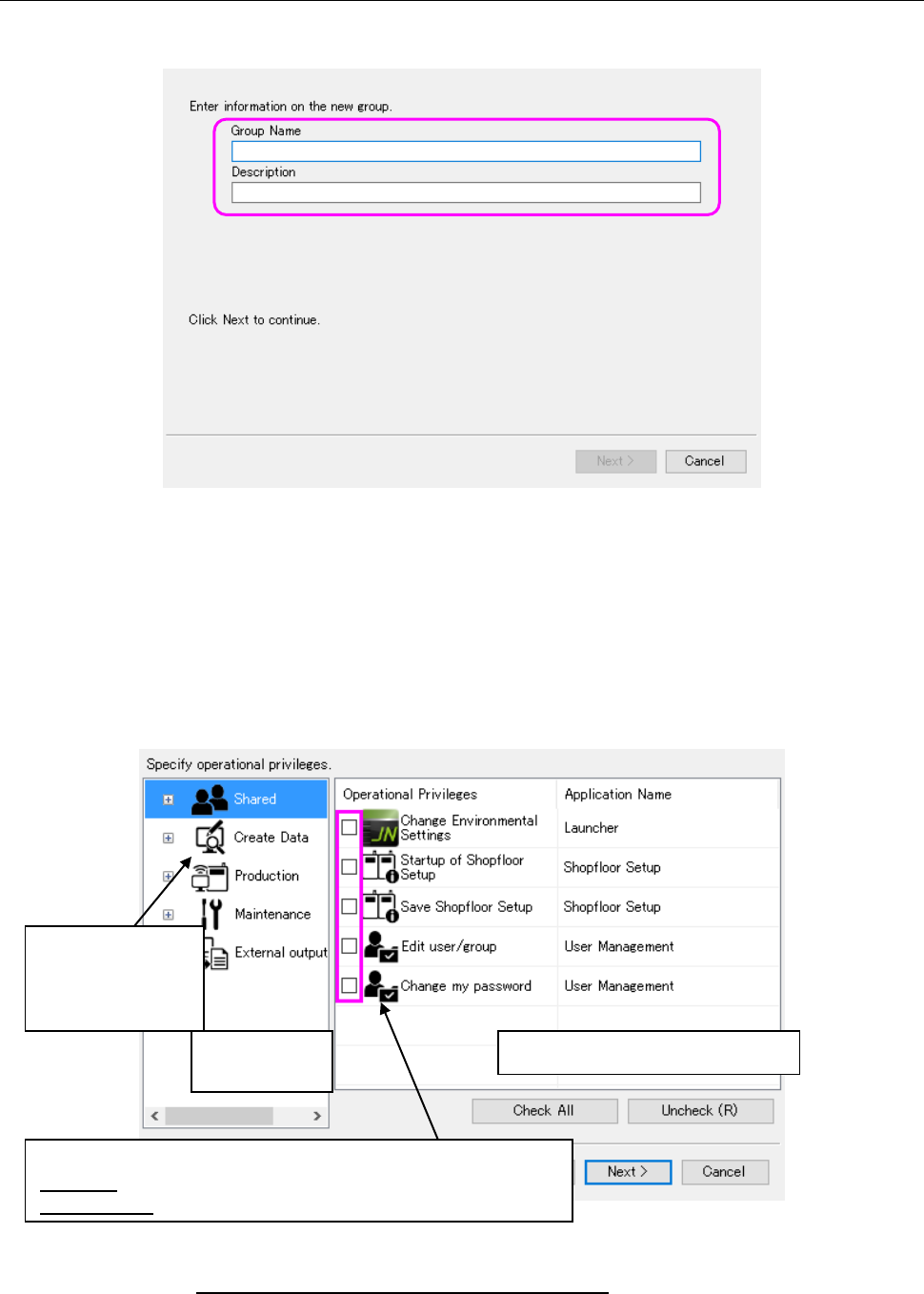
Click the <Add> button on the Group setting screen above, and set the information on a new
group through the wizard.
Figure 4.6-1 Adding a group
Group Name : You have to enter data in this field. You can specify up to 64 half-width
characters as a group name. You can use all characters except for the
following: double-width (two-bytes) characters, “ / ¥ [ ] : (colon) ; (semicolon) |
= , (comma) + * ? < > . (period) and a user ID specified with blank characters
only.
Description : You can specify up to 256 half-width characters. You may enter any characters
here.
Figure 4.6-2 Operational privileges setting screen
* See Section 4.9 “Operational Privileges of Each Application” for details of the operational
privileges.
Select application
whose operational
privileges are to be
set.
Application
selecting area
Operational privileges setting area
Set the operational privileges of each application.
Checked: having the corresponding operational privilege
Not checked: Not having the corresponding operational privilege