JANETS_INM.pdf - 第118页
J aN et s Inst r ucti on Manual 4. User Manage ment 4- 10 4.8 Setting the Pr opertie s Selec t the < Prop ert ies> b utton on the Gr oup setti ng s cr een, and then sel ect a g roup w hos e detailed i nf orm ati on…
JaNets Instruction Manual 4. User Management
4-9
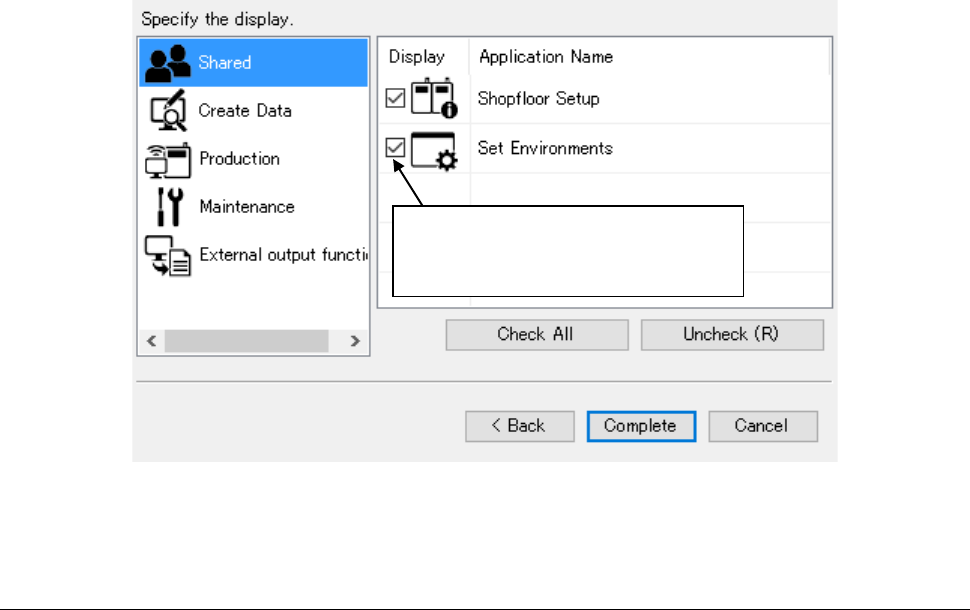
An application to be displayed in the launcher can be selected by display setting.
The applications to be set are displayed in the launcher for each of the group setting in which the
user belongs and the user setting.
Figure 4.6-3 Display setting screen
4.7 Deleting a Group
You can delete a group by selecting the <Delete> button on the Group setting screen. However,
if there is any user in the group to be deleted, the system will not delete the group.
* The application is displayed by
checking off. It is not displayed by
removing a displayed check-off mark.
JaNets Instruction Manual 4. User Management
4-10
4.8 Setting the Properties
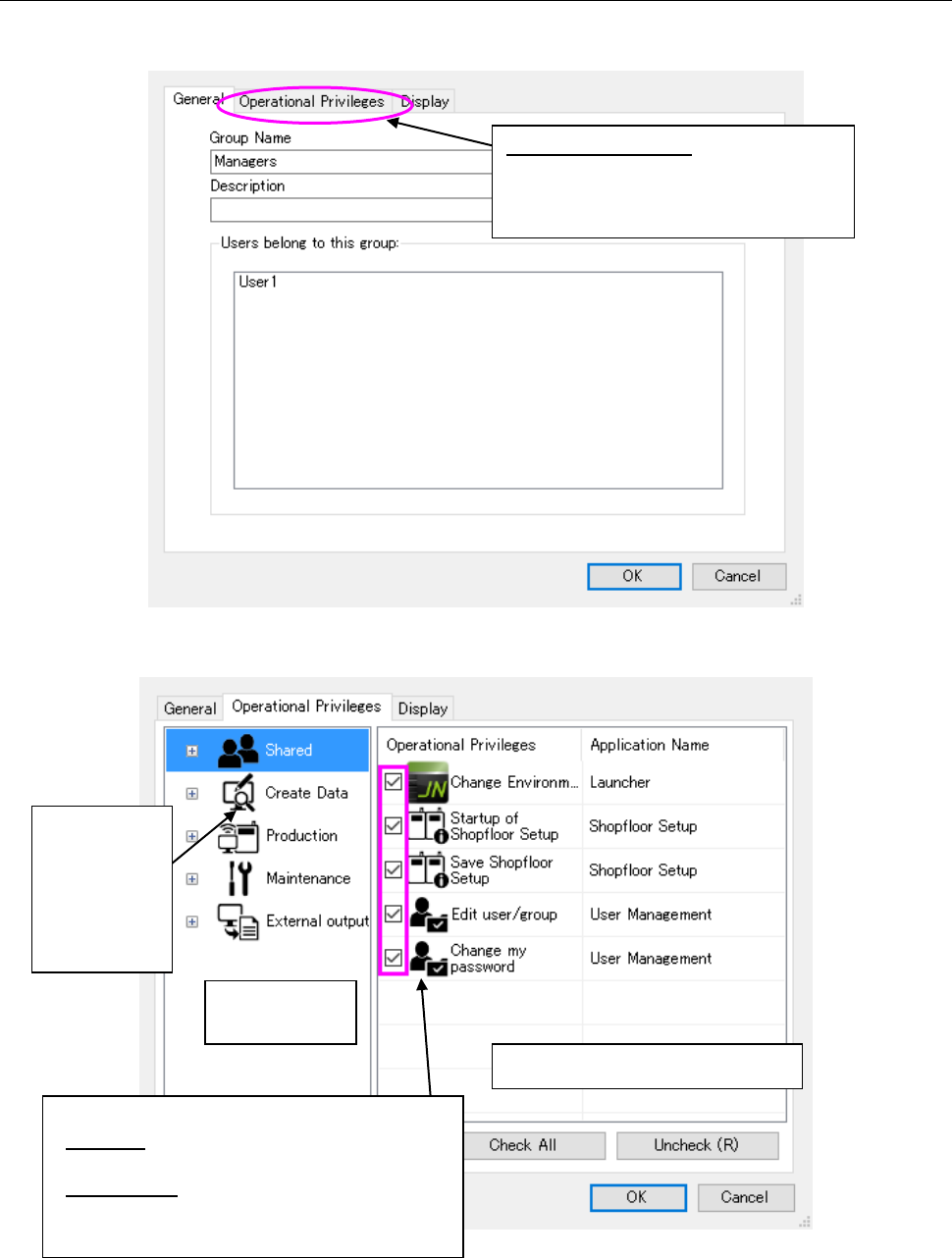
Select the <Properties> button on the Group setting screen, and then select a group whose
detailed information is to be displayed.
Figure 4.8-1 Properties setting screen (General)
Figure 4.8-2 Properties setting screen (Operational Privileges)
* If you change the operational privileges of a group of a user who is logging in the system now,
the new operational privileges are enabled after the corresponding application starts up next
time.
Operational privileges setting area
Application
selecting area
Select an
application
whose
operational
privileges are
to be set.
Set the operational privileges of each application.
Checked: having the corresponding operational
privilege
Not checked: Not having the corresponding
operational privilege
Operational privilege:
Displays the screen that allows you to
set the operational privileges of each
application.
JaNets Instruction Manual 4. User Management
4-11
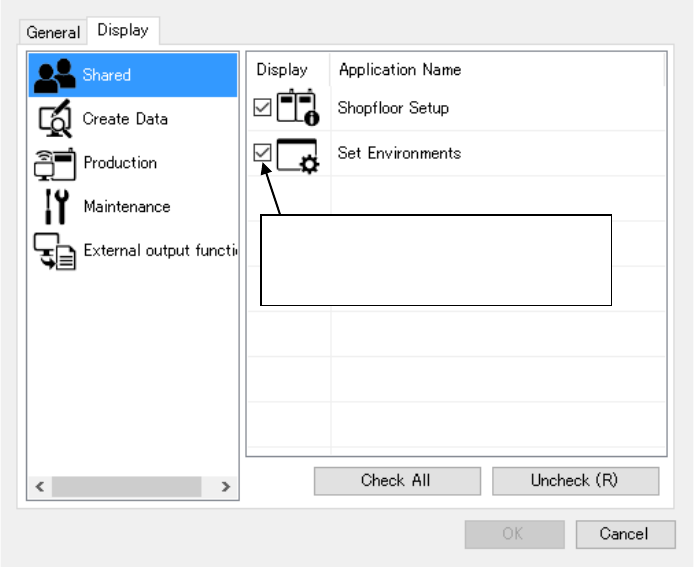
An application to be displayed in the launcher can be selected by display setting.
The applications to be set are displayed in the launcher for each of the group setting in which the
user belongs and the user setting.
Figure 4.8-3 Display setting screen
* The application is displayed by
checking off. It is not displayed by
removing a displayed check-off mark.