JANETS_INM.pdf - 第124页
JaNets In structio n Manual 5. Shopflo or Setu p 5-4 Changing the floor name Select the des ired “f loor” hierar chy from t he floor co nfigurat ion tree. Then, perfor m the operatio n ① or ② below . ① Select the [File] …
JaNets Instruction Manual 5. Shopfloor Setup
5-3
Floor – How to Operate
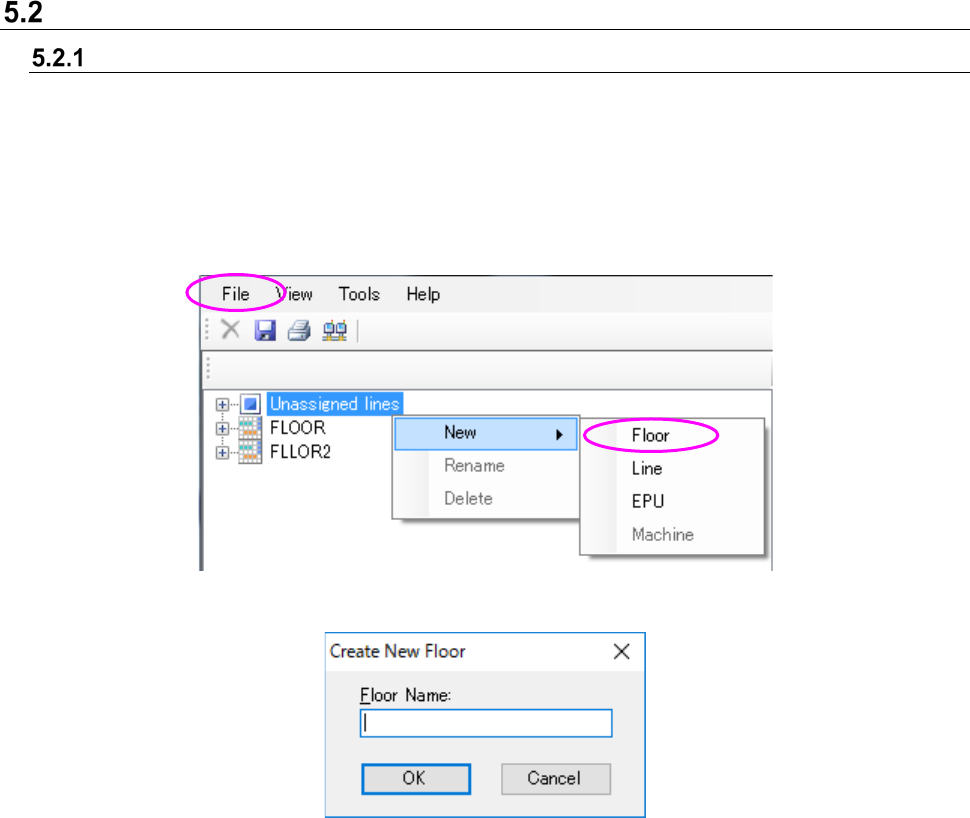
Creation of floor
In the status where the unarranged line hierarchy or floor hierarchy of the floor configuration tree is
selected, execute either operation ① or ②.
① Select “File” – “New document” – “Floor.”
② Display the popup menu by clicking the right-button of the mouse, and select “New document”
– “Floor.”
Figure 5.2-1 “Floor” New document (Operation ②)
Figure 5.2-2 “Floor” New document dialog
Floor name: Up to 20 characters can be set. There is no distinction between upper-case
characters and lower-case characters.
Single-byte alphanumeric characters and special characters can be used.
However, the following special characters cannot be used. (“, #, &, ‘, <, >)
A floor name with the same name as line, machine and equipment cannot be
registered.
OK: A new floor is added to the floor configuration tree and put into a selectable status.
JaNets Instruction Manual 5. Shopfloor Setup
5-4
Changing the floor name
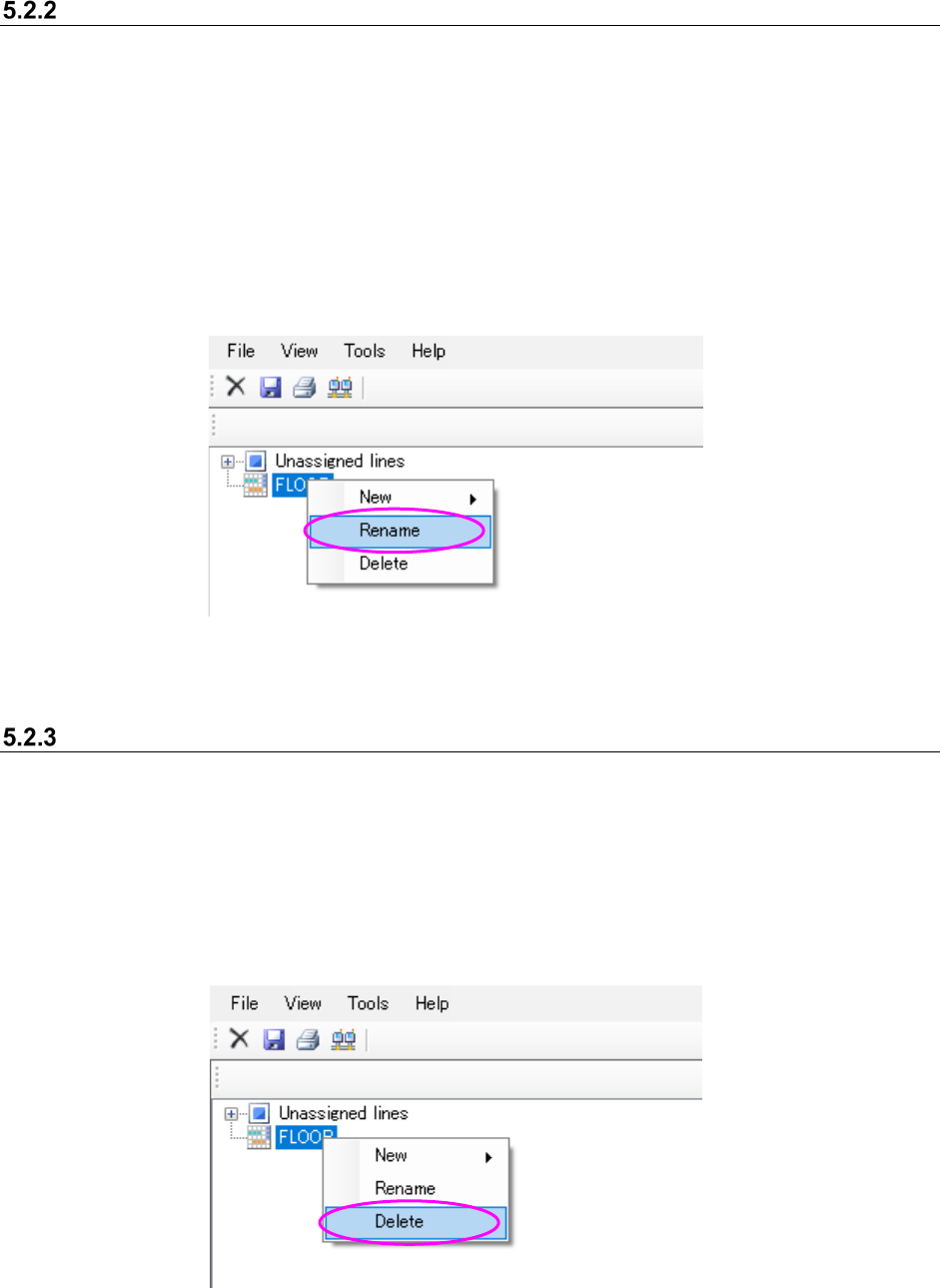
Select the desired “floor” hierarchy from the floor configuration tree. Then, perform the operation
① or ② below.
① Select the [File] command from the menu bar, and then the [Rename] command from the “File”
menu.
② Click the right button of a mouse to display the pop-up menu. Select the [Rename] from this
pop-up menu.
* When you perform the operation ① or ②, the selected floor layer can accept your input, and
you can change its name.
Figure 5.2-3 Changing the “floor name” (Operation ②)
Deletion of floor
In the status where a floor hierarchy in the floor configuration tree, execute either operation ① or
② shown below.
① Select “File” – “Delete.”
② Click the right button of the mouse and select “Delete” in the displayed popup menu.
* An unarranged hierarchy cannot be deleted.
Figure 5.2-4 Deletion of “Floor” (Operation ②)
JaNets Instruction Manual 5. Shopfloor Setup
5-5
Floor view (Floor information display)
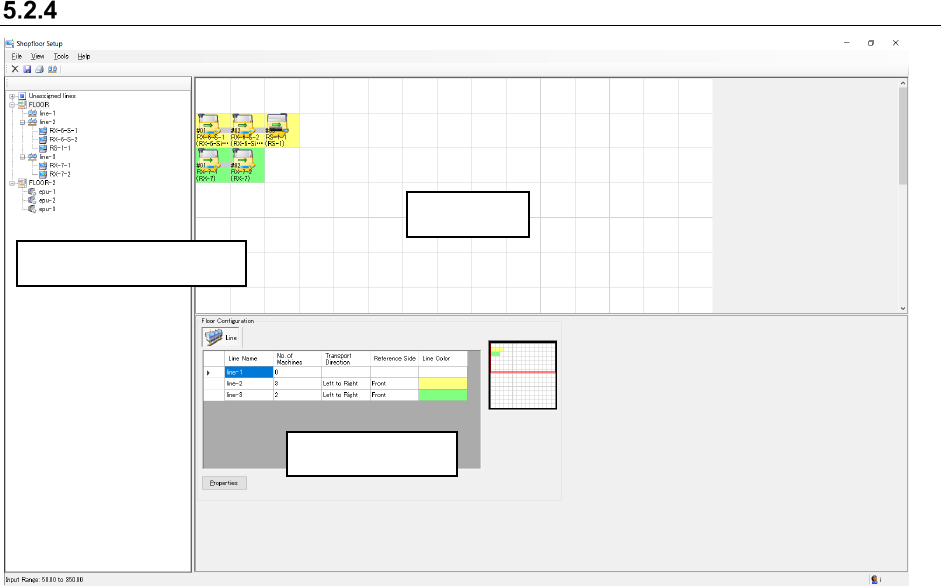
Figure 5.2-5 Floor information display screen
Floor view: When you set the positions of production lines according to the actual assignments
on the factory floor (working floor), the system visually represents the machine
assignment conditions.
You can move a production line or equipment, or set the production line
configuration here.
The icon indicating a machine on the floor view allows you to judge its model name,
board transporting direction and reference side.
Floor details: The list of production lines on the floor is displayed here.
You can set the color of a production line.
Floor view
Details of a floor
Floor configuration tree