JANETS_INM.pdf - 第128页
JaNets In structio n Manual 5. Shopflo or Setu p 5-8 Floor Configuration Floor Configuration (Line) When you as sign a prod uction l ine to the f loor , the setting item s for the assign ed product ion line are added to …
JaNets Instruction Manual 5. Shopfloor Setup
5-7
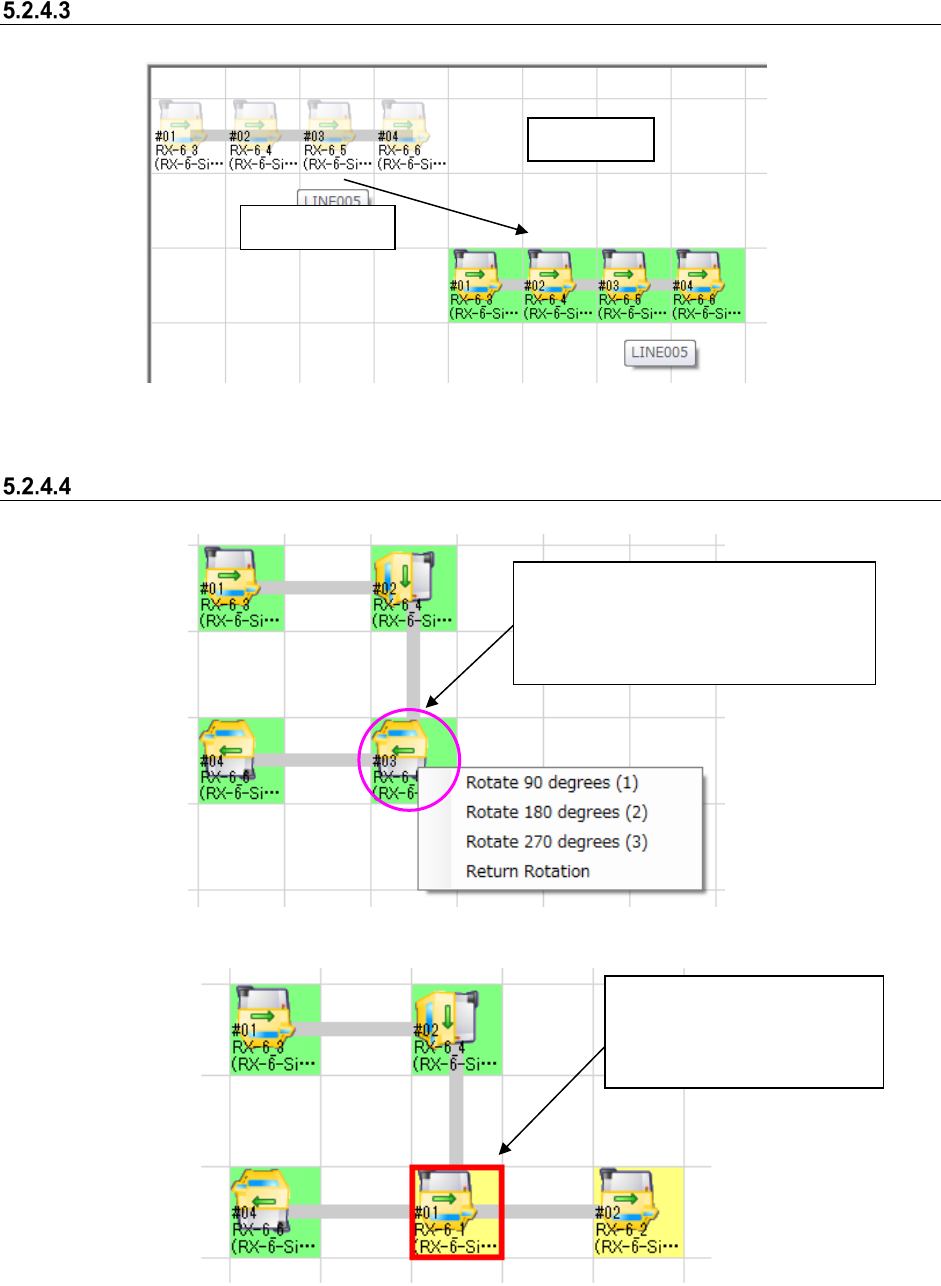
Moving a floor assignment
Figure 5.2-10 Moving a production line
Bending a production line
Figure 5.2-11 Bending a production line
Figure 5.2-12 Overlapped production lines
Drag and drop.
Floor view
When you click the desired machine with
the right button, the pop-up menu for
rotation appears on the screen. Select the
angle for bending the desired production
line.
The machine whose position is
overlapped with another one is
indicated with the bold red
frame.
JaNets Instruction Manual 5. Shopfloor Setup
5-8
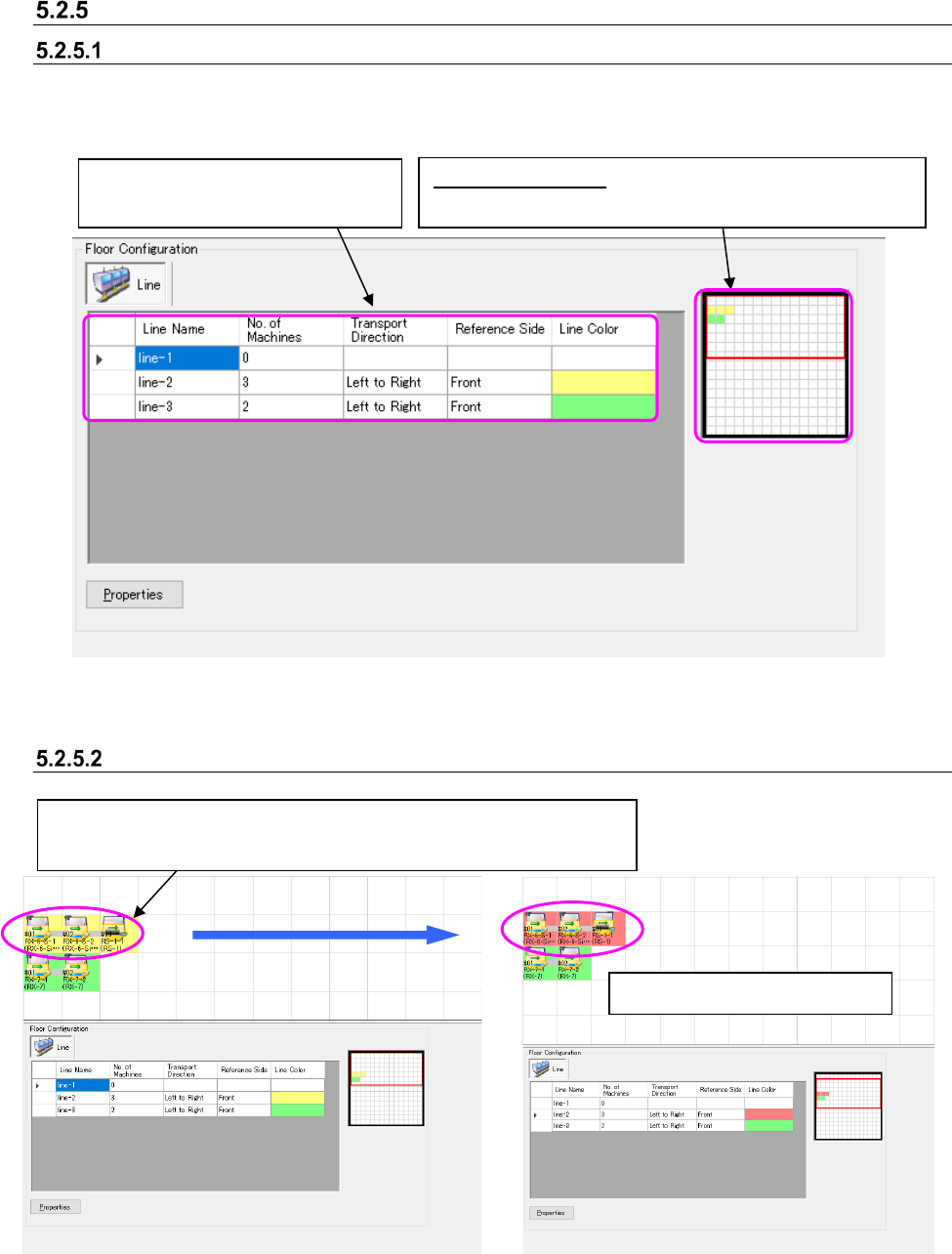
Floor Configuration
Floor Configuration (Line)
When you assign a production line to the floor, the setting items for the assigned production line
are added to the list.
Figure 5.2-13 Floor details
Setting the background color of a production line
Figure 5.2-14 Production line view – Before the
background color of a production line is changed
Figure 5.2-15 Production line view – After the
background color of a production line is
changed
The background color changes.
“Floor map” control:
Displays the entire map of the floor
and the area cursor for displaying the floor view.
Production lines assigned to the floor
are displayed on this list.
Double-click the desired production line or press the Enter key. → The
“Set Colors” dialog box appears on the screen. Select the desired color.
JaNets Instruction Manual 5. Shopfloor Setup
5-9
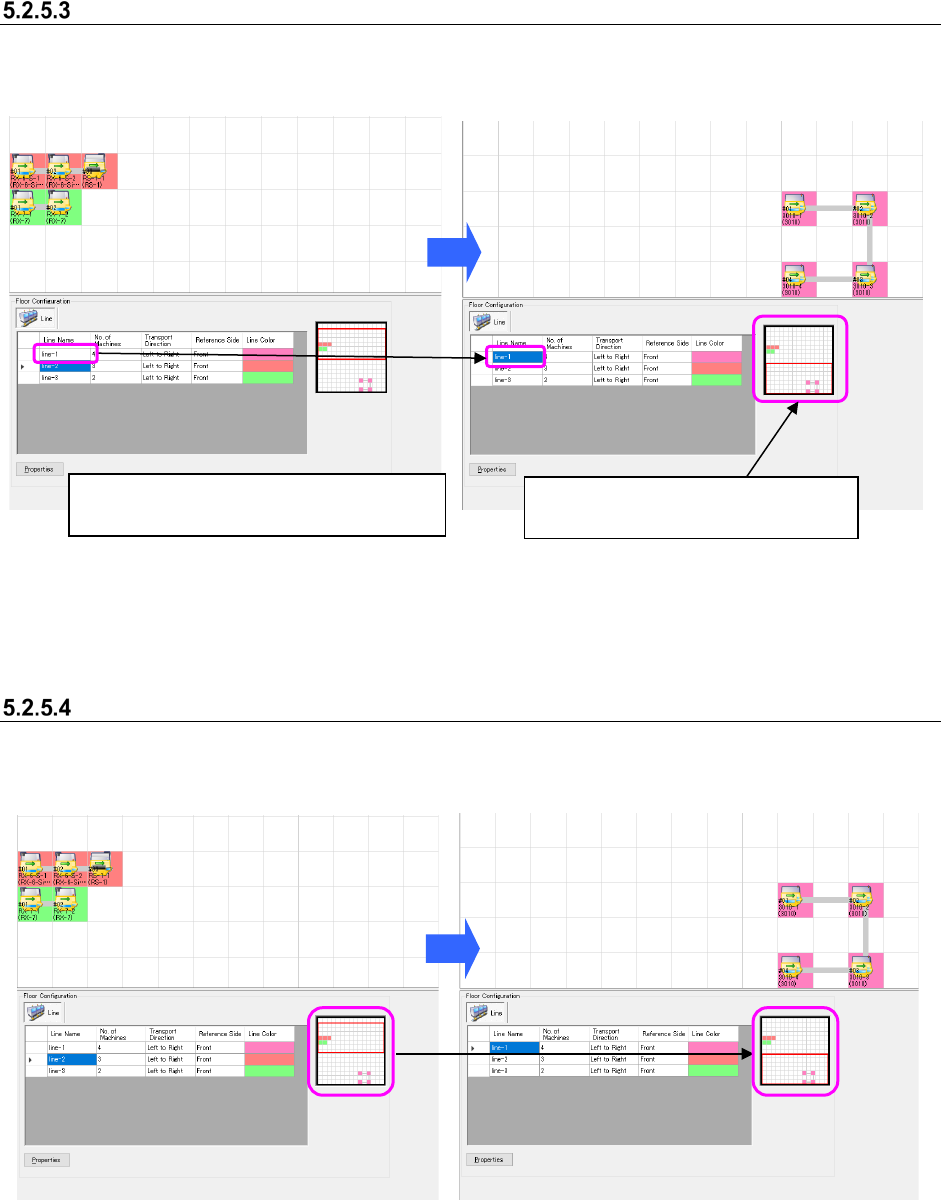
Searching the display position
When you select the desired line from the floor details list, the floor view is moved to the assigned
position.
Figure 5.2-16 Production line view – Before a
production line is searched
Figure 5.2-17 Production line view – After a
production line is searched
Moving the floor map display area
Drag the display area cursor on the floor map and move the mouse. The display area is moved
onto the floor view.
Figure 5.2-18 Before the display area cursor
is moved on the floor map
Figure 5.2-19 After the display area cursor is
moved on the floor map
Select the production line “LINE-1” from the
“production line list.”
The floor view is moved to the
assignment position of the “LINE-1.”