JANETS_INM.pdf - 第144页
JaNets In structio n Manual 5. Shopflo or Setu p 5- 24 Figure 5.4 - 11 Opt ion Devices ( RX -6) Figure 5.4 - 12 Operation Options ( RX -6) * Operation options c annot obtain infor mat ion with the "Learn C onditions…
JaNets Instruction Manual 5. Shopfloor Setup
5-23
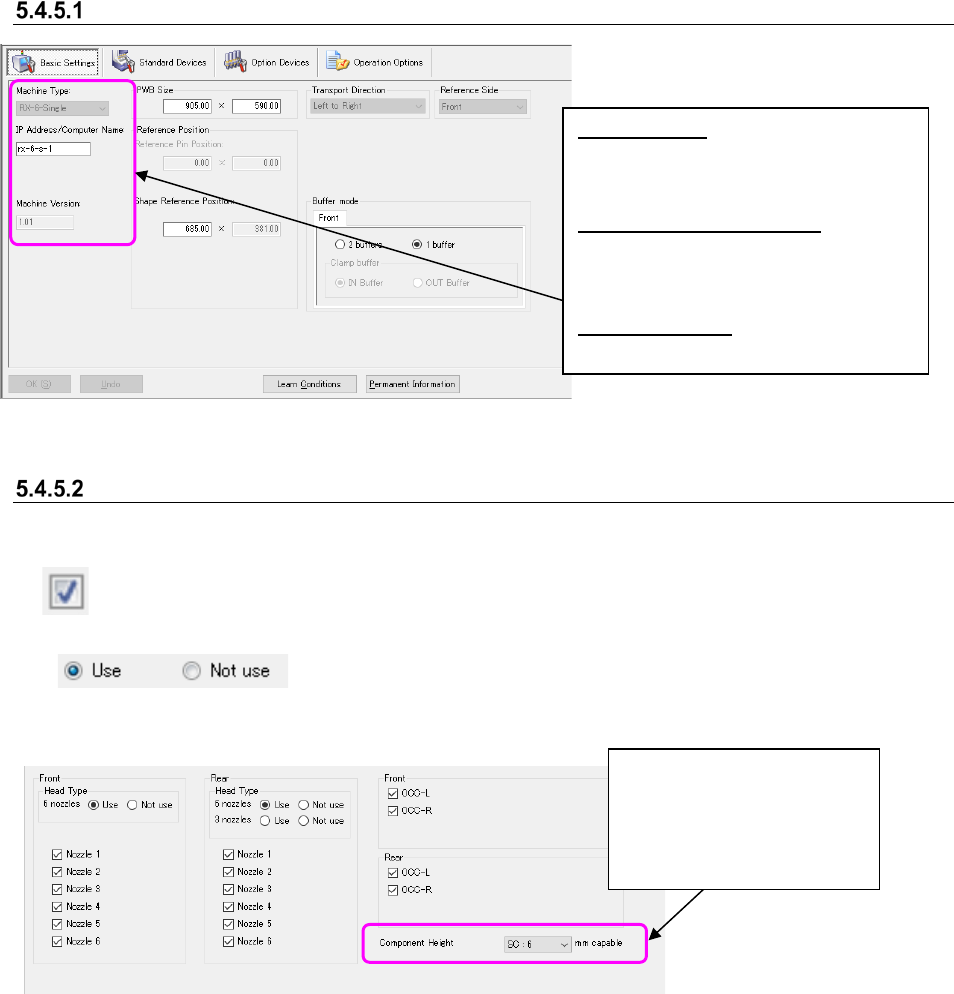
Basic Settings
Figure 5.4-9 “Basic Settings” tab
Standard Devices/Option Devices/Operation Options
* The displayed items vary depending on the specifications of a machine.
Check box: Specify what device is attached to a machine (Select the "Use" or "Not use" for
Standard Devices.)
The "Use" or "Not use" selection button:
Select the "Use" or "Not use" of the device.
1) Example of a RX-6
Figure 5.4-10 Standard Devices (RX-6)
Machine Type: Select the machine type
(model name). When a machine is
assigned to a production line, you
cannot change its machine type here.
IP Address/Computer Name:
Set the IP address or the computer
name (you have to set either one here).
When it is arranged in the EPU mode,
no data is displayed.
Machine Version: Displays the machine
communication version.
Select the component height:
EC: 6mm
NC:12mm
HC: 20mm
EC: 25mm
UC: 33mm
JaNets Instruction Manual 5. Shopfloor Setup
5-24
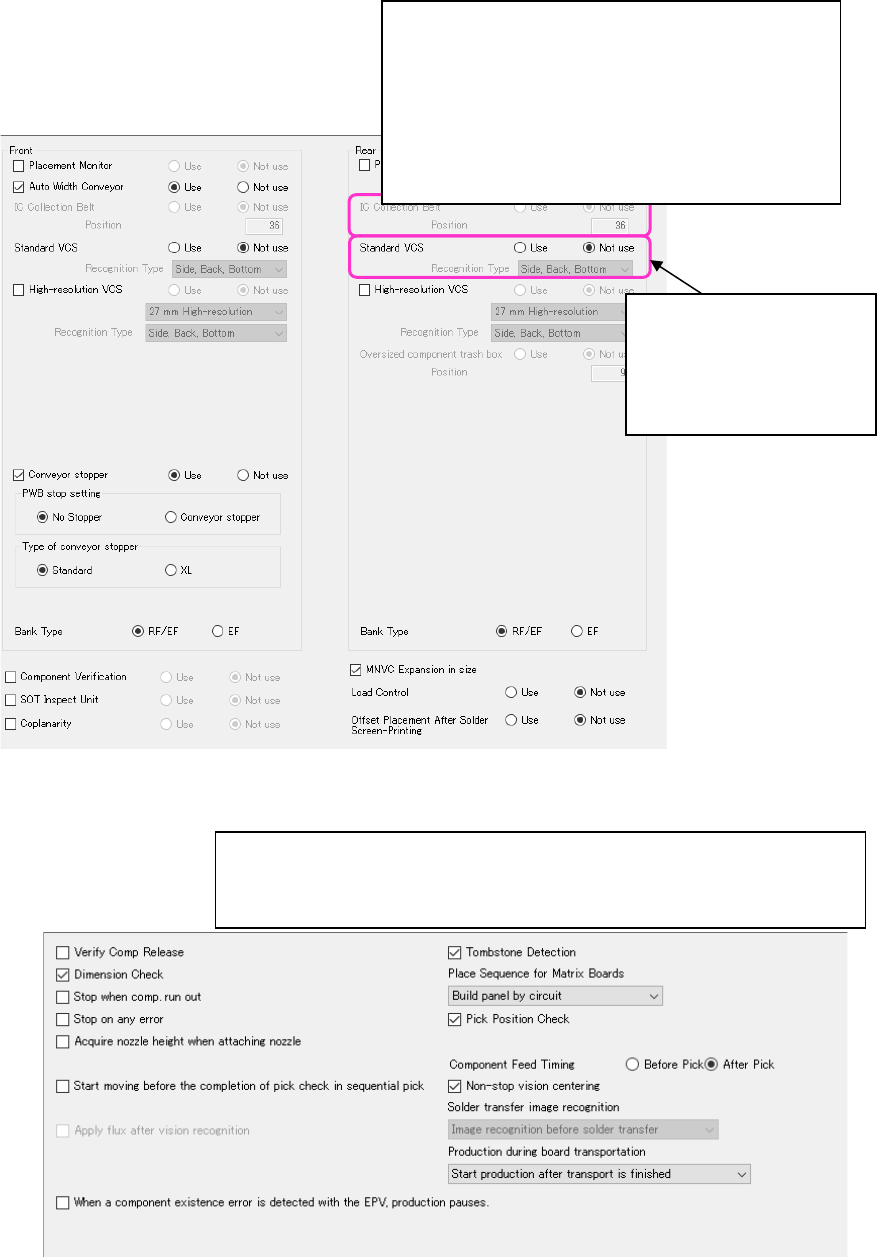
Figure 5.4-11 Option Devices (RX-6)
Figure 5.4-12 Operation Options (RX-6)
* Operation options cannot obtain information with the "Learn Conditions."
The device that cannot be attached at the same time cannot be selected.
Items that can be set with the Machine Setup utility on the machine main unit
are displayed here. You cannot select any item that cannot be set with the
Machine Setup utility.
Select the recognition type
of a standard VCS:
- None
- Side Recognition
- Bottom Recognition
- Side, Bottom
Attaching position of IC Collection Belt
- Mechanical feeder bank
Specify hole number of left end of occupying width.
- Electric feeder bank
(Only machine type to be set.)
Specify the third hole number (center) of left end of
occupying width.
JaNets Instruction Manual 5. Shopfloor Setup
5-25
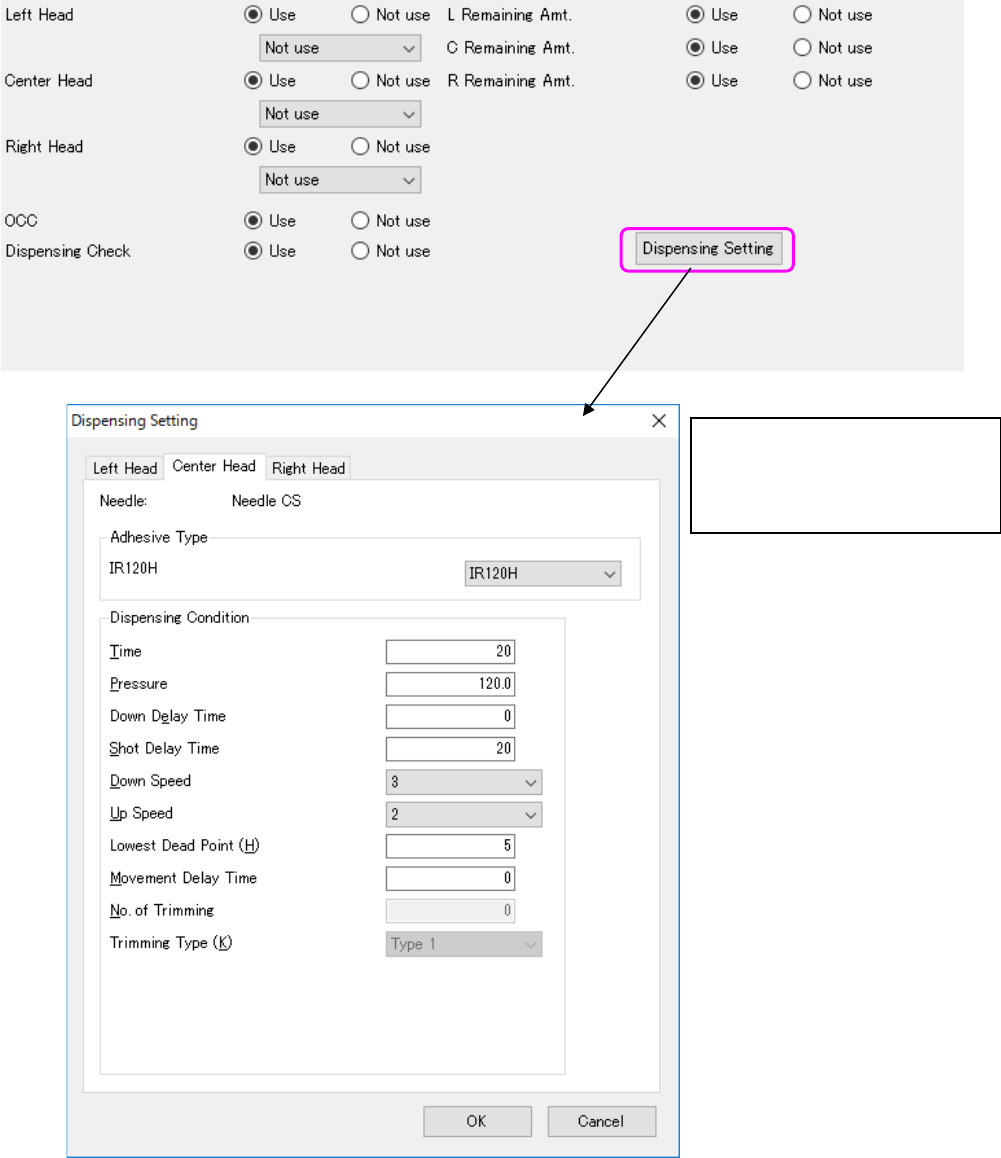
2) Example of a KD-2077 adhesive dispenser
Figure 5.4-13 Standard Equipment Services (KD-2077)
The dispensing setting screen is
displayed.
When the needle type is “Not use”,
dispensing setting is disabled for the
head.