JANETS_INM.pdf - 第147页
JaNets In structio n Manual 5. Shopflo or Setu p 5- 27 3) Inserting machin e Figure 5.4 - 16 Standa rd Devic es (JM - 10) Figure 5.4 - 17 Option Devices (JM - 10) You can selec t the importe d BWL - 6 type wit h selectin…
JaNets Instruction Manual 5. Shopfloor Setup
5-26
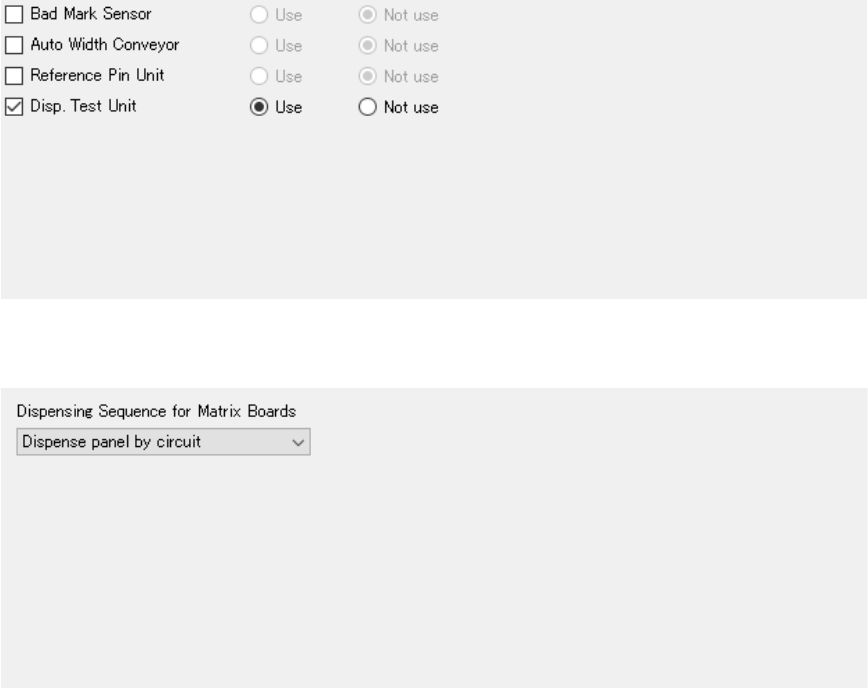
Figure 5.4-14 Option Devices (KD-2077)
Figure 5.4-15 Operation Options (KD-2077)
* Operation options cannot obtain information with the "Learn Conditions."

JaNets Instruction Manual 5. Shopfloor Setup
5-27
3) Inserting machine
Figure 5.4-16 Standard Devices (JM-10)
Figure 5.4-17 Option Devices (JM-10)
You can select the imported BWL-6 type with
selecting [Tool] – [Equipment Setup] –
“INS
Bulk Feeder.”
Enter the number of a jig to be used.
JaNets Instruction Manual 5. Shopfloor Setup
5-28
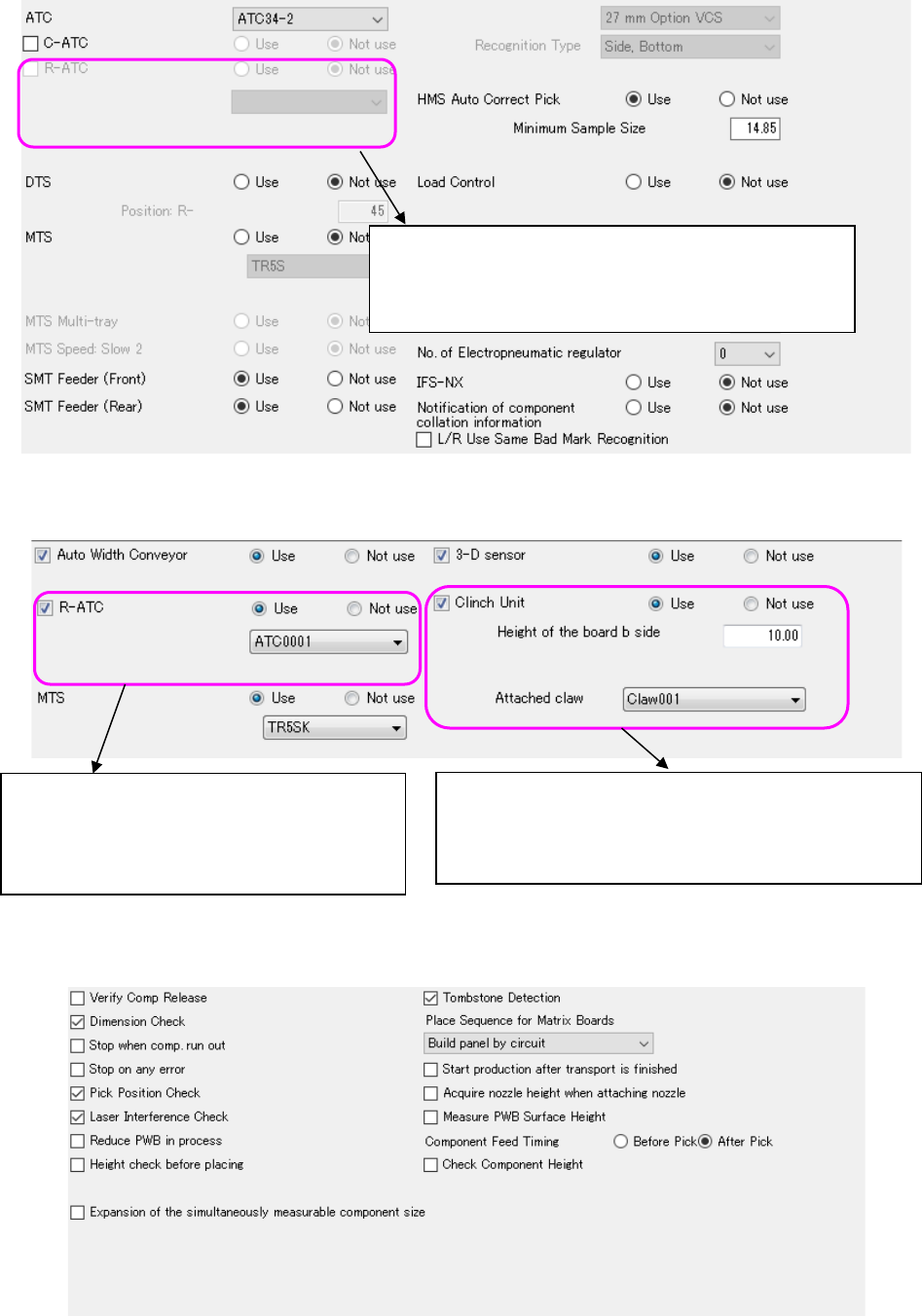
Figure 5.4-18 Option Devices (JM-20)
Figure 5.4-19 Option Devices (JM-100)
Figure 5.4-20 Operation Options (JM-20)
* Operation options cannot obtain information with the "Learn Conditions."
You can select the imported R-ATC with selecting [Tool] –
[Equipment Setup] – “R-ATC.”
When you import an R-ATC, you can perform this operation.
The imported R-ATC is able to be selected by Tool
→ Equipment Setting → R-ATC (JM-100).
Operation becomes capable when R-ATC is
imported.
The imported Claw is able to be selected by Tool →
Equipment Setting → Claw.
Operation becomes capable when Claw is imported.