JANETS_INM.pdf - 第148页
JaNets In structio n Manual 5. Shopflo or Setu p 5- 28 Figure 5.4 - 18 Option Devices (JM -2 0) Figure 5.4 - 19 Option Device s (JM - 100) Figure 5.4 - 20 Operation Options (JM -2 0) * Operation options c annot obtain in…

JaNets Instruction Manual 5. Shopfloor Setup
5-27
3) Inserting machine
Figure 5.4-16 Standard Devices (JM-10)
Figure 5.4-17 Option Devices (JM-10)
You can select the imported BWL-6 type with
selecting [Tool] – [Equipment Setup] –
“INS
Bulk Feeder.”
Enter the number of a jig to be used.
JaNets Instruction Manual 5. Shopfloor Setup
5-28
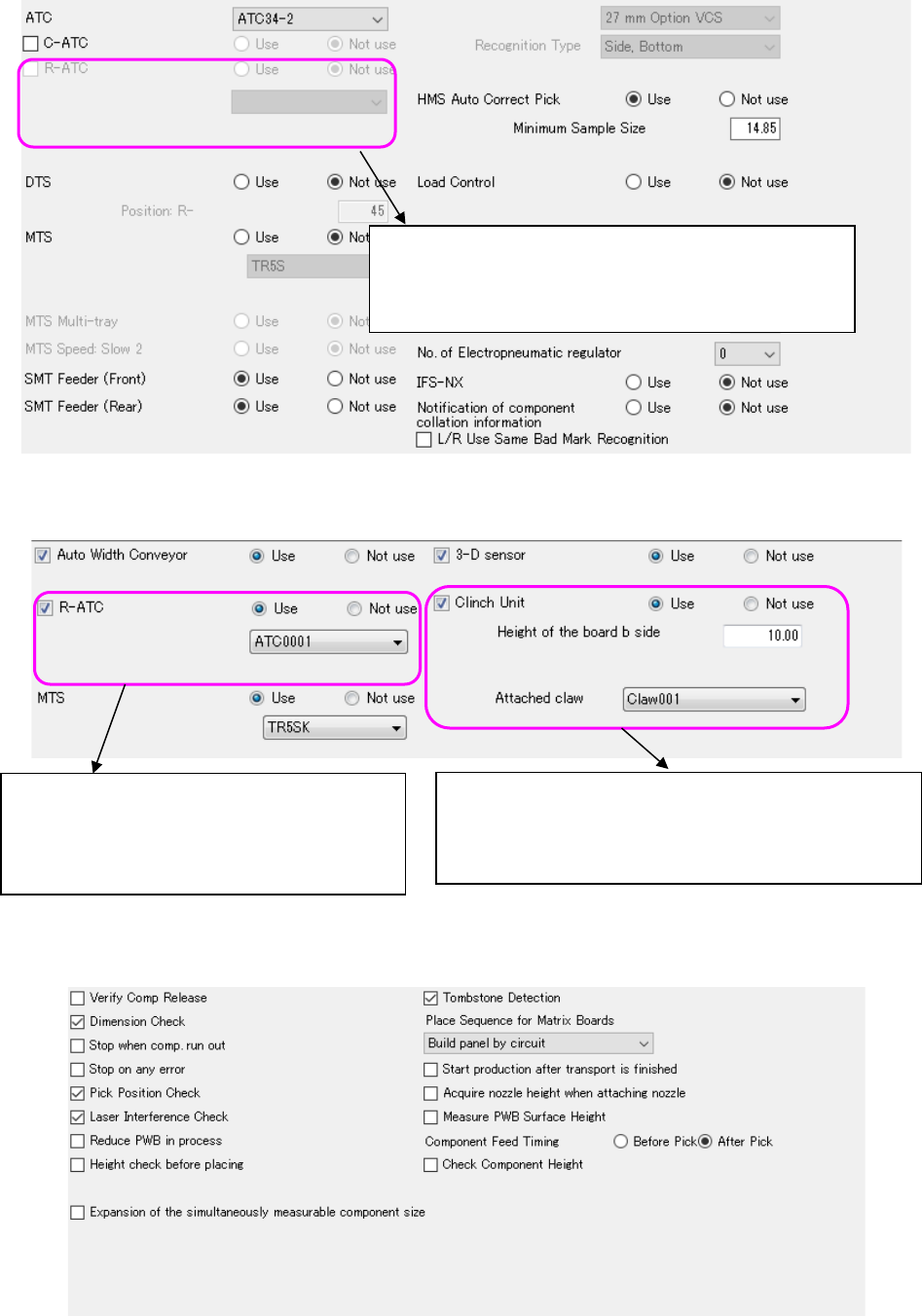
Figure 5.4-18 Option Devices (JM-20)
Figure 5.4-19 Option Devices (JM-100)
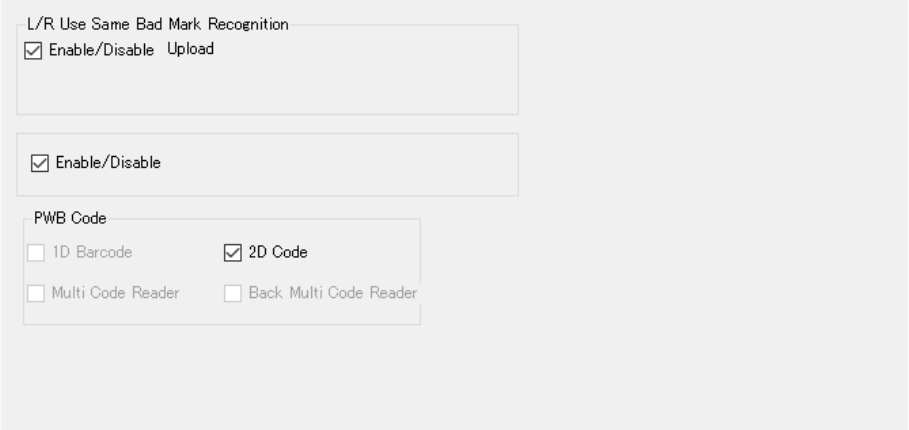
Figure 5.4-20 Operation Options (JM-20)
* Operation options cannot obtain information with the "Learn Conditions."
You can select the imported R-ATC with selecting [Tool] –
[Equipment Setup] – “R-ATC.”
When you import an R-ATC, you can perform this operation.
The imported R-ATC is able to be selected by Tool
→ Equipment Setting → R-ATC (JM-100).
Operation becomes capable when R-ATC is
imported.
The imported Claw is able to be selected by Tool →
Equipment Setting → Claw.
Operation becomes capable when Claw is imported.
JaNets Instruction Manual 5. Shopfloor Setup
5-29
4) Example of an RP-1 printer
This printer does not have any of the following options: Standard Devices, Option Devices
and Operation Options.
The system cannot obtain the printer status, but the Connection Test function can check
whether it can communicate with the printer.
5) Example of an RV-1 inspection machine
The system cannot obtain the status of an inspection machine, but the Connection Test
function can check whether it can communicate with the inspection machine.
Figure 5.4-21 Option Devices (RV-1)