JANETS_INM.pdf - 第152页
JaNets In structio n Manual 5. Shopflo or Setu p 5- 32 The lines d isplayed by t he line monit or of “ Program download er” are dis playe d in the order registered ( displaye d) in t he “Regist er line” list . T o make a…
JaNets Instruction Manual 5. Shopfloor Setup
5-31
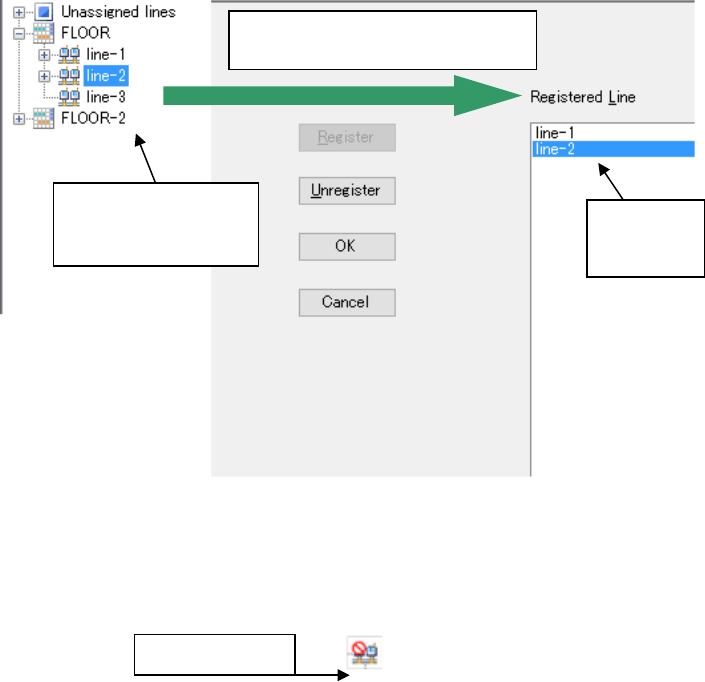
Or, select a production line from the “Floor Configuration” with the Explorer, and then drag and
drop it onto the “Registered Line” list.
Figure 5.5-3 Registering a production line to be monitored ②
The line is registered by pressing “OK” on the monitor line setting screen, and the “Monitor line
setting” screen is closed.
Figure 5.5-4 Icons of the monitor line
Monitor line
Select a production
line with the Line
Explorer and drag it.
“Line” is
added to
the list.
Drop the selected production line
onto the “Registered Line” list.
JaNets Instruction Manual 5. Shopfloor Setup
5-32
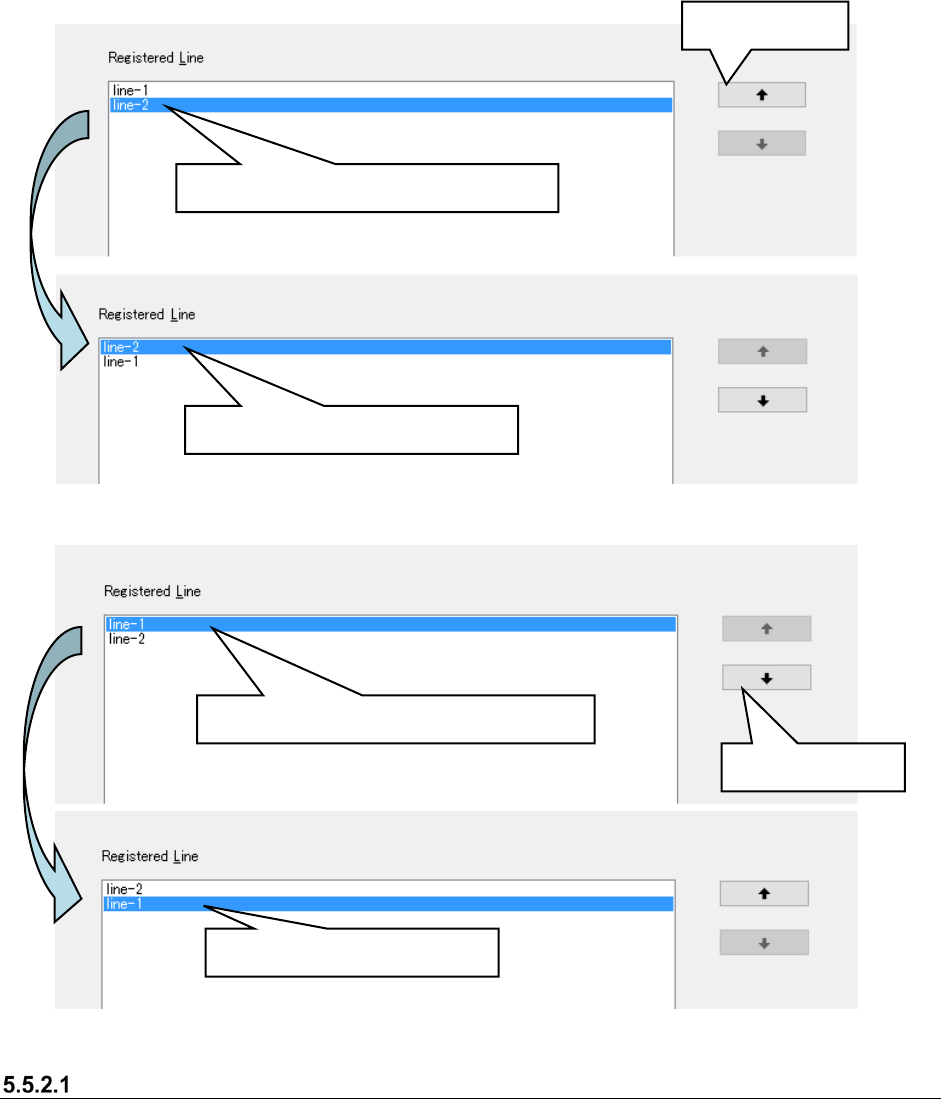
The lines displayed by the line monitor of “Program downloader” are displayed in the order
registered (displayed) in the “Register line” list.
To make an order change, select a line (multiple lines cannot be selected) in the “Register line” list,
and execute it by “Up shift/Down shift.”
Figure 5.5-5 Change of order ①
Figure 5.5-6 Change of order ②
Lines that cannot be registered by the monitor line
・ A line of the EPU mode cannot be registered in the monitor line.
・ When the number of machines of the registered line exceeds 15, they cannot be registered in
the monitor line.
Select a line in the “Registered lines” list.
Line-2 is shifted upward.
Up shift button
Select a line in the “Registered lines” list.
Down shift button
Line-1 is shifted downward.
JaNets Instruction Manual 5. Shopfloor Setup
5-33
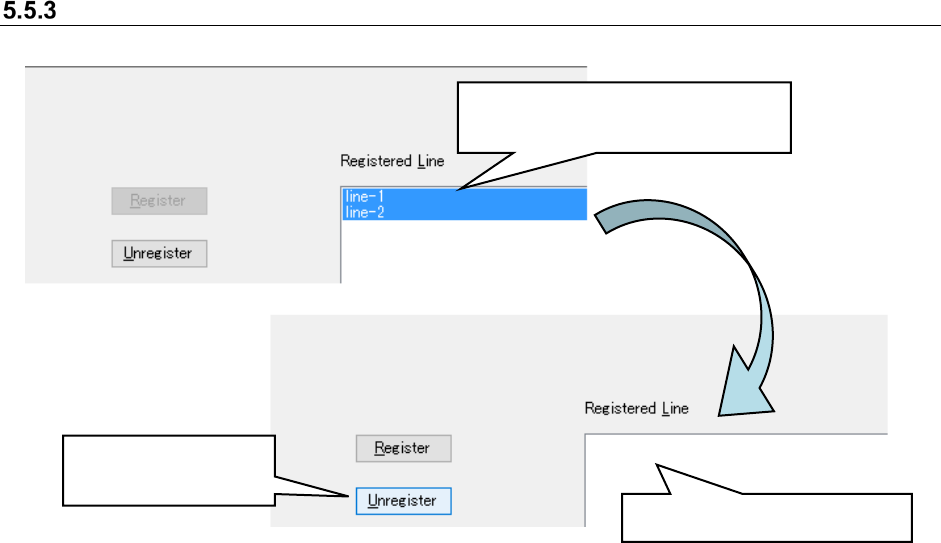
Cancelation of the registration of a line to be monitored
Figure 5.5-7 Canceling registration of a production line
When you select the “OK” button on the “Set Lines to Monitor” screen, the registration of the
selected production line is canceled, the “Set Lines to Monitor” screen closes.
Select the registered production line.
* Multiple lines can be selected
Click the “Unregister”
button.
Line-1 and Line-2 are deleted.