JANETS_INM.pdf - 第153页
JaNets In structio n Manual 5. Shopflo or Setu p 5- 33 Cancelation of the registration of a line to be monitored Figure 5.5 -7 Cancelin g registration of a production line When you se lect the “OK” butt on on the “Set L …
JaNets Instruction Manual 5. Shopfloor Setup
5-32
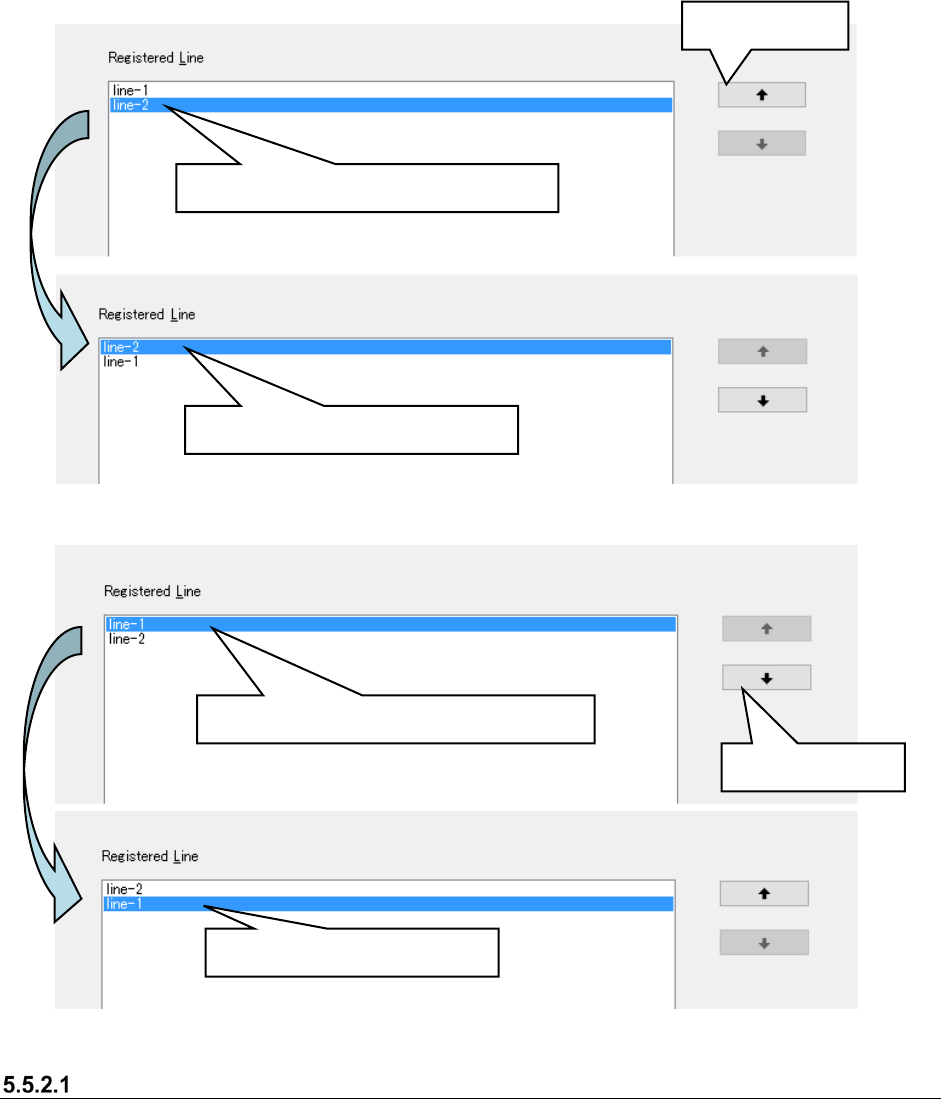
The lines displayed by the line monitor of “Program downloader” are displayed in the order
registered (displayed) in the “Register line” list.
To make an order change, select a line (multiple lines cannot be selected) in the “Register line” list,
and execute it by “Up shift/Down shift.”
Figure 5.5-5 Change of order ①
Figure 5.5-6 Change of order ②
Lines that cannot be registered by the monitor line
・ A line of the EPU mode cannot be registered in the monitor line.
・ When the number of machines of the registered line exceeds 15, they cannot be registered in
the monitor line.
Select a line in the “Registered lines” list.
Line-2 is shifted upward.
Up shift button
Select a line in the “Registered lines” list.
Down shift button
Line-1 is shifted downward.
JaNets Instruction Manual 5. Shopfloor Setup
5-33
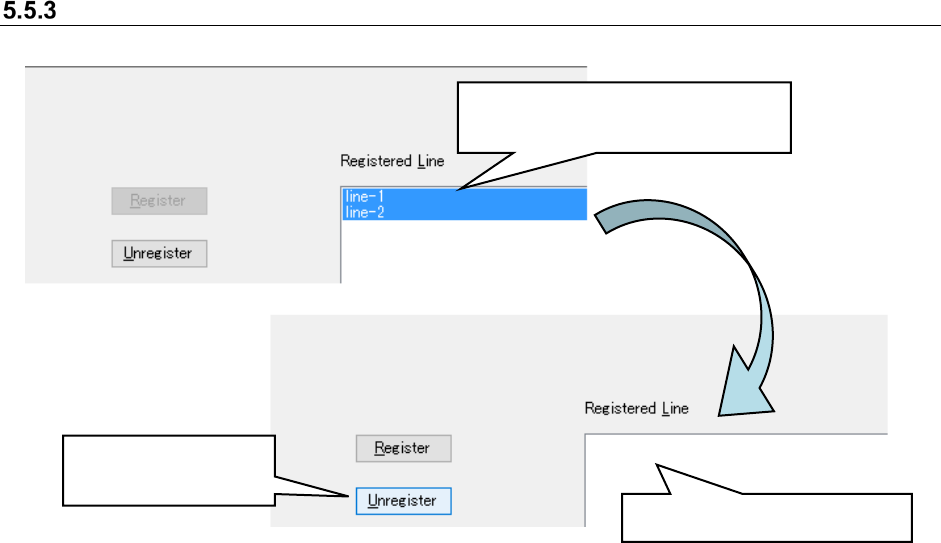
Cancelation of the registration of a line to be monitored
Figure 5.5-7 Canceling registration of a production line
When you select the “OK” button on the “Set Lines to Monitor” screen, the registration of the
selected production line is canceled, the “Set Lines to Monitor” screen closes.
Select the registered production line.
* Multiple lines can be selected
Click the “Unregister”
button.
Line-1 and Line-2 are deleted.
JaNets Instruction Manual 5. Shopfloor Setup
5-34
Set Environments
Setting the environments
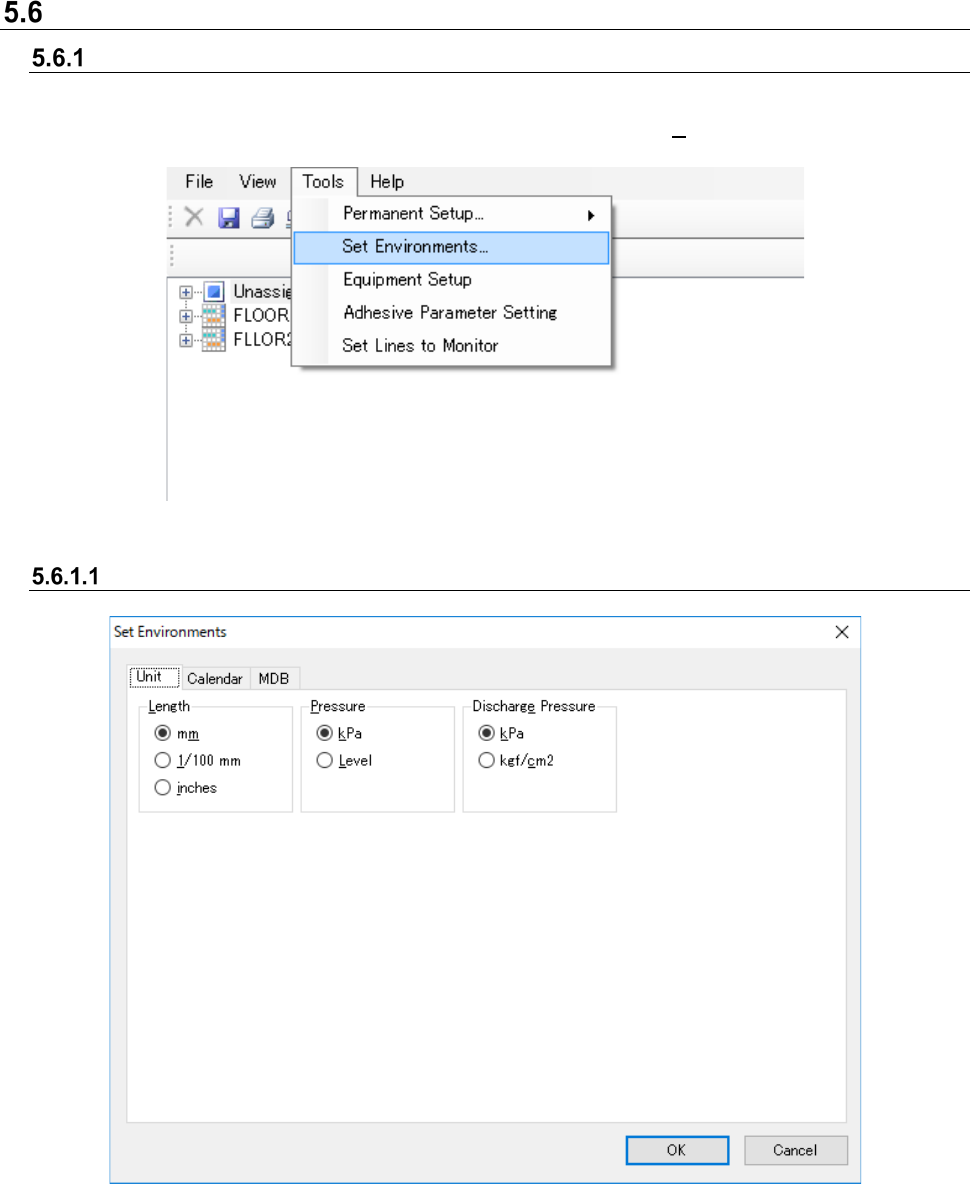
Set the unit system used with the entire JaNets.
Select the [Tools] command from the menu bar, and then the [Set Environments] command from
the “Tools” menu. The “Set Environments” screen appears.
Figure 5.6-1 [Tools] - [Set Environments]
Unit
Figure 5.6-2 “Set Environments” screen (Unit)
Set the length and pressure unit systems here.
All JaNets applications are displayed and allow your input according to the settings made here.