JANETS_INM.pdf - 第16页
JaNets Instr ucti on Man ual 1. Overview 1-3 1.1.2 Configuration including an E quipment Manager option When you ad d an Equip ment Manag er opti on to the syst em, you ca n use the d evice l inkage function f or linking…
JaNets Instruction Manual
1. Overview
1-2
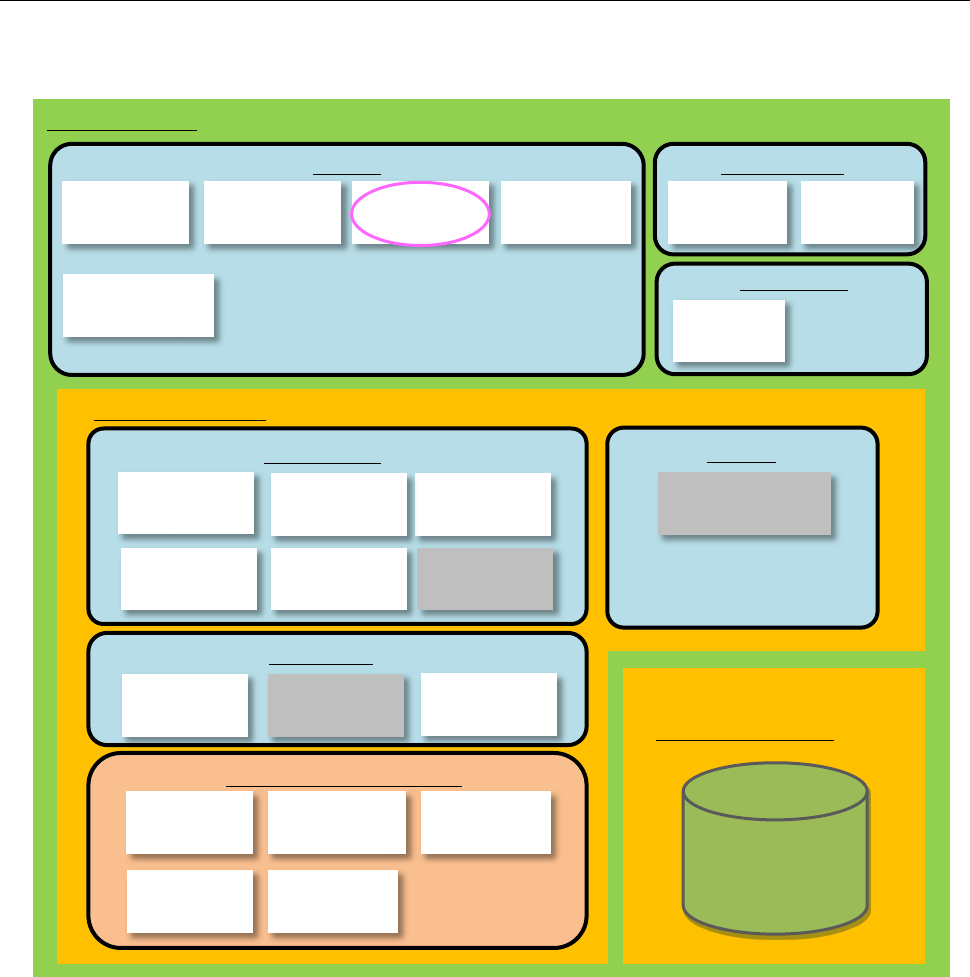
1.1.1 Configuration including a Data Manager option
When you add a Data Manager option to the system, the Component Database can be used as the
“shared” function.
*1: FlexlineCAD is a linking function.
*2: Line Manager is an option of Basic Editor.
*3: The external output function is an option of Line Manager.
*4: Data Manager is an option of Basic Editor.
*5: Output in the JSON format and Off-line Setup are options of the External Output Function.
*6: Device linkage function is an option of Line Manager.
*7: TraceMonitor (for data collection) is an option of Line Manager.
Shared
Basic Editor
External output function
Production
Line Manager
Maintenance
Create Data
Data Manager
Data Manager
Data Base
User
Management
Shopfloor
Setup
Language
Changer
Component
Database
Snapshot
Tool
Log Control
Tool
Job
Optimizer
Mark
Database
Feeder Set
Database
Machine
Program Relater
Tact
Simulation
Flexline CAD
Program
Downloader
External output
monitor
External output
function
Environment setting
Parts stock
management tool
Output in the
JSON format
Device linkage
function
Nozzle data
viewer
Off-line Setup
Program
Editor
Create Data
Shared
TraceMonitor
(
Data collection
)
TraceMonitor
(
Data display
)
JaNets Instruction Manual
1. Overview
1-3
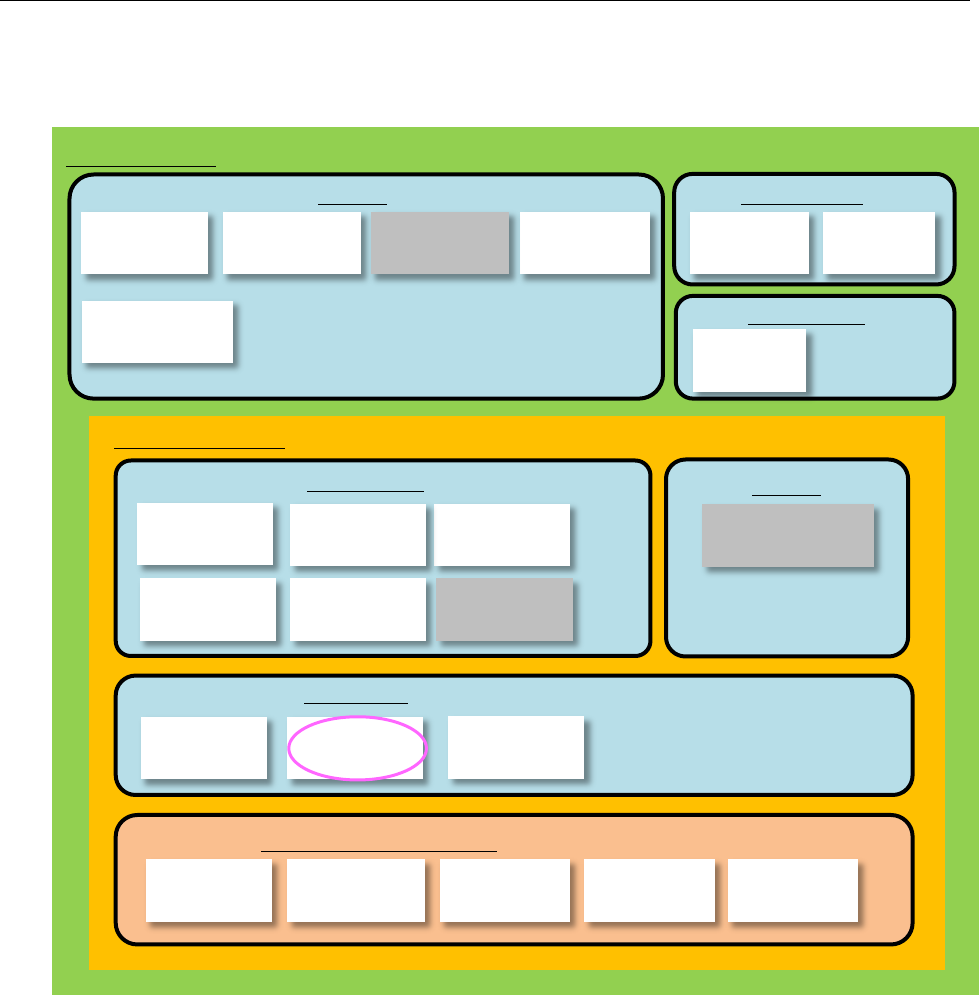
1.1.2 Configuration including an Equipment Manager option
When you add an Equipment Manager option to the system, you can use the device linkage
function for linking machines such as a printer and an inspection machine.
*1: FlexlineCAD is a linking function.
*2: Line Manager is an option of Basic Editor.
*3: The external output function is an option of Line Manager.
*4: Output in the JSON format and Off-line Setup are options of the External Output Function.
Create Data
Shared
Basic Editor
External output function
Production
Line Manager
Maintenance
Create Data
User
Management
Shopfloor
Setup
Language
Changer
Component
Database
Snapshot
Tool
Log Control
Tool
Job
Optimizer
Mark
Database
Feeder Set
Database
Machine
Program Relater
Tact
Simulation
Flexline CAD
Program
Downloader
External output
monitor
External output function
Environment setting
Parts stock
management tool
Output in the
JSON format
Program
Editor
Device linkage
function
Nozzle data
viewer
Off-line Setup
Shared
TraceMonitor
(
Data collection
)
TraceMonitor
(Data display)
JaNets Instruction Manual
1. Overview
1-4
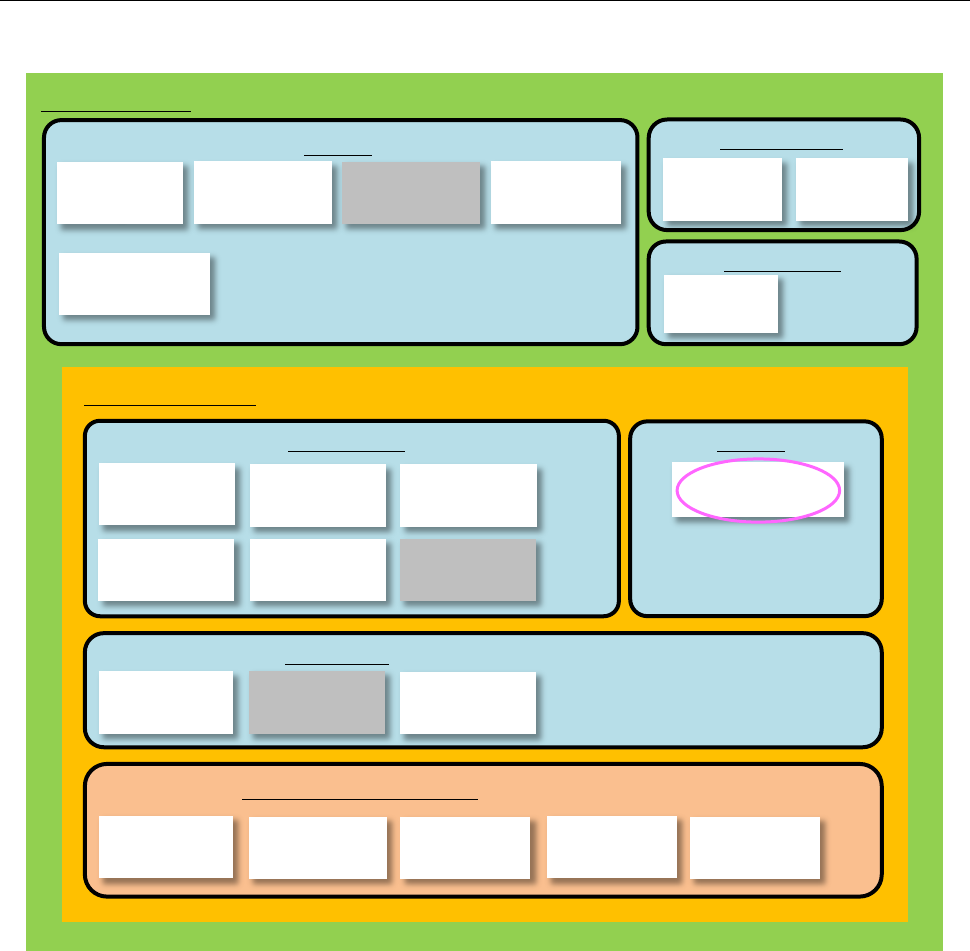
1.1.3 Configuration to be applied when a TraceMonitor option is added to the
system
When you add a Trace Monitor option to your system, you can collect information on each device.
*1: FlexlineCAD is a linking function.
*2: Line Manager is an option of Basic Editor.
*3: The external output function is an option of Line Manager.
*4: Data Manager is an option of Basic Editor.
*5: Output in the JSON format and Off-line Setup are options of the External Output Function.
*6: Device linkage function is an option of Line Manager.
*7: TraceMonitor (for data collection) is an option of Line Manager.
Basic Editor
Line Manager
TraceMonitor
(Data collection)
Shared
TraceMonitor
(Data display)
Shared
User
Management
Shopfloor
Setup
Language
Changer
Component
Database
Maintenance
Snapshot
Tool
Log Control
Tool
Create Data
Program
Editor
Job
Optimizer
Mark
Database
Feeder Set
Database
Machine
Program Relater
Tact
Simulation
Flexline CAD
External output function
Production
Create Data
Program
Downloader
Device linkage
function
Nozzle data
viewer
External output
monitor
External output function
Environment setting
Parts stock
management tool
Output in the
JSON format
Off-line Setup