JANETS_INM.pdf - 第172页
JaNets In structio n Manual 5. Shopflo or Setu p 5- 52 Figure 5.8 - 12 Layou t screen ( Machine: JM - 20) Figure 5.8 - 13 Layou t screen ( Machine: JM - 20) when an R - A TC is attac hed on the machin e When a C - ATC is…
JaNets Instruction Manual 5. Shopfloor Setup
5-51
Layout screen for each machine model
Some models have two or more ATC units, and the ATC cylinder hole position varies depending
on the machine model.
When you switch the machine currently set to another one, the size of the layout screen of each
machine model is enlarged or reduced.
Machine having two or more ATC units
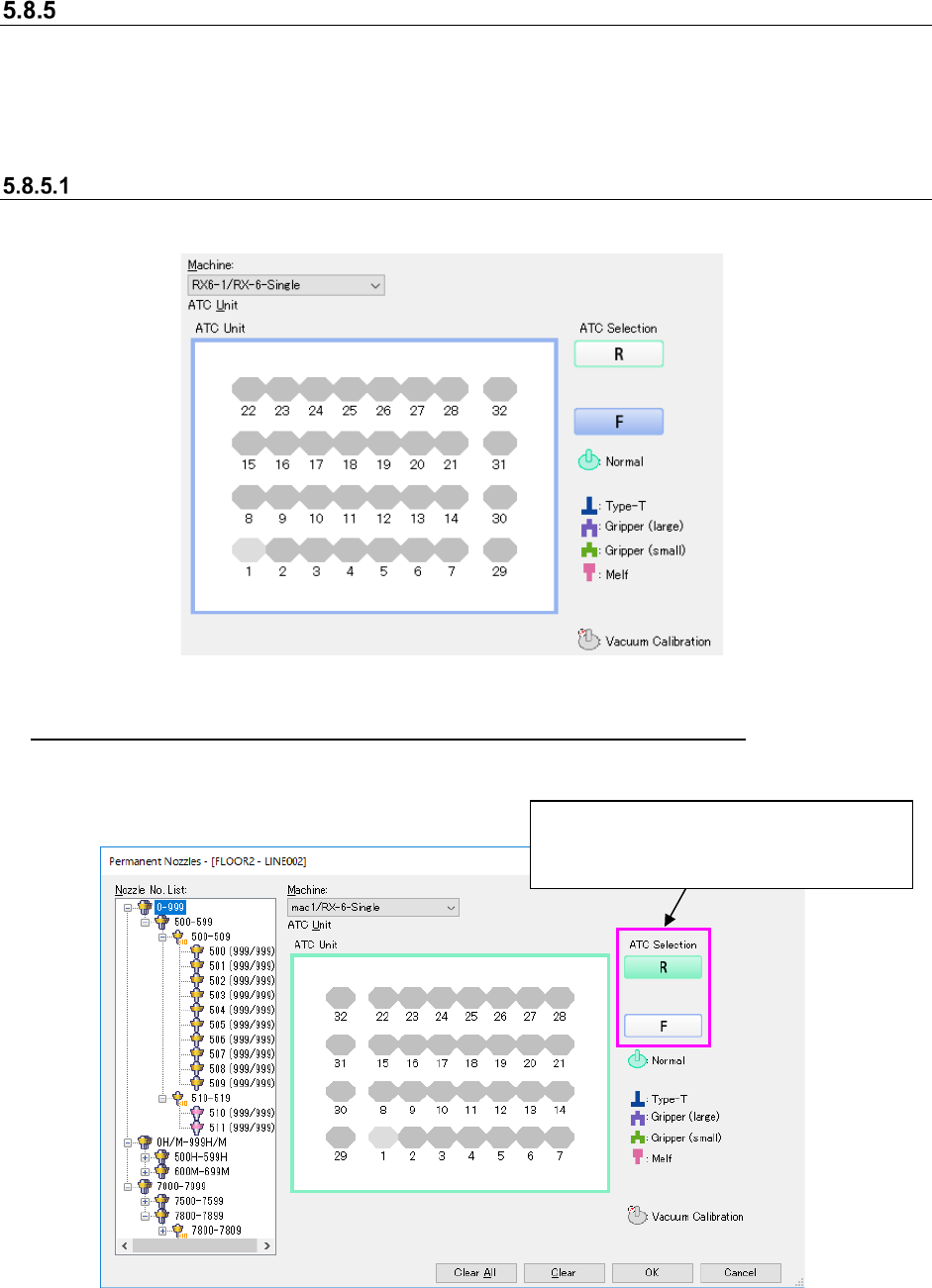
The layout screen for a machine having two or more ATC units are shown below.
Figure 5.8-10 Layout screen (Model: RX-6 ATC Selection: Front)
Switching the layout screen for a machine having two or more ATC units
The <ATC Selection> button is displayed on the right side of the layout screen for a machine
having two or more ATC units.
Figure 5.8-11 Layout screen (Model: RX-6 ATC Selection: Rear)
* When the layout screen is displayed for the first time, the left-most ATC unit on the front side is
selected.
Select the <ATC Selection> button.
* The screen shown below indicates that
the front left ATC is selected.
JaNets Instruction Manual 5. Shopfloor Setup
5-52
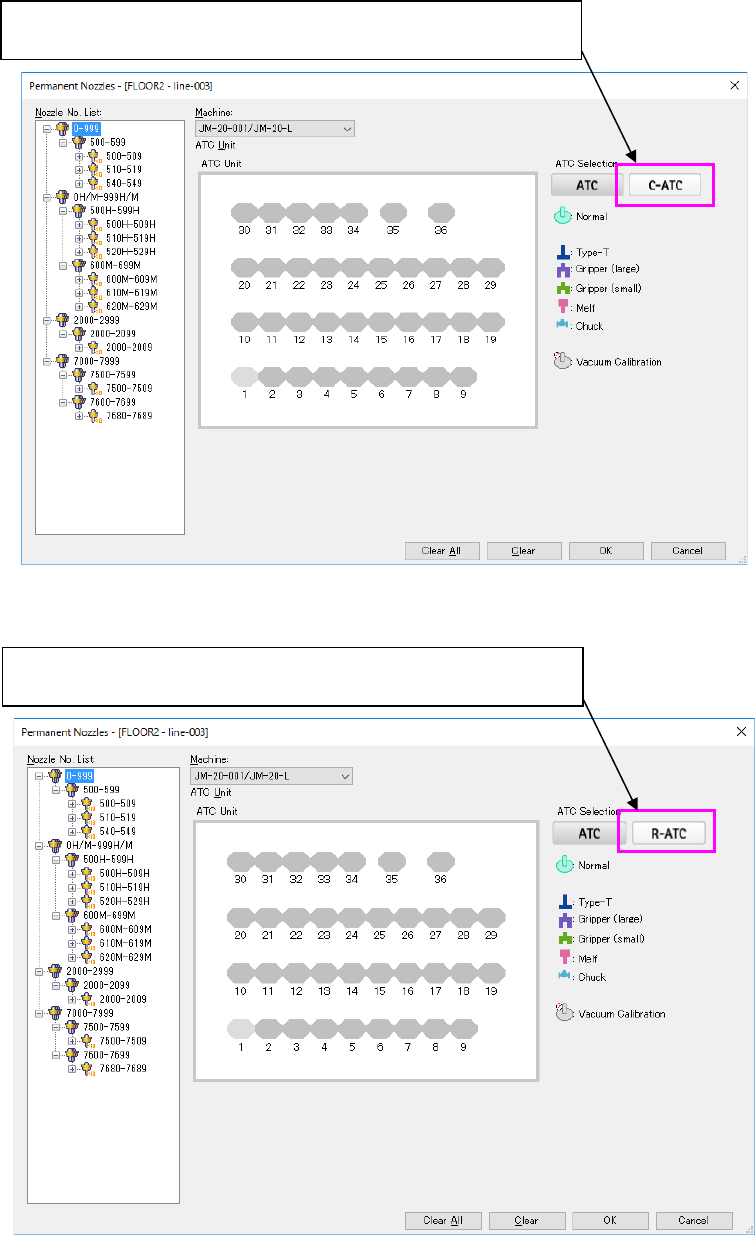
Figure 5.8-12 Layout screen (Machine: JM-20)
Figure 5.8-13 Layout screen (Machine: JM-20) when an R-ATC is attached on the machine
When a C-ATC is located in the right ATC unit, the <C-ATC> button is
displayed as the “ATC Selection” button.
When a R-ATC is located in the right ATC unit, the <R-ATC> button is
displayed as the “ATC Selection” button.
JaNets Instruction Manual 5. Shopfloor Setup
5-53
ATC displayed
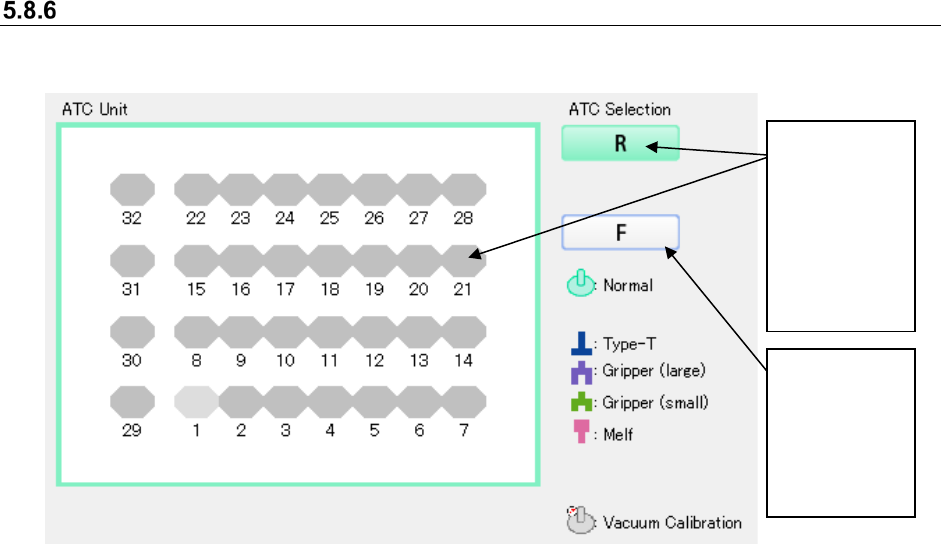
The color of the screen frame is the same as that of the selected ATC Selection button.
Figure 5.8-14 Displayed ATC unit
When an ATC
Selection
button is not
selected, only
its frame is
colored.
The selected
ATC Selection
button is filled
with the same
color as that of
the frame of
the ATC Unit
screen.