JANETS_INM.pdf - 第223页
JaNets In structio n Manual 7. Program Editor 7- 16 Check the sett ings o f Shopfloor S etup. If there is not the sp ecif ied pr oduction pro gram in a ma chine for uploadi ng data, the follow ing mes s age appears o n t…
JaNets Instruction Manual 7. Program Editor
7-15
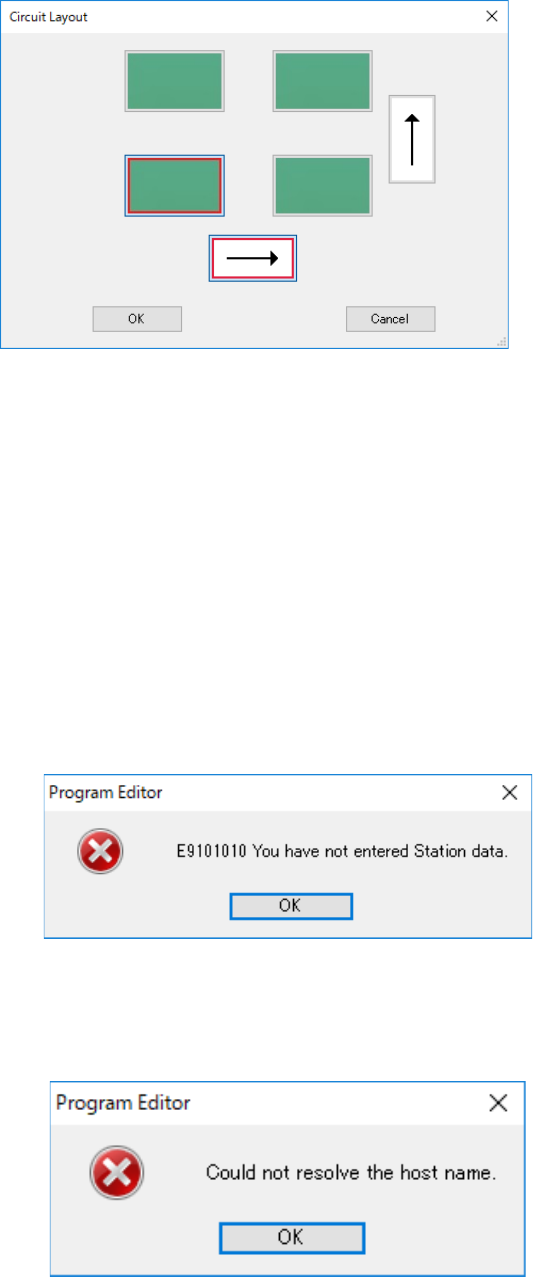
When you press the <Simple Input> button of the menu item “Circuit number conversion,” the fol-
lowing screen appears.
(This <Simple Input> button is displayed only when “Matrix Circuit” is selected as the “PWB Con-
figuration.” When “Non-matrix Circuit” is selected, it is not displayed on the screen.)
Figure 7.4-12 Simple input screen for entering a circuit number
When you specify the reference circuit position and the expanding direction, the system automat-
ically sets the circuit assignment order of the machine for uploading data.
Reference circuit position: Lower left, Lower right, Upper left and Upper right
Expanding direction: Horizontal direction and Vertical direction
Initial setting: The reference circuit position is at the lower left, and the expanding direction is
horizontal (Juki standard assignment order).
When you press the <Get circuit> button of the menu item “Circuit number conversion,” the system
obtains the circuit number information from a machine for which “Use” of the menu item “L/R Use
Same Bad Mark Recognition” is selected with Shopfloor Setup.
If any item such as the production program name of the station data is not entered yet, the fol-
lowing message appears on the screen.
Figure 7.4-13 Data uninput error
Open the tab of the machine for uploading data on the “Station data” screen, and then enter the
necessary information.
If the system fails to find a machine whose IP address is set with Shopfloor Setup, the following
message appears on the screen.
Figure 7.4-14 Error caused because the specified machine is not found
JaNets Instruction Manual 7. Program Editor
7-16
Check the settings of Shopfloor Setup.
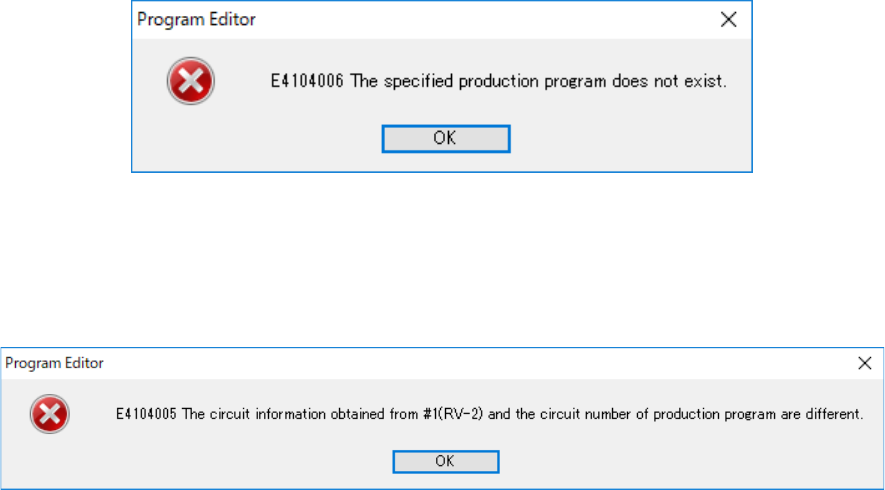
If there is not the specified production program in a machine for uploading data, the following
message appears on the screen.
Figure 7.4-15 Error caused because the specified production program is not found
Check to see if a production program specified in the station data is stored in the machine for up-
loading data.
If the obtained circuit data is incorrect, the following message appears on the screen.
Figure 7.4-16 Circuit information obtaining error
Review the data stored in the machine for uploading data.
JaNets Instruction Manual 7. Program Editor
7-17
Editing the PWB Data (PWB Conveyor)
The “PWB Conveyor” is displayed in the tree view, and when you select the “PWB Data” from the
tree view, and then the “PWB Conveyor,” you can set menu items displayed on the following
screen.
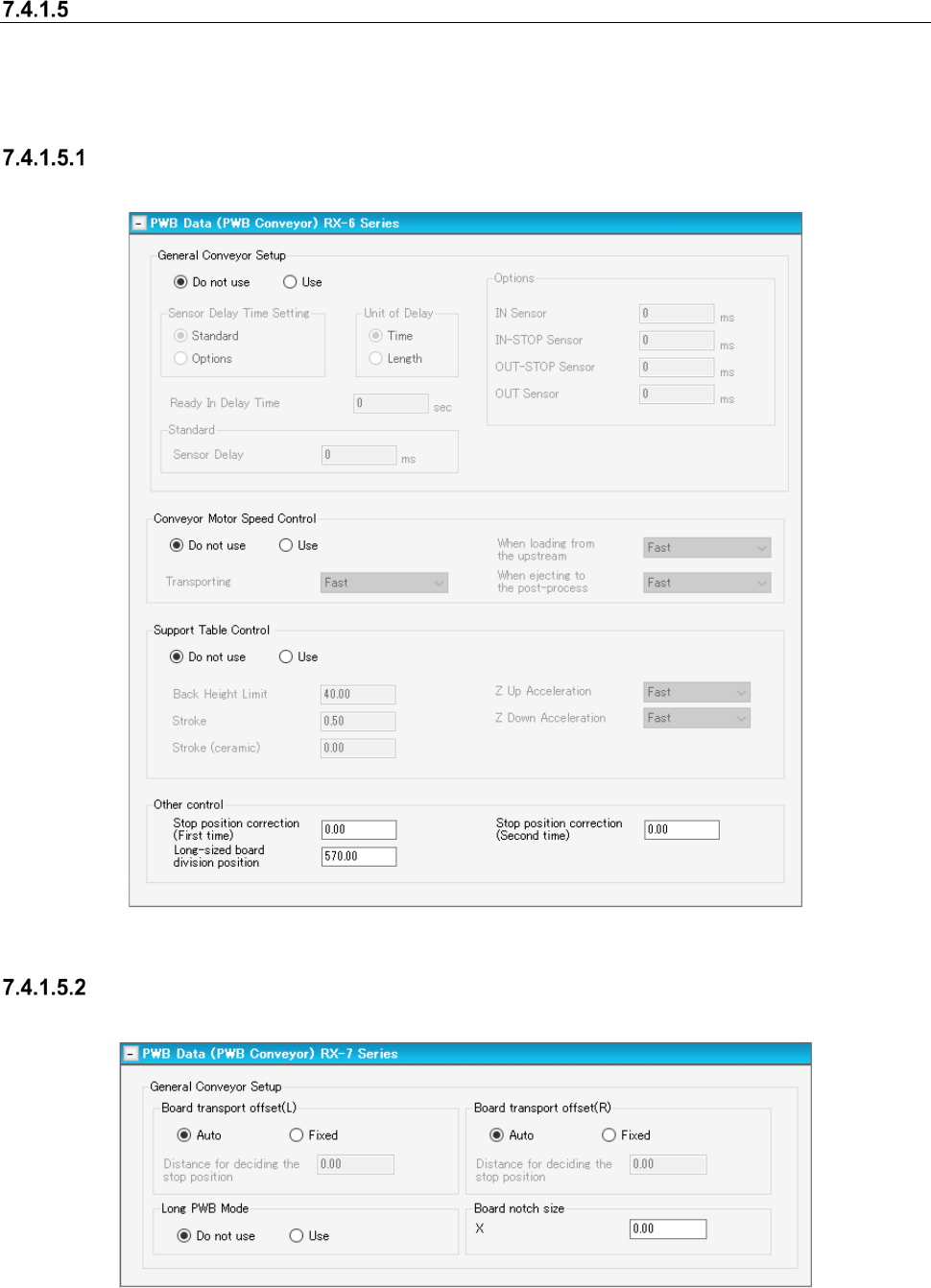
Conveyor Setting Screen
In the following, the typical RX-6 series transport setting screen is shown.
Figure 7.4-17 “PWB Data (PWB Conveyor)” screen (RX-6 Series)
Transport setting screen (RX-7 Series)
This screen is displayed when RX-7 series is arranged for the line.
Figure 7.4-18 PWB data (transport setting) screen (RX-7 Series)
The stop positioning distance can be set by left/right station.