JANETS_INM.pdf - 第224页
JaNets In structio n Manual 7. Program Editor 7- 17 Editing the PWB Data ( PWB Convey or) The “ P W B C onveyo r ” is displayed in the tree v iew , and when y ou select t he “ PWB Da ta ” from the tree view , and then th…
JaNets Instruction Manual 7. Program Editor
7-16
Check the settings of Shopfloor Setup.
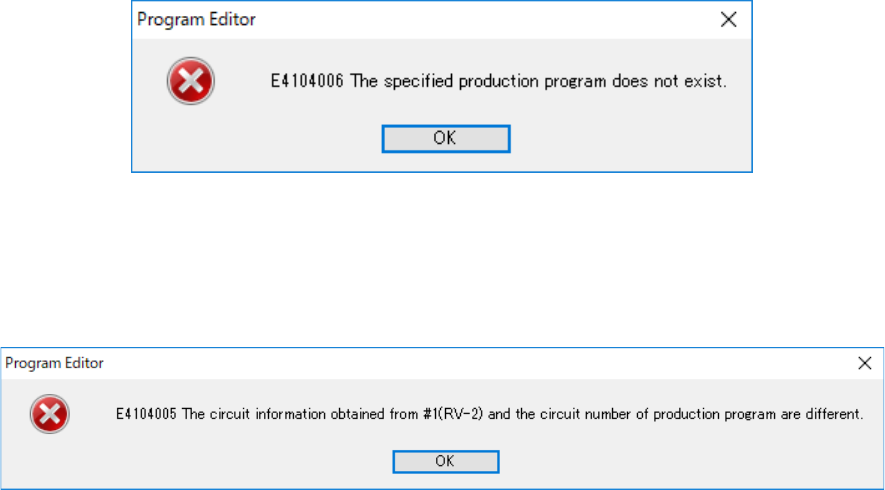
If there is not the specified production program in a machine for uploading data, the following
message appears on the screen.
Figure 7.4-15 Error caused because the specified production program is not found
Check to see if a production program specified in the station data is stored in the machine for up-
loading data.
If the obtained circuit data is incorrect, the following message appears on the screen.
Figure 7.4-16 Circuit information obtaining error
Review the data stored in the machine for uploading data.
JaNets Instruction Manual 7. Program Editor
7-17
Editing the PWB Data (PWB Conveyor)
The “PWB Conveyor” is displayed in the tree view, and when you select the “PWB Data” from the
tree view, and then the “PWB Conveyor,” you can set menu items displayed on the following
screen.
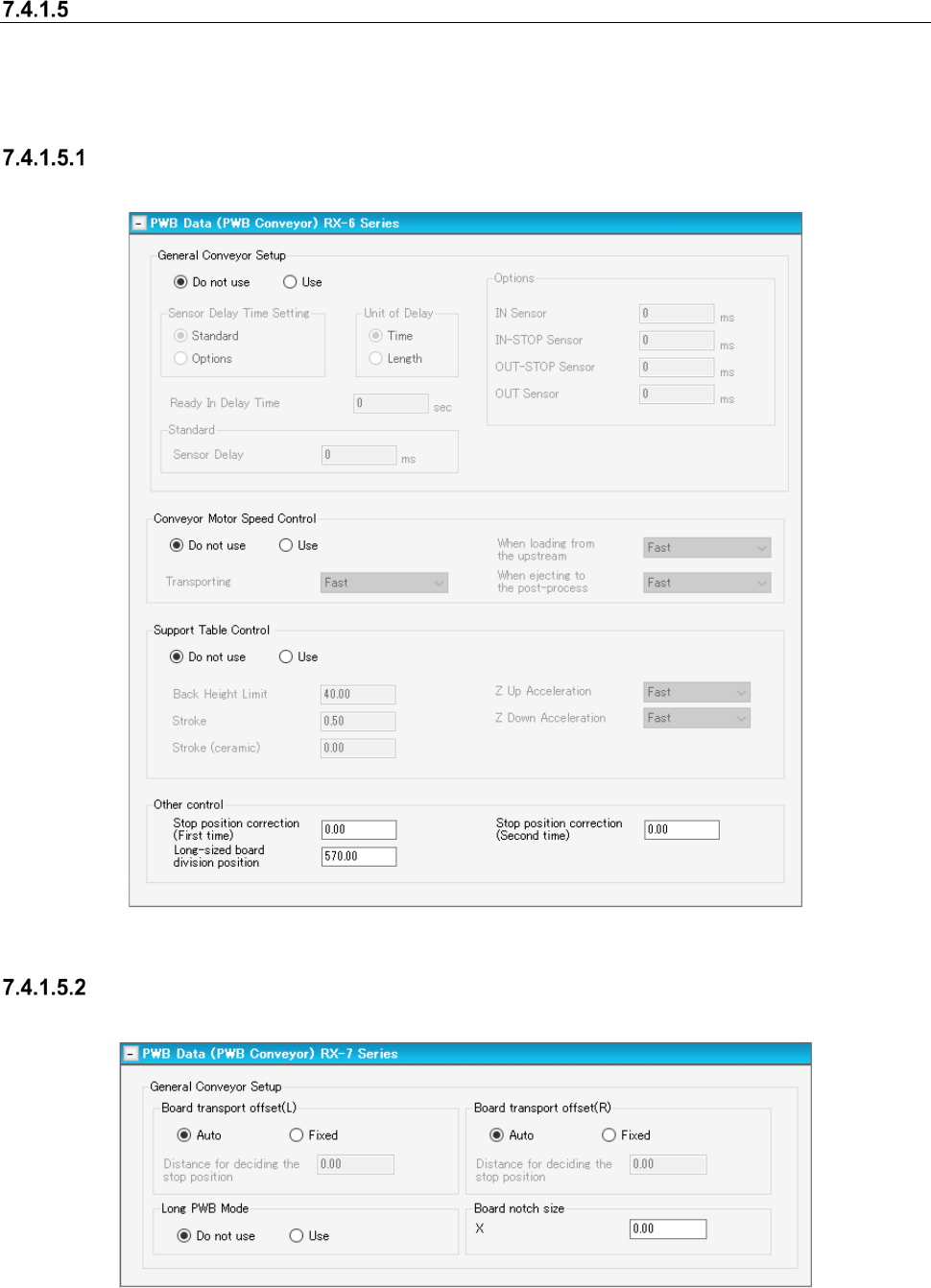
Conveyor Setting Screen
In the following, the typical RX-6 series transport setting screen is shown.
Figure 7.4-17 “PWB Data (PWB Conveyor)” screen (RX-6 Series)
Transport setting screen (RX-7 Series)
This screen is displayed when RX-7 series is arranged for the line.
Figure 7.4-18 PWB data (transport setting) screen (RX-7 Series)
The stop positioning distance can be set by left/right station.
JaNets Instruction Manual 7. Program Editor
7-18
Table 7.4-7 Items
Item
Contents
Transport offset, auto
The stop position is determined by optimization.
Transport offset, fixed
The stop position is set to an optional position.
Stop positioning dis-
tance
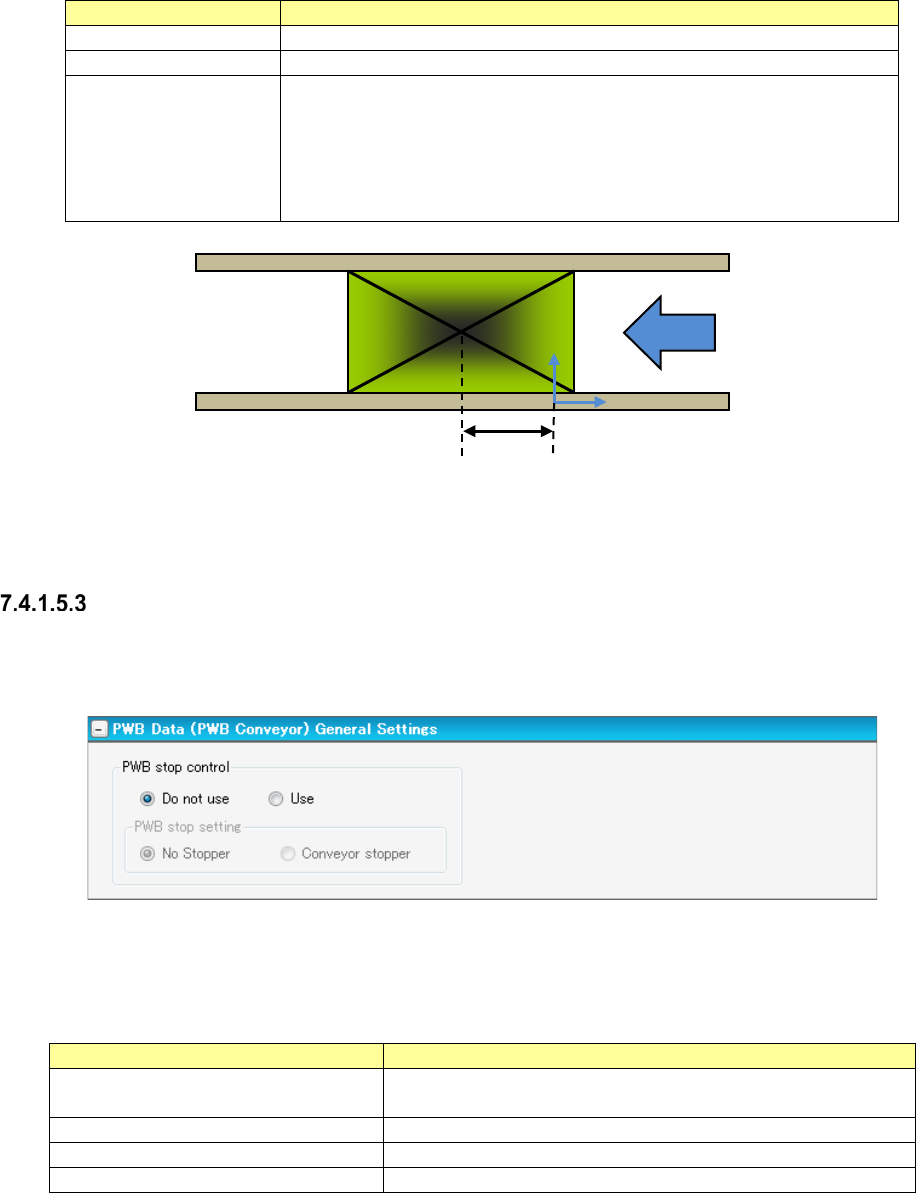
The PWB stop position is set. For the stop position, the distance from the
reference coordinate origin to the center coordinates of PWB is set. (See
the following figure.)
It is supposed that when the center of PWB exists on the right side of the
reference coordinate origin, a positive value is set, and that when the cen-
ter exists on the left side, a negative value is set.
Figure 7.4-19 Positioning distance
“PWB Conveyor” screen (General Settings)
Only when a machine (RX-6 series) that allows you to select whether a conveyor stopper is to be
used or not is assigned to the production line, this screen appears.
Figure 7.4-20 “PWB Data (PWB Conveyor)” screen (General Settings)
You can specify how to stop a board in the “PWB stop control” column.
Table 7.4-8 Menu items
Item
Contents
PWB stop control Do not use
Operates according to the settings of the machine without mak-
ing any settings in a production program.
PWB stop control Use
Specifies how to stop a board with a production program.
PWB stop setting No Stopper
Stops a board without using any conveyor stopper.
PWB stop setting Conveyor stopper
Stops a board with the conveyor stopper.
Center of PWB
Reference coordinate origin
Positioning distance