JANETS_INM.pdf - 第276页
JaNets In structio n Manual 7. Program Editor 7- 69 For a bi - dire ctional lead c onnect or or a Z lead c onn ector Figure 7.4 - 104 Bi - dir ectional lead connect or settin g screen For an extende d - lead co nnect or:…
JaNets Instruction Manual 7. Program Editor
7-68
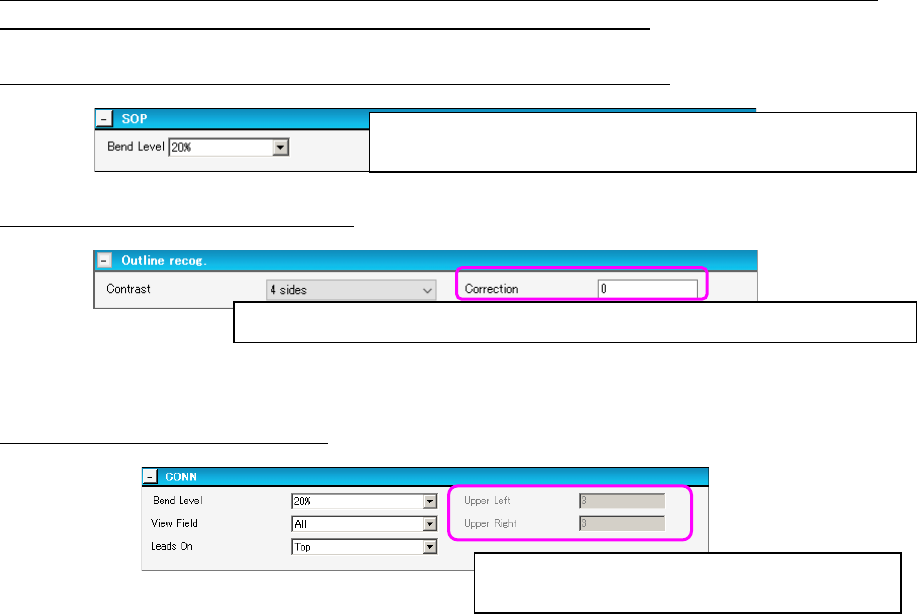
For components: SOP, HSOP, SOJ, TSOP, TSOP2, QFP, PLCC, PQFP (BQFP), J-lead socket
(SKT-J), gull-wing socket (SKT-G) and socket with a bumper (SKT-B):
The following example shows the screen for setting an SOP component.
Figure 7.4-101 SOP item setting screen
For an outline-recognized component:
Figure 7.4-102 Outline-recognized component setting screen
For a unidirectional lead connector:
Figure 7.4-103 Unidirectional lead connector setting screen
Select the level for detecting a bent lead.
* The “Bend Level” should also be set on the following screens.
Enter a correction value for the brightness when light is turned on a component.
Enter the number of leads on the upper left side
and that on the upper right side.
JaNets Instruction Manual 7. Program Editor
7-69
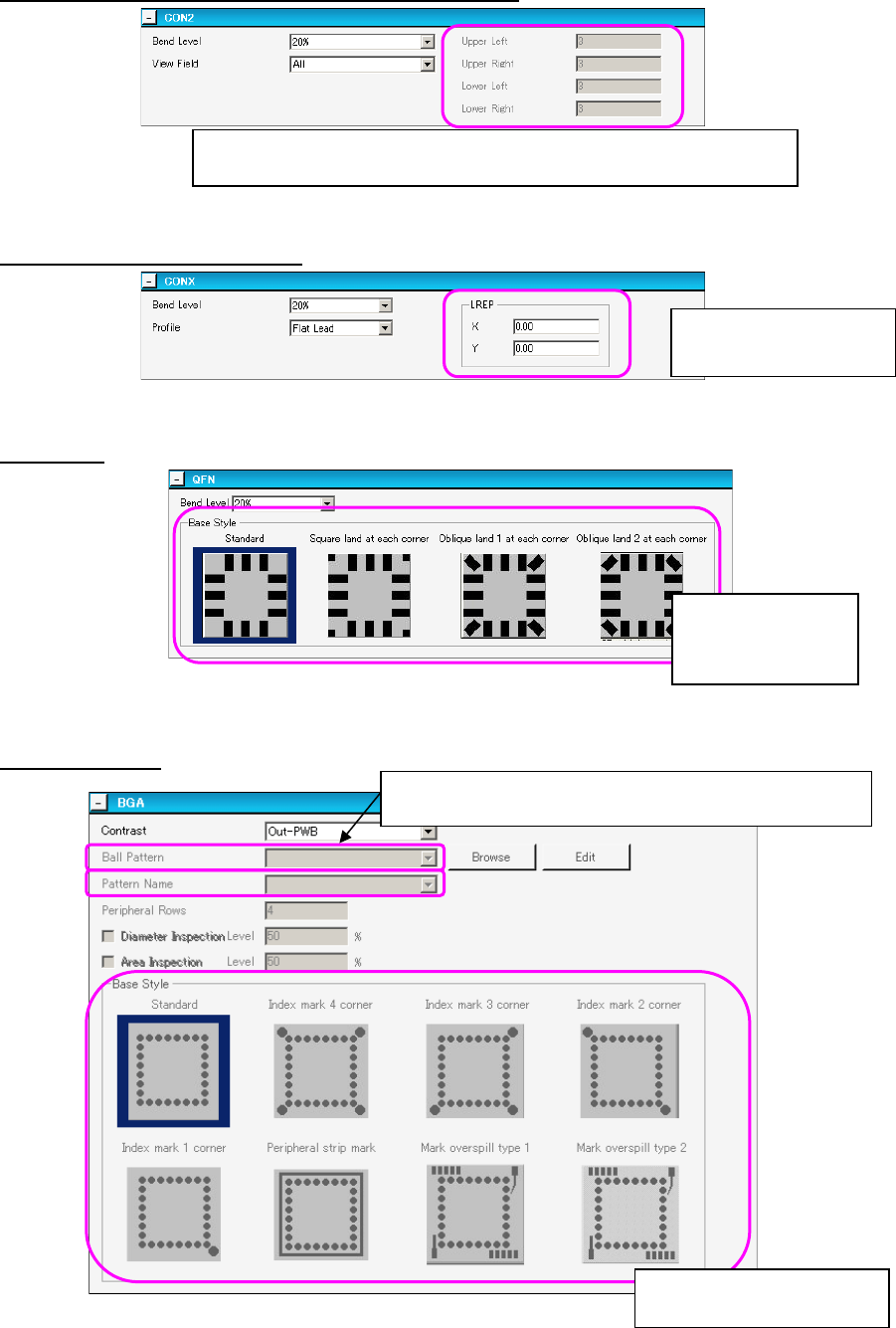
For a bi-directional lead connector or a Z lead connector
Figure 7.4-104 Bi-directional lead connector setting screen
For an extended-lead connector:
Figure 7.4-105 Extended-lead connector setting screen
For a QFN:
Figure 7.4-106 QFN setting screen
For a BGA/FBGA
Figure 7.4-107 BGA setting screen
Enter the number of leads on the upper left side, that on the upper right
side, that on the lower left side and that on the lower right side.
Enter the rightmost lead
position, X and Y.
Select the corre-
sponding bit
map pattern.
Select the corresponding bit
map pattern.
Ball Pattern: When you select “Peripheral BGA,” enter the
number of lines in the “Peripheral Rows” field.
JaNets Instruction Manual 7. Program Editor
7-70
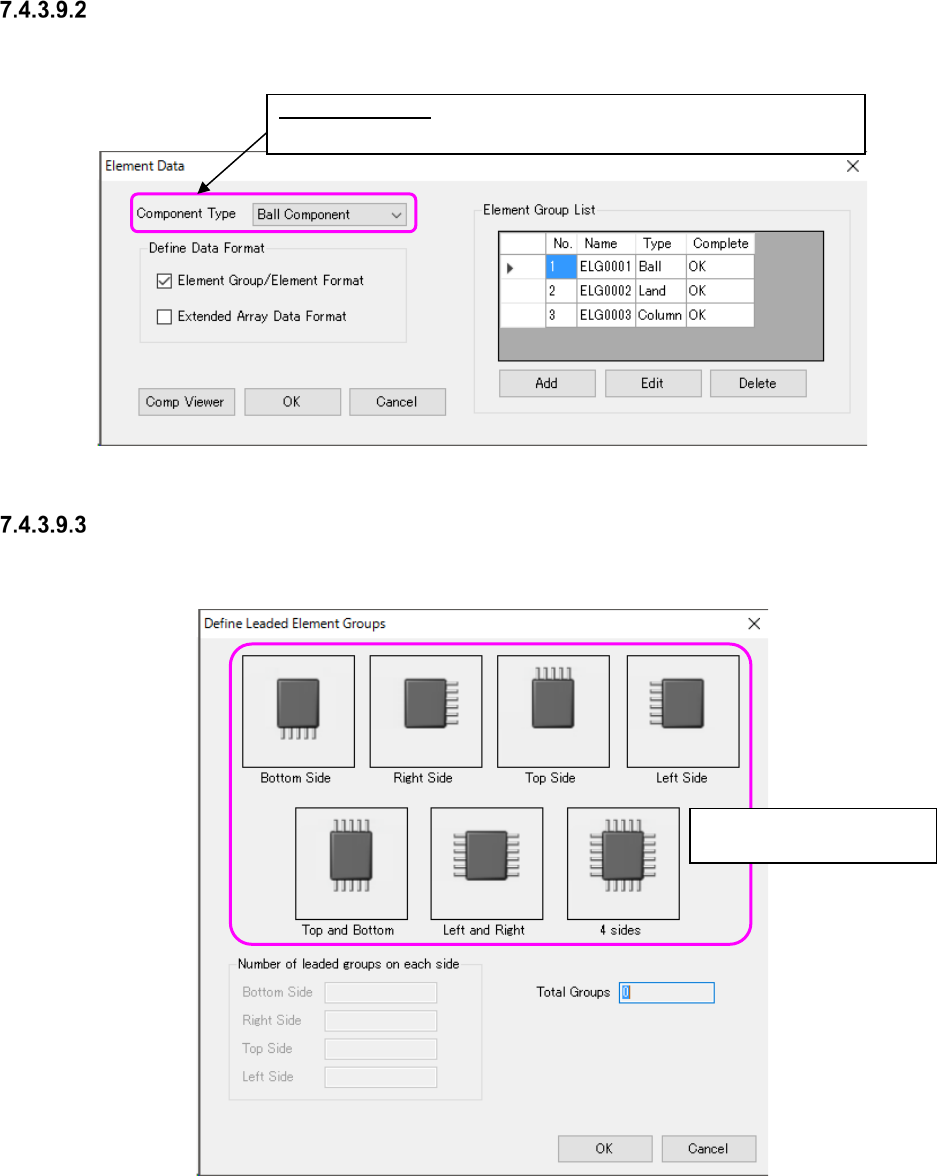
“Element Data” setting screen
Set the lead length, lead width, pitch between leads and lead assignment of a lead component on
this screen.
Figure 7.4-108 “Element Data” screen
“Define Leaded Element Groups” screen
On this screen, you can set data such as the number of element groups quickly.
Figure 7.4-109 “Define Leaded Element Groups” screen
Component Type: Select one of the following: “Lead Component,” Ball
Component” and “Outline Component.”
Select the corresponding
bit map pattern.