JANETS_INM.pdf - 第285页
JaNets In structio n Manual 7. Program Editor 7- 78 (4) Side element This scree n shows how a side elem ent is assi gned. Figure 7.4 - 120 Scre e n for displayi ng a side element (5) Corner element This scree n shows how…
JaNets Instruction Manual 7. Program Editor
7-77
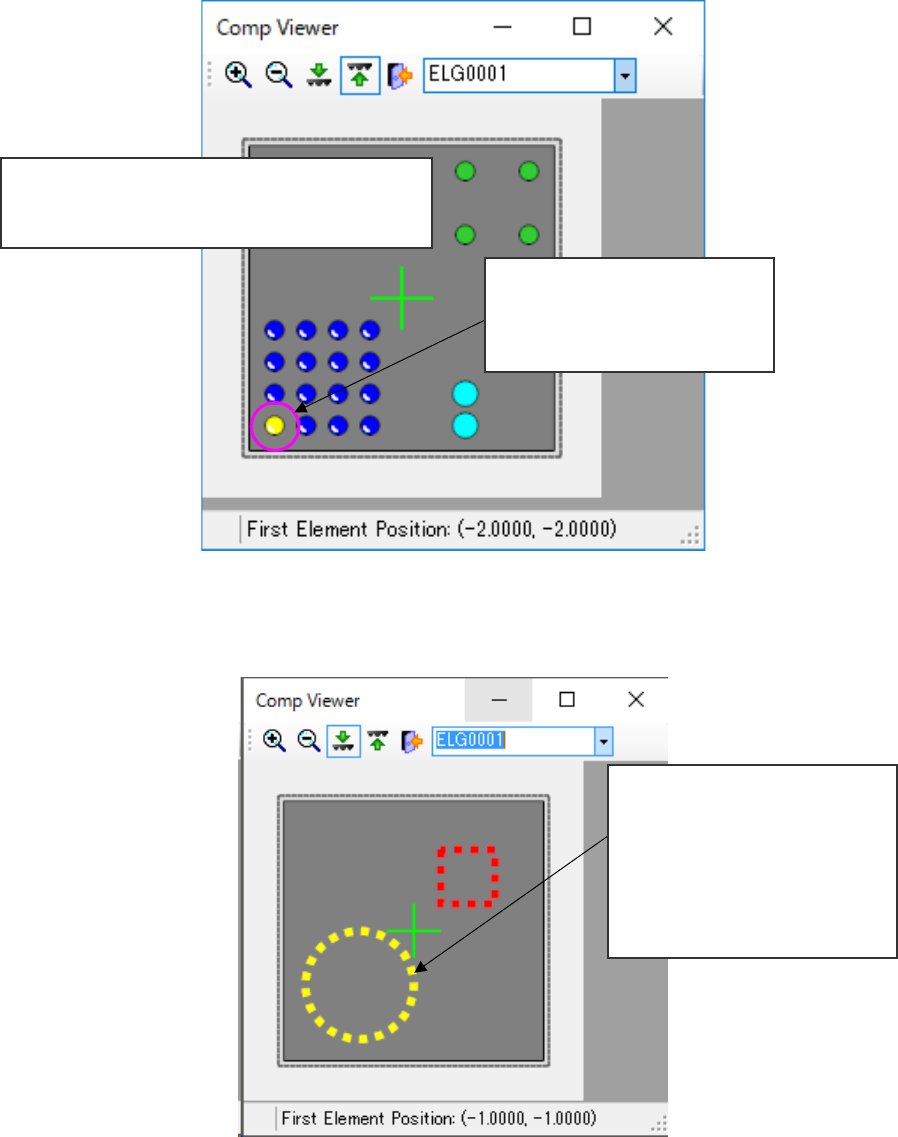
(2) Ball, land and column elements
This screen shows what pattern leads or balls are assigned to a ball in.
Figure 7.4-118 Screen displaying a ball, land and column elements
(3) Mark element
This screen shows how a mark element is assigned.
Figure 7.4-119 Screen for displaying a mark element
Ball element: shown with a red circle.
Land element: shown with a yellow green circle.
Column element: shown with a bright blue circle.
The selected first element of the
element group is shown with a
yellow circle, while others are
shown with a blue circle.
A mark element is displayed with
a circle or rectangle drawn with
a dotted line.
Red : not selected
Yellow: selected (first element)
Blue : selected (elements oth-
er than the first element)
JaNets Instruction Manual 7. Program Editor
7-78
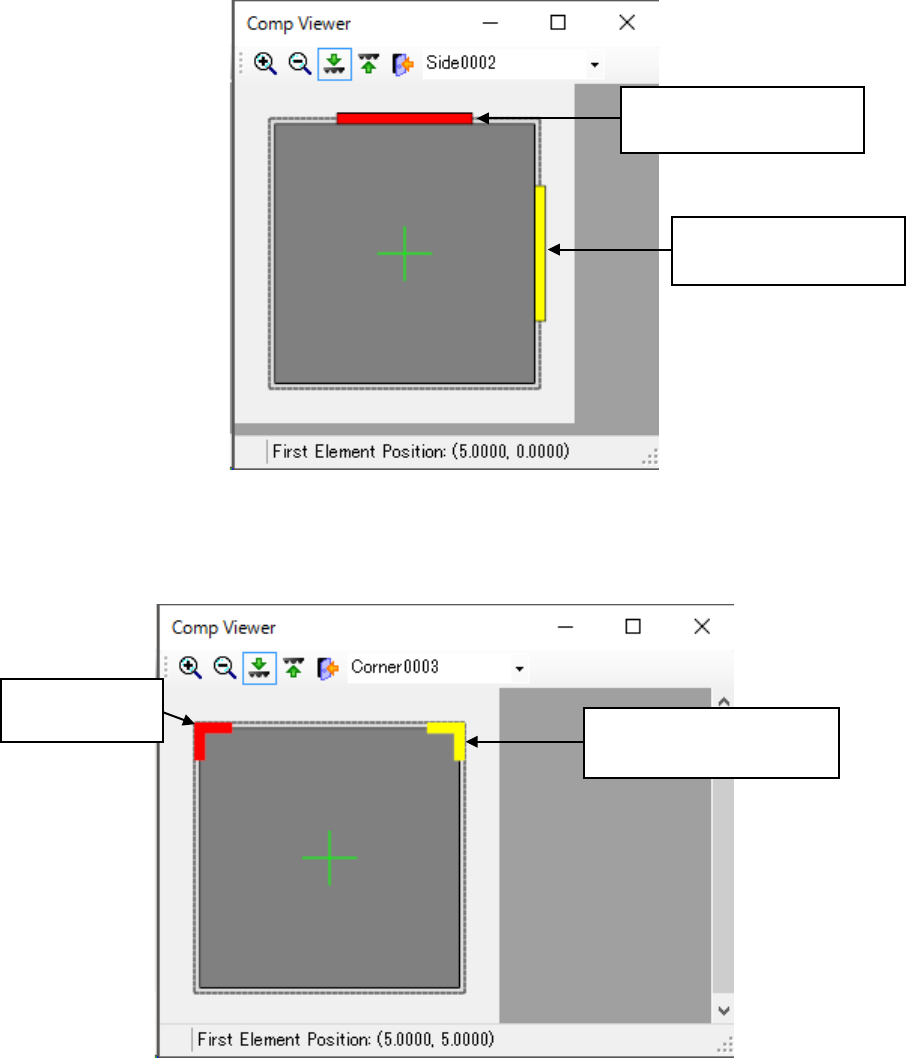
(4) Side element
This screen shows how a side element is assigned.
Figure 7.4-120 Screen for displaying a side element
(5) Corner element
This screen shows how a corner element is assigned.
Figure 7.4-121 Screen for displaying a corner element
Selected side element:
shown with a yellow line.
Side element not selected:
shown with a red line.
Corner element
not selected:
Selected corner element:
shown in yellow.
JaNets Instruction Manual 7. Program Editor
7-79
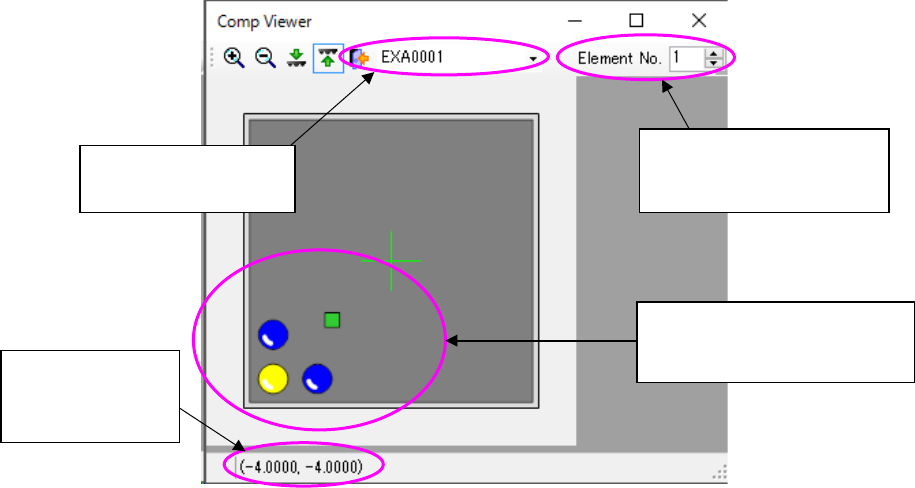
(6) Extended-array element
This screen shows how an extended-array element is assigned.
Figure 7.4-122 Screen for displaying an extended-array element
Displays the extended
array group list
Displays the location no.
and total count of the se-
lected element
Displays the coor-
dinates of the
selected element
Selected elements are dis-
played in yellow while ele-
ments not selected are in blue.