JANETS_INM.pdf - 第297页
JaNets In structio n Manual 7. Program Editor 7- 90 Odd - shape body information (w ithout lead) When you pres s the <Ed it> button, t he screen like o ne shown bel ow appear s. Figure 7.4 - 132 “ RX - 7 S e ries V…
JaNets Instruction Manual 7. Program Editor
7-89
BGA information
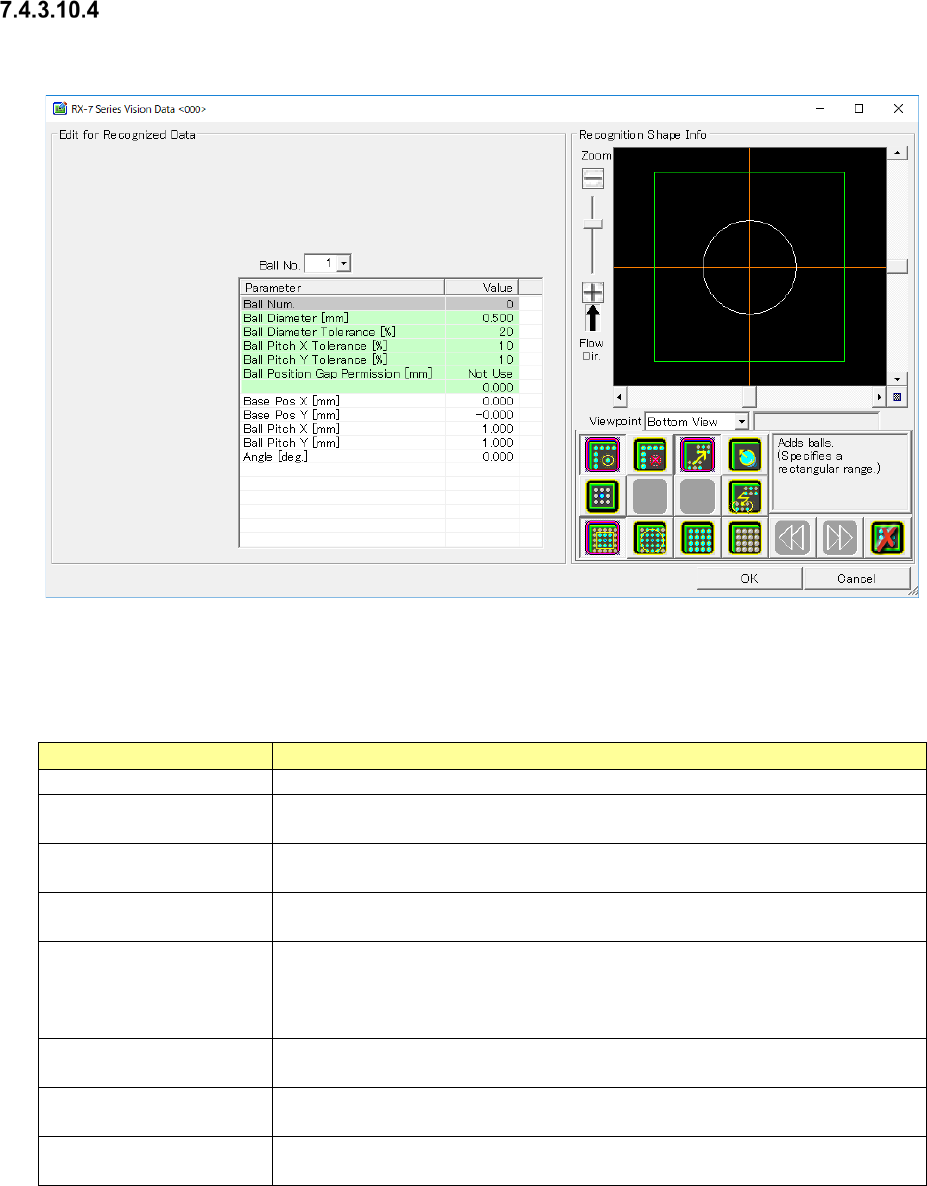
When you press the <Edit> button, the screen like one shown below appears.
Figure 7.4-131 “RX-7 Series Vision Data <BGA> screen (BGA component)
Set the following items on the “RX-7 series Vision Data” screen for a BGA component.
Table 7.4-66 RX-7 Series Vision Data screen (BGA component) setting items
Item name
Description
Ball Num
It cant be input. The number of balls arranged by a tool button is indicated.
Ball Diameter Enter the balls diameter.
Input range of 0.001 to 99.999. (Default: 0.500)
Ball Diameter Tolerance
Enter the allowable ratio of the ball diameter.
Input range of 1 to 99. (Default: 20)
Ball Pitch X/Y Tolerance Enter the allowable ratio of the ball pitch in the X direction and that in the Y
direction respectively. Input the range of 1 to 99. (Default: 10)
Ball Position Gap Permis-
sion
The location difference tolerance which is at the time of ball recognition is es-
tablished. Defaults" Not used".
Setting when you select the "use" will can be input
Input range of 0.001 to 99.999.
Base Pos X/Y The standard position of the ball group is input.
Input the range of -99.999 to 99.999. (Default: 0.000)
Ball Pitch X/Y
Pitch of the ball of the x-direction and y-direction is input.
Input the range of -0.001 to 99.999. (Default: 1.000)
Angle Inclination of the ball is input.
Input the range of -360.00 to 360.000. (Default: 0.000)
JaNets Instruction Manual 7. Program Editor
7-90
Odd-shape body information (without lead)
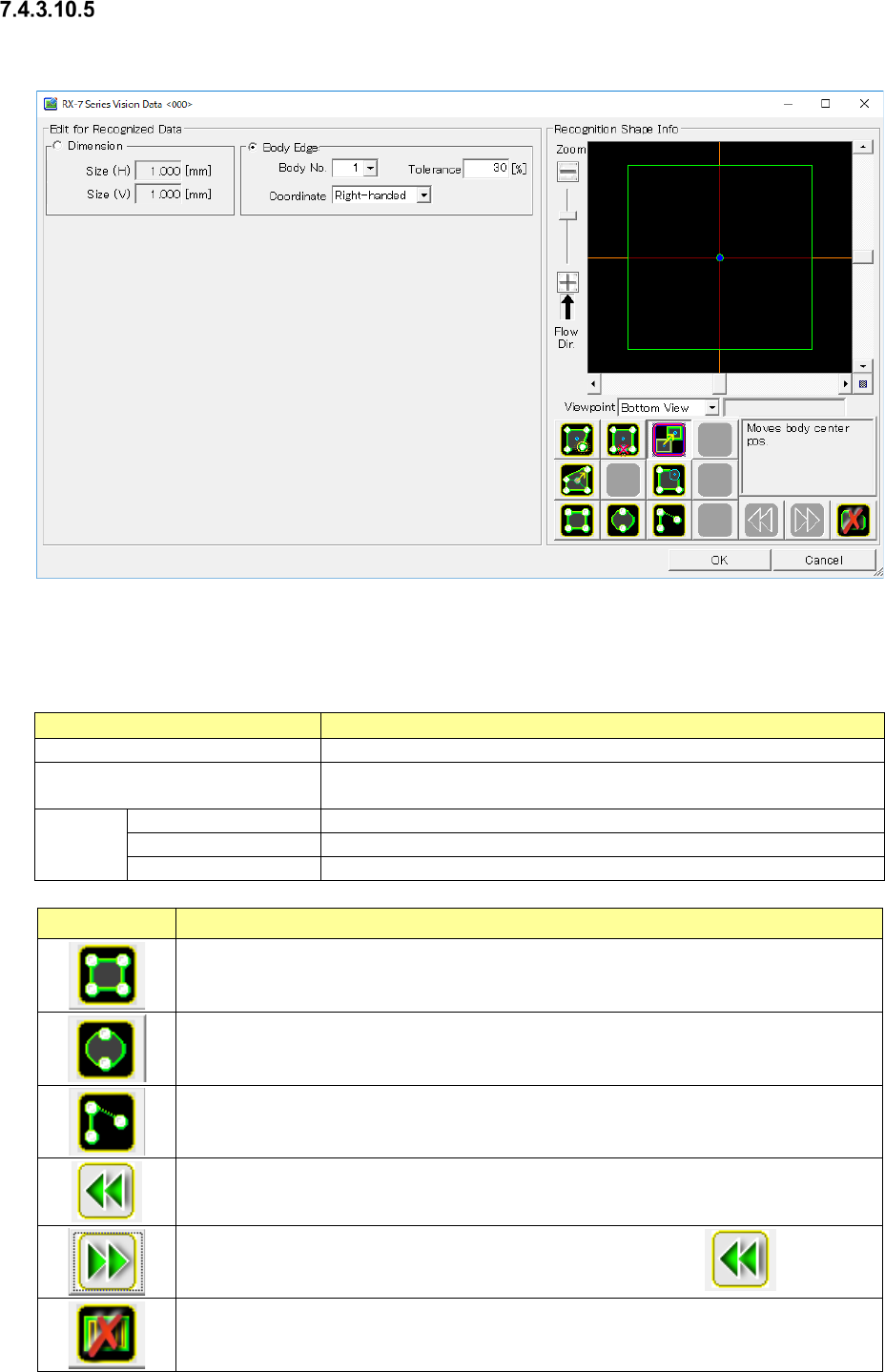
When you press the <Edit> button, the screen like one shown below appears.
Figure 7.4-132 “RX-7 Series Vision Data <ODD>” screen
(for an oddly-shaped component with no lead)
Table 7.4-67 RX-7 Series Vision Data screen
(for an oddly-shaped component with no lead) setting items
Item name
Description
Component image
Takes in a component image.
External dimensions
Changes the center position and screen resolution in the recog-
nition shape window.
Body
Body No.
Select a body No.
Tolerance
Enter the tolerance in the range of 1% ~ 99%.
Coordinate system
Select one of “Left-hand polarity” and “Right-hand polarity.”
Icon
Description
Newly creates the body information of a rectangular shape.
Newly creates the body information of a circular shape.
Newly creates the body information of the start point only.
Put back recognized data editing to the preceding status.
Retries the put-back operation to the preceding status by the icon.
Deletes all the lead parameters.
JaNets Instruction Manual 7. Program Editor
7-91
Icon
Description
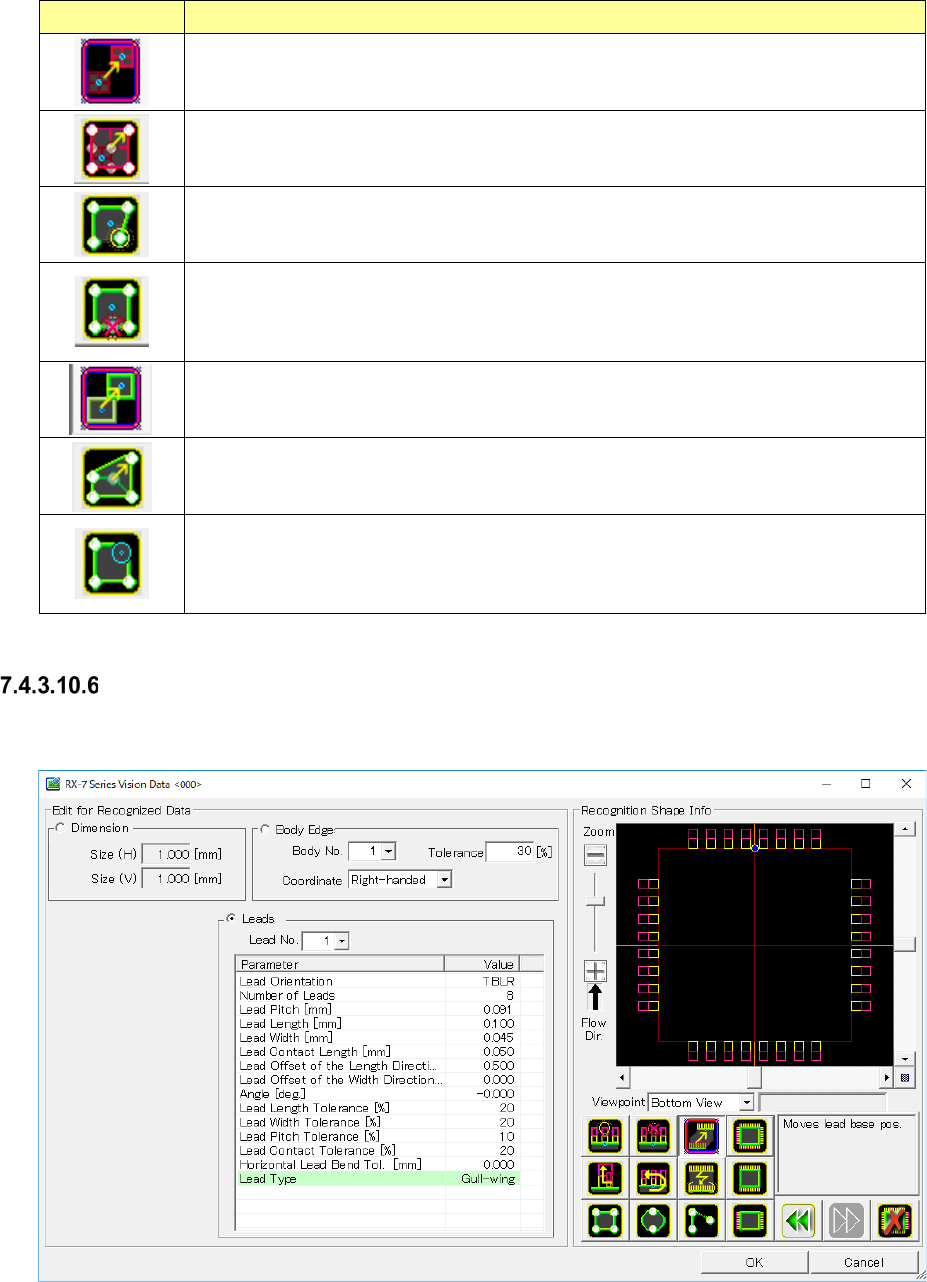
Displays the editing marker for setting the component center of external dimen-
sions.
Blue marker: Sets the center position of the component.
Adjusts the image resolution.
Displays the editing marker for adding a peak to the body. Touch the peak position
of the body on the take-in screen to create a new peak. Or divide the side by
touching the white marker displayed on the side.
Displays the editing marker for deleting a side or peak of the body.
White marker: Deletes the side or peak position.
Blue marker: Deletes the information of the all the body parameter selected by
[Body No.].
Displays the editing marker for moving the center position of the body.
Blue marker: Sets the center position of the body.
Displays the editing marker for setting the length of each side of the body.
White marker: Sets the side length or peak position of the body.
Displays the editing marker for setting the soundness of each side or peak of the
body.
White marker: Adds the roundness of the side or peak.
Light blue maker: Adjusts the magnitude of the roundness.
Odd-shape body information (with lead)
When you press the <Edit> button, the screen like one shown below appears.
Figure 7.4-133 “RX-7 Series Vision Data <ODD_LEAD>” screen
(for an oddly-shaped component with leads)
The input items are the same as the odd-shape body information (without lead).