JANETS_INM.pdf - 第30页
JaNets Instr ucti on Man ual 2. Install ation 2-2 2.1.3 .2 Installing the SafeNet Sentinel Protection Installer 7. 6. 6 If the prot ect module dr iver is not inst alled on the PC yet, instal l it here. (1) The installer …

JaNets Instruction Manual 2. Installation
2-1
2. Installation
2.1 Installing JaNets
2.1.1 Necessary supplied parts
• Installation disk (CD)
• Protect module (Sentinel Super Pro USB key)
2.1.2 Notes on Installation
• You have to establish a network in order to move data of a production program between a PC
and a mounter, to obtain information on a mounter (“obtain the production states”) or to share the
Component Database.
Since the specialized knowledge is required to establish a network, consult our Service
department or your network manager.
• Before installing the JaNets software programs on a PC, quit all application programs that are
running.
• You have to have the administrator’s privilege (that is, log in the system with a user name having
the user privilege) to install the programs on a PC.
(Create the user-name only in alphanumeric one byte characters when you newly create the
user-name (that the administrator authority was given.)
* Avoid including a single quote ('), a back quart (`), and a hyphen (-) in the user name to create
newly.
• Before installing the programs, remove the Sentinel Super Pro USB key from the PC.
• When upgrading the software version, log into Windows with the user name having the
administrator’s privilege (that is, log in the system with a user name having the user privilege)
that was created when the JaNets was installed for the first time. If you are unable to remember
the said user name, log into Windows with the user name that the administrator's privilege was
given to.
• A name of computer needs to fall inside the range of 15 characters which is limited to NetBIOS,
using standard words (A to Z, a to z), figures (0 to 9), and hyphen (-).
2.1.3 Procedure for newly installing JaNets
2.1.3.1 Starting up the installer
* If the USB of the protect module is attached onto the PC when the JaNets is installed, remove
the USB from the PC before installing the JaNets.
(1) Insert the JaNets disk into the CD-ROM drive.
Start "Setup.exe" in D:\ JaNets\Setup.exe in installation CD.
JaNets Instruction Manual 2. Installation
2-2
2.1.3.2 Installing the SafeNet Sentinel Protection Installer 7.6.6
If the protect module driver is not installed on the PC yet, install it here.
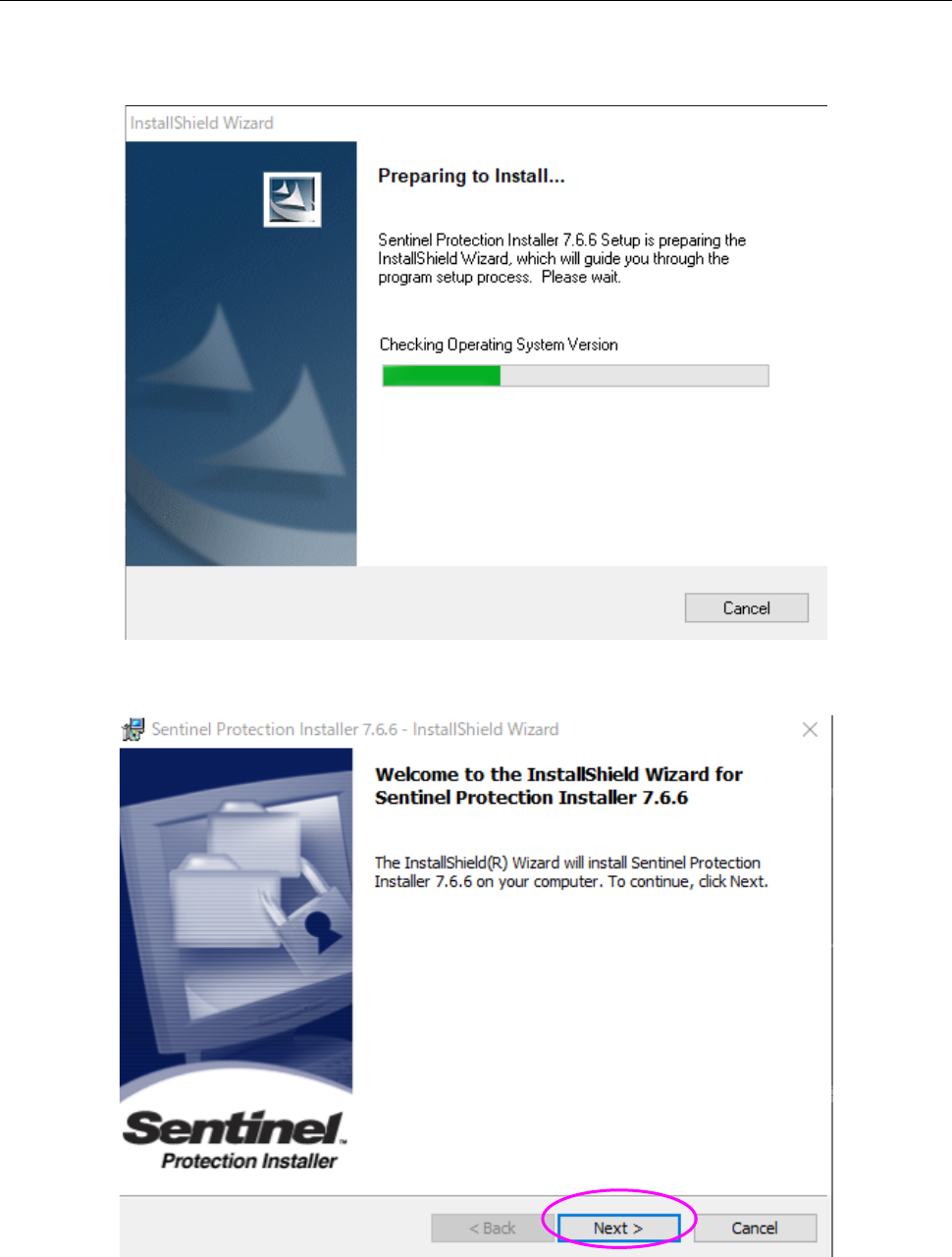
(1) The installer is being started up.
(2) When the initial screen for installation appears on the screen, click the <Next> button.
JaNets Instruction Manual 2. Installation
2-3
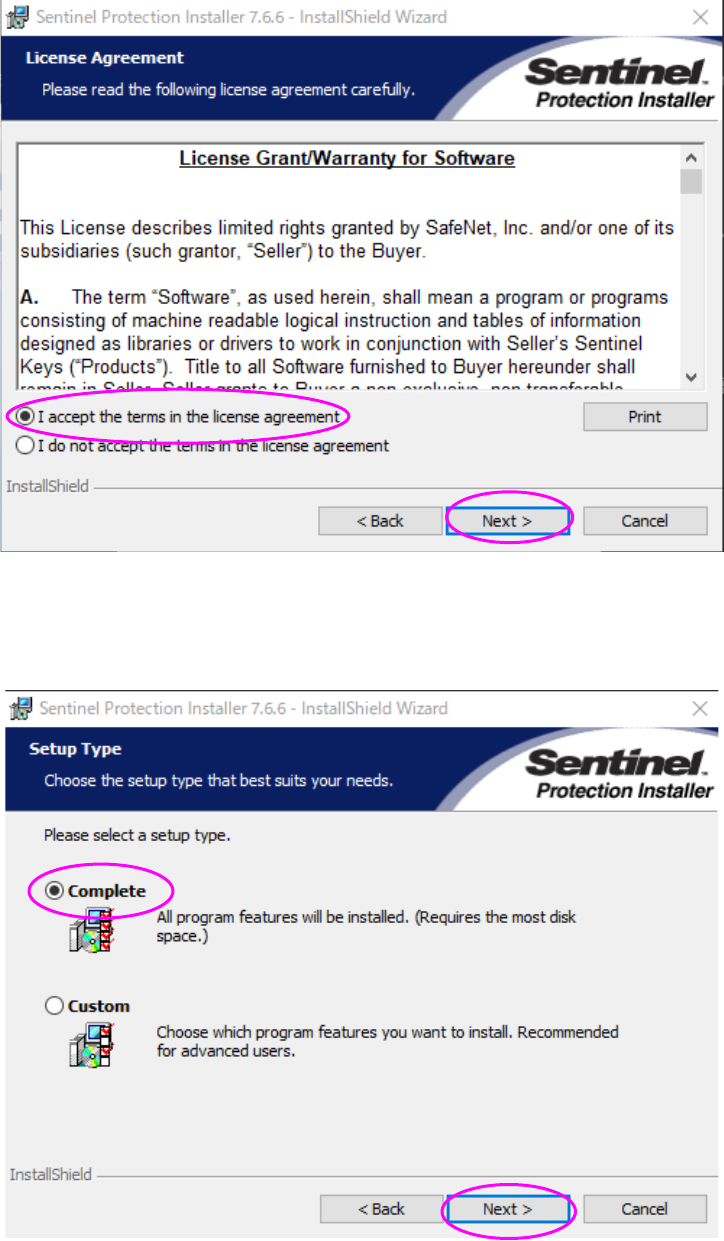
(3) The “License Grant/Warranty for Software” screen appears. Select the radio button “I accept
the terms in the license agreement,” and then click the <Next> button.
(4) Select the radio button “Complete,” and then click the <Next> button.
* When you select the radio button “Custom,” the current screen is switched to that for
selecting a driver to be installed. Be sure to select the radio button “Complete” here.