JANETS_INM.pdf - 第327页
JaNets In structio n Manual 7. Program Editor 7- 120 7.6.2 Descriptions of the “ Edit ” menu commands Figure 7.6 -4 “ Edit ” m enu
JaNets Instruction Manual 7. Program Editor
7-119
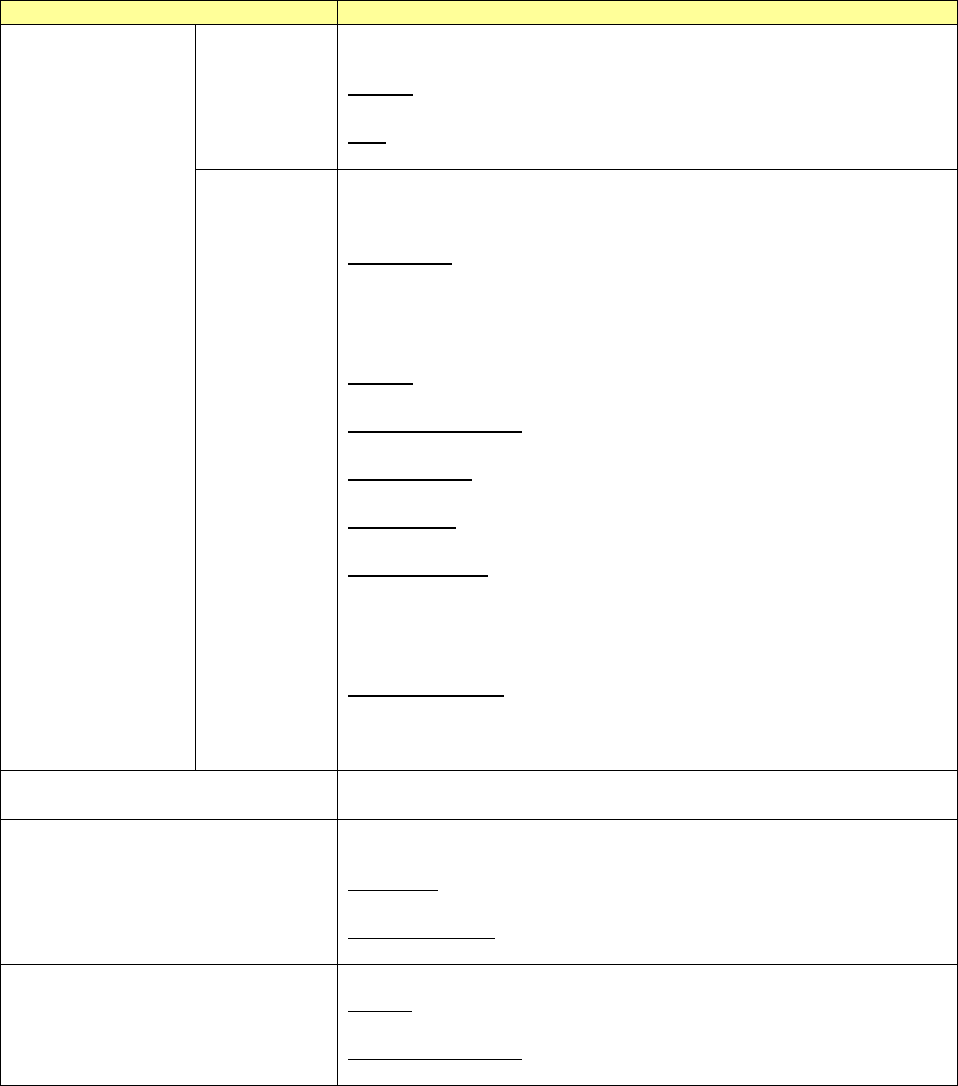
Data type
Description
Component
data
When you select the "Component data" from the output data, you can se-
lect between the "Details" and "List."
Details:
Outputs the details of component data.
List:
Outputs a list of component data.
Pick data
Only when you select the "Machine" from the mode and the "Pick data"
from the output data, you can select from among the "Input order," "Layout,"
and "Feeder Setup Sheet."
Input Order:
Outputs the pick data in the input order.
Outputs the information on one pick position in two columns.
Outputs a pick position, a feeder type, etc. in the first column and outputs
the pick coordinates in the second column.
Layout:
Outputs the pick data in the layout mode of a bank.
Feeder Setup Sheet:
Outputs the data for a feeder setup.
W/o comment:
Outputs the component data without the comment.
W/comment:
Outputs the component data with the comment.
W/placement ID:
Outputs the pick data with the placement ID for picking components at a
pick position.
You cannot select this data type when you select the "Placement data"
from the output data.
W/o placement ID:
Outputs the pick data without the placement ID.
You cannot select this data type when you select the "Placement data"
from the output data.
Assign nozzles
Outputs the information of assigning nozzles to the ATC.
You cannot select this data type when nozzle assignment is not optimized.
Production Management
Outputs the production management information.
Select between the “Line Total” and “Select Machines.”
Line Total:
Outputs the production management information of the whole line.
Select Machines:
Outputs the production management information for every machine.
Optimize
Outputs an optimization option and the number of supplies.
Option:
Outputs the information of setting up an optimization option.
Number of supplies:
Outputs the information of setting up the number of component supplies.
In addition, since the dialog display language which is displayed at printing preview generation
depends on OS, it is unable to switchover by language switchover function.
JaNets Instruction Manual 7. Program Editor
7-120
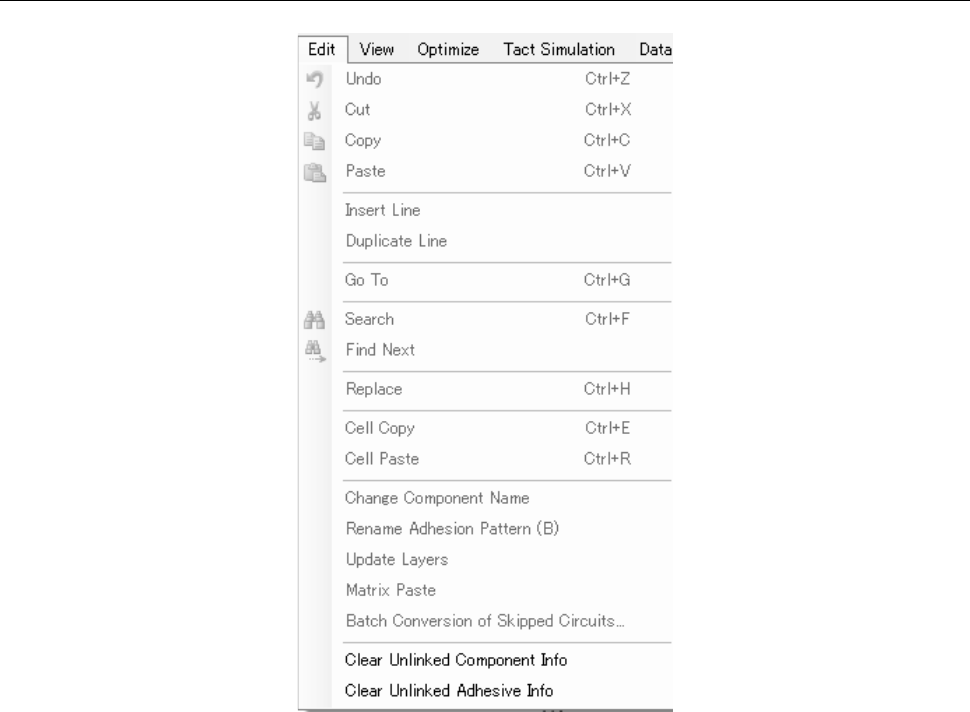
7.6.2 Descriptions of the “Edit” menu commands
Figure 7.6-4 “Edit” menu
JaNets Instruction Manual 7. Program Editor
7-121
Replacing component data
You can replace component data that satisfies the specified condition(s) with the data specified on
the “Replacement” screen. Select the [Edit] command from the menu bar, and then the [Replace]
command.
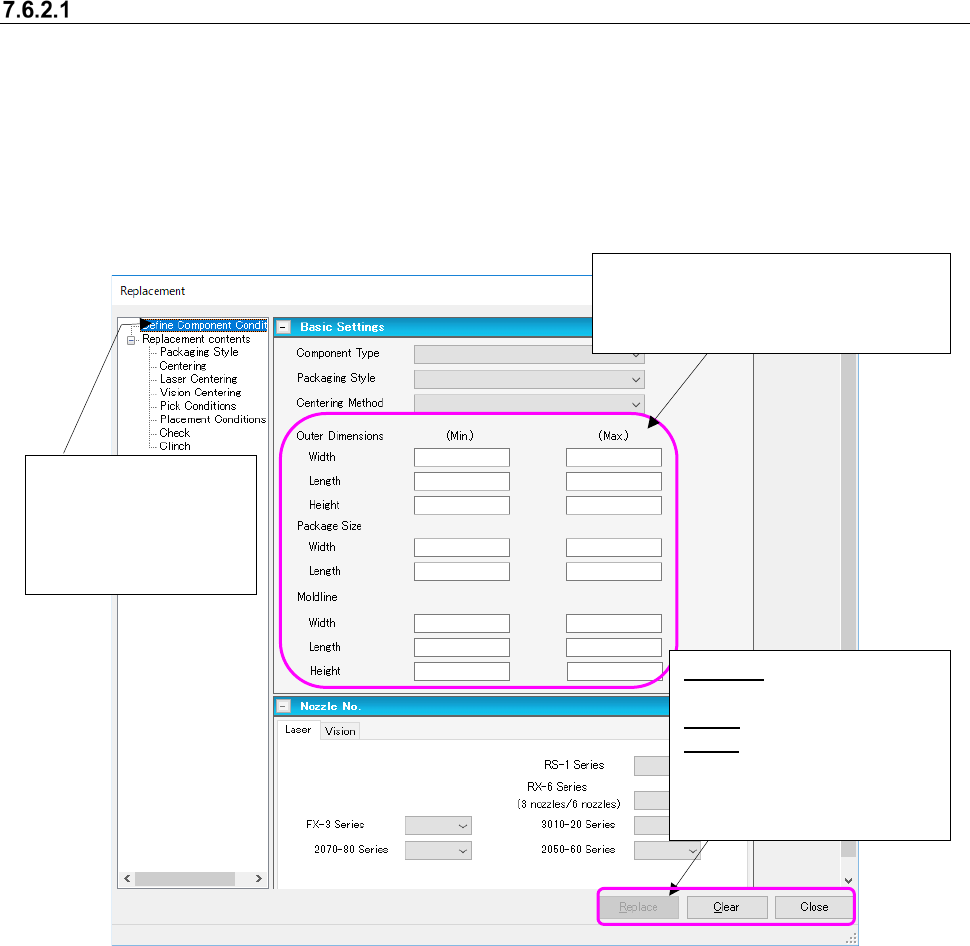
(1) Setting the replacement conditions
Set the conditions for extracting components to be replaced on the following “Replacement”
screen.
Figure 7.6-5 Screen for setting the replacement conditions
Select the “Define Com-
ponent Conditions” from
the tree view to display
the screen shown on the
left side.
Enter each of the minimum and maxi-
mum values to be replaced in the “Outer
Dimensions” fields, the “Package Size”
fields and the “Mold line” fields.
Replace: Starts replacing
component data.
Clear: Clears your settings.
Close: Stops replacement.
* These buttons function in
the same way on the
screens shown below too.