JANETS_INM.pdf - 第338页
JaNets In structio n Manual 7. Program Editor 7- 131 7.6.3 Descriptions of the “ View ” menu commands Figure 7.6 - 22 “V iew ” menu Divided Placement Data The place ment data as signed t o each mach ine by optimizat ion …
JaNets Instruction Manual 7. Program Editor
7-130
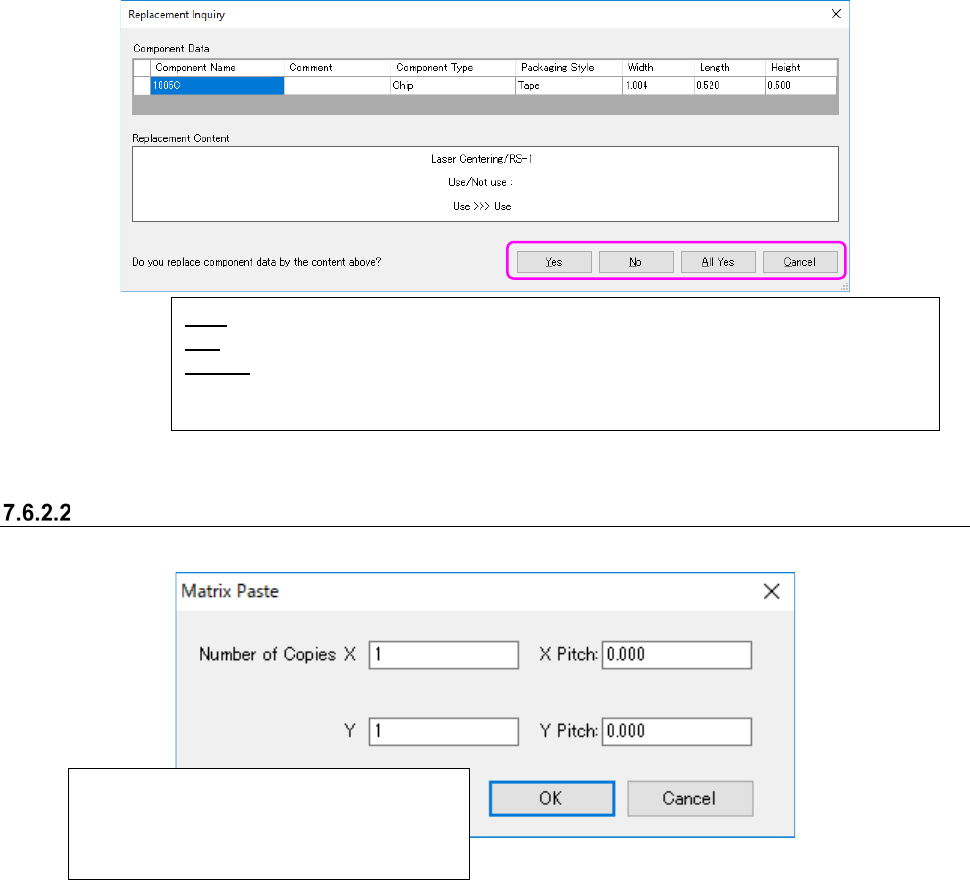
(16) “Replacement Inquiry” screen
When you check the check box “Inquiry for Replace” on the screen (13) above, the system
asks you whether to replace component data or not.
Figure 7.6-20 “Replacement Inquiry” screen
Matrix Paste < circuit arrangement screen and placement data>
This command inserts data loaded in the buffer into the cursor position.
Figure 7.6-21 “Matrix Paste” screen
* In the following cases, you cannot execute the [Matrix Paste] command.
① When the number of the Placement data records exceeds 30,000, the system displays the
message and stops executing the [Matrix Paste] command.
② The coordinates specified in the Placement data are not within a circuit.
In this case, the corresponding message appears on the screen. When you select the <OK>
button on this message, the system executes the [Matrix Paste] command.
Copies data in a matrix by the number of times
specified in the “Number of Cop X” and “Y”
fields while adding each pitch specified in the
“X Pitch” and “Y Pitch” fields.
Yes: Replaces the component data displayed at the present.
No: Displays the next replacement operation after skipping the displayed component data.
All Yes: Selects the <Yes> button for the inquiries for replacement of component data dis-
played on the list and the following data, and replaces them (that is, replaces all displayed
component data).
JaNets Instruction Manual 7. Program Editor
7-131
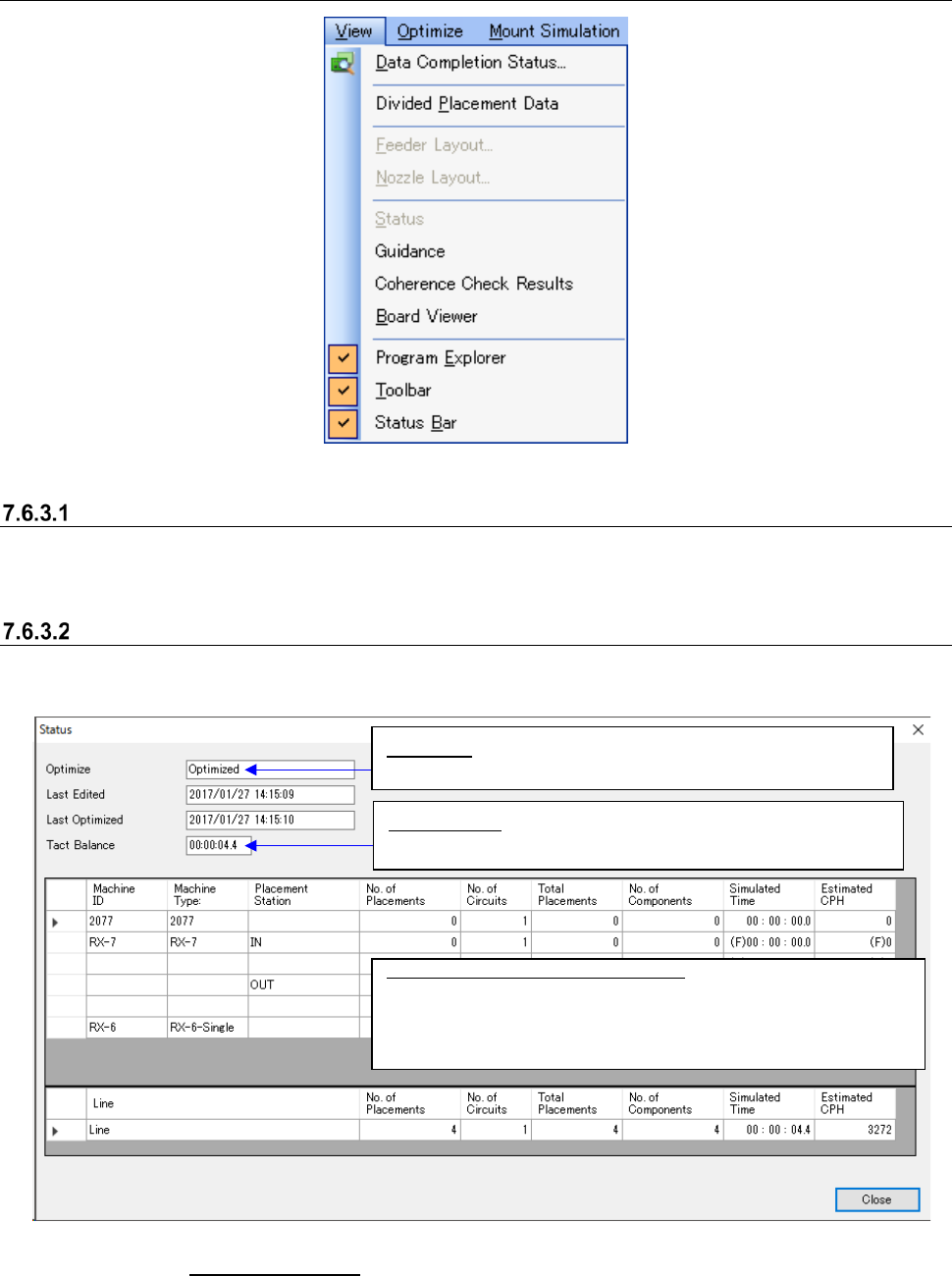
7.6.3 Descriptions of the “View” menu commands
Figure 7.6-22 “View” menu
Divided Placement Data
The placement data assigned to each machine by optimization is displayed.
* In RX-7 series, the input order is not displayed.
Status
This command displays the last optimized result obtained with specifying the “Feed Back” option.
Figure 7.6-23 “Status” screen
* See Section 7.5.1 “Main screen” for the commands [Guidance], [Coherence Check Results] and
[Board Viewer].
Definition of expected tact (cycle time)
RX-6: From right after tightening a PWB clamp to just before
loosening a PWB clamp
RX-7: From right after completing the positioning to just before
starting to unload a PWB
Tact Balance: Displays the difference between the maximum
expected tact (cycle time) and the minimum one.
Optimize:
Displays whether the optimization function was
executed after data was updated.
JaNets Instruction Manual 7. Program Editor
7-132
7.6.4 Descriptions of the “Optimize” menu commands
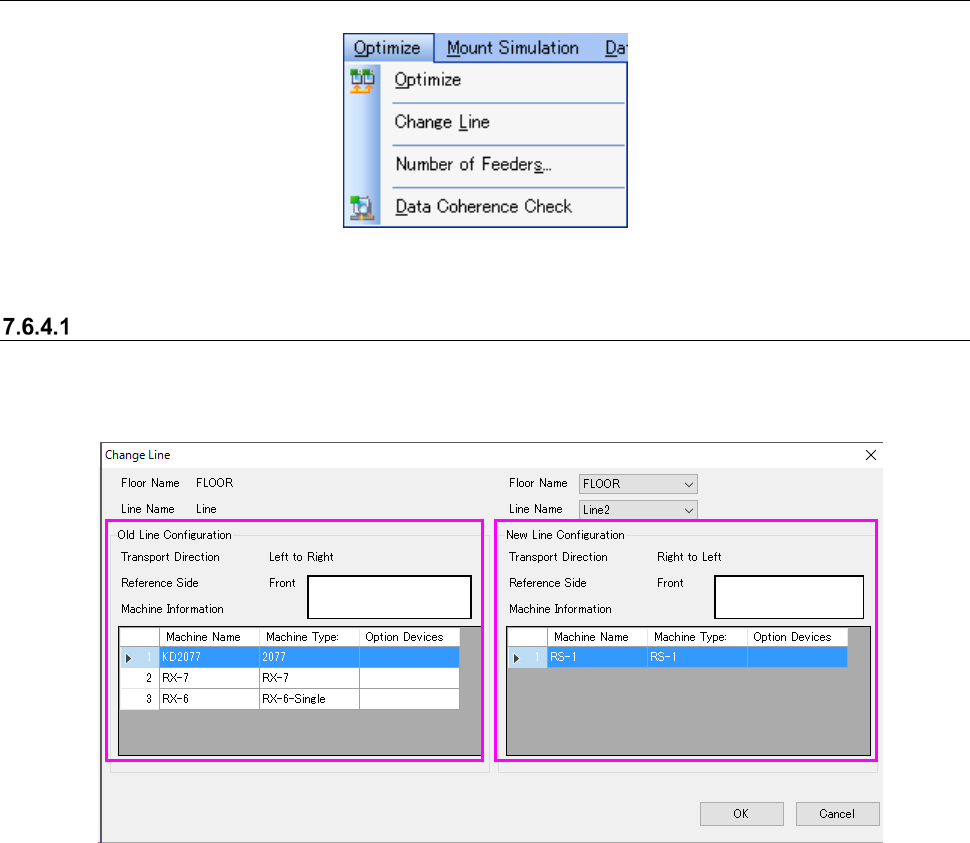
Figure 7.6-24 “Optimize” menu
Change Line
This command changes a production line for which the optimization function is to be performed.
The screen for this command is shown below.
Figure 7.6-25 “Change Line” screens
Before change
After change