JANETS_INM.pdf - 第339页
JaNets In structio n Manual 7. Program Editor 7- 132 7.6.4 Descriptions of the “ Opt imize ” menu commands Figure 7.6 - 24 “ Optimiz e ” menu Change Line This comma nd chang es a product ion lin e for which the opt imiz …
JaNets Instruction Manual 7. Program Editor
7-131
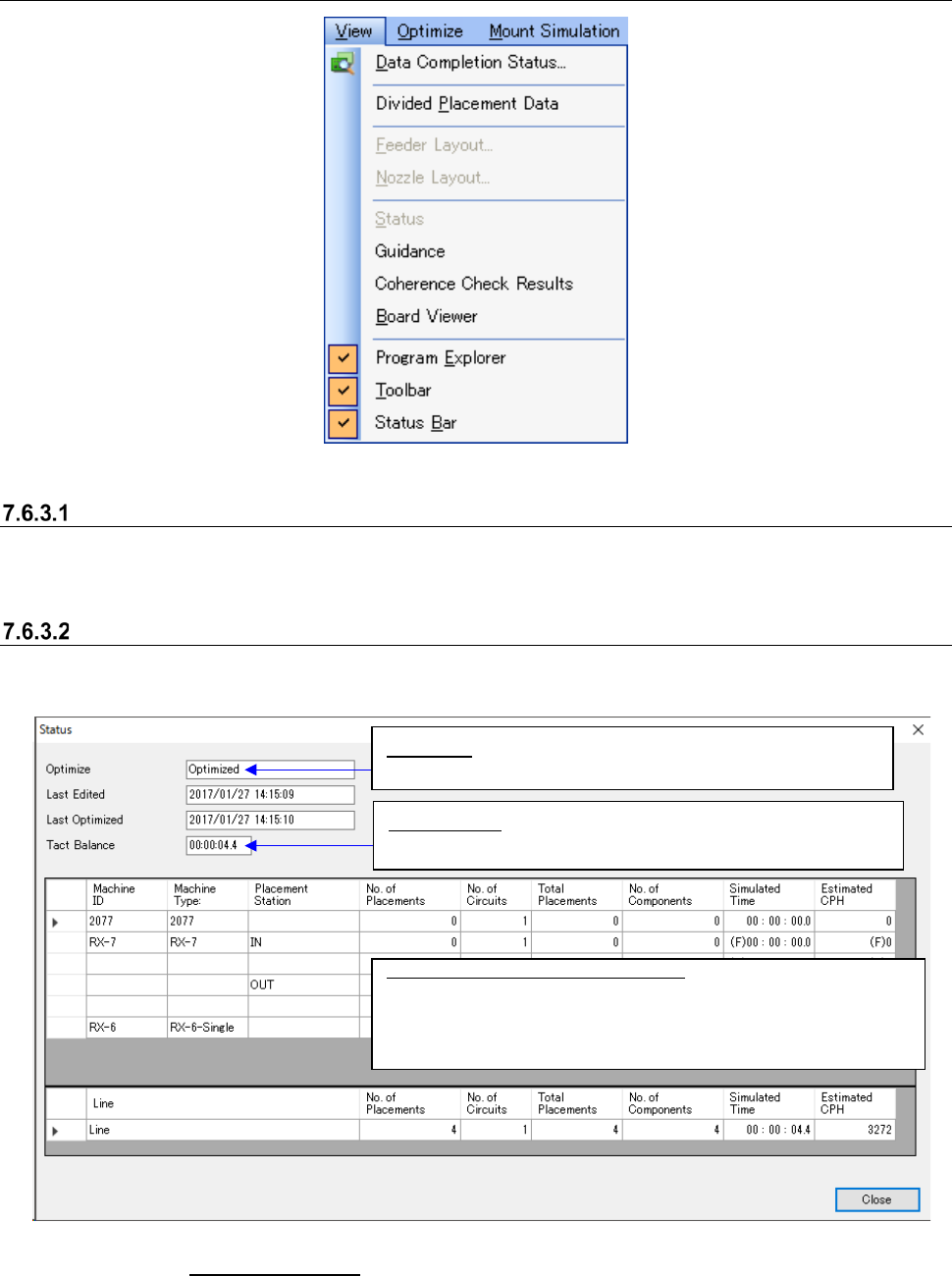
7.6.3 Descriptions of the “View” menu commands
Figure 7.6-22 “View” menu
Divided Placement Data
The placement data assigned to each machine by optimization is displayed.
* In RX-7 series, the input order is not displayed.
Status
This command displays the last optimized result obtained with specifying the “Feed Back” option.
Figure 7.6-23 “Status” screen
* See Section 7.5.1 “Main screen” for the commands [Guidance], [Coherence Check Results] and
[Board Viewer].
Definition of expected tact (cycle time)
RX-6: From right after tightening a PWB clamp to just before
loosening a PWB clamp
RX-7: From right after completing the positioning to just before
starting to unload a PWB
Tact Balance: Displays the difference between the maximum
expected tact (cycle time) and the minimum one.
Optimize:
Displays whether the optimization function was
executed after data was updated.
JaNets Instruction Manual 7. Program Editor
7-132
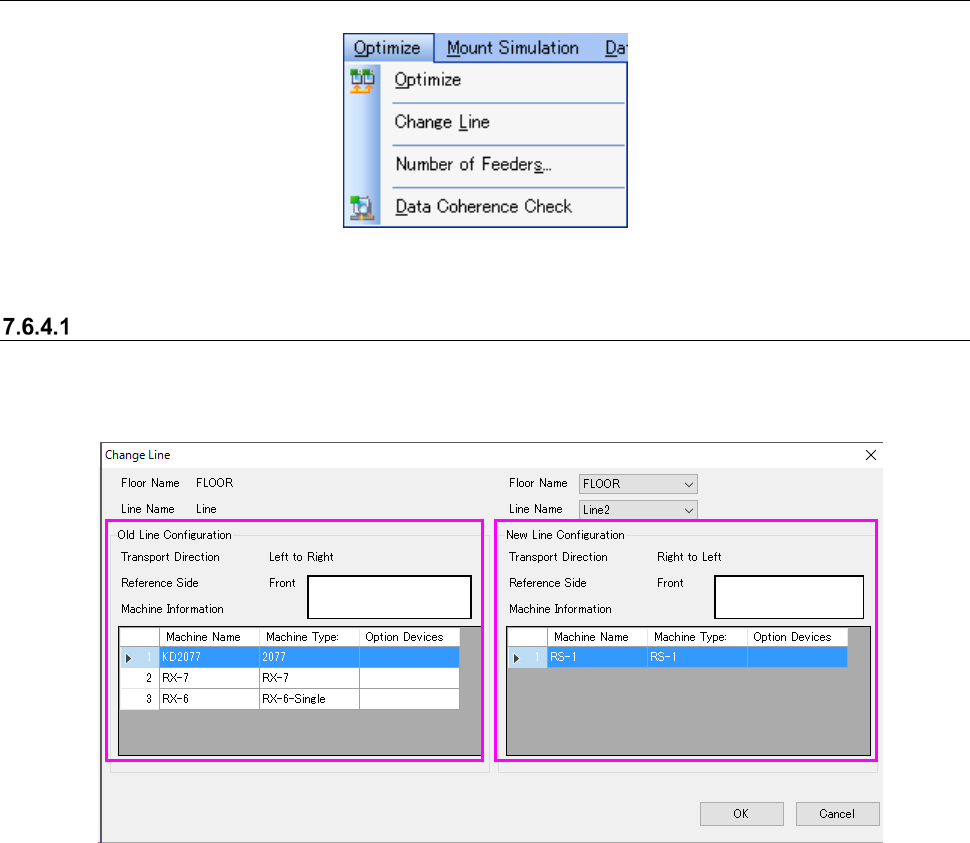
7.6.4 Descriptions of the “Optimize” menu commands
Figure 7.6-24 “Optimize” menu
Change Line
This command changes a production line for which the optimization function is to be performed.
The screen for this command is shown below.
Figure 7.6-25 “Change Line” screens
Before change
After change
JaNets Instruction Manual 7. Program Editor
7-133
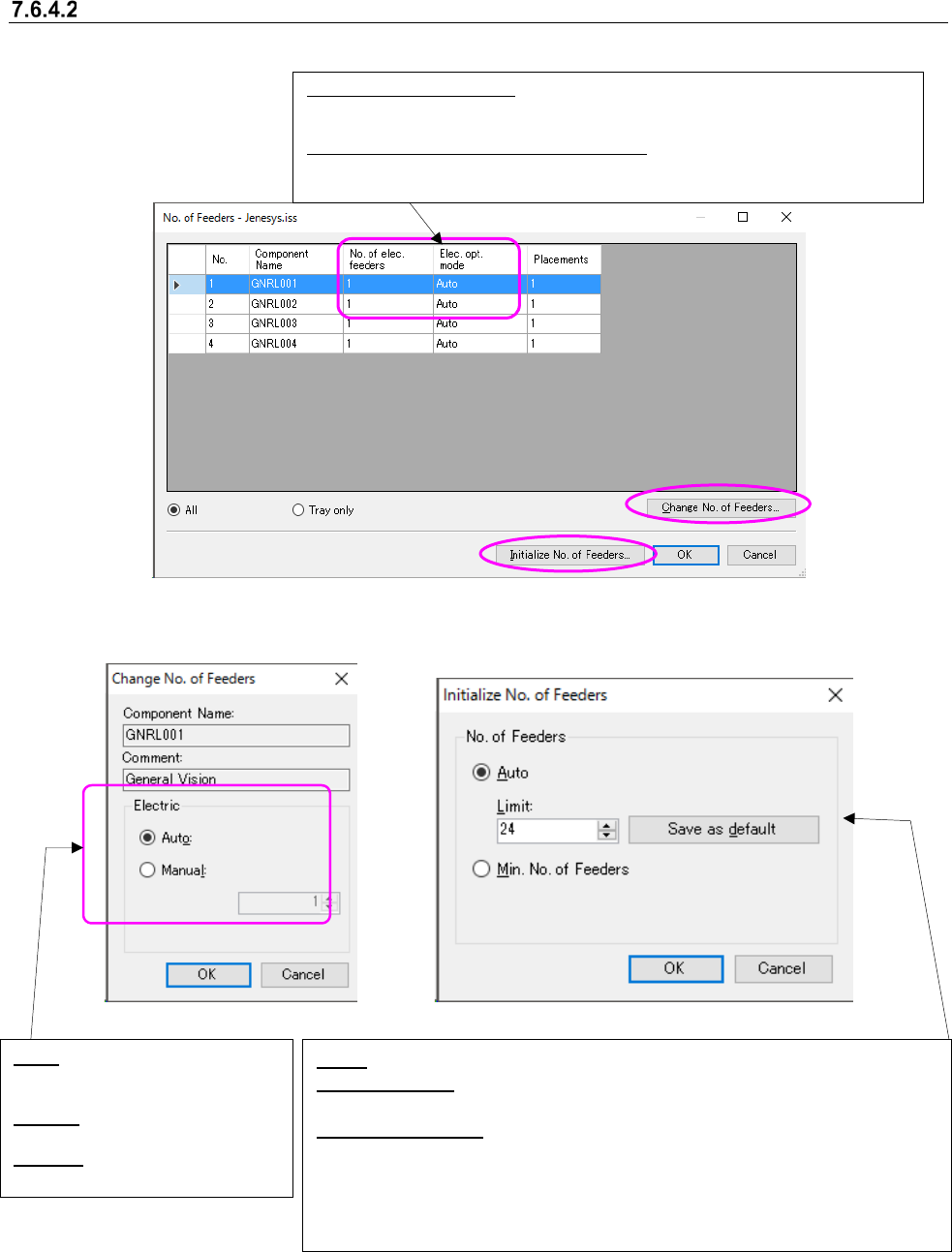
No. of Feeders
This command sets the number of feeders to be used with a machine.
When you select the <Change No. of Feeders> button on the screen above, you can change the
number of feeders. When you select the <Initialize No. of Feeders> button, the system initializes
the number of feeders (see the screens below).
Figure 7.6-26 “No. of Feeders,” “Change No. of Feeders” and “Initialize No. of Feeders” screens
On each of the “No. of Feeders” screen, the “Change No. of Feeders” screen and the “Initialize No.
of Feeders” screen, only the driving method used on the production line is displayed. For exam-
ple, these screens do not display any “Electric” settings for a production line that uses the me-
chanical driving method only.
No. of mech./elec. feeders:
Displays how many feeders are assigned after the optimization. When there
is no pick data, it displays nothing.
Mech./Elec. opt. mode (Optimization Mode):
Displays how the number of feeder is assigned during the optimization.
Auto, Manual or Unused.
Auto: You can specify the upper limit of the number of feeders.
Save as default: Sets the value entered in the “Limit” field as the default upper
limit number.
Min. No. of Feeders: Initializes all the numbers of component supplies to the
total number of pick data of each component or minimum value. Sets the number
of minimum supplies individually for a mechanical feeder and an electric feeder.
Sets the packaging to “Unused,” which cannot be used with the specified drive
method.
Auto: Optimizes according to the
setting of ”Initialize No. of
Feeders”.
Manual: You can specify the
number of feeders.
Unused: Mech./Elec. feeders are
not used.