JANETS_INM.pdf - 第343页
JaNets In structio n Manual 7. Program Editor 7- 136 7.6.5 Descr iptions of the “ Dat abase ” menu commands Figure 7.6 - 29 “ Datab ase ” menu [Re - search] command on the “ Database ” menu This command se arches the dat…
JaNets Instruction Manual 7. Program Editor
7-135
Data Coherence Check
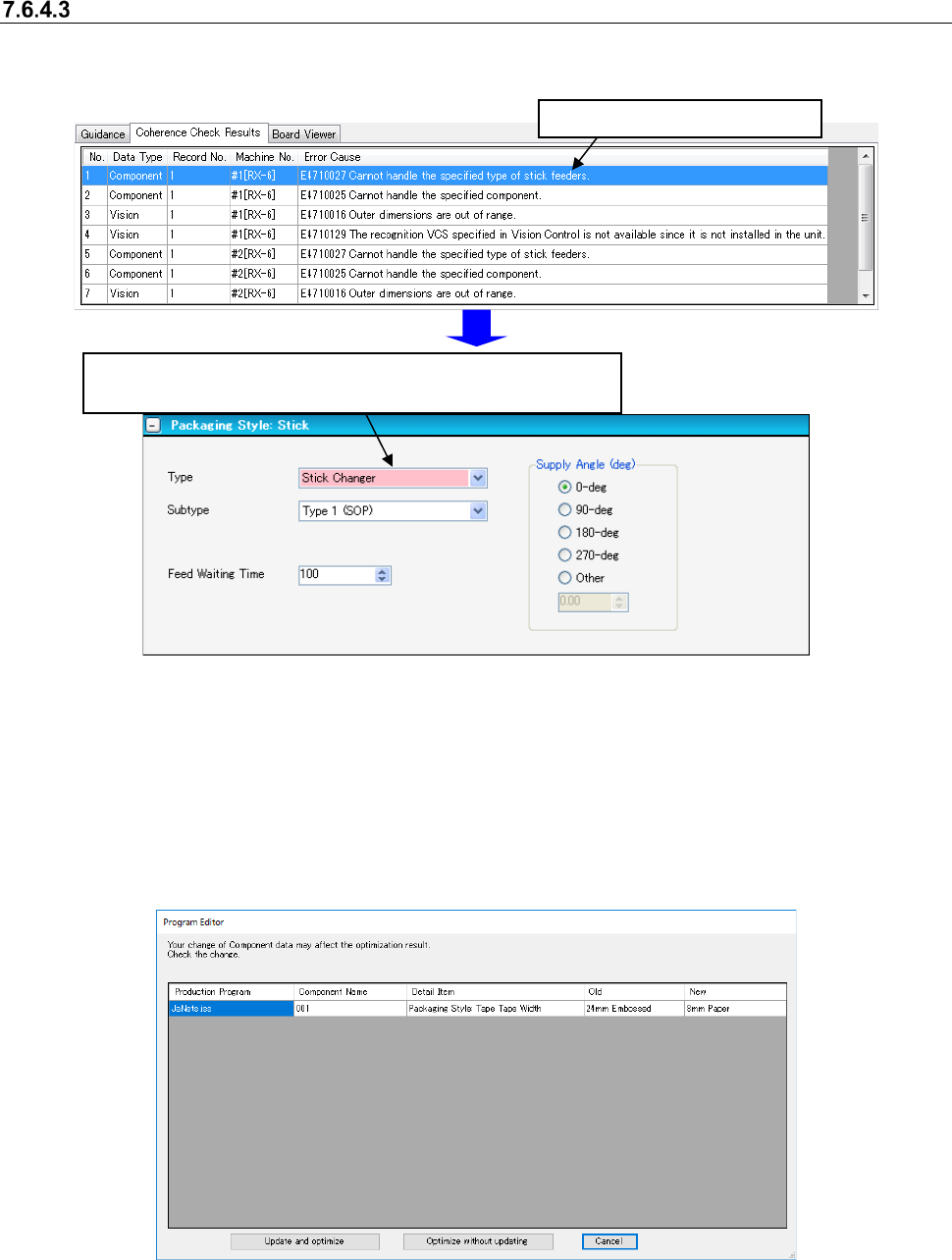
This command performs the coherence check for a created production program. If an error occurs,
the corresponding error message is displayed in the message display area.
Figure 7.6-27 Data coherence check screen
When you select the <Yes>button for the menu item “Automatic batch loading of Mark data” and
for the menu item “Automatic batch loading of Component data” on the “Operation Preferences”
screen invoked from the “Set Environments” screen respectively, data of the same name is ob-
tained from the database before the data coherence check starts.
If any difference such as auto selection of pick data is generated as a result of this data obtaining
operation (for example, the packaging style is different), the dialog box like one shown below ap-
pears on the screen.
Figure 7.6-28 Confirmation screen for changing due to data automatically obtained
Select one of three buttons: <Update and optimize>, which updates data to continue optimization,
<Optimize without updating>, which performs optimization without updating data and <Cancel>.
* See Section 7.8 “Automatically Loading Component Data/Mark Data at a Time” also.
Double-click the error message.
The screen for a component that caused the error appears, and
the corresponding feeder is displayed in red.
JaNets Instruction Manual 7. Program Editor
7-136
7.6.5 Descriptions of the “Database” menu commands
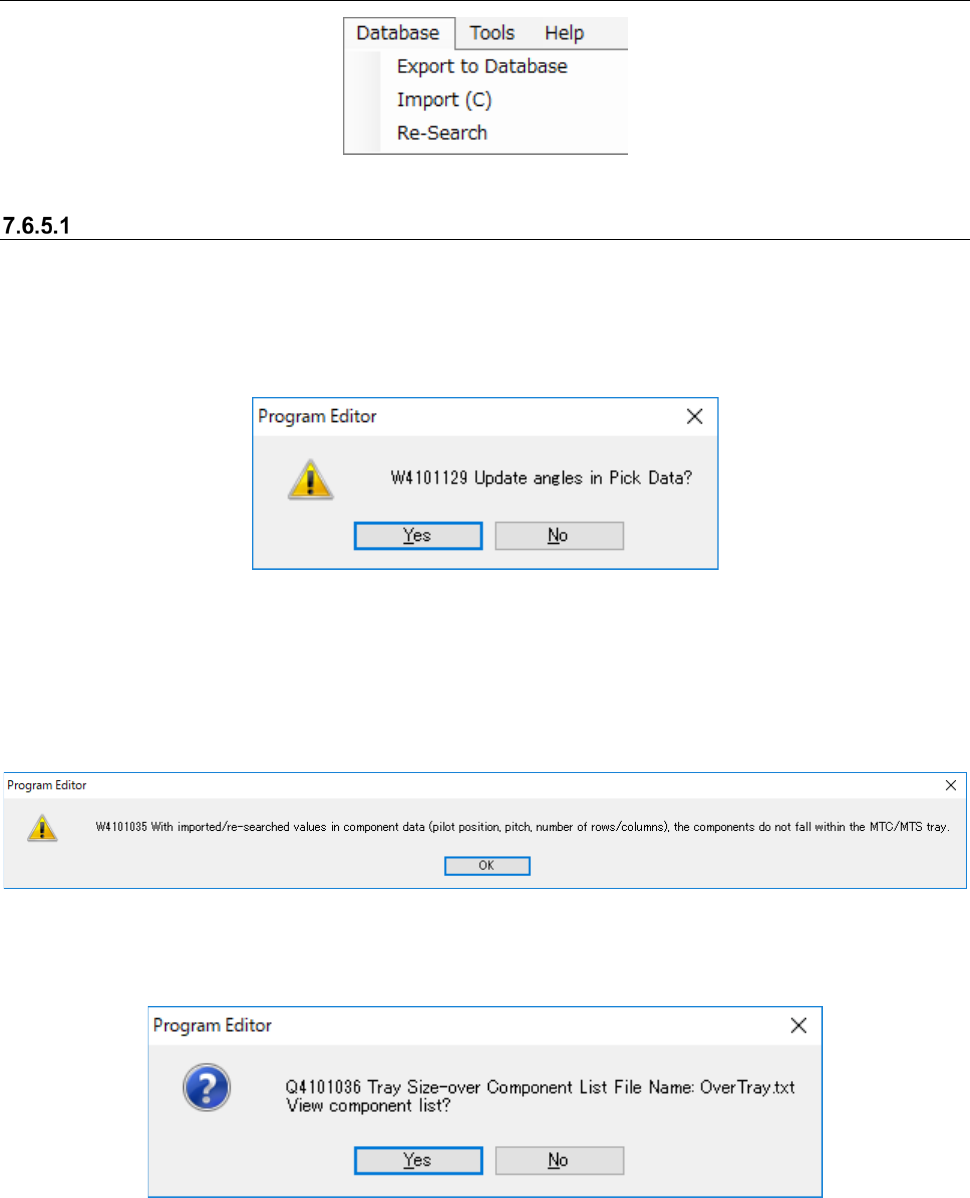
Figure 7.6-29 “Database” menu
[Re-search] command on the “Database” menu
This command searches the database or the permanent information for Component data or Pick
data to update a production program. When you select the [Database] command from the menu
bar, and then the [Re-search] command on the “Database” menu, the following message appears
on the screen.
Figure 7.6-30 Message displayed after you select the [Re-search] command
When the packaging style of the obtained Component data is “Tray,” and its supply unit is an
MTC/MTS, the system calculates the tray size based on the values set in the “Pilot Position,”
“Pitch between Components” and “No. of Columns/Rows” displayed on the “Component Data”
screen. If this size exceeds the actual tray size, the following message appears on the screen.
Figure 7.6-31 “W4101035” message
When you select the <OK> button, the following message appears on the screen.
Figure 7.6-32 “Q4101036” message
JaNets Instruction Manual 7. Program Editor
7-137
The message above asks you whether to display the list of tray size over components or not.
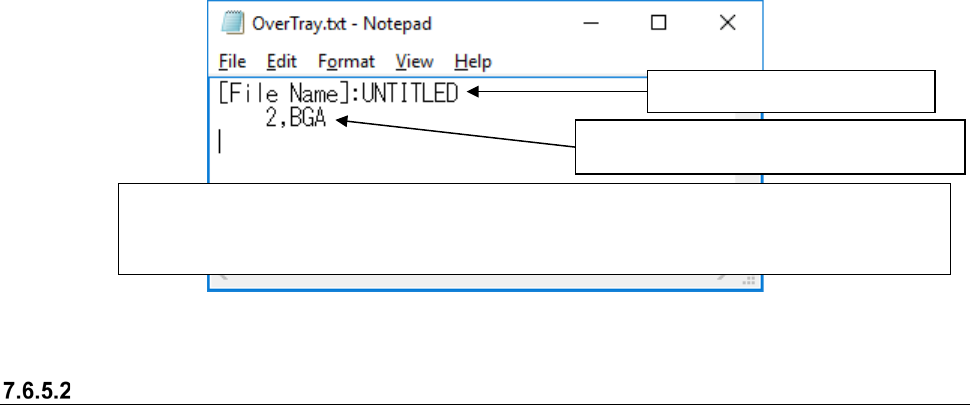
When you select the <Yes> button on this message, the list of the tray size over components ap-
pears on the screen.
Figure 7.6-33 List of the tray size over components
Registering data into the database
The [Export to Database] command registers Component data into the database. To register
Component data into the database, execute this command on the edit screen of the respective
data type.
* You can register neither Pick data nor mark data into the database.
* When you select the “Yes ” radio button for the menu item “Notification of Database Entry Com-
pletion” on the “Set Environments” screen, the corresponding message appears on the screen.
* For a tray component, if any of values set in the “Pilot Position,” “Pitch between Components” and
“No. of Columns/Rows” of the “Packaging Style” data of the obtained Component data is different
from that of the existing data, the error message appears on the screen.
Production program name
Component data record number and com-
ponent name