JANETS_INM.pdf - 第351页
JaNets In structio n Manual 7. Program Editor 7- 144 (5) L ist D ispl ay (P ick Lis t) W hen you sel ect “ Pi ck List, ” you can display or hide each ite m on the “ Pick List ” screen. Figure 7.6 - 41 “ Set Environments …
JaNets Instruction Manual 7. Program Editor
7-143
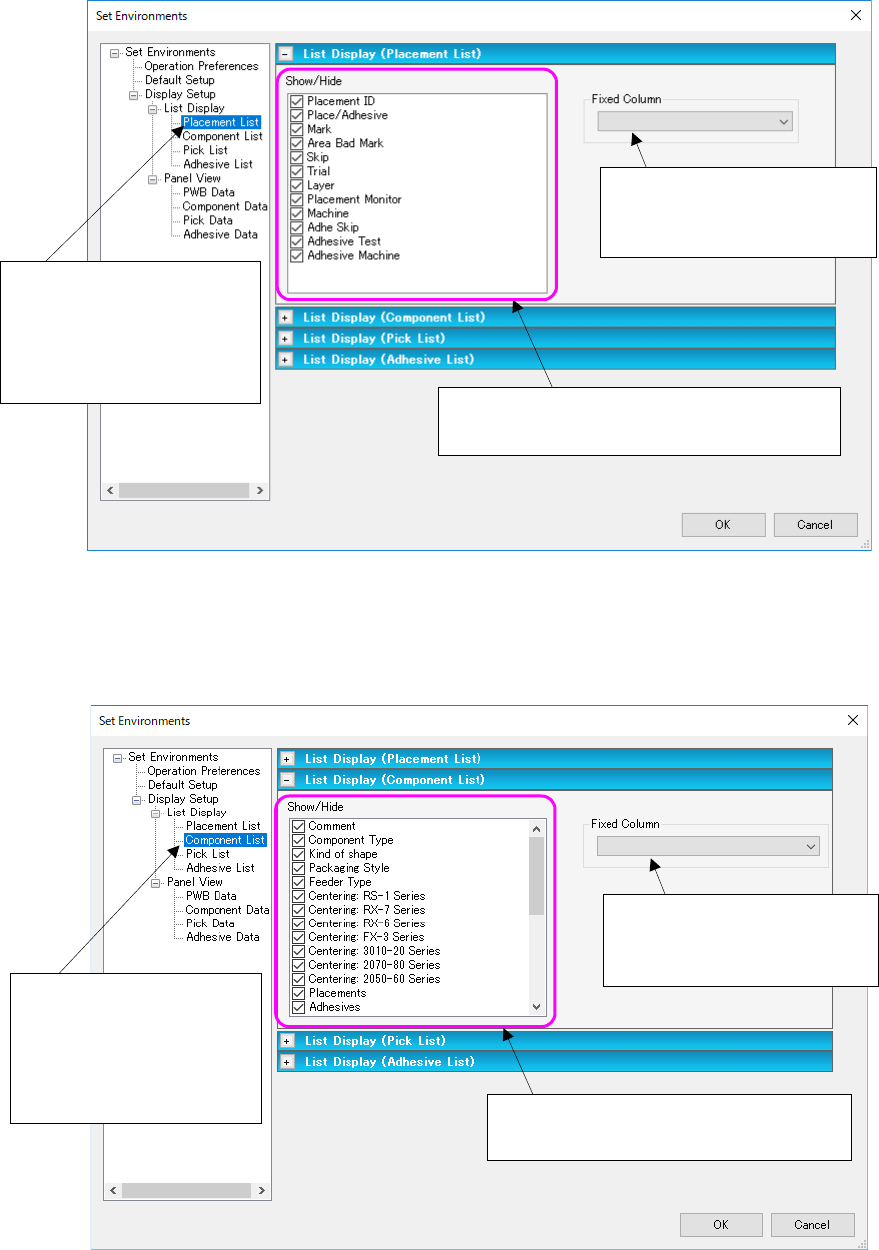
(3) List Display (Placement List)
When you select “Placement List,” you can display or hide each item on the “Placement List”
screen.
Figure 7.6-39 “Set Environments (Placement List)” screen
(4) List Display (Component List)
When you select “Component List,” you can display or hide each item on the “Component List”
screen.
Figure 7.6-40 “Set Environments (Component List)” screen
Select “Display Setup” from
the tree view, “List Display”
and then “Placement List” to
display the “List Display
(Placement List)” screen.
The checked items are to be displayed on the
“Placement Data” list screen.
Set the number of the item
fixed (always displayed) when
you scroll the list screen.
Select “Display Setup” from
the tree view, “List Display”
and then “Component List”
to display the “List Display
(Component List)” screen.
The checked items are to be displayed on
the “Component Data” list screen.
Set the number of the item
fixed (always displayed) when
you scroll the list screen.
JaNets Instruction Manual 7. Program Editor
7-144
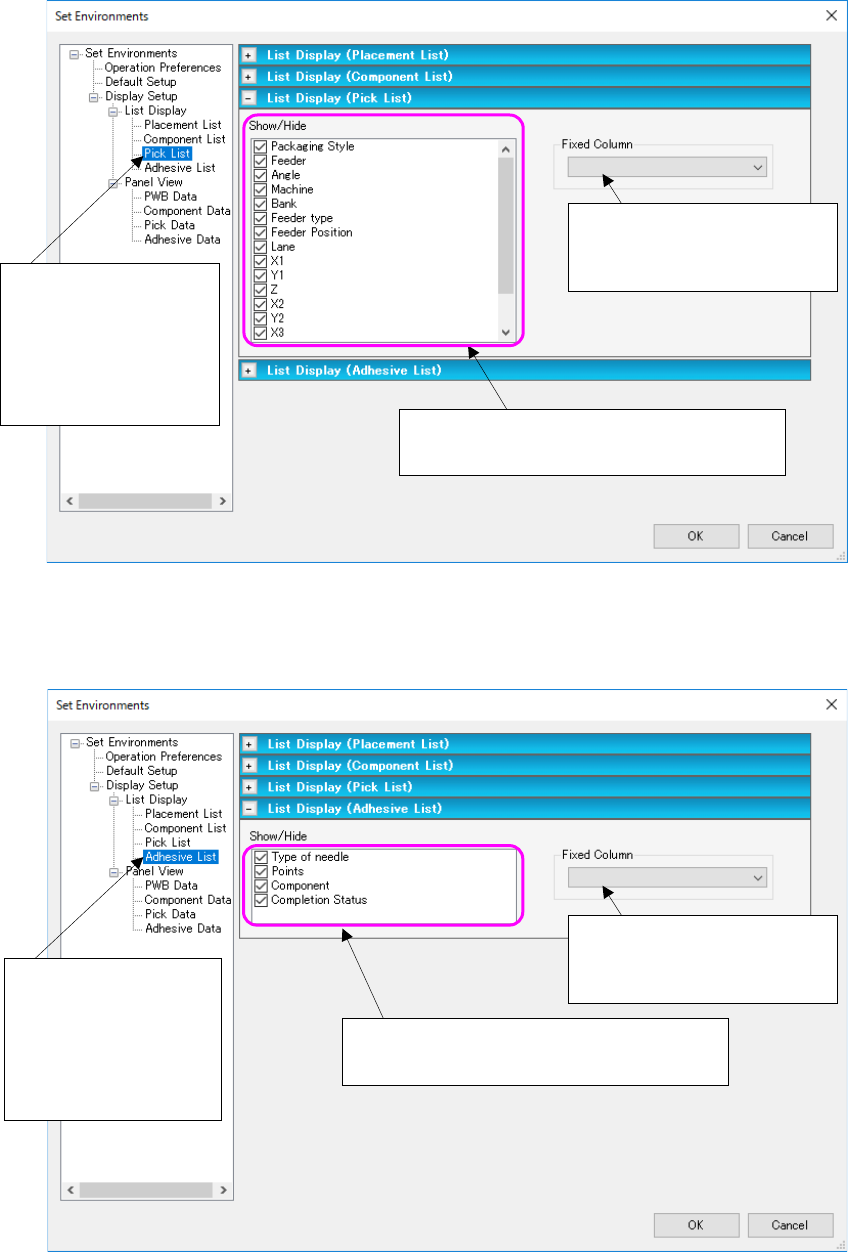
(5) List Display (Pick List)
When you select “Pick List,” you can display or hide each item on the “Pick List” screen.
Figure 7.6-41 “Set Environments (Pick List)” screen
(6) List display (Adhesion list)
This is a screen to set the display/no display of adhesion list screen items.
Figure 7.6-42 “Set Environments (Adhesion list)” screen
Set the number of the item
fixed (always displayed) when
you scroll the list screen.
The checked items are to be displayed on
the “Pick Data” list screen.
Select “Display Setup”
from the tree view, “List
Display” and then “Pick
List” to display the “List
Display (Pick List)”
screen.
Set the number of the item
fixed (always displayed) when
you scroll the list screen.
The checked items are to be displayed on
the “Adhesion Data” list screen.
Select “Display Setup”
from the tree view, “List
Display” and then “Pick
List” to display the “List
Display (Adhesion list)”
screen.
JaNets Instruction Manual 7. Program Editor
7-145
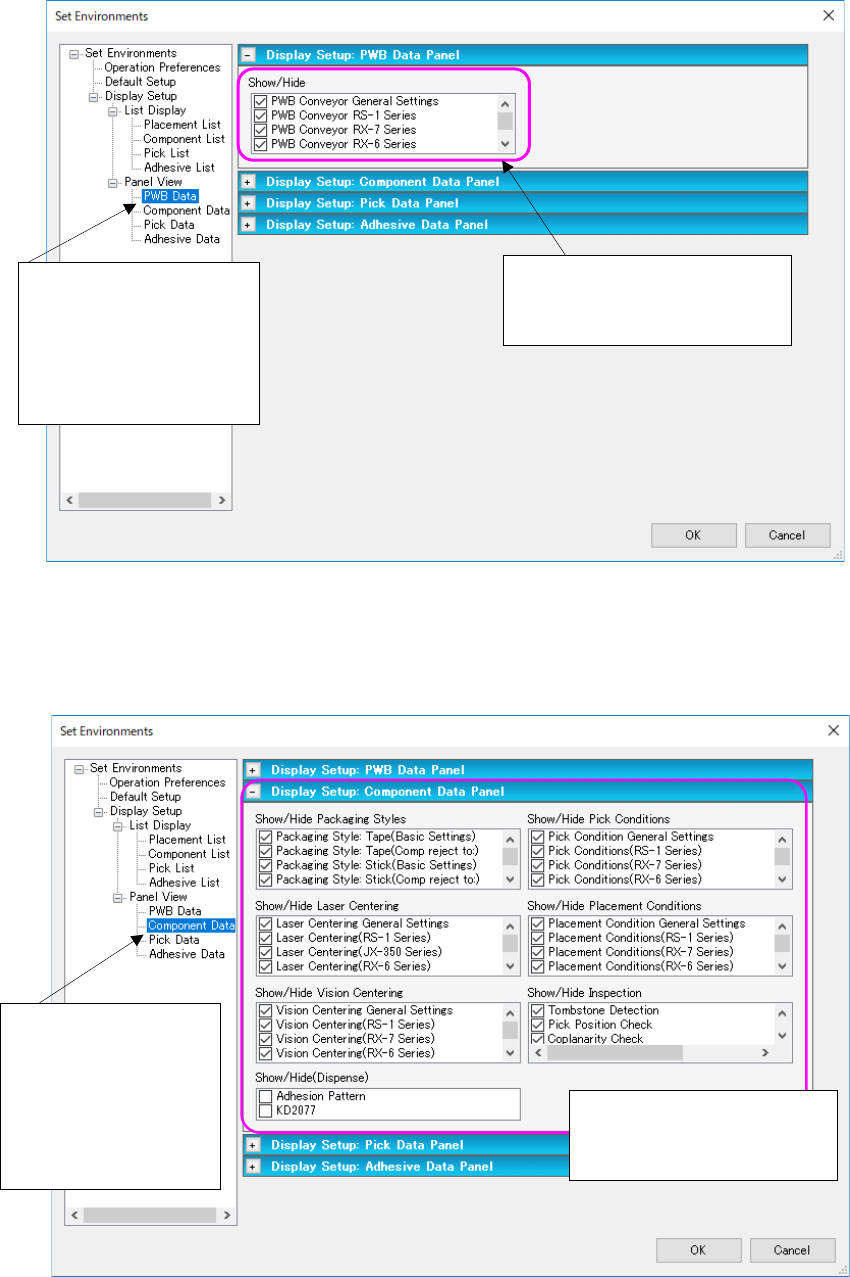
(7) Display Setup (PWB Data Panel)
This is a screen to set the display/no display of the PWB data panel.
Figure 7.6-43 “Display Setup: PWB Data Panel” screen
(8) Display Setup (Component Data Panel)
When you select “Panel View,” and then “Component Data,” you can display or hide the
Component data panel.
Figure 7.6-44 “Display Setup: Component Data Panel” screen
When you check each check
box, the corresponding data
entry panel opens.
Select “Display Setup”
from the tree view,
“Panel View” and then
“Component Data” to
display the “Display
Setup: Component Da-
ta Panel” screen.
Select “Display Setup”
from the tree view, “Panel
View” and then “PWB
Data” to display the “Dis-
play Setup: PWB Data
Panel” screen.
When you check each check
box, the corresponding data
entry panel opens.