JANETS_INM.pdf - 第396页
JaNets Instr ucti on Man ual 8. Job Optim izer 8- 11 Figure 8.3 - 16 Main scr een – Reservat ion list (when there is a production progr am that does not e xist) Figure 8.3 - 17 Main scr een – Reservat io n list ( when th…
JaNets Instruction Manual 8. Job Optimizer
8-10
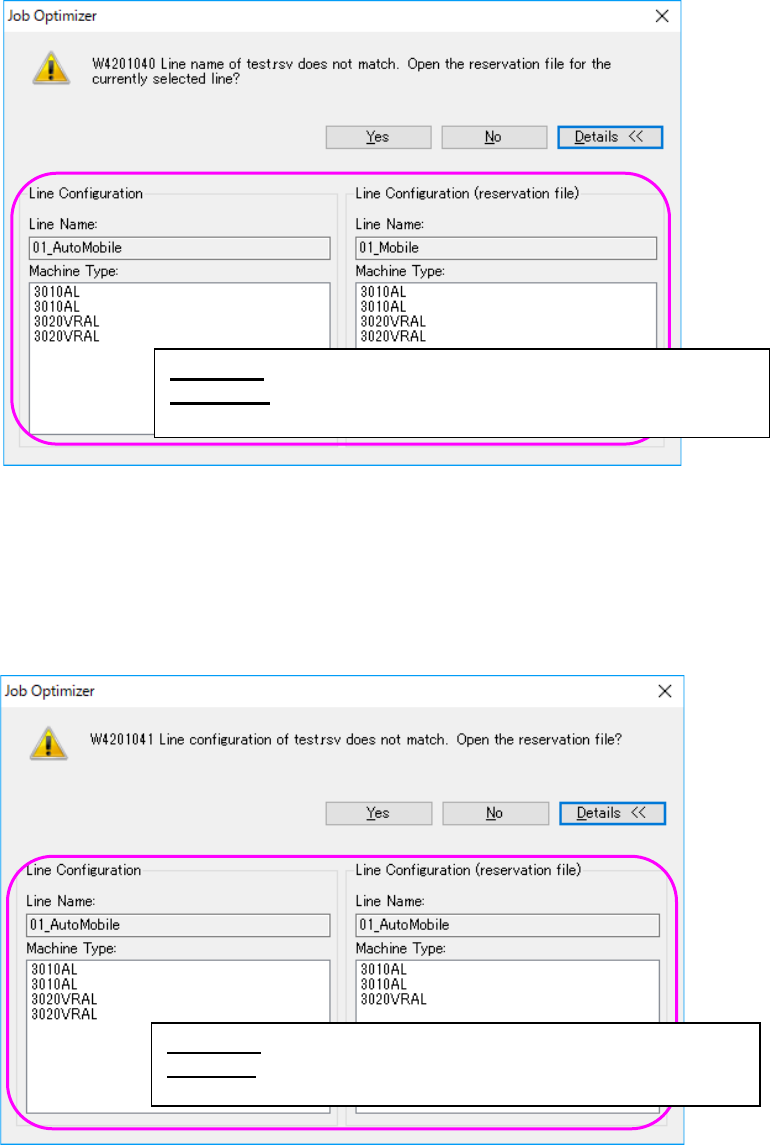
If the line name of the reservation file does not exist, the following message appears on the
screen.
Figure 8.3-14 “Line name confirmation” message (display of the Line Configuration)
If the configuration of the current line is different from that of the line that existed when you created
the reservation file, the following message appears on the screen. Each item, such as the number
of machines, the machine type, the number of stations, the number of feeder banks and the feeder
bank type, needs to be the same.
Figure 8.3-15 “Line configuration confirmation” message
(display of the Line Configuration)
<Yes> : Opens the reservation file of the line being selected.
<Details>: Displays the line configuration of the database and that
of the reservation file.
<Yes> : Opens the reservation file of the line being selected.
<Details>: Displays the line configuration of the database and
that of the reservation file.
JaNets Instruction Manual 8. Job Optimizer
8-11
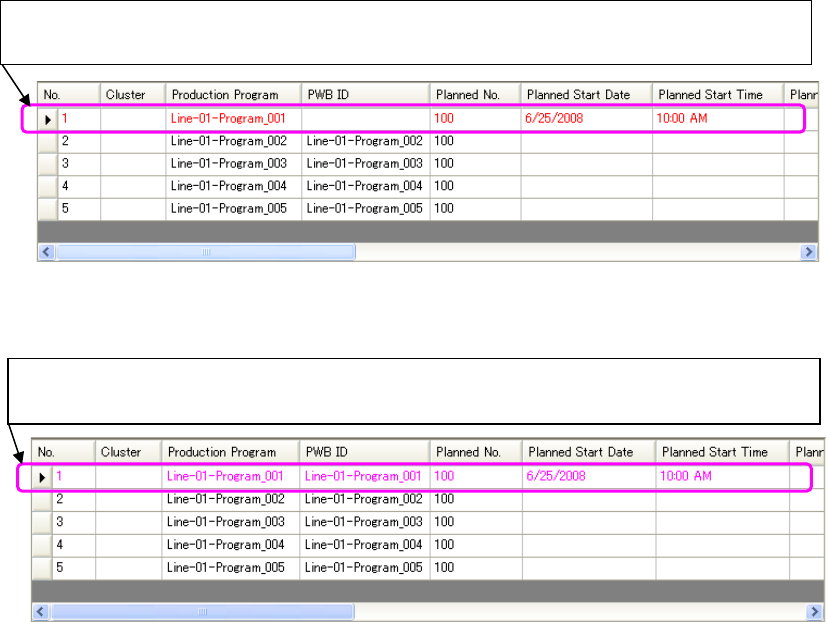
Figure 8.3-16 Main screen – Reservation list
(when there is a production program that does not exist)
Figure 8.3-17 Main screen – Reservation list
(when there is a production program whose data has not been completely created)
* You can neither save nor optimize a Reservation list that contains a production program whose
data has not been completely created or that does not exist. Cancel your editing of the
reservation file, or delete a production program(s) that does (do) not exist before saving or
optimizing such a Reservation list.
A production program whose data has not been completely created is displayed in pink
in the Reservation list.
A production program that does not exist in the Reservation list is displayed in red. Since
the PWB ID is obtained from a production program, it is not displayed on the screen.
JaNets Instruction Manual 8. Job Optimizer
8-12
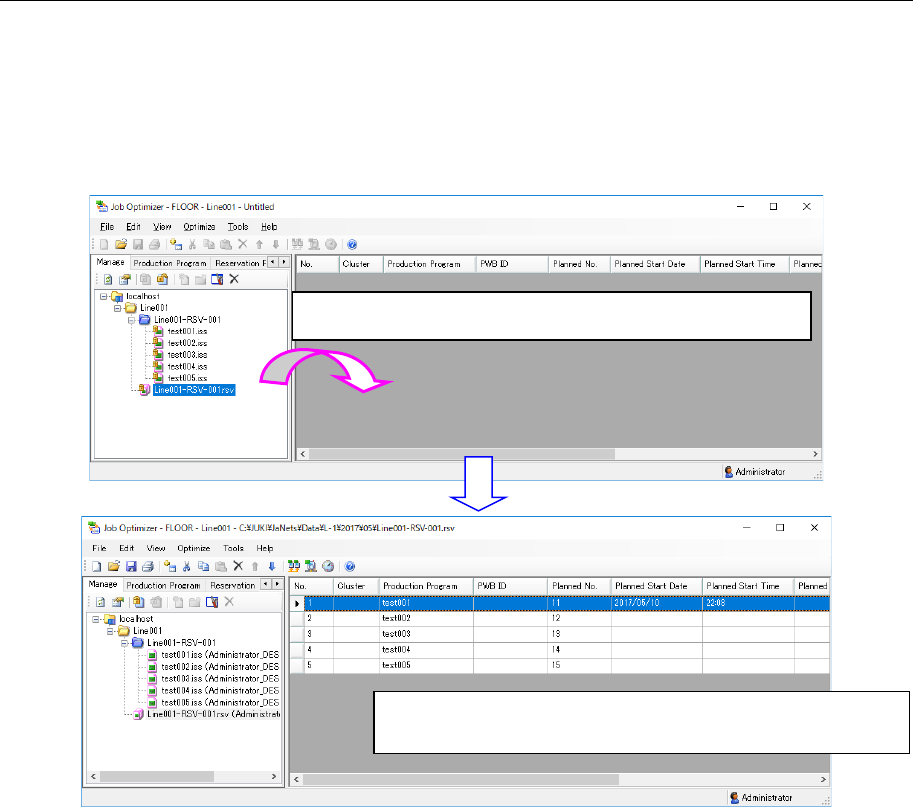
8.3.7.2 Opening a reservation file from a database
Select a reservation file on the “Manage” tab or the “Reservation File” tab of the Program Explorer,
and then drag and drop it to the reservation list.
The Program Explore checks out or gets the selected reservation file, and then displays it in the
reservation list.
When you open the reservation file, the production line used when the reservation file was created
is automatically selected.
Figure 8.3-18 [File] – [New]
Drag & drop a reservation file from the Explorer area.
The Program Explorer checks out or gets the reservation file
dragged & dropped to display it.