JANETS_INM.pdf - 第40页
JaNets Instr ucti on Man ual 2. Install ation 2- 12 (6) When the JaNe ts fini shes being ins talled on t he P C, the f ollowing scr een ap pears. Click the <Finish> b utton. Finish insta lling the JaNe ts on the PC…
JaNets Instruction Manual 2. Installation
2-11
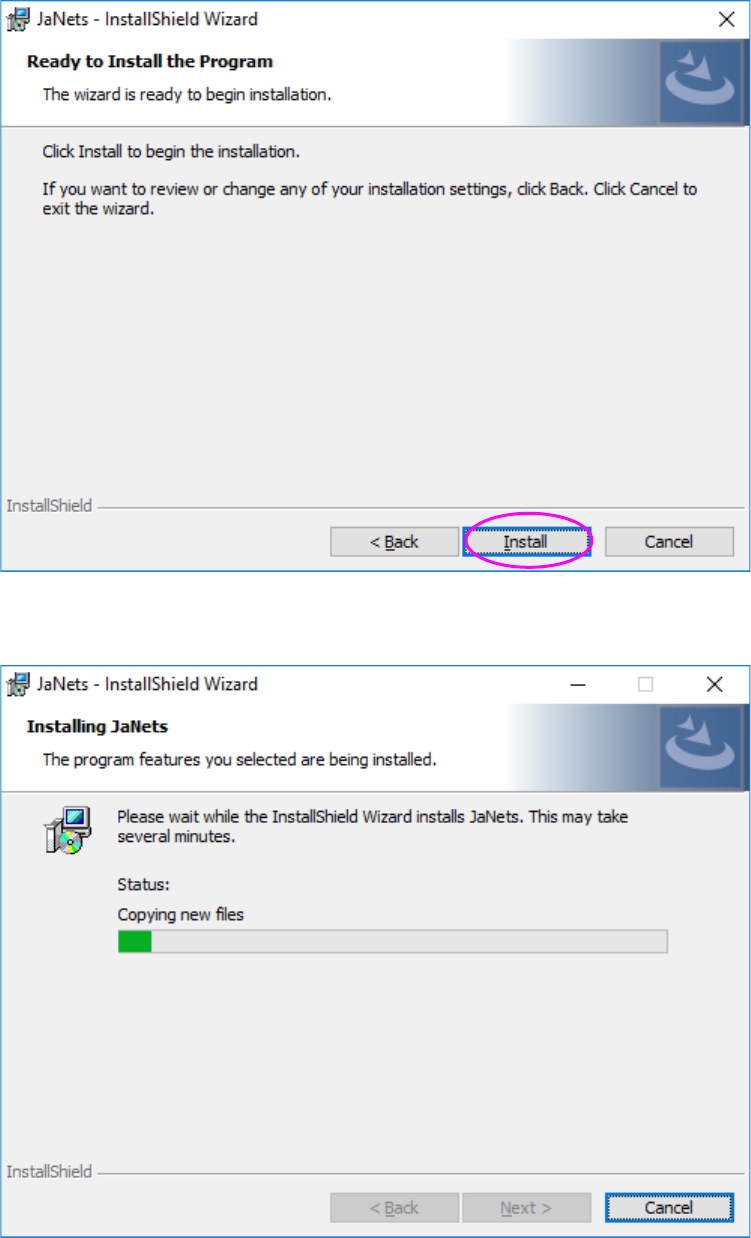
(4) When you click the <Install> button, the screen shown in Figure 2.7.6-6 appears and
installation starts.
(5) The JaNets is being installed on the PC.
JaNets Instruction Manual 2. Installation
2-12
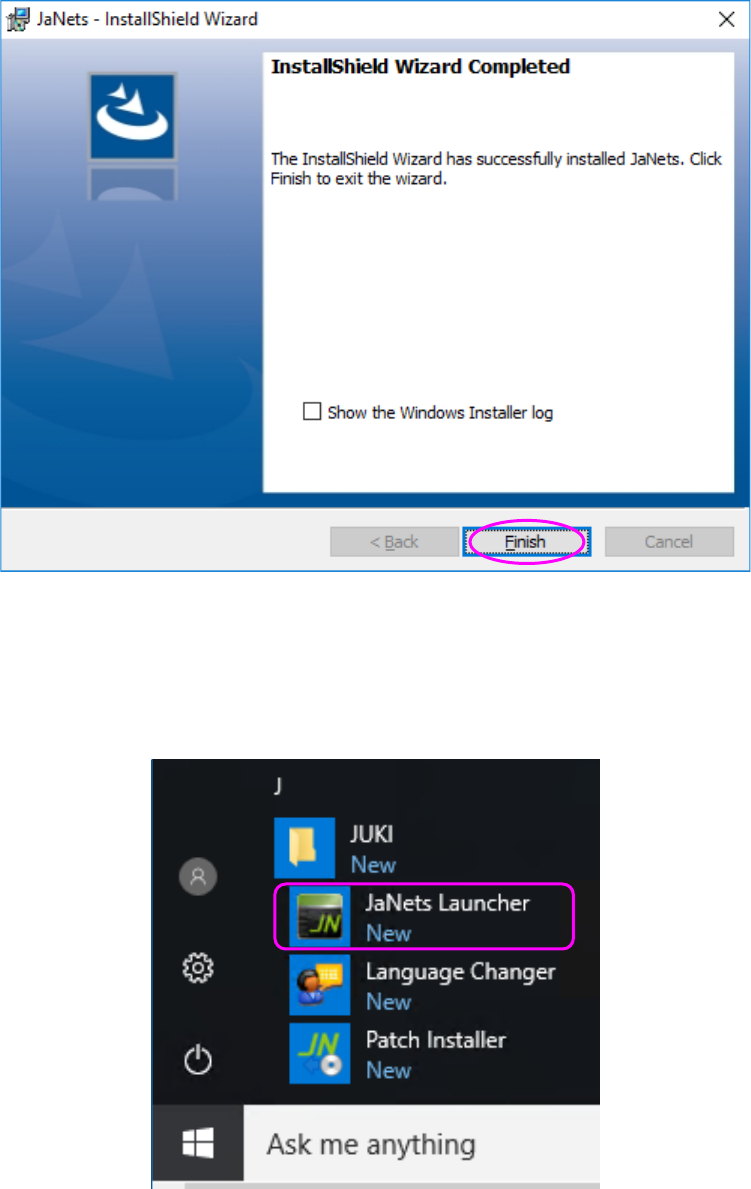
(6) When the JaNets finishes being installed on the PC, the following screen appears. Click the
<Finish> button.
Finish installing the JaNets on the PC.
You have finished installing the JaNets on the PC at this point.
[Start] – [JUKI] – [JaNets Launcher] is created.
JaNets Instruction Manual 2. Installation
2-13
2.1.4 Procedure for Installing the JaNets to upgrade it
* Before starting the installation of an JaNets, make sure that the protection module (USB) is
removed from the PC.
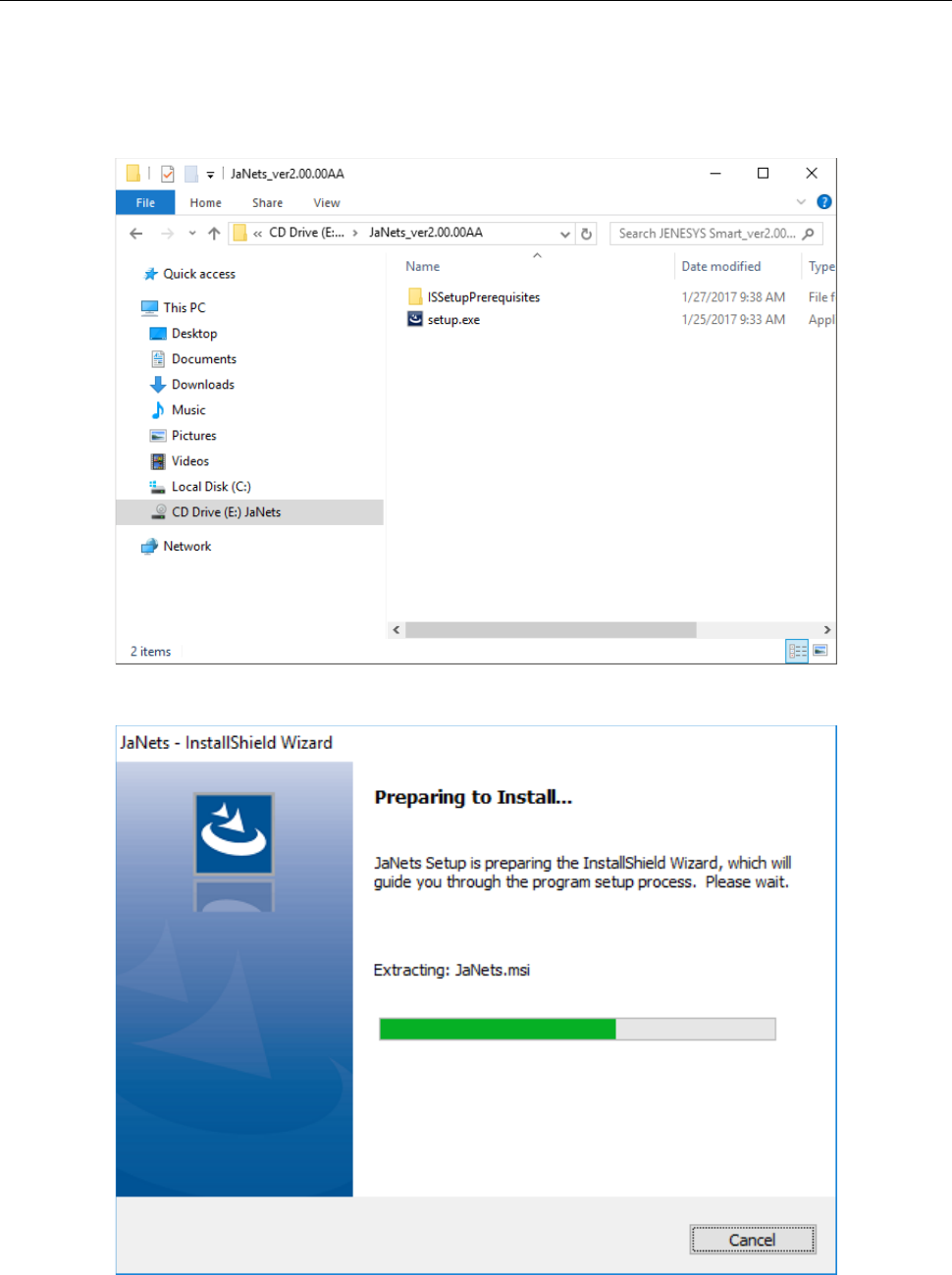
(1) Insert the JaNets Disk into the CD-ROM Drive.
Start up “Setup.exe” in the installation CD.
(2) The installer is being started up.