JANETS_INM.pdf - 第401页
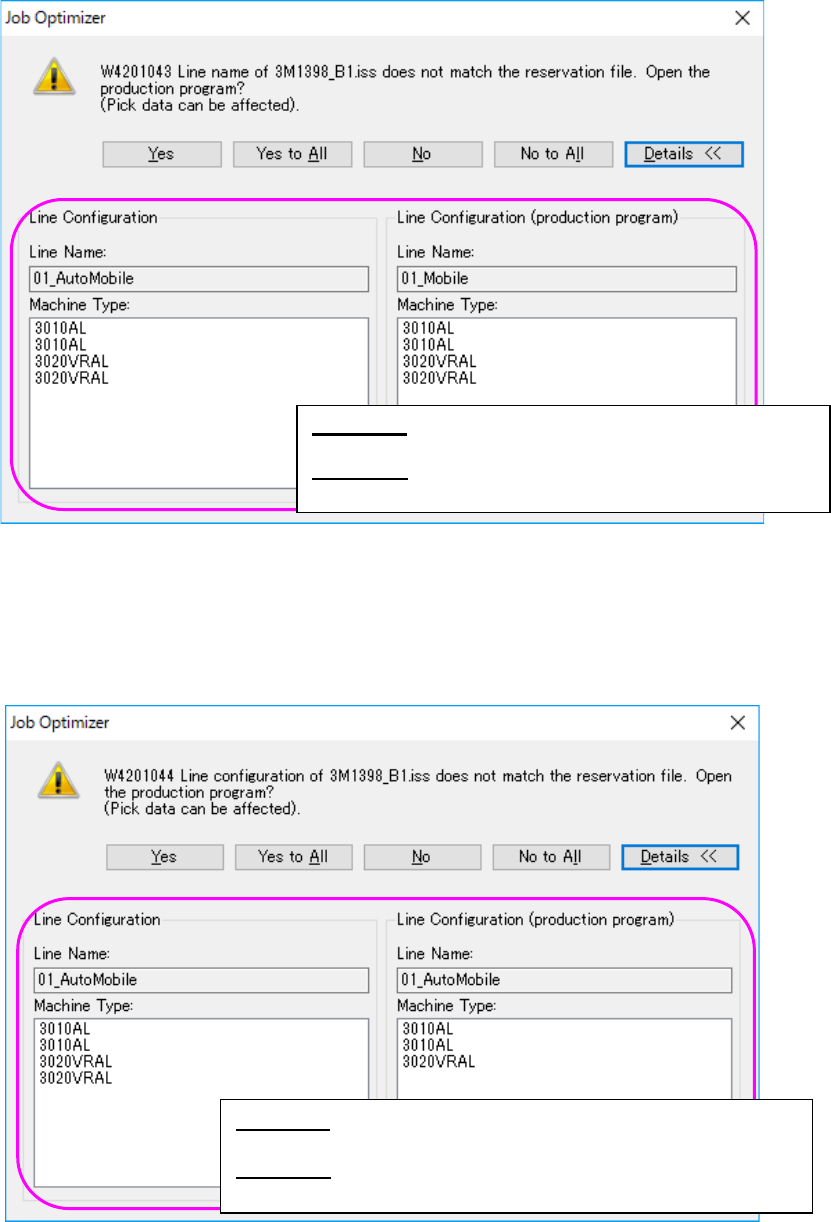
JaNets Instr ucti on Man ual 8. Job Optim izer 8- 16 If the line nam e of the pro duction pr ogram is n ot the sam e as that of the reser vation fi le, the followin g message ap pears on the scree n. Figure 8.3 - 23 “ Li…
JaNets Instruction Manual 8. Job Optimizer
8-15
Adding a production program
8.3.8.1 Adding a production program from the local
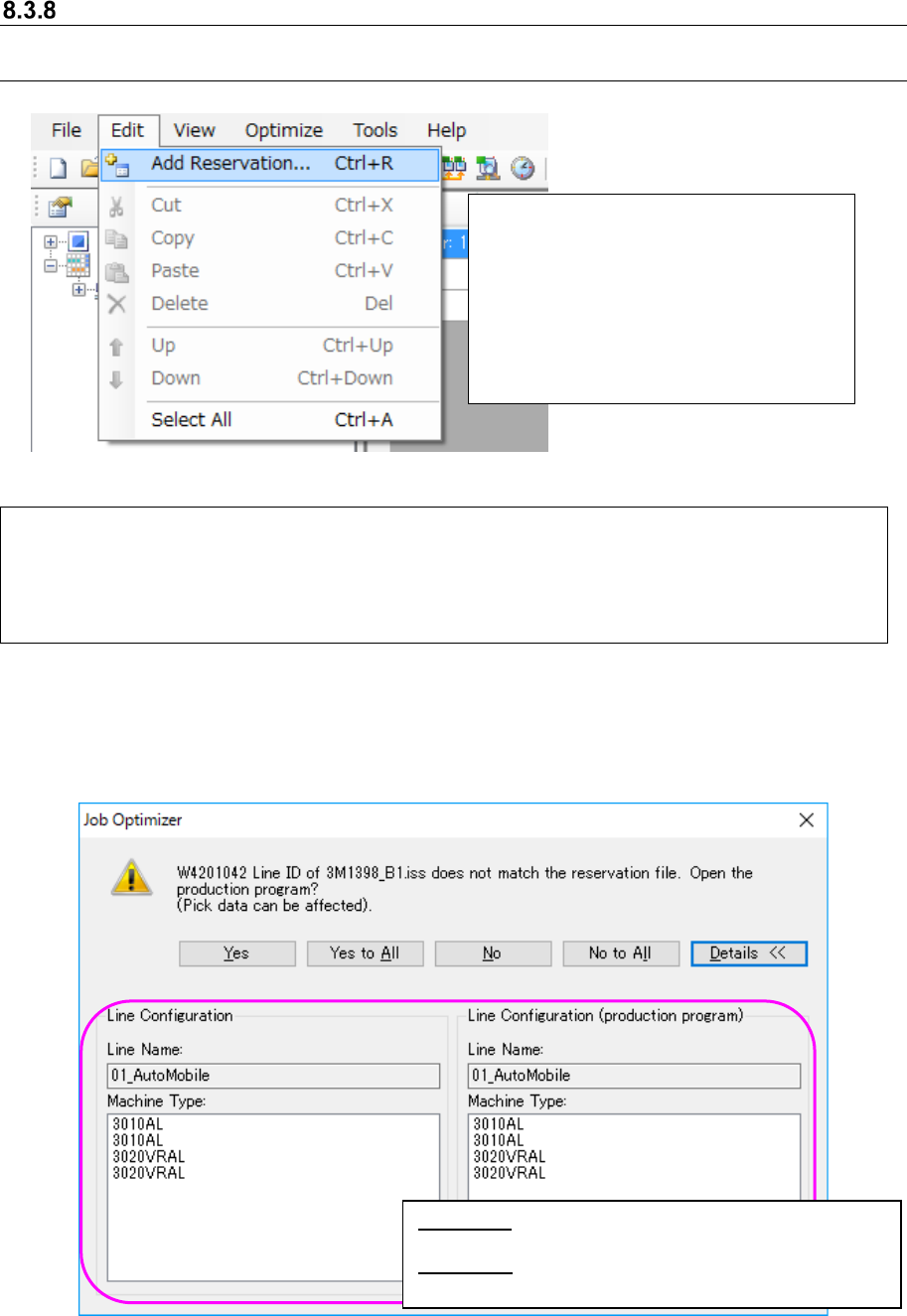
Figure 8.3-21 [Edit] – [Add Reservation]
If the line ID of a production program is not the same as that of the reservation file, the following
message appears on the screen.
Figure 8.3-22 “Line ID confirmation” message (display of the Line Configuration)
Select the [Edit] command, and then the [Add Reservation] command. → The “Add Reservation”
dialog box appears on the screen.
* As the initial folder of the “Add Reservation” dialog box, the “production program folder of the
selected line (to be set with “Shop Floor Setup”)” opens.
Example: C:
\
Juki
\
JaNets
\
Data
\
Line001
\
Prg
\
Select a production program to be
added on the “Add Reservation” dialog
box (or select two or more production
programs with the “Ctrl” key and the
“Shift” key) held, and then press the
<OK> button. The selected production
program(s) is (are) added to the end of
the reservation list.
<Yes> : Opens a production program on the line
currently selected.
<Details>: Displays the line configuration of the
database and that of the production
JaNets Instruction Manual 8. Job Optimizer
8-16
If the line name of the production program is not the same as that of the reservation file, the
following message appears on the screen.
Figure 8.3-23 “Line name confirmation” message (display of the Line Configuration)
If the configuration of the line of the production program is different from that of the reservation file,
the following message appears on the screen. Each item, such as the number of machines, the
machine type, the number of stations, the number of feeder banks and the feeder bank type,
needs to be the same.
Figure 8.3-24 “Line configuration confirmation” message
(display of the Line Configuration)
<Yes> : Opens a production program on the line
currently selected.
<Details>: Displays the line configuration of the
database and that of the production program.
<Yes> : Opens a production program on the line currently
selected.
<Details>: Displays the line configuration of the database and
that of the production program.
JaNets Instruction Manual 8. Job Optimizer
8-17
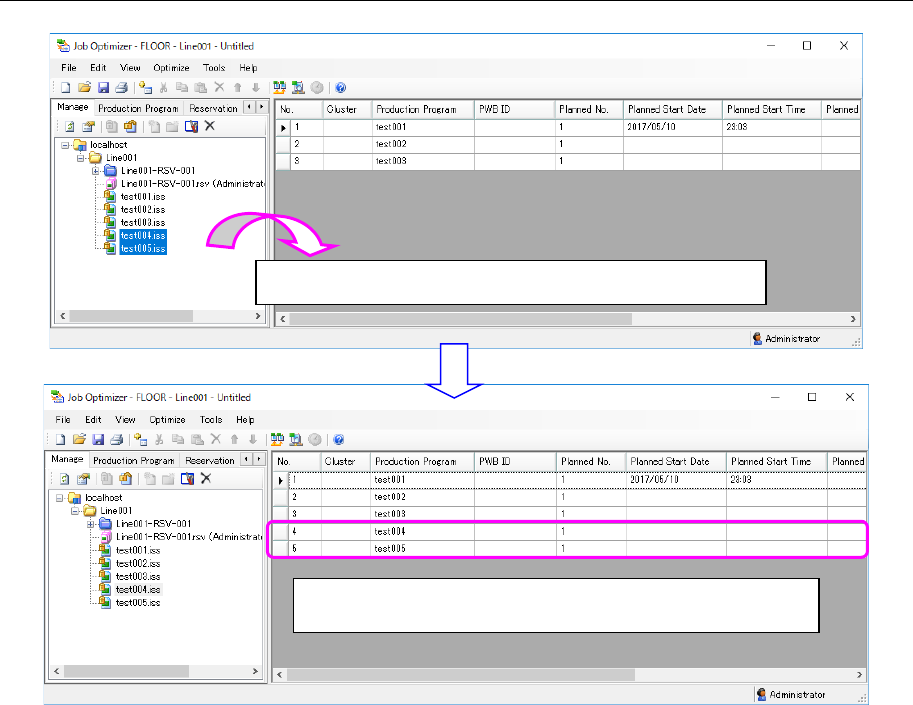
8.3.8.2 Adding a production program from a database
Figure 8.3-25 Main screen (Adding a production program)
Drag & drop a production program from the Explorer area.
The production program you dragged & dropped is added to
the last line.