JANETS_INM.pdf - 第402页
JaNets Instr ucti on Man ual 8. Job Optim izer 8- 17 8.3.8 .2 Adding a production program from a database Figure 8.3 - 25 Main screen (Adding a pr oduction program ) Drag & dro p a produ ction pr ogram from the E xpl…
JaNets Instruction Manual 8. Job Optimizer
8-16
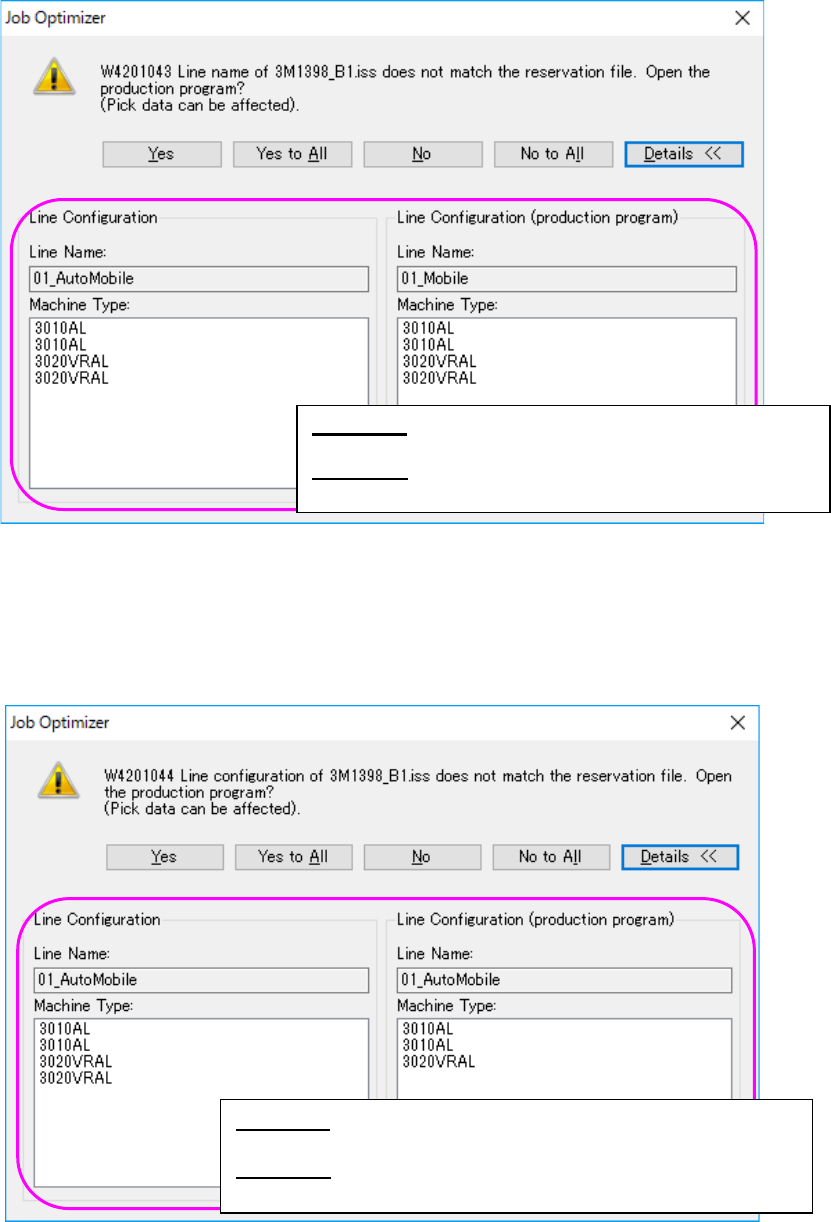
If the line name of the production program is not the same as that of the reservation file, the
following message appears on the screen.
Figure 8.3-23 “Line name confirmation” message (display of the Line Configuration)
If the configuration of the line of the production program is different from that of the reservation file,
the following message appears on the screen. Each item, such as the number of machines, the
machine type, the number of stations, the number of feeder banks and the feeder bank type,
needs to be the same.
Figure 8.3-24 “Line configuration confirmation” message
(display of the Line Configuration)
<Yes> : Opens a production program on the line
currently selected.
<Details>: Displays the line configuration of the
database and that of the production program.
<Yes> : Opens a production program on the line currently
selected.
<Details>: Displays the line configuration of the database and
that of the production program.
JaNets Instruction Manual 8. Job Optimizer
8-17
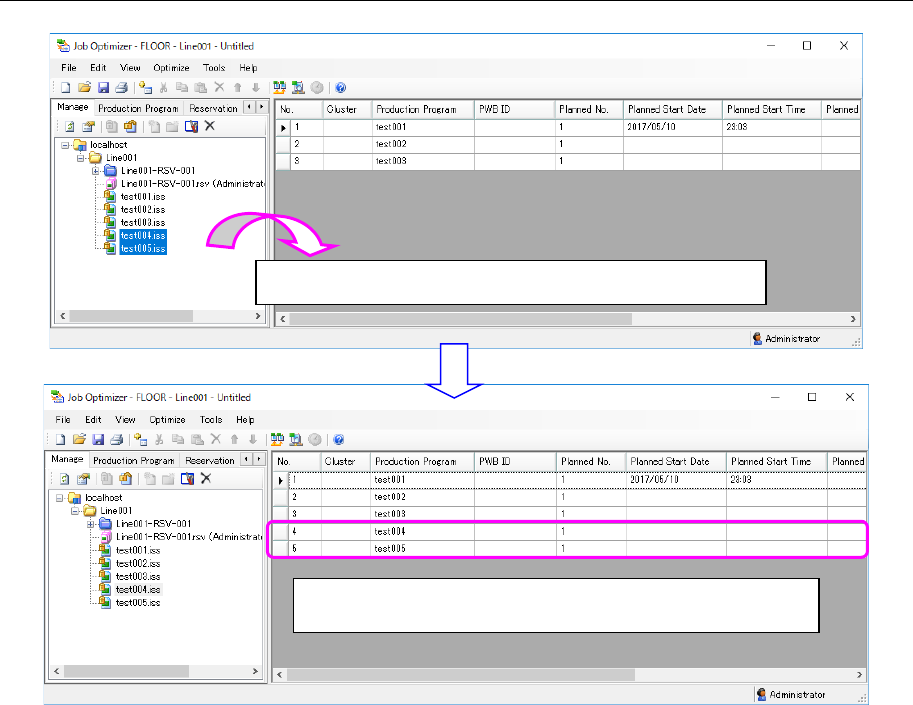
8.3.8.2 Adding a production program from a database
Figure 8.3-25 Main screen (Adding a production program)
Drag & drop a production program from the Explorer area.
The production program you dragged & dropped is added to
the last line.
JaNets Instruction Manual 8. Job Optimizer
8-18
Editing the Reservation list
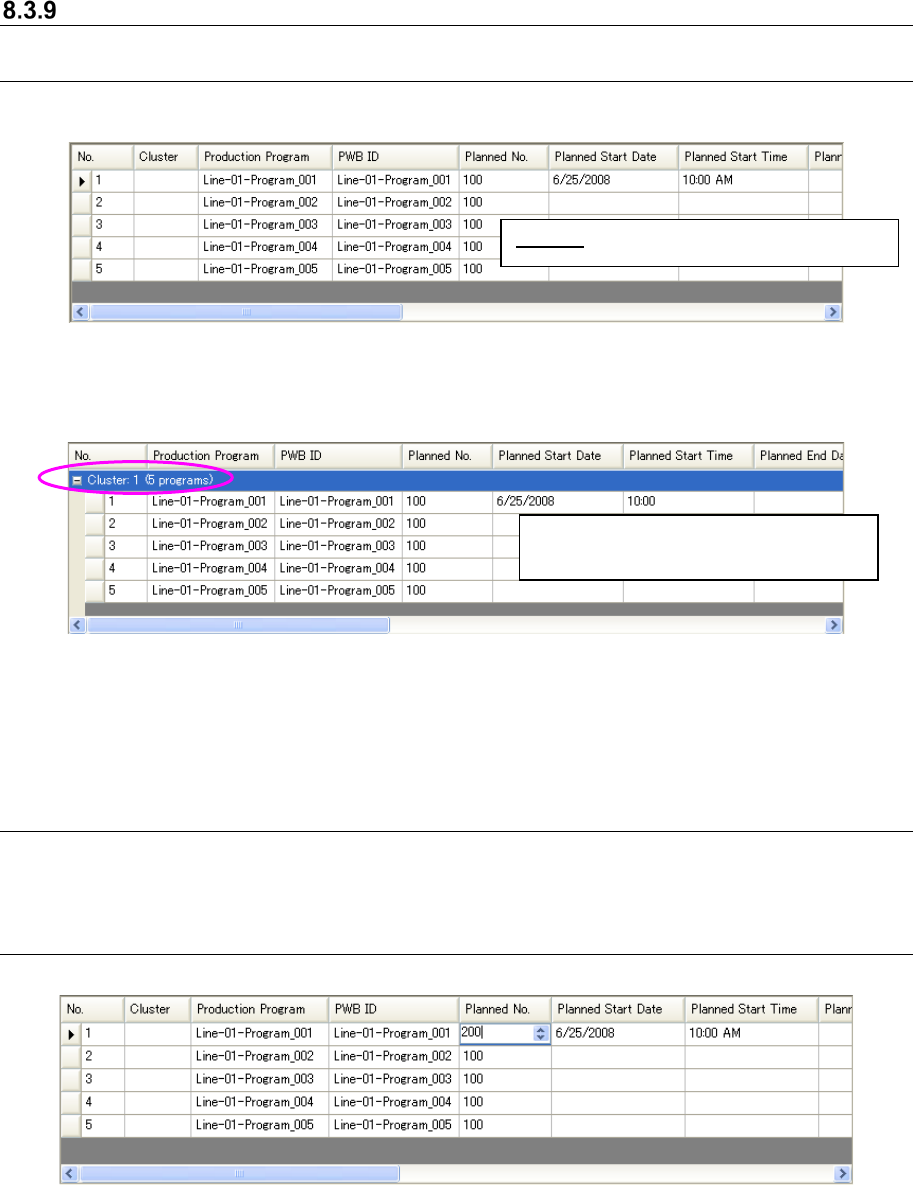
8.3.9.1 Cluster
(Example of a reservation file not optimized or a reservation file whose cluster is not optimized)
Figure 8.3-26 Main screen – Reservation list (Cluster)
(Example of a reservation file whose cluster is optimized)
Figure 8.3-27 Main screen – Reservation list
(grouped according to the cluster number)
* When you edit a Reservation list after it is displayed, the cluster numbers are cleared, and the
tree is hidden.
8.3.9.2 Production Program and PWB ID
When you add a production program to the Reservation list, the program name and the PWB ID of
the added production program are automatically displayed on the screen.
8.3.9.3 Planned No.
Figure 8.3-28 Main screen – Reservation list (Planed No.)
Cluster: Is displayed as a normal column
Five production programs exist (are
grouped) in the “Cluster 1.”