JANETS_INM.pdf - 第41页
JaNets Instr ucti on Man ual 2. Install ation 2- 13 2.1.4 Procedure for Ins talling the JaNet s to upgrade it * Before starti ng the instal lation of an JaNet s , mak e sure t hat the prot ection mo dule (U SB) is remove…
JaNets Instruction Manual 2. Installation
2-12
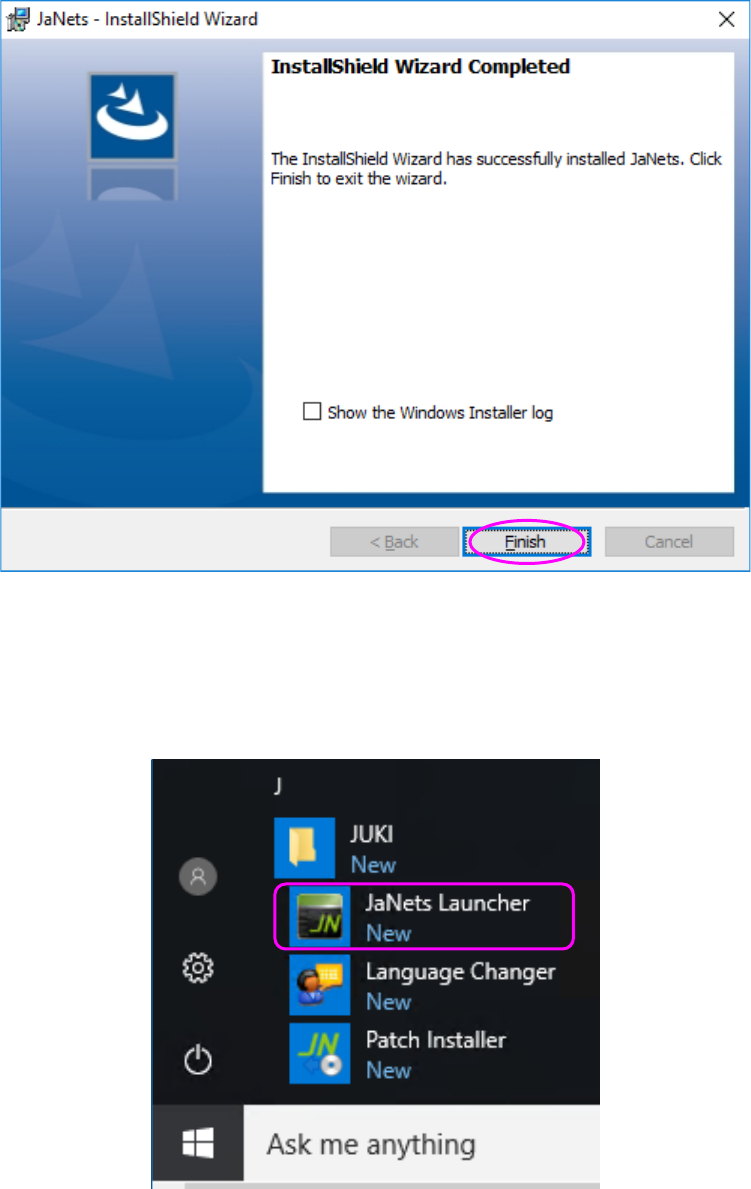
(6) When the JaNets finishes being installed on the PC, the following screen appears. Click the
<Finish> button.
Finish installing the JaNets on the PC.
You have finished installing the JaNets on the PC at this point.
[Start] – [JUKI] – [JaNets Launcher] is created.
JaNets Instruction Manual 2. Installation
2-13
2.1.4 Procedure for Installing the JaNets to upgrade it
* Before starting the installation of an JaNets, make sure that the protection module (USB) is
removed from the PC.
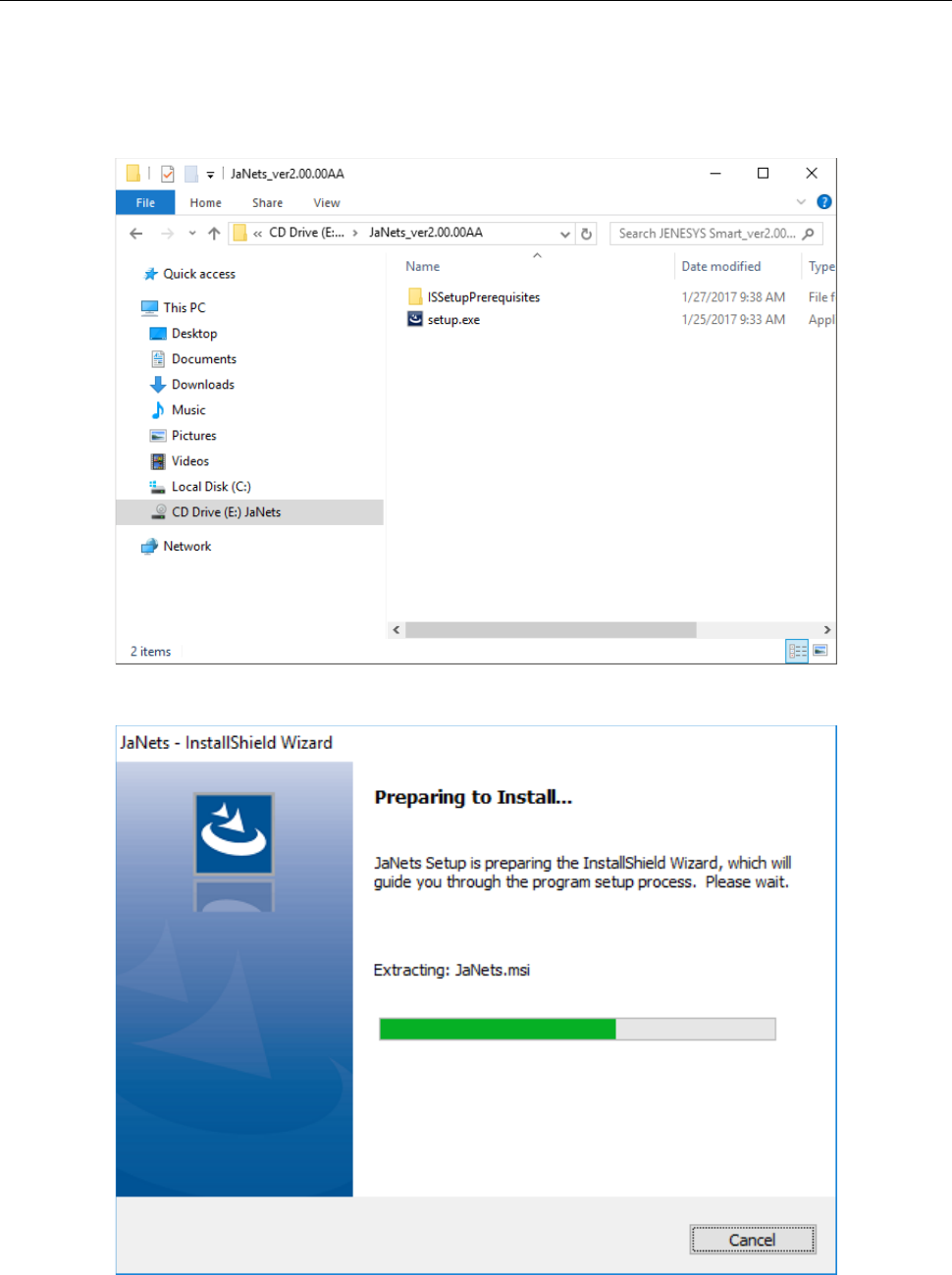
(1) Insert the JaNets Disk into the CD-ROM Drive.
Start up “Setup.exe” in the installation CD.
(2) The installer is being started up.
JaNets Instruction Manual 2. Installation
2-14
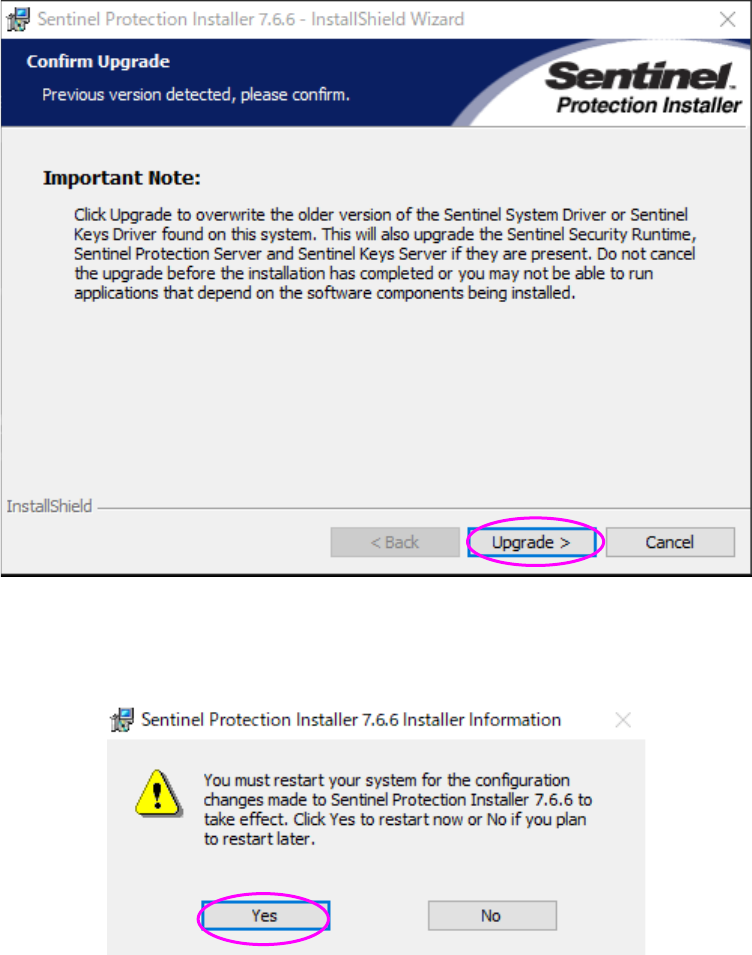
(3) When you have to upgrade the SafeNet Sentinel Protection Installer, click the <Upgrade>
button to install it.
The procedure you are supposed to follow after this operation is the same as that you have to
follow to install the Installer for the first time. See Section “Installing the SafeNet Sentinel
Protection Installer 7.6.6.”
(4) Click the <Yes> button to restart the system.
After the system restarts, installation continues.