JANETS_INM.pdf - 第449页
J aN et s Instr ucti on M anua l 9. Tact S imul at ion 9-7 Set ti ng the enviro nme nt 9.3.2 This i s the s cr een th at al low s you to set the di sp lay c onditi ons of the p rog res s wi ndow and those of th e “ Resul…
JaNets Instruction Manual 9. Tact Simulation
9-6
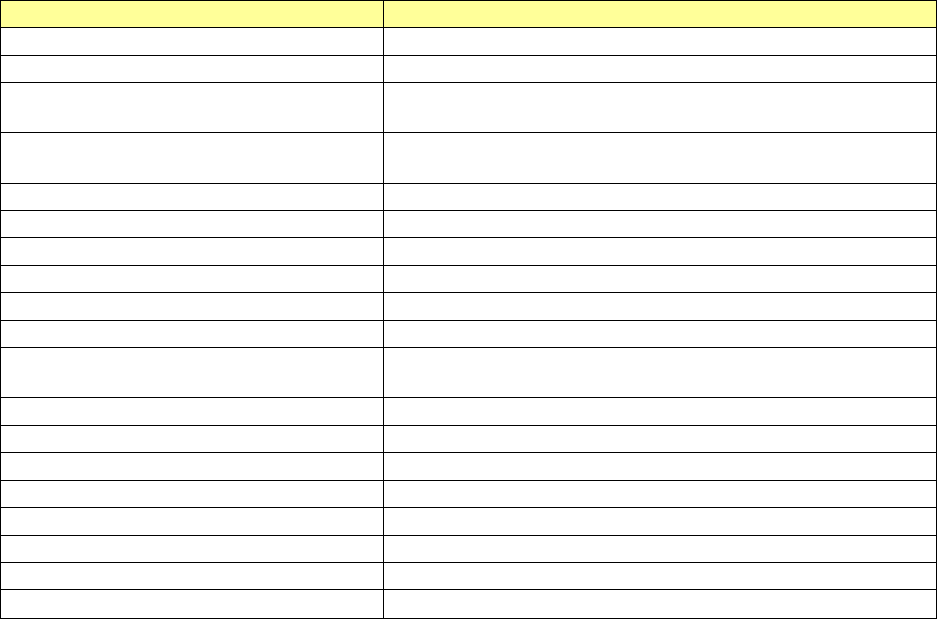
The files that can be read are as follows:
Table 9.3-1 Readable files
File types
Description
Production program (*.iss)
Production program file created with JaNets
Result log (*.gxl)
Log file simulated with Tact simulation
Optimized division file (*.i01 to *.i10)
Division file for each machine created after optimization with
JaNets Program Editor
Optimized division file (*.m01
to
*.m10)
Division file for each machine created with the LC-01 Pro-
gram Editor
2050, 2050R format file (*.e45)
Production program file created with 2050 or 2050R
2055R, 2060, 2060R format file (*.e46)
Production program file created with 2050, 2060, or 2060R
2070 format file (*.e47)
Production program file created with 1070 (*) or 2070
2080, 2080R format file ( *.e48)
Production program file created with 2080 or 2080R
3020, 3020R format file (*.x21)
Production program file created with 3020 or 3020R
3010,3010A format file (*.x11)
Production program file created with 3010 or 3010A
3020V, 3020VR, 3020VA, 3020VRA
format file (*.x21)
Production program file created with 3020V, 3020VR, 3020VA
or 3020VR
FX-3, FX-3R, FX-3RA format file (*.x01)
Production program file created with FX-3, FX-3R or FX3RA
RX-6, RX-6R format file (*.j01x)
Production program file created with RX-6 or RX-6R
RX-7 format file (*.prd)
Production program file created with RX-7
RS-1 format file (*.s01x)
Production program file created with RS-1
2077 format file (*.x4d)
Production program file created with 2077
JM-10 format file (*.e71)
Production program file created with JM-10
JM-20 format file (*.X41)
Production program file created with JM-20
JM-100 format file (*.s30x)
Production program file created with JM-100
* When you specify an optimized division file and a production program in main unit format, specify
a line by a line explorer before file reading.
* When measuring the optimized division file and the production program in main unit format, sim-
ulation is performed in an "independent simulation" mode.
JaNets Instruction Manual 9. Tact Simulation
9-7
Setting the environment 9.3.2
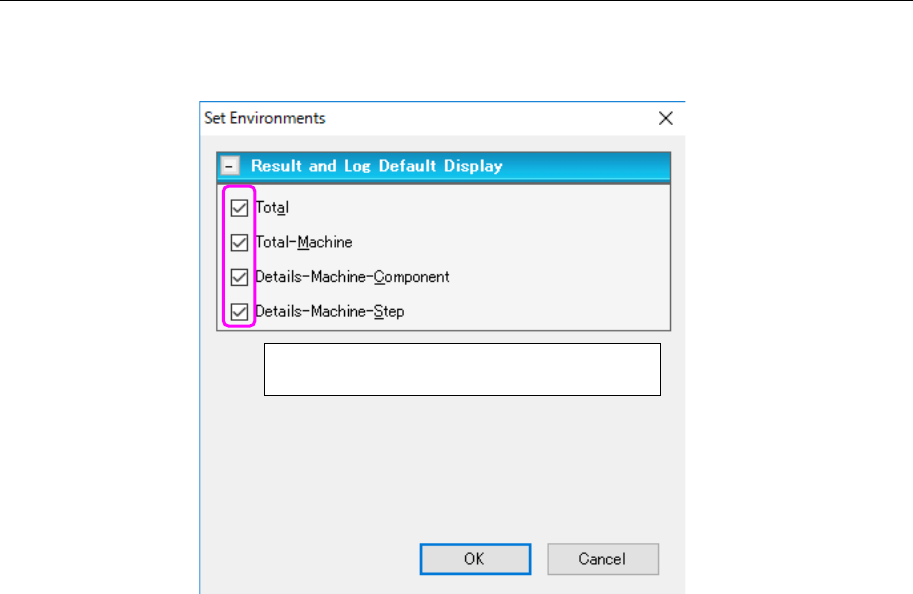
This is the screen that allows you to set the display conditions of the progress window and
those of the “Result and Log” screen.
Figure 9.3-5 “Set Environments” screen
Set the items to be displayed by default with
the corresponding check boxes.
JaNets Instruction Manual 9. Tact Simulation
9-8
Printing the simulation result/outputting the text 9.3.3
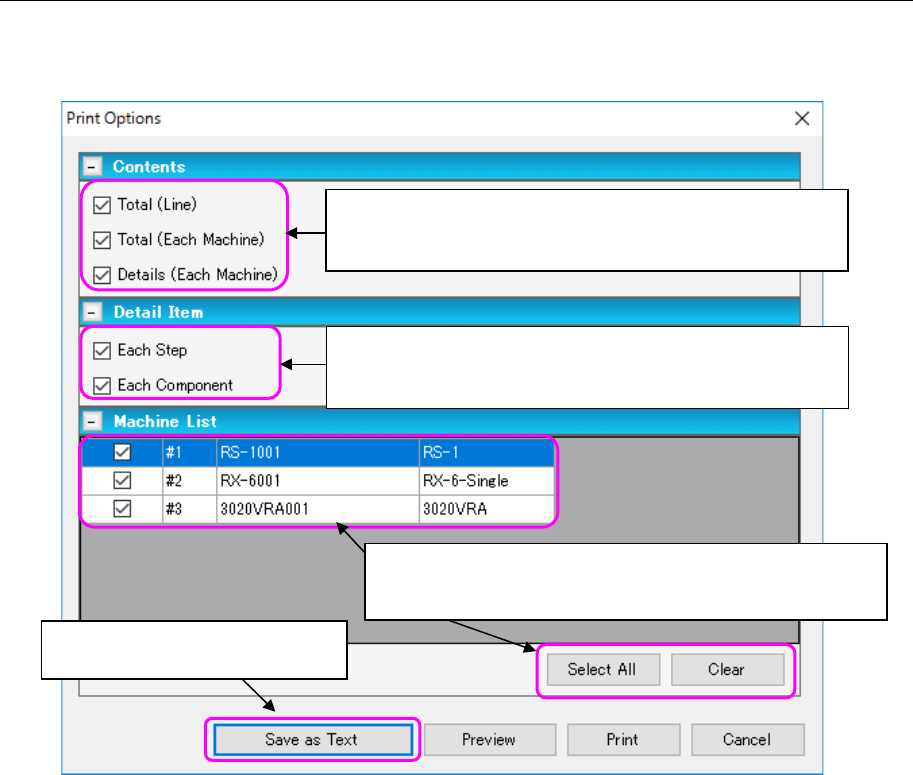
When you select the [File] command from the menu bar, and then the [Print] command from the
“File” menu, or when you click the “Print” tool of the toolbar, the following screen appears.
Figure 9.3-6 “Print Options” setting screen.
To specify a name of a file to be output as text, display the “Save as” dialog box. Specify the
destination to which text is to be output in the “Destination” field.
Select a machine whose result is to be printed. If you want to
select all machines, click the <Select All> button. If you want to
deselect all machines, click the <Clear> button.
Select an item to be printed. When you select the “Total (Each
Machine)” check box or the “Details (Each Machine)” check
box, selection of the “Machine List” below is enabled.
Only when you select the “Details (Each Machine)” check box
as the “Contents,” these check boxes are enabled. Select an
item to be printed.
This button outputs a CSV file to
the specified destination.